
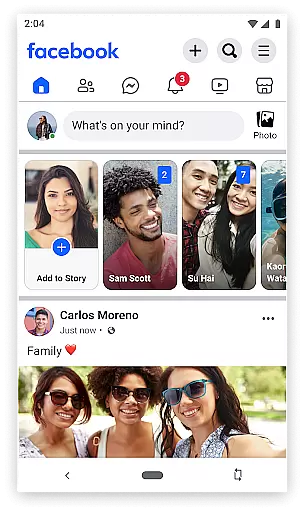
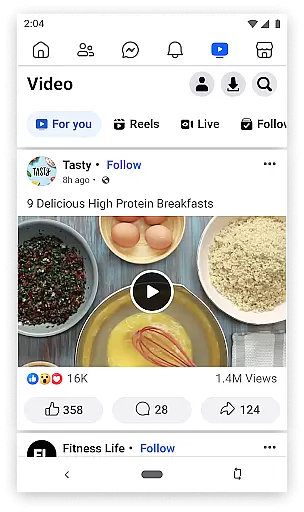

Facebook Lite is a streamlined version of the classic Facebook app, designed specifically for users with limited storage space or those operating in 2G network conditions. This lightweight social networking app allows you to stay connected with friends and family without consuming much data or phone memory.
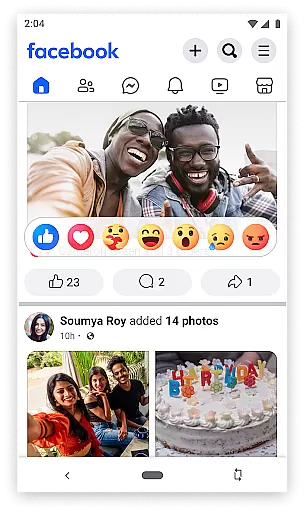
The app retains many essential features of the full Facebook experience, including status updates, photo sharing, event planning, and commenting on posts. It also supports Facebook Marketplace for local buying and selling. Despite its reduced size, Facebook Lite delivers a complete social media experience that maintains user privacy controls and photo management capabilities.
Perfect for areas with poor internet connectivity, this app ensures you can still participate in global conversations, follow favorite brands, and keep up with local events. Its minimalistic design makes it accessible to a wide range of Android devices, providing an efficient way to engage with your social circle.
Facebook Lite offers a comprehensive set of features tailored for efficiency and speed. The app enables users to perform core social networking activities such as finding friends, posting updates, and sharing photos. Its optimized architecture ensures smooth performance even on slower networks, making it ideal for regions with limited internet infrastructure.
One of the standout features is its notification system, which alerts users when friends interact with their content through likes or comments. Additionally, the app facilitates local discovery by allowing users to look up nearby businesses, view reviews, and check operation hours. Facebook Lite also includes Facebook Marketplace, enabling community commerce.
Despite its smaller footprint, the app doesn't compromise on privacy controls. Users can manage who sees their photos and posts through granular privacy settings. The ability to create secret albums and control individual photo privacy demonstrates Facebook's commitment to maintaining robust privacy features even in its Lite version.
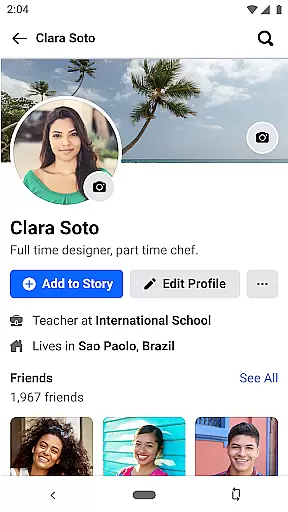
User profile customization is a fundamental aspect of any social networking app, allowing users to express their individuality and maintain an authentic online presence. Facebook Lite offers a streamlined yet effective set of tools for personalizing user profiles.
Through Facebook Lite, users can update profile pictures, cover photos, and personal information such as work, education, and location. The platform ensures authenticity by providing verification features that help distinguish genuine accounts from fake ones. This process includes confirming the identity of users through various checks.
The benefit to users is significant. A well-crafted profile helps in building trust and credibility among connections. Verified profiles enhance the sense of community safety, encouraging more meaningful interactions within the network.
By focusing on both customization and authenticity, Facebook Lite not only enhances user engagement but also fosters a secure environment where real connections thrive.
Connection discovery is a pivotal feature in social apps, enabling users to find and connect with friends, family, and like-minded individuals effortlessly. Facebook Lite excels in this area by offering robust search and suggestion functionalities.
Facebook Lite's connection discovery mechanism leverages algorithms that analyze existing contacts, mutual friends, and user interests to suggest potential connections. Users can search for people by name, email, or phone number, ensuring they can easily locate and reconnect with old friends or meet new ones.
This functionality significantly enriches the user experience. By facilitating new connections and rekindling old ones, Facebook Lite helps users expand their social networks and stay engaged with their communities.
Ultimately, the connection discovery feature in Facebook Lite not only makes it easier to build a comprehensive social network but also enhances the overall value and utility of the platform for its users.
User-friendly interface
Low data consumption
Small app size
Fast loading times
Wide device compatibility
Limited advanced features
No video calling
Fewer customization options
Reduced image quality
Less frequent updates

Dive into diverse fandoms. Connect, create, reblog.
 3.90
3.90
Video call, live video chat & talk to strangers. Meet people on Omega!
3.60
Social App Used By Millions
4.40
Find your next obsession.
3.50
Build Your Team With One App
4.30
Create your personal AI chatbot: talk, roleplay, and connect with characters!
4.10
Live Chat & Match! Explore Real-Time Dating and Make Friends!
4.40
A warm, simple dating app for adults seeking real connection.
4.20
A video app from OpenAI - AI video generation by the maker of ChatGPT
4.60
Social calendar for friends to make plans, group chat, share events & schedules
4.60
Get your NGL Link
4.60
Live pics from your friends - Only the photos you want to see
4.60
Dating & make friend to chat, meet, flirt, and make real connections!
4.60
Global short video platform: epic effects, trending videos & vibrant community!
4.40
Calling and texting app. 2nd virtual line plus new phone number. Txt & talk now.
4.40
Positive social
4.20
Honest dating app where real people find genuine love and real matches.
4.20
Meet local people, make friends & network: Join a community, group, host events
4.00
The video chat to meet people in the blink of an eye!
3.90


User Reviews