
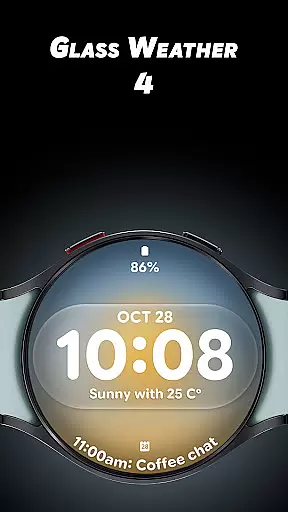
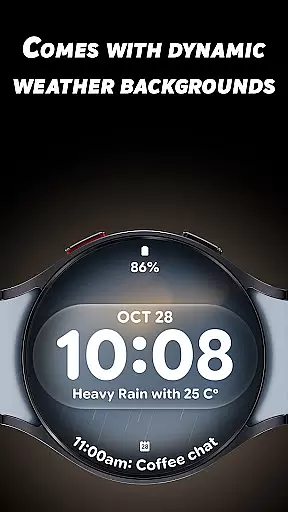
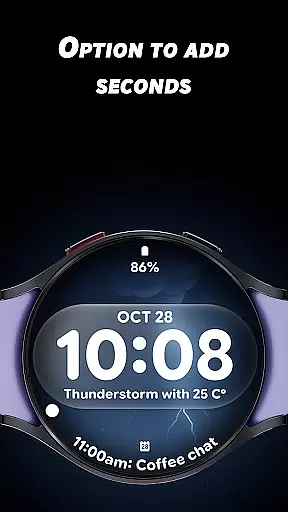
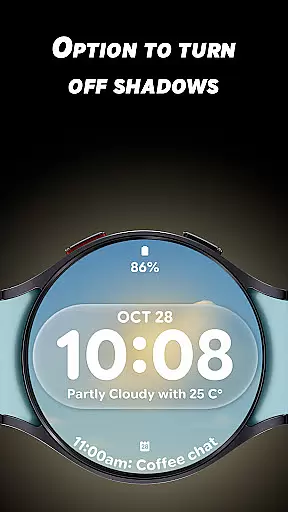
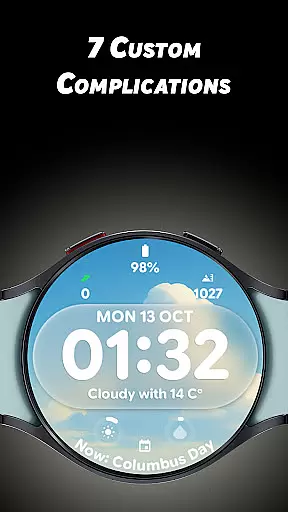
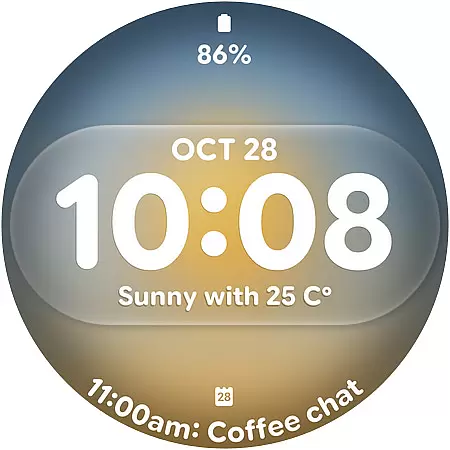
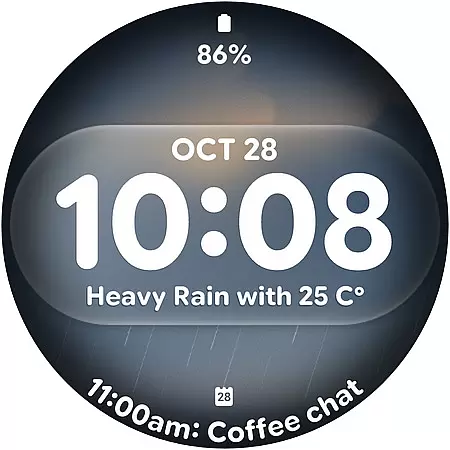
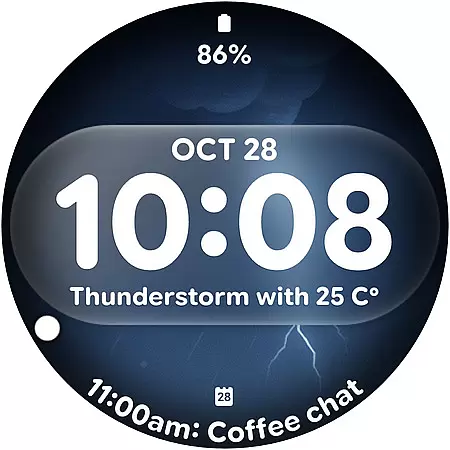
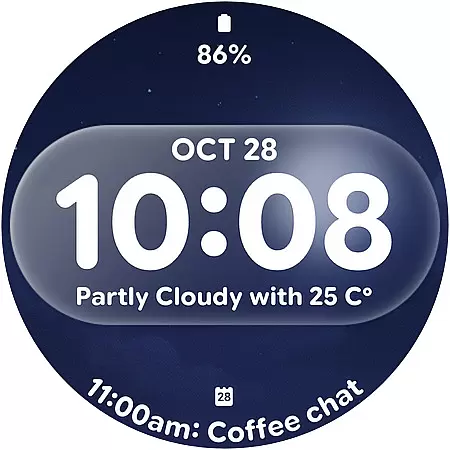
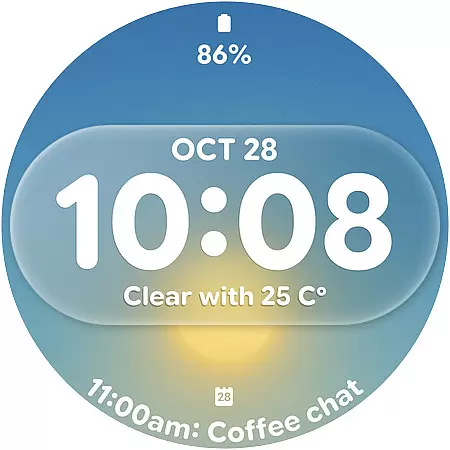
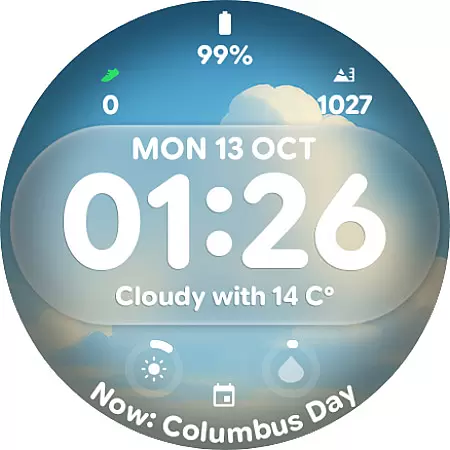
Glass Weather 4 is a premium watch face designed for Wear OS smartwatches, offering a sleek glass-inspired aesthetic. It combines functionality with modern design through dynamic weather-based backgrounds that adapt to real-time conditions like sunny, cloudy, or rainy scenarios.
The app features bold digital time displays, customizable complications, and advanced settings such as shadow control and always-on display optimization. With its elegant interface and personalization options, Glass Weather 4 enhances both style and usability for everyday wear.
Glass Weather 4 stands out with its live dynamic weather backgrounds that change based on current conditions, ensuring your watch face is both visually appealing and informative. The big bold digital time display ensures easy readability, while the optional seconds and 12/24-hour formats provide flexibility.
With support for 7 fully customizable complications, users can personalize their watch to show battery levels, heart rate, steps, and more. Advanced features include toggleable shadows for depth adjustment and an efficient always-on display mode, balancing aesthetics with battery performance.
Forecast accuracy is crucial for any weather application, and Glass Weather 4 excels in this area by providing real-time dynamic weather backgrounds that change based on current conditions. This ensures users receive the most up-to-date weather information directly on their smartwatch face.
The app sources its data from reliable meteorological services, ensuring high credibility. By integrating with established weather APIs, it delivers precise forecasts, giving users confidence in planning their day-to-day activities around accurate weather predictions.
For users, this means they can trust the weather information displayed on their watch face, whether it indicates sunshine, rain, or snow. The dynamic updates ensure that changes in weather are reflected instantly, enhancing both functionality and aesthetics.
Glass Weather 4 offers an impressive temporal and spatial forecast range, allowing users to stay informed about weather conditions not just currently but also over extended periods. This feature is particularly beneficial for those who need to plan ahead, such as travelers or outdoor enthusiasts.
The app provides detailed forecasts across different geographical locations, ensuring that no matter where you are, you have access to relevant weather data. This wide coverage is supported by a robust backend that processes vast amounts of meteorological information efficiently.
By delivering comprehensive weather insights over time and space, Glass Weather 4 empowers users to make informed decisions regarding their schedules and safety. Whether at home or abroad, users can rely on the app's extensive forecast capabilities to stay prepared for whatever weather comes their way.
Dynamic weather updates
Fully customizable layout
Bold time visibility
Battery-efficient AOD
Modern glass design
Limited to Wear OS
Premium cost likely
Weather dependency
Complex for beginners
Specific design taste

A tool that provides real-time and 5-day weather info.
 4.4
4.4
Local weather forecast, reliable daily weather report
4.30
Hurricane Tracker, Rain Map
4.80
Track rainfall totals with ease using our rain gauge app. Accurate rain tracker.
4.50
Storm Radar, Alerts & Live Weather Forecasts Right on Your Home Screen
3.70
Advanced weather toolkit, providing detailed weather information for any season!
3.50
Local weather forecast app, your personal 7*24 local weather forecast assistant.
4.90
Magnetic Compass meets smart tech: Get directions and weather alerts seamlessly
3.30
All-in-one weather radar launcher with rain, temperature maps & local forecast.
4.30
Weather - Local weather forecast, weather daily & hourly, weather radar
4.80
My Tide Times Pro is the only tide tables and forecasts application you'll need.
4.80
Live local weather updates: various widgets & radar maps & hourly forecast.
4.70
weather forecast, weather radar, weather widget in one local weather app
4.70
Track lightning strikes with our thunderstorms map, radar and lightning alarm.
4.70
Powerful US and worldwide earthquake feed with earthquake alerts and maps.
4.60
Hyperlocal Forecasts, Live Radar, Severe Weather alerts & Homescreen Widgets
4.30
Weather watch face for Wear OS 5+
4.10
Your Personal Weather Assistant
4.00
Arrive safely! Travel weather forecasts for your entire trip at time of arrival.
3.60


User Reviews