


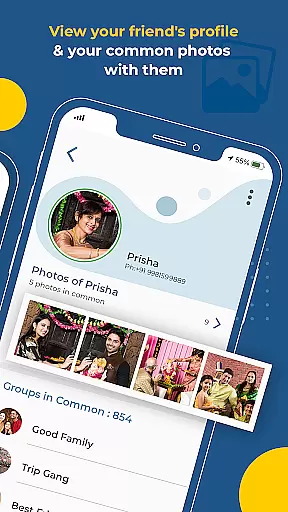
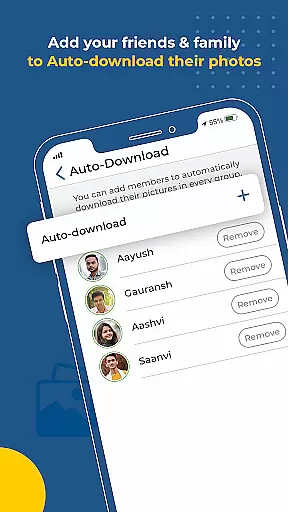
Kwikpic is an innovative photo management app designed specifically for event enthusiasts and professional photographers. The application's core functionality revolves around AI-powered face recognition technology, which enables users to effortlessly sort, tag, and share high-quality photos with relevant individuals. Whether you're capturing memories from a wedding, conference, or vacation, Kwikpic ensures that every image is preserved in its original quality without any loss during the upload process.
Beyond simple photo sharing, this app offers advanced features like group photo identification, detailed analytics tracking, and seamless integration with various cloud storage platforms. These capabilities make it particularly useful for event organizers who need to manage large volumes of photographs while maintaining efficient communication with attendees. By automating the tedious process of manual photo sorting and delivery, Kwikpic saves users valuable time and enhances their overall experience.
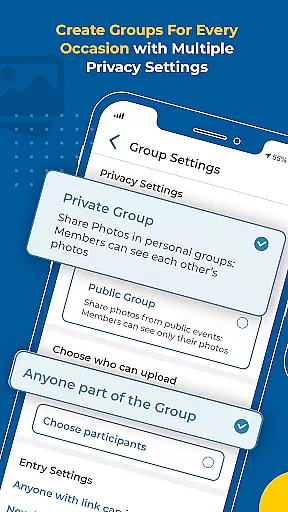
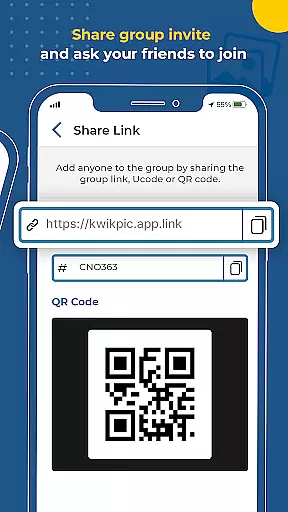
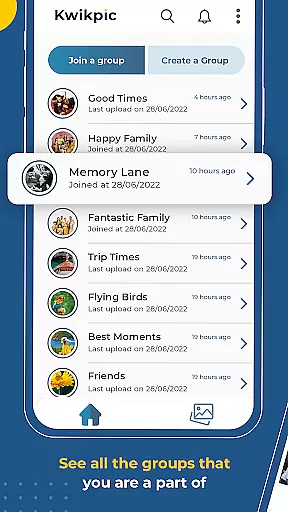
The standout feature of Kwikpic is its sophisticated AI-driven face recognition system. This technology allows the app to automatically identify individuals within photos and categorize them accordingly. Users can easily create groups based on specific events or occasions, making it simple to find common pictures among participants. Additionally, the app provides comprehensive analytics tools that track metrics such as total impressions and download counts, giving users valuable insights into how their photos are being received.
Another notable aspect of Kwikpic is its versatility in handling different types of media sources. The app supports direct uploads from device galleries as well as popular cloud services like Google Drive. This flexibility ensures that users can access their entire photo collection regardless of where it's stored. Furthermore, the instant notification system keeps all tagged individuals informed about new additions to shared albums, fostering better engagement and interaction among group members.
Task creation and detail customization are essential features for any event management app. Kwikpic excels in this area by allowing users to create tasks that involve uploading, sorting, and sharing photos with ease.
The app uses advanced AI technology to enable face recognition, making it simple to tag individuals in photos and sort them accordingly. This feature ensures that every photo is delivered to the right person without manual intervention.
Users can customize details such as tagging options, notification settings, and photo delivery preferences. This flexibility allows for a personalized experience tailored to the specific needs of each event or group.
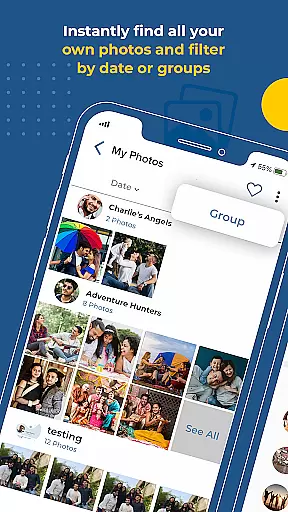
With Kwikpic, you can effortlessly manage large volumes of photos from various events, ensuring that everyone receives their cherished memories quickly and efficiently.
Reminder settings play a crucial role in ensuring that users never miss an important moment captured in photos. Kwikpic offers robust reminder functionalities that keep users engaged and informed.
Once photos are uploaded, the app instantly matches faces, tags individuals, and sends notifications to alert them. This immediate feedback loop ensures that users are always aware when new photos are available.
Additionally, Kwikpic provides analytics such as total impressions and downloads, giving users insights into how their shared photos are being received. These metrics serve as reminders of the impact and reach of their shared memories.
By leveraging these reminder settings, Kwikpic enhances user engagement and ensures that every photo is appreciated and acknowledged, making it an indispensable tool for event photography management.
User-friendly interface
Advanced face recognition
High-quality photo sharing
Comprehensive analytics
Cloud storage integration
Limited free storage
Subscription fees apply
Occasional processing delays
Privacy concerns
Learning curve for new users

An App for Bhutanese
 4.1
4.1
Manage all your events, leads, ticketing, payments and check-ins.
4.30
Purchase line-skip passes, drinks, cover, and more at bars and clubs
3.50
Listen Full Quran MP3 Offline - Qibla Compass, Salah Timing & 99 Names of Allah
4.60
Everything you need for the Best Thursday Ever.
4.40
The official app of the Carmel Christkindlmarkt!
4.5
Introducing the official Magic: The Gathering app for mobile.
4.20
Octrober 2025: We've updated the MyGenMobile App with a new look and feel!
4.40
Save money on concert, sport, and theater tickets, and discover upcoming events.
4.80
Invitation card maker for birthday party & Wedding. Digital greeting card editor
4.90
Plan your wedding for free on the go: vendors, budget, website and checklists!
4.80
Find Live Event Ticket Deals to Sports, Concerts, Festivals, & Comedy For Less!
4.80
Here you can choose tickets for films, performances, concerts and other events
4.60
Text message invitations for birthday party, wedding, graduation, baby shower +
4.60
PheedLoop Go! is the mobile event app for events powered by PheedLoop.
4.40
Rocket Monkey - Space rocket launch schedule for launch sites around the world
4.20
Audio guide companion APP for SEE's Michelangelo's Sistine Chapel
3.50
Watch live football matches and streaming events on our Arabic TV app!
3.50
TV Garden is a video player to play your own TV streams from around the world!
4.2


User Reviews