
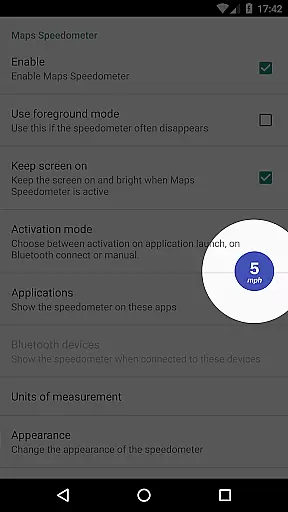
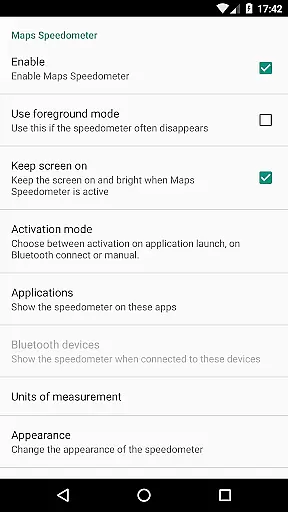
Maps Speedometer is a versatile travel companion that displays your current speed in real-time as an elegant overlay on your device. This innovative app automatically activates when your selected apps are in use or when connected to a Bluetooth device, ensuring you always have access to your speed information without interrupting your primary activities. Designed with flexibility in mind, it supports various units of measurement including mph, km/h, and knots, catering to different user preferences and regions.
The app stands out with its customizable features such as adjustable transparency, size, position, and color schemes, allowing users to tailor the speedometer overlay to their liking. Whether you're navigating through unfamiliar roads or simply monitoring your speed during daily commutes, Maps Speedometer provides a seamless and unobtrusive experience. Its compatibility with any app installed on your device makes it an invaluable tool for travelers, drivers, and anyone who values having critical information at their fingertips.
Maps Speedometer offers a comprehensive set of features designed to enhance your travel experience. One of its key capabilities is the automatic display and hiding of the speedometer overlay based on the active app or Bluetooth connection status. This ensures that the speedometer only appears when needed, maintaining an uncluttered screen during other activities. The app's support for multiple units of speed measurement (mph, km/h, knots) allows users worldwide to utilize it effectively, regardless of regional preferences.
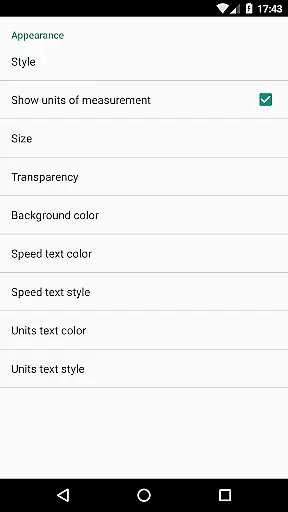
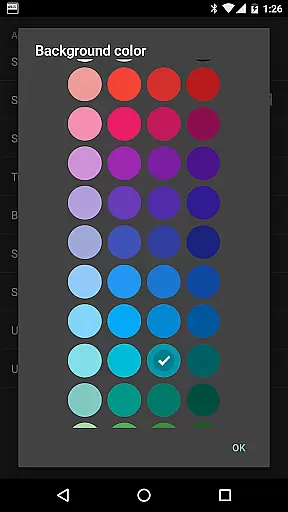
Customization is at the heart of Maps Speedometer's design. Users can adjust the transparency, size, position, and even the colors and styles of the overlay to suit their visual preferences and device setup. The ability to temporarily hide the overlay by touching it for 10 seconds adds convenience, while the option to drag and place it anywhere on the screen ensures optimal visibility. These features collectively create a personalized and user-friendly interface that adapts to individual needs and enhances overall usability.
Although Android Auto support is currently limited due to platform restrictions, Maps Speedometer remains a powerful tool for enhancing situational awareness while driving. The app's commitment to privacy and security is evident in its offline functionality and absence of advertisements or data-sharing backdoors. By leveraging Accessibility services solely for detecting active apps, it maintains a high standard of user trust and safety. For those interested in additional driving aids, Maps Speed Limits offers complementary functionality by displaying speed limits based on location.
When it comes to travel applications, ensuring the authenticity of bookings is paramount. Maps Speedometer provides a reliable and transparent experience by integrating seamlessly with your chosen navigation apps. The app uses advanced detection algorithms to automatically display an elegant speedometer overlay when your selected app is active.
This automated feature guarantees that users receive accurate speed information without any manual input or configuration. The app's robust system ensures that the speedometer appears only when necessary, providing a trustworthy tool for travelers who need real-time data during their journeys.
Furthermore, the absence of advertisements and unnecessary internet access reinforces the app's commitment to delivering genuine and uninterrupted service. Users can rest assured that their private information remains secure, enhancing the overall reliability of their travel experience.
Price transparency is crucial in the travel and local exploration sector, and Maps Speedometer excels in this area by offering a product free from hidden costs. This application does not require internet access, nor does it contain backdoors that might compromise user data, ensuring complete clarity regarding operational costs.
Users have the flexibility to customize various aspects of the speedometer, such as units of measurement, transparency, size, position, and colors, all without incurring additional charges. These features underline the app's dedication to openness and user empowerment, allowing travelers to tailor the tool according to their preferences without unexpected fees.
Moreover, Maps Speedometer supports multiple functionalities like Bluetooth connectivity options and compatibility with Android Auto, albeit within certain limitations. By clearly communicating these capabilities and restrictions, the app maintains a transparent relationship with its users, fostering trust and satisfaction.
User-friendly interface
Highly customizable settings
No ads or internet required
Automatic activation feature
Supports multiple units
Limited Android Auto support
Requires Accessibility permission
Bluetooth dependency for some features
No voice guidance option
Potential battery consumption

View US public land boundary maps on your device.
 3.70
3.70
The travel app that makes booking cheap flights, hotels, and car rentals easy.
4.80
MyTSA gives you 24/7 access to info that passengers frequently request from TSA.
4.10
Everything you need for your trip in one place with the Volaris app.
3.60
Find your perfect somewhere with last minute hotel & travel deals!
4.80
Offline WiFi Hotspot Finder, eSIM, Caller ID, Dialer, Home Screen Launcher & VPN
4.20
Get the app that knows where you’re going - view your flight, check in & more
4.50
Examine the planet
3.80
Book flight, car or packages. Instant access to hotel discounts & travel deals
4.80
Streamline your U.S. entry
4.90
All-in-one delivery and taxi app. Ride, food, & grocery delivery app.
4.80
Vacationing on CARNIVAL? Maximize your fun on board with the ultimate cruise app
4.60
Link & locate for real-time child & family safety: GPS tracker for families
4.40
Iowa 511 is the Iowa Department of Transportation's traveler information app.
3.80
Real-time flight tracking with live maps and flight status updates.
3.70
Apply for an electronic travel authorisation (ETA) to come to the UK.
3.20
OFFLINE detailed information about the Florida National and State Parks
4.1
The #1 Parent App in Brevard County
4.1
View current Idaho road conditions, road cameras, and timelapse videos.
4.1


User Reviews