
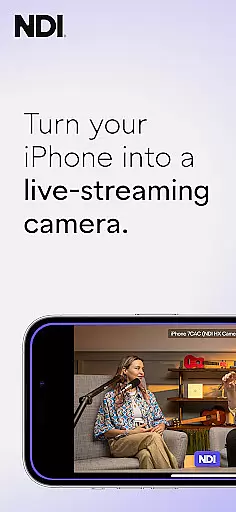
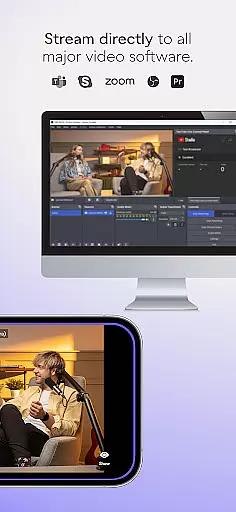
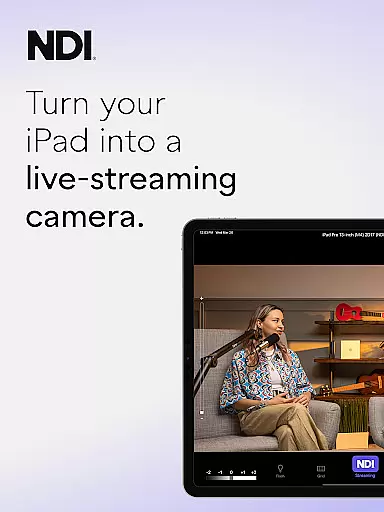
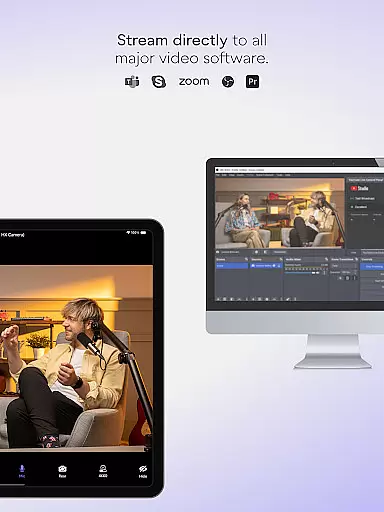
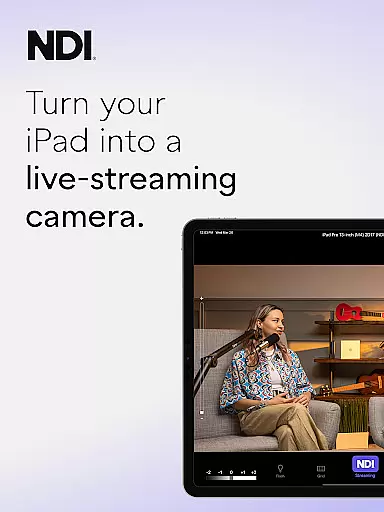
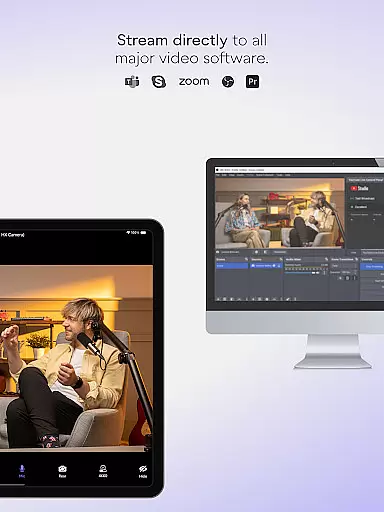
NDI Camera is a professional live-streaming application that transforms your mobile device into a high-quality NDI camera. With its intuitive interface and powerful features, the app allows users to stream low-latency video and audio directly to popular platforms such as MS Teams, Skype, and Zoom. Designed for both amateur and professional use, it offers seamless integration into any live production system.
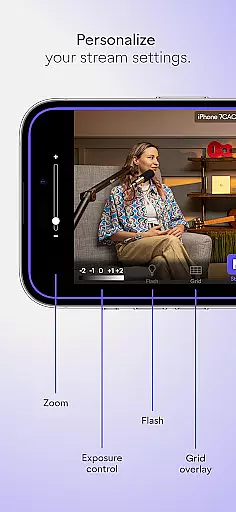
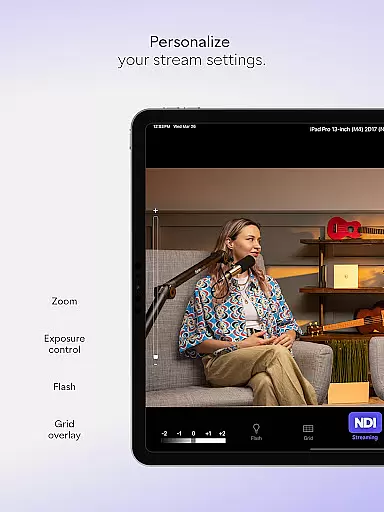
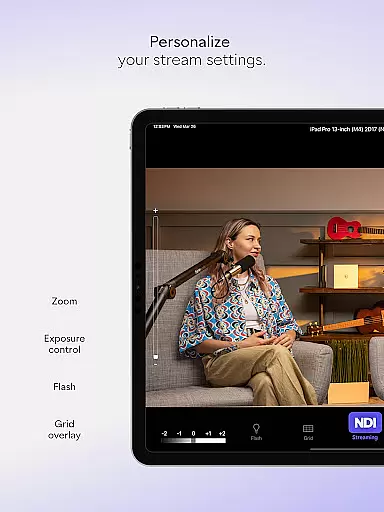
The app provides multiple advanced settings including adjustable bandwidth modes, grid overlays, autofocus, and pinch-to-zoom functionality. Whether you're conducting a simple webcast or managing complex live broadcasts, NDI Camera adds flexibility by enabling new camera angles and vantage points, enhancing the overall quality of your presentations.
NDI Camera stands out with its rich feature set tailored for live-streaming professionals. The app's modernized UI ensures an intuitive user experience while the fixed viewfinder displays the full video height, providing accurate framing. One of the notable features is the tally light, which comes with multiple modes to indicate preview and on-air status.
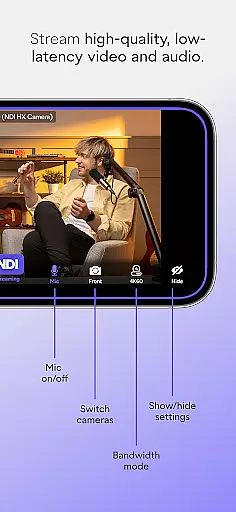
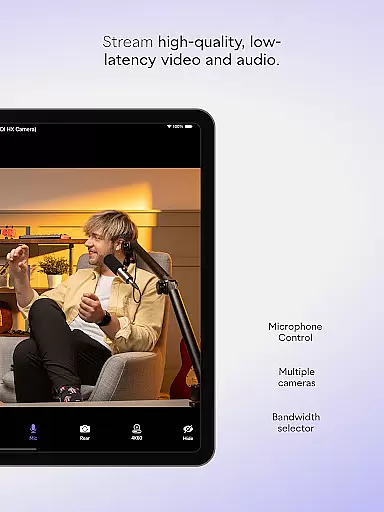
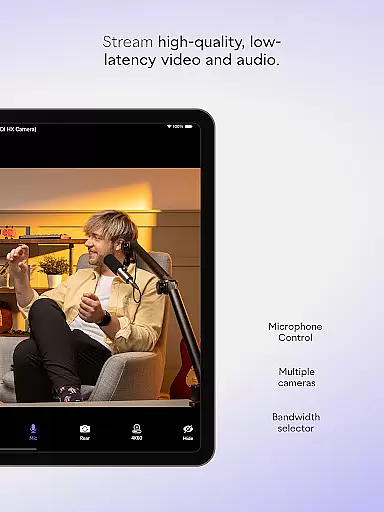
For those seeking more control over their streams, NDI Camera offers professional settings at your fingertips. Users can choose between high, medium, and low bandwidth modes to suit their network conditions. Additional features include front and rear camera selection, an on-screen connection meter, and optional grid overlays. These functionalities ensure that users have all the tools needed to produce high-quality broadcasts from their mobile devices.
Real-time messaging speed and reliability are crucial for seamless communication in any live-streaming application. NDI Camera excels in this area by providing high-quality, low-latency video and audio streaming with just a push of a button.
The app ensures that your phone becomes a professional live-streaming NDI camera, capable of sending video to popular platforms like MS Teams, Skype, Zoom, and many others without any noticeable delay. This immediacy is vital for professionals who need to integrate mobile phones as a source into their live production systems.
With its modernized UI for a more intuitive experience and features such as the tally light with multiple modes, NDI Camera enhances user interaction while maintaining swift message delivery. The tally display for preview and on-air status further assures users of their connection quality, making certain that they are always aware of their streaming status.
NDI Camera offers robust media sharing support, turning your smartphone into a versatile tool for live broadcasts, webcasts, and presentations. By allowing users to stream directly from their phones, it introduces new dimensions to content coverage with additional perspectives and camera angles.
This application supports high, medium, and low bandwidth modes, ensuring compatibility with various network capabilities. Such flexibility guarantees uninterrupted media sharing, regardless of the internet speed, thus catering to a wide range of professional needs.
Moreover, features like optional grid overlay, autofocus, pinchable zoom, and front and rear camera selection provide users with extensive control over their streams. These functionalities ensure that the shared media is always of the highest quality, meeting the rigorous demands of modern digital communication.
User-friendly interface
High-quality streaming
Multiple platform support
Flexible camera settings
Professional features
Requires NDI 4 support
Limited free features
Network dependent
Occasional bugs
Premium version costly

Enables Plus features of Quick Search.
 4.1
4.1
Block spam calls & scam - no more annoying calls with the call blocker function
4.30
Fast and mini browser with Ad Blocker,Video Downloader and Video Player
4.40
Messenger, an MMS & SMS messages app with Blockers, Driving mode & Private box
4.60
RemoteHams.com Android RCForb Client Pre-Release
4.30
Auto Reply SMS, Text Messaging, Away SMS Response, Busy SMS messages, Block Text
3.10
Use this SMS app standalone or as a TREK: Total Interface companion.
4.30
Call & Text Anywhere With A Canadian Number.
3.60
Bringing the functionality of Winlink to your Android device
4.2
Use this Dialer app alone or as a TREK: Total Interface companion.
4.70
Messenger for SMS - texting message app, faster, simpler & safer, for you.
4.70
FolderSync enables easy sync of files between cloud storage and Android devices.
4.60
Experience real private browsing without tracking, surveillance, or censorship.
4.50
Faster version of Messages. Messenger for your contacts.
4.50
Create a secure hotspot on-the-go with Portable WiFi - Mobile hotspot.
4.40
Fast and simple walkie talkie app
4.20
A softphone with crystal clear SIP Calling & Reliable VoIP dialer
4.00
Chat on the Jabber network (XMPP protocol); support for SMS and other gateways
2.10
Manage Phone Calls, call history, and contacts easily with Phone Pro.
4.4


User Reviews