
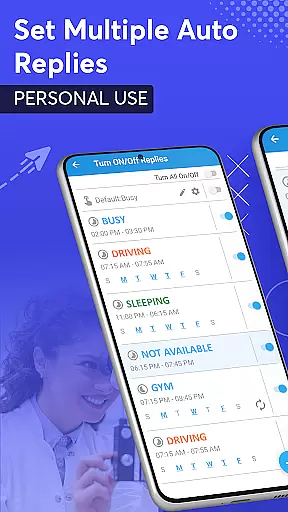
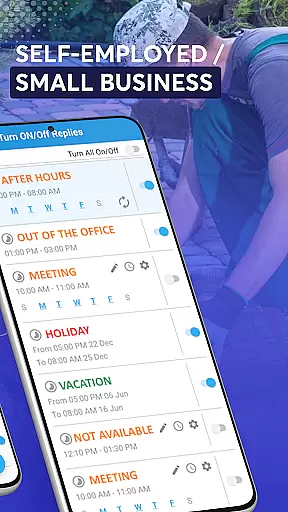
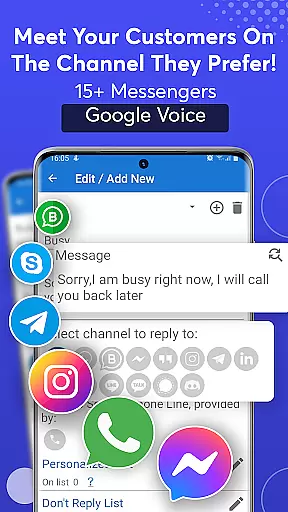
SMS Auto Reply is a versatile communication tool that allows users to automatically respond to incoming messages across multiple platforms. This includes SMS, WhatsApp, Facebook, Signal, Telegram, and more. The app is designed for scenarios where users are unavailable, such as during meetings, driving, or sleep.
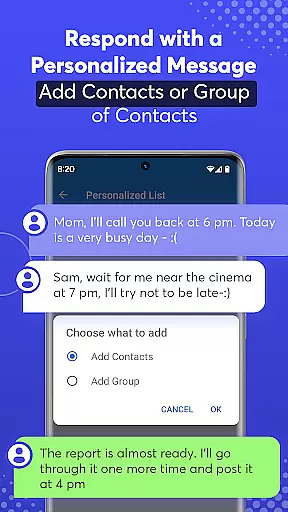
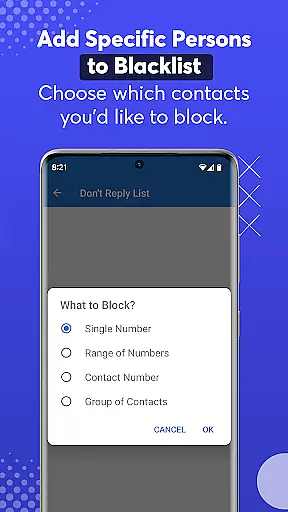
With customizable auto-reply options, users can set different responses based on their current activity or time of day. It also features a personalized list function, allowing specific contacts to receive tailored messages. Additionally, the app supports text-to-speech functionality, reading out incoming messages aloud, which enhances safety while driving.
The app offers a comprehensive suite of features including multiple auto-reply templates for various situations like driving or sleeping. Users can customize these messages or create their own automated responses. A 'Do Not Disturb' mode silences notifications during auto-reply sessions.
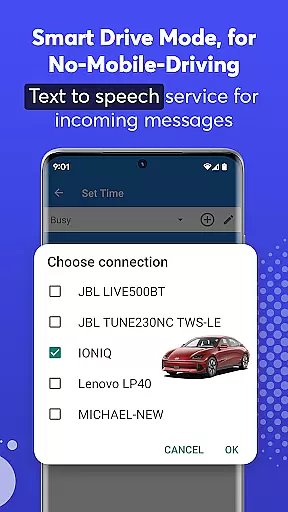
Advanced functionalities include scheduled recurring replies, an archive of sent messages, and integration with Bluetooth for automatic activation when driving. The Smart Drive Mode ensures hands-free operation by reading incoming messages aloud and enabling voice-based responses, promoting safer driving practices without distractions from mobile devices.
Real-time messaging speed and reliability are crucial for any communication app. SMS Auto Reply ensures that your messages are sent instantly when specific conditions are met, such as driving or being in a meeting. This immediacy is vital for maintaining effective communication without delays.
The app achieves this reliability through smart automation that detects your status and responds accordingly. Whether you're using WhatsApp, Facebook Messenger, or traditional SMS, the app's robust system guarantees timely responses. This feature is especially beneficial for professionals who need to maintain constant contact with their network.
Moreover, the app uses minimal system resources, ensuring that it operates smoothly without draining your battery or affecting other phone functions. This efficiency means you can rely on SMS Auto Reply to work seamlessly throughout the day, providing consistent performance.
Users benefit from enhanced communication reliability, knowing that important messages will receive immediate attention even when they're occupied. This peace of mind allows users to focus on their current tasks without worrying about missing critical communications.
Media sharing support is an essential feature for modern communication apps, allowing users to share various types of content effortlessly. SMS Auto Reply extends its functionality beyond text by supporting media sharing across multiple platforms like WhatsApp, Facebook, and more. This versatility ensures comprehensive communication options tailored to user needs.
The app facilitates automatic replies not just with texts but also with emojis and other media formats supported by native apps such as WhatsApp. By integrating these capabilities, it enhances the richness of automated responses, making them more engaging and contextually appropriate.
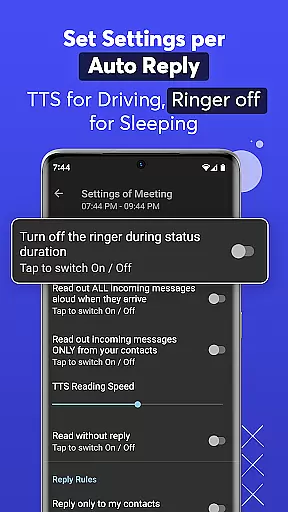
In addition to standard media, the app supports text-to-speech services, reading out incoming messages aloud. This feature is particularly useful while driving or biking, where visual engagement might be unsafe. Users can customize how incoming messages are read, adjusting reading speeds to suit their preferences.
By incorporating extensive media sharing support, SMS Auto Reply provides a holistic communication solution. Users enjoy a versatile tool that adapts to different scenarios, enhancing both convenience and safety during daily activities.
Wide platform support
Customizable responses
Text-to-speech feature
Smart Drive Mode
User-friendly interface
Premium version costs
Complex setup process
Limited free features
Occasional bugs
Bluetooth connectivity issues

Call Forwarding is easy and simple application to use.
 3.80
3.80
Identify unknown numbers, block spam calls, customize calls with cool themes.
4.60
A web browser that respects your privacy.
4.30
Our Black Friday sale is here. Unlock special discounts on Proton Mail now.
4.30
A Browser with powerful ad blocker to help focus on what really matters.
3.00
Message and video call your family and friends in HD!
3.80
Comprehensive and powerful scan tool app with enhanced functions
3.00
Watchgram for Telegram: Experience seamless Telegram messaging on your watch
1.80
Build your web browser around you with private search, and more.
4.60
We’re taking the yada yada out of wireless—now we’ve taken it out of your app.
4.70
Stay in touch with the people who matter most.
4.60
Faster version of Messages. Messenger for your contacts.
4.50
Manage your mobile phone plan, check unlimited 5g data usage and track rewards
4.50
Manage your data, talk & text - affordable phone plans & data usage made simple
4.30
Telegram is a messaging app with a focus on speed and security.
4.00
Tether to Windows, OS X, Linux PCs or Android tablets. No root. No tether fees.
3.90
Fun, free app that lets kids video call and message family and close friends.
3.80
Secure Messaging App to Enhance Messenger Texting Experience and Organize SMS.
3.50
Weargram is an unofficial Telegram Client for Wear OS.
3.50


User Reviews