


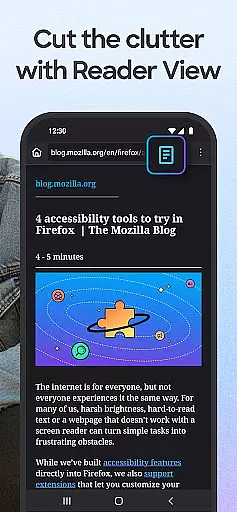
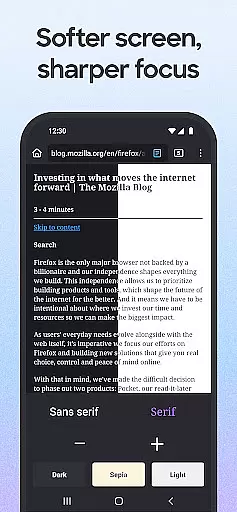
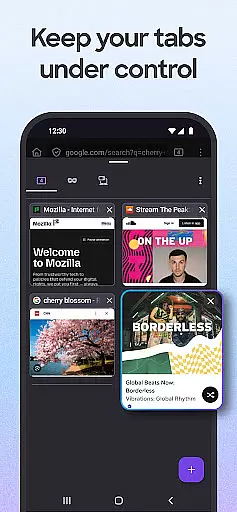
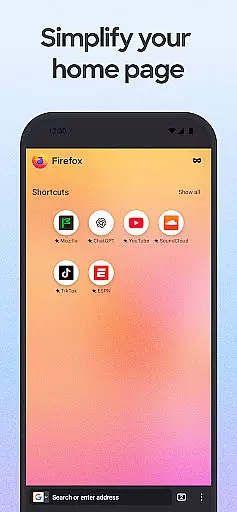
Firefox Fast & Private Browser is a top-tier communication tool designed to provide users with a secure and customizable browsing experience. As a privacy-focused browser, Firefox blocks trackers by default, including social media trackers and cross-site cookies, ensuring your online activities remain private. The browser also offers enhanced tracking protection in its 'strict' mode, functioning as an effective ad blocker while allowing you to customize your preferred search engine for convenience.
In addition to its robust privacy features, Firefox provides practical functionalities such as easy-to-use tabs that let you manage multiple browsing sessions effortlessly. Whether you're on mobile or desktop, synced tabs appear consistently across devices when connected to your Mozilla account. With password management capabilities, Firefox remembers and suggests strong passwords, storing them securely across devices. Its tailored search options and fast performance make it an ideal choice for those seeking efficiency without compromising privacy.
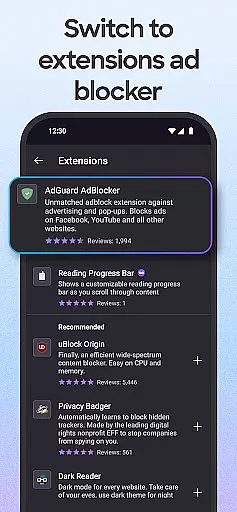
Firefox's adaptability extends to its customization options, enabling users to tailor their browsing experience through add-ons like ad blockers and turbo-charged privacy settings. Dark mode reduces eye strain and saves battery life, while video pop-out allows multitasking without interruptions. Suitable for anyone looking to take control of their internet experience, Firefox combines speed, security, and simplicity into one reliable package.
Firefox stands out with its comprehensive feature set tailored for privacy-conscious users. One of its core strengths is the automatic tracker blocking system, which prevents various types of trackers such as social media trackers, cross-site cookie trackers, crypto-miners, and fingerprinters from invading user privacy. This feature ensures not only anonymity but also enhances page loading speeds since fewer scripts run in the background.
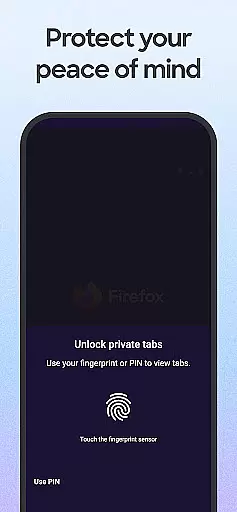
Another significant aspect is the Enhanced Tracking Protection available in 'strict' mode, acting as an advanced ad blocker that significantly boosts privacy. Users can further personalize their experience by setting their preferred private search engines and utilizing numerous ad blocker extensions to eliminate unwanted pop-ups. Additionally, Firefox's private browsing mode deletes history upon closure, and optional biometric locks enhance security for private tabs.
The browser excels in usability with intuitive tab management, offering both thumbnail and list views for open tabs. Syncing capabilities allow seamless transitions between devices, showing tabs from one device on another when logged into a Mozilla account. Password management is streamlined with automatic suggestions and secure storage across devices. Furthermore, Firefox's interface flexibility lets users move the search bar location and switch to dark mode, optimizing comfort during extended browsing sessions.
Real-time messaging speed and reliability are crucial for any communication platform, including web browsers like Firefox. This feature ensures that users can send and receive messages instantly without delays or interruptions.
Firefox achieves this by optimizing its network protocols and leveraging modern web technologies to ensure fast data transmission. The browser's architecture is designed to handle multiple simultaneous connections efficiently, which enhances the overall messaging experience.
For users, this means seamless interaction with web applications that rely on real-time communication, such as chat services, online gaming, and collaborative tools. They can enjoy uninterrupted conversations and interactions, knowing that their messages will be delivered promptly and reliably.
Moreover, Firefox's commitment to privacy extends to its messaging capabilities. By integrating robust security measures, the browser ensures that all communications remain private and secure, providing users with peace of mind while they engage in real-time conversations.
Media sharing support is an essential feature for modern web browsers, enabling users to share various types of media effortlessly. Firefox excels in this area by offering comprehensive support for different file formats and sizes, ensuring that users can share images, videos, and documents without compatibility issues.
The browser's media sharing capabilities are enhanced through its integration with popular social media platforms and cloud storage services. Users can directly upload and share media files from within Firefox, streamlining the process and saving time. This seamless integration makes it easy for users to collaborate and communicate effectively.
Additionally, Firefox provides advanced options for managing media permissions and settings. Users can control which websites have access to their media files and set preferences for automatic downloads and uploads. These features empower users to maintain control over their media sharing activities while enjoying a smooth and intuitive experience.
By prioritizing media sharing support, Firefox demonstrates its dedication to providing a versatile and user-friendly browsing environment. Whether for personal or professional use, users can rely on Firefox to facilitate efficient and secure media sharing across various platforms and devices.
Strong privacy protections
Customizable search options
Effective ad blocking
Secure password management
Multi-device syncing
Occasional slow updates
Limited native integrations
Heavy on memory usage
Complex settings for beginners
Fewer default extensions

Use this Dialer app alone or as a TREK: Total Interface companion.
 4.70
4.70
Messenger app for faster and simpler SMS text messaging, and personalized themes
4.10
WazzapMigrator: transfer your WhatsApp history from iPhone to Android
4.00
Chill zone on your phone: relax with fun reels & hype shorts!
4.20
Smart and simple anti-wiring application - IMSI-catchers catcher
4.40
Federated instant messaging for your mobile device (Jabber, XMPP, Snikket)
4.10
FolderSync enables easy sync of files between cloud storage and Android devices.
4.60
Stay in touch with the people who matter most.
4.60
Get through your inbox faster with the mail app designed to simplify your life.
4.40
We’re taking the yada yada out of wireless—now we’ve taken it out of your app.
4.70
Messenger for SMS - texting message app, faster, simpler & safer, for you.
4.70
Adblock & VPN Browser: Blocks banners, pop-ups and video ads, fast downloader!
4.60
Save 10% automatically on your first international mobile top up.
4.60
Welcome to the future of phone service.
4.60
Talk & text free with a second phone number plus unlimited 5G data, no fees.
4.50
Manage your data, talk & text - affordable phone plans & data usage made simple
4.30
Simplify texting with Messages SMS, offline messaging, themes & smart tools!
4.30
Watchgram for Telegram: Experience seamless Telegram messaging on your watch
1.80
Manage Phone Calls, call history, and contacts easily with Phone Pro.
4.3


User Reviews