
Yahoo Mail is a communication app designed to simplify email management. It offers advanced features like quick sorting of unread emails, decluttering tools, and package tracking. The app ensures inbox security with warnings for suspicious emails and supports multiple account integration including Gmail and Outlook.
With accessibility options like high contrast themes and VoiceOver compatibility, it caters to all users. Yahoo Mail+ provides an ad-free experience with additional privacy features and tech support, available as an in-app purchase. This makes email handling efficient and secure, allowing users to focus more on enjoying their daily lives.
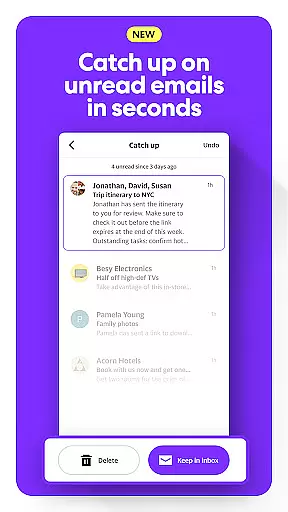
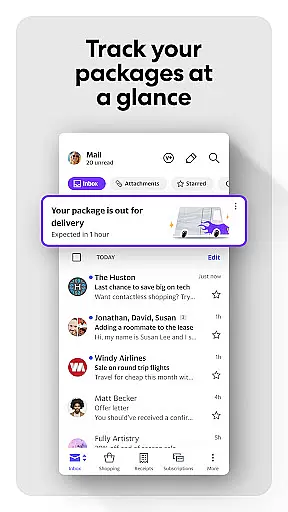
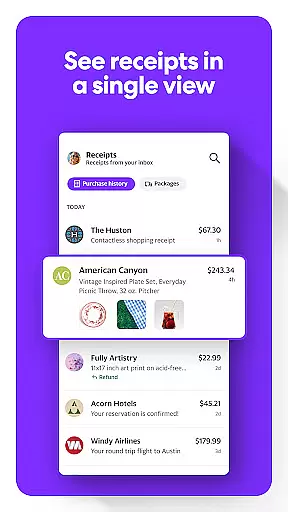
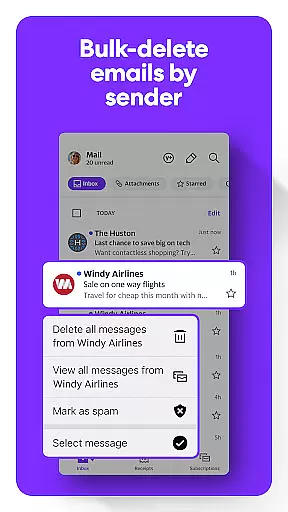
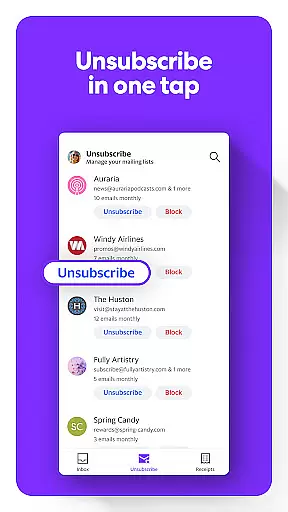
Yahoo Mail stands out with its gamified email sorting and instant decluttering capabilities. Users can quickly manage unread emails, delete by sender, and unsubscribe with one tap. The app tracks packages and organizes receipts, simplifying shopping-related communications.
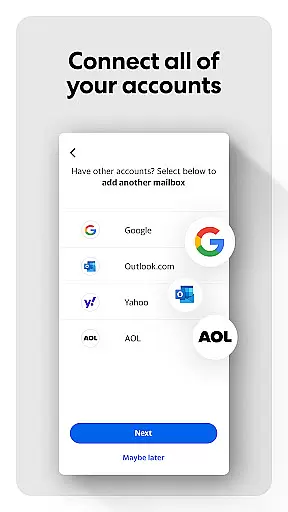
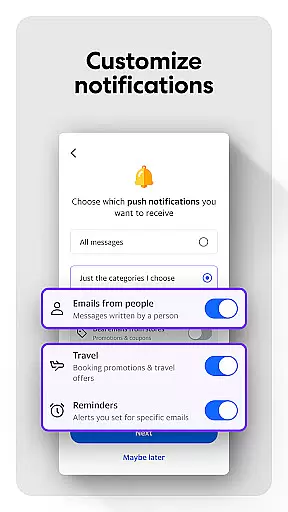
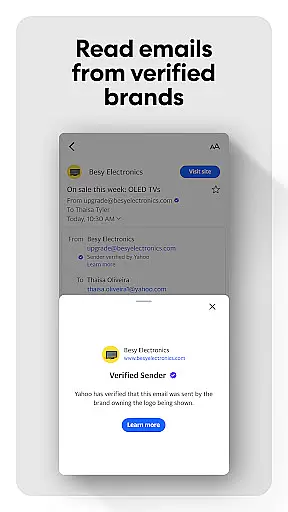
Advanced security features warn users about potential threats. Integration with various email services allows unified management. Accessibility enhancements include high contrast themes and screen reader support, ensuring inclusivity. These features collectively create a seamless and secure emailing experience.
Real-time messaging speed is crucial for effective communication, and Yahoo Mail excels in this area by providing instantaneous delivery of your emails. This ensures that your conversations flow smoothly without delays, mimicking the experience of a live chat. The app's infrastructure is designed to handle high volumes of messages with consistent performance.
Yahoo Mail incorporates advanced synchronization technologies that keep your inbox up-to-date across all devices. Whether you're at your desk or on the go, you can expect reliable message updates that reflect the most current state of your communications. This seamless integration means no more missed messages or delayed responses.
The benefit to users is clear: with real-time messaging capabilities, staying connected has never been easier. You can trust Yahoo Mail to deliver your important emails promptly, allowing you to respond quickly to urgent matters. This reliability enhances both personal and professional correspondence.
Moreover, Yahoo Mail's robust servers ensure that even during peak usage times, the speed and reliability of message delivery remain uncompromised. This stability provides peace of mind, knowing that your communications are in good hands. Experience efficient emailing with Yahoo Mail's cutting-edge real-time features.
Media sharing support is an essential feature for modern email applications, enabling users to send and receive various types of files effortlessly. Yahoo Mail offers comprehensive media sharing capabilities, accommodating a wide range of file formats including images, videos, documents, and more. This versatility allows you to communicate effectively in both personal and professional contexts.
The app simplifies the process of attaching media to your emails through intuitive interfaces and streamlined workflows. With just a few taps, you can browse your device's storage, select the desired file, and attach it to your email. Yahoo Mail handles large attachments gracefully, ensuring that your media reaches its destination without complications.
For users, this means enhanced productivity and convenience when sharing content via email. Whether you're sending vacation photos to family or collaborating on work projects, Yahoo Mail makes media sharing hassle-free. The ability to exchange diverse file types enriches your communication options significantly.
Furthermore, Yahoo Mail integrates seamlessly with cloud services, allowing you to link your accounts and share files directly from platforms like Google Drive or Dropbox. This connectivity expands your media sharing possibilities while maintaining security and privacy standards. Enjoy robust media sharing support with Yahoo Mail's innovative solutions.
User-friendly interface
Advanced security alerts
Multi-account support
Efficient email sorting
Accessibility options
Premium subscription cost
Limited free features
Occasional ads in free version
Auto-renewal policy
Subscription management complexity

BiP is a fast, secure, free messaging and HD video calling app!
 4.10
4.10
Browse fast on Opera Mini, with Data Saving, News, Football Scores, and Download
4.60
A Browser with powerful ad blocker to help focus on what really matters.
3.00
Chat on the Jabber network (XMPP protocol); support for SMS and other gateways
2.10
Message and video call your family and friends in HD!
3.80
Call & Text Anywhere With A Canadian Number.
3.60
SMS Messenger is a lightning-fast messaging app.
4.20
BE PRIVATE
Anonymous. No Trace. Fast.
4.20
Share the moment!
4.10
Use this Dialer app alone or as a TREK: Total Interface companion.
4.70
Faster version of Messages. Messenger for your contacts.
4.50
The ultimate productivity solution for all your email communication needs.
4.40
Call Blocker app: Identify unknown callers, block spam calls, fraud & robocalls
4.30
Enjoy secure messaging & calling. Safe Messenger: group chats, calls, messages.
4.20
WazzapMigrator: transfer your WhatsApp history from iPhone to Android
4.00
Call Forwarding is easy and simple application to use.
3.80
Fun, free app that lets kids video call and message family and close friends.
3.80
Manage Phone Calls, call history, and contacts easily with Phone Pro.
4.0
An app dedicated solely to marriage, not dating, and supported by a rigorous verification mechanism to ensure seriousness.
4.4


User Reviews