

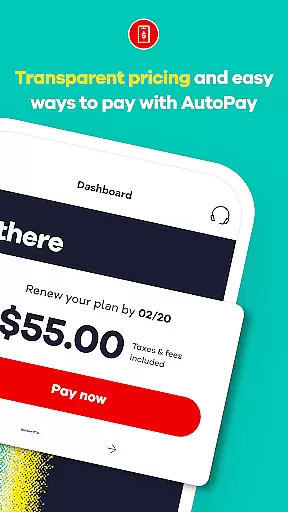
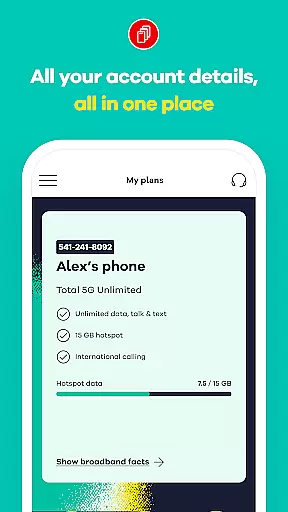
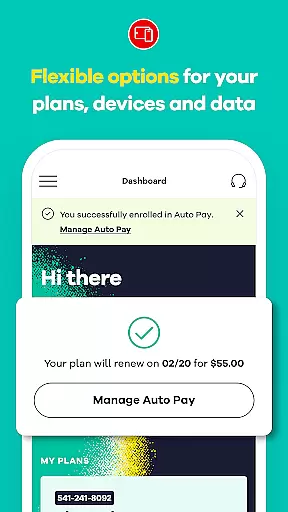
My Total Wireless: Account App is a comprehensive communication tool designed to simplify mobile account management. This app allows users to effortlessly track past and future payments, monitor current plans, manage rewards, and oversee data usage. With its intuitive interface, the app provides seamless access to all account details, enabling users to manage devices and monitor unlimited data usage with ease.
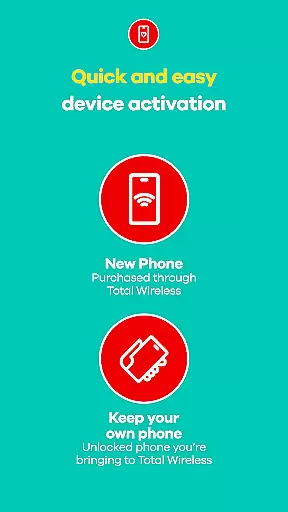
The app features an enhanced Activation experience that ensures quick setup while leveraging the reliable Verizon Wireless 5G network. Whether making payments or tracking rewards, My Total Wireless offers full control over phone services. It also includes special offers like free phones with select plans and supports easy plan management through Auto Pay renewals. The app's robust functionality extends to rewarding loyal customers with credits and simplifying purchases via the Total Wireless Wallet.
My Total Wireless stands out with its advanced features tailored for optimal communication management. One of its key functionalities is Cell Phone Plan Management, which allows users to organize and manage devices and data usage efficiently. Even with unlimited data plans, users can track and optimize their consumption patterns.
The app provides access to 5G Network Plans, ensuring connectivity through Verizon’s reliable 5G network. Users can switch to Total 5G or Total 5G+ Unlimited plans, often accompanied by promotional offers such as free phones. Additionally, the Total Wireless Wallet feature facilitates adding funds for purchasing service plans, devices, and accessories, enhancing user convenience.
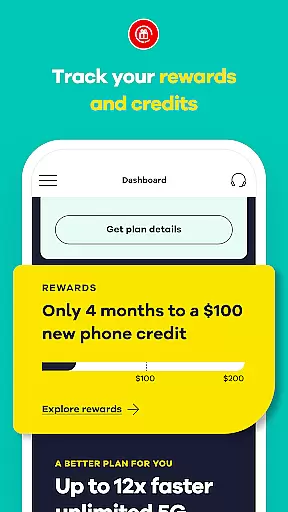
Another notable feature is the reward system that incentivizes continued service usage. Customers can earn significant credits after consistent monthly plan payments, encouraging long-term engagement. These features collectively ensure a stress-free, efficient, and rewarding mobile service experience.
Real-time messaging speed and reliability are crucial for any communication app, ensuring that users can send and receive messages instantly without delays or interruptions. My Total Wireless: Account App excels in this area by providing seamless access to all account details at a glance, allowing users to manage their devices and monitor data usage effortlessly.
The app's infrastructure is designed to maintain high-speed connections, even during peak usage times. This ensures that whether you're checking your payment history or updating your plan, the information is delivered promptly and accurately. The robust backend system supports quick synchronization of data across devices, making sure that every interaction with the app feels instantaneous and reliable.
For users, this means they can trust the app to provide up-to-date information on their Total Wireless account, including past and future payments, current plans, rewards, and data usage. With real-time updates, customers can make informed decisions about their mobile service, ensuring they never miss an important update or opportunity to optimize their plan.
Ultimately, the real-time messaging capabilities of My Total Wireless: Account App enhance user experience by providing a stress-free way to stay connected and in control of their phone service. Whether managing multiple devices or monitoring unlimited data usage, the app's reliable performance ensures that users have a smooth and efficient experience.
Media sharing support is an essential feature for modern communication apps, enabling users to share various types of media seamlessly. My Total Wireless: Account App offers comprehensive media sharing capabilities, allowing users to easily exchange files such as images, videos, and documents related to their account management.
The app supports a wide range of file formats, ensuring compatibility with most media types. Whether you need to upload proof of payment, share screenshots of your data usage, or send documents for identity verification, the app handles these tasks efficiently. The intuitive interface simplifies the process of selecting and uploading files, making media sharing a hassle-free experience.
Moreover, the app's enhanced activation experience facilitates quick setup and integration with the Verizon Wireless 5G network. This ensures that media sharing is not only possible but also fast and reliable. Users can take advantage of the 5G network's speed to share large files without worrying about long upload times or connectivity issues.
In summary, the media sharing support in My Total Wireless: Account App enhances the overall user experience by providing a versatile and efficient platform for exchanging media. This feature empowers users to manage their accounts more effectively, ensuring they have all the tools they need to stay connected and in control of their mobile service.
User-friendly interface
Comprehensive account management
5G network support
Rewarding loyalty program
Convenient wallet feature
Limited to Total Wireless customers
Promotional terms may apply
Requires continuous service
Device compatibility needed
Geographical limitations

Radio communication simulator for gaming communities
 4.4
4.4
Secure Messaging App to Enhance Messenger Texting Experience and Organize SMS.
3.50
Simplify texting with Messages SMS, offline messaging, themes & smart tools!
4.30
Smart and simple anti-wiring application - IMSI-catchers catcher
4.40
TeamSpeak - Secure Chat for Gaming & Business
3.10
Use this SMS app standalone or as a TREK: Total Interface companion.
4.30
Build your web browser around you with private search, and more.
4.60
Talk & text free with a second phone number plus unlimited 5G data, no fees.
4.50
Share the moment!
4.10
We’re taking the yada yada out of wireless—now we’ve taken it out of your app.
4.70
Use this Dialer app alone or as a TREK: Total Interface companion.
4.70
Save 10% automatically on your first international mobile top up.
4.60
Connect and browse the internet with a fast VPN proxy server and IP blocker.
4.50
An agentic AI browser for Android, built by Perplexity
4.50
Our Black Friday sale is here. Unlock special discounts on Proton Mail now.
4.30
BE PRIVATE
Anonymous. No Trace. Fast.
4.20
Messages: Fast, simple SMS app with scheduling and smart features.
4.00
Fast Dialer & Contact Manager with Caller ID and Spam Protection
4.00
Call & Text Anywhere With A Canadian Number.
3.60


User Reviews