
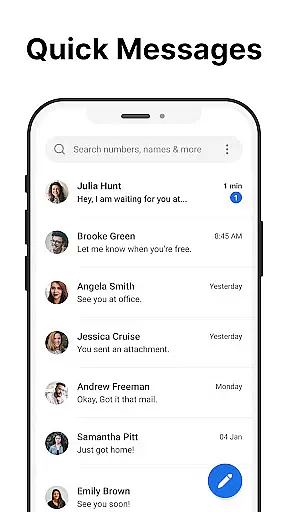
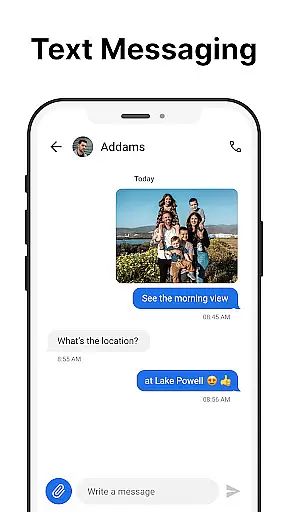
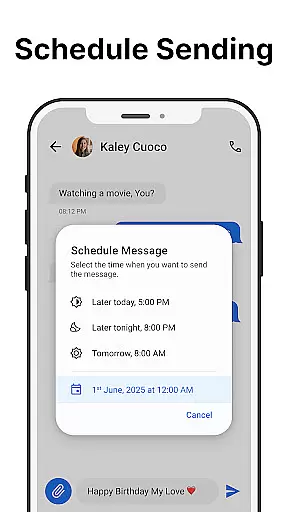
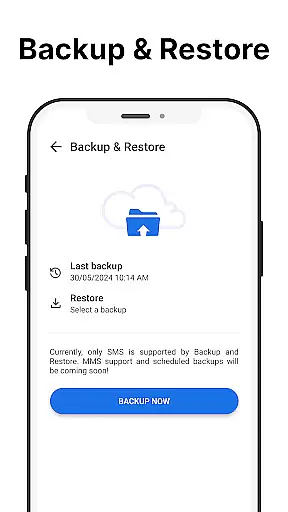
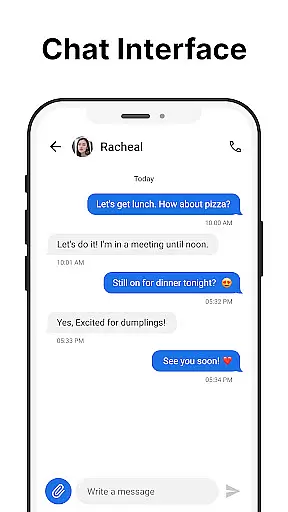
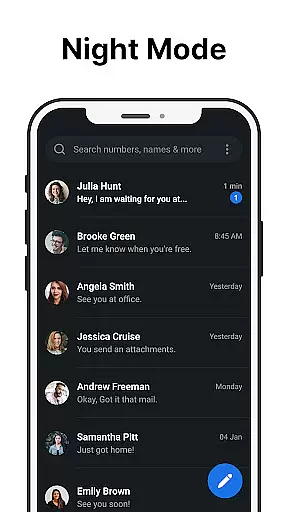
Messages is a robust SMS messaging app designed specifically for Android users who value simplicity and reliability. The app allows you to send and receive text messages without requiring an internet connection, making it ideal for areas with poor connectivity. With its intuitive design and essential features like scheduled messaging, group chats, and spam blocking, Messages ensures that your communication remains efficient and organized.
One standout feature of Messages is the After Call screen, which provides instant access to your SMS inbox right after each phone call. This functionality streamlines your workflow by allowing you to respond to calls with text messages immediately. Whether you're managing personal conversations or professional correspondence, Messages offers tools such as message backup, dark mode, and customizable notifications to enhance your experience while safeguarding your privacy.
Messages stands out in the Communication category due to its comprehensive set of features tailored for seamless interaction. The app supports core functionalities like sending and receiving SMS, scheduling messages, and creating group conversations, ensuring users can manage all their texting needs from one place. Additionally, advanced options such as message backup and restore provide peace of mind by protecting important conversations against accidental loss.
Another key highlight is the inclusion of productivity-enhancing tools like spam blocking, search functionality, and pinned chats. These features help declutter your inbox while giving you quick access to critical conversations. Furthermore, customization options such as dark mode and personalized ringtones allow users to tailor the app according to their preferences. The After-Call Menu adds another layer of convenience, enabling swift follow-ups via text directly after a phone call ends.
Real-time messaging speed and reliability are crucial for any communication app, ensuring that messages are delivered instantly and without fail. Messages excels in this area by providing a seamless SMS experience that works efficiently even without an internet connection.
The app is optimized to send and receive text messages quickly, making it ideal for users who need reliable communication on the go. Whether you're sending a quick note or engaging in a lengthy conversation, Messages ensures that your texts are transmitted without delay.
One of the standout features is the scheduled messaging option, which allows users to compose messages at their convenience and have them sent at a later time. This functionality not only enhances user productivity but also guarantees that important communications are never forgotten.
Furthermore, the app includes group messaging capabilities, enabling users to stay connected with multiple contacts simultaneously. With Messages, you can trust that your communications will be managed efficiently, allowing you to focus on what truly matters.
Media sharing support is an essential feature for modern messaging apps, allowing users to exchange photos, videos, and other files effortlessly. Messages provides robust media sharing capabilities, ensuring that users can share various types of content without hassle.
The app supports a wide range of file formats, making it versatile for different sharing needs. Whether you need to send a quick snapshot, a detailed document, or a fun video clip, Messages handles it all with ease. This flexibility enhances the overall user experience, catering to both personal and professional requirements.
In addition to basic media sharing, Messages offers advanced features like spam blocking and custom notifications. These tools help maintain an organized inbox while personalizing the way users interact with their messages. The ability to block unwanted senders ensures that your communication remains focused and free from distractions.
With its comprehensive set of features, Messages stands out as a reliable choice for anyone looking to enhance their media sharing experience. By combining speed, reliability, and versatility, the app delivers a superior messaging solution that meets the demands of today's digital world.
User-friendly interface
No internet required
Free to use
Customizable settings
Local data storage
Limited multimedia support
No cloud sync
Basic UI design
In-app advertisements
Few advanced features

فیلتر شکن قوی پرسرعت کلید جدید برای اندرویدسریع ترین وی پی ان برای همه اپراتورها
 4.70
4.70
Quickly and easily identify and block unknown callers
3.70
Call Blocker app: Identify unknown callers, block spam calls, fraud & robocalls
4.30
Fun, free app that lets kids video call and message family and close friends.
3.80
HD Video Meeting app is a fast & unlimited video conferencing app across world.
4.30
Manage Phone Calls, call history, and contacts easily with Phone Pro.
4.5
Call & Text Anywhere With A Canadian Number.
3.60
Enhance browsing with AI-powered features and Copilot.
4.70
Talk & text free with a second phone number plus unlimited 5G data, no fees.
4.50
Messenger, an MMS & SMS messages app with Blockers, Driving mode & Private box
4.60
Connect and browse the internet with a fast VPN proxy server and IP blocker.
4.50
Smart and simple anti-wiring application - IMSI-catchers catcher
4.40
Phone Dialer with Caller ID, Address Book & Contacts Manager.
4.30
BE PRIVATE
Anonymous. No Trace. Fast.
4.20
Share the moment!
4.10
Message and video call your family and friends in HD!
3.80
Manage and Fund Calling Accounts and Schedule and Join Video Sessions
3.60
A softphone app with seamless SIP calling and an intuitive VoIP dialer
3.50
An app dedicated solely to marriage, not dating, and supported by a rigorous verification mechanism to ensure seriousness.
4.3


User Reviews