
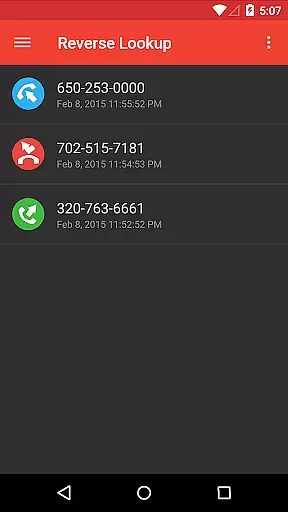
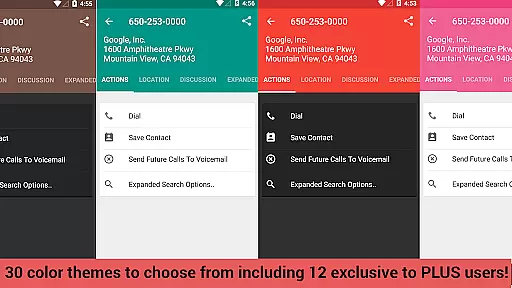
Reverse Lookup+ is a powerful communication tool designed to help users identify unknown callers and protect themselves from spam calls. The app provides detailed caller information using publicly available data from phone companies, including the caller's location when possible. This premium version is completely ad-free, offering an uninterrupted user experience while directly supporting the app's ongoing development.
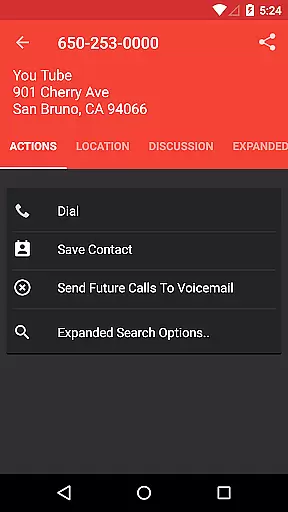
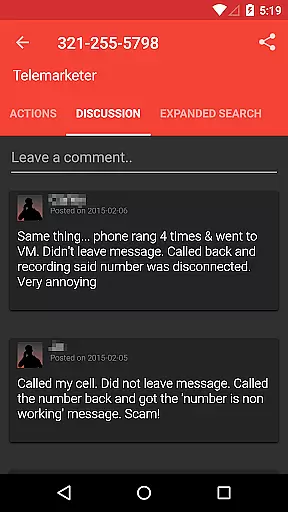
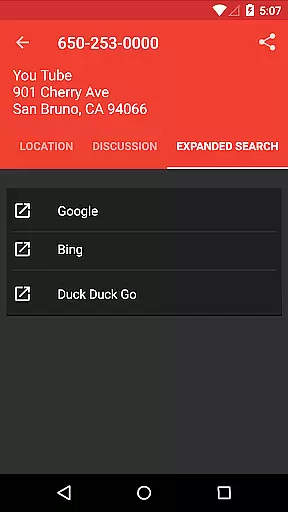
Beyond basic caller identification, Reverse Lookup+ offers advanced features that enhance user experience. These include a comments section where users can share insights about specific numbers, easy contact saving options, and one-tap search expansion to popular search engines like Google. The app also allows users to map caller locations and create 'send to voicemail' contacts for known spammers.
This application is particularly useful for professionals and individuals who frequently receive unknown calls and want to maintain control over their communication privacy. By providing comprehensive caller information and robust blocking capabilities, Reverse Lookup+ empowers users to manage their incoming calls effectively, ultimately saving time and reducing unwanted communication.
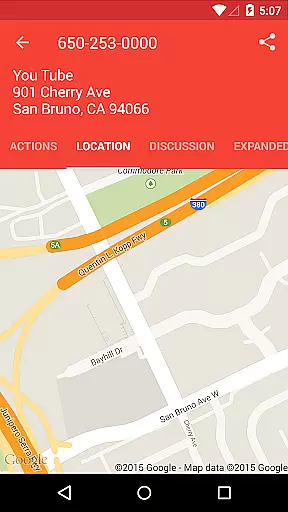
Reverse Lookup+ distinguishes itself through its comprehensive feature set that goes beyond basic caller ID functionality. The app's core feature is its ability to retrieve publicly available data from phone companies, providing users with accurate caller information. This includes mapping the caller's location when available, typically showing the billing address or carrier's office for that number.
The application implements several innovative features that enhance user experience. Its community-driven approach allows users to view and contribute comments about specific numbers, creating a valuable knowledge base for identifying potential spammers. The app integrates seamlessly with device functions, enabling users to save contacts easily, perform expanded searches with a single tap, and automatically filter out known numbers from notifications.
What sets Reverse Lookup+ apart is its commitment to user privacy and transparency. Unlike other similar applications, it clearly explains all required permissions and doesn't access GPS data or private directories. The app's ability to create 'send to voicemail' contacts and display unknown calls on the main screen demonstrates its thoughtful design approach, making call management both efficient and user-friendly.
Real-time messaging speed and reliability are crucial for effective communication applications like Reverse Lookup+. This app ensures that users receive instant notifications when an unknown number calls, allowing them to quickly identify potential spam or unwanted callers.
The app leverages READ PHONE STATE permissions to create real-time alerts. These alerts are customizable based on user preferences, ensuring that notifications are both timely and relevant. By filtering out known contacts using READ CONTACTS permission, the app avoids unnecessary interruptions, enhancing the overall user experience.
Moreover, the app's ability to map a caller's location (when available) and expand searches to popular search engines with one tap adds another layer of immediacy and utility. This feature set not only aids in identifying unknown callers but also provides valuable context that can influence how users choose to handle incoming calls.
Ultimately, the reliability of these real-time features supports users in managing their communications more effectively, reducing the risk of missing important calls while safeguarding against potential threats from unidentified sources.
Media sharing support is an essential feature for modern communication apps, enabling users to exchange various types of media seamlessly. Although Reverse Lookup+ primarily focuses on call identification and management, it indirectly supports media sharing by integrating with other functionalities such as contact creation and expansion to external search engines.
For instance, the app allows users to easily save caller information as a new contact, which can include profile pictures or other media-rich details. This capability enhances the richness of shared media within the useru2019s contact list, making future interactions more personalized and engaging.
Additionally, the app's integration with popular search engines through a single tap expands its utility beyond mere caller ID services. Users can access a broader range of information related to unknown callers, including images or social media profiles, thereby enriching their understanding and interaction with these contacts.
While direct media sharing might not be the core focus of Reverse Lookup+, its comprehensive approach to caller identification and management indirectly bolsters the quality and depth of media interactions, providing users with a richer, more informed communication experience.
Comprehensive caller details
Ad-free experience
Community comment system
Easy contact management
Transparent permission usage
No cellphone directory access
Limited real-time data
Requires multiple permissions
Premium version cost
Occasionally outdated information

The ultimate productivity solution for all your email communication needs.
 4.40
4.40
SMS & MMS Messaging App to easily send messages or schedule SMS on Chat
4.10
Our Black Friday sale is here. Unlock special discounts on Proton Mail now.
4.30
Simplify texting with Messages SMS, offline messaging, themes & smart tools!
4.30
HD Video Meeting app is a fast & unlimited video conferencing app across world.
4.30
Call & Text Anywhere With A Canadian Number.
3.60
A softphone app with seamless SIP calling and an intuitive VoIP dialer
3.50
Simple tool for businesses to talk to their customers.
4.40
Share the moment!
4.10
Read OBD2 data and DTCs Create custom dashboards Enhanced diagnostics available
4.70
Talk & text free with a second phone number plus unlimited 5G data, no fees.
4.50
Get through your inbox faster with the mail app designed to simplify your life.
4.40
Group Chat That’s Fun & Games
4.30
SMS Messenger is a lightning-fast messaging app.
4.20
A softphone with crystal clear SIP Calling & Reliable VoIP dialer
4.00
Tether to Windows, OS X, Linux PCs or Android tablets. No root. No tether fees.
3.90
Caller ID, Spam Call & SMS Blocker
3.80
TeamSpeak - Secure Chat for Gaming & Business
3.10
Auto Reply SMS, Text Messaging, Away SMS Response, Busy SMS messages, Block Text
3.10


User Reviews