
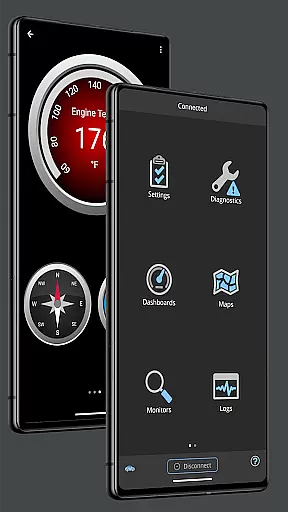
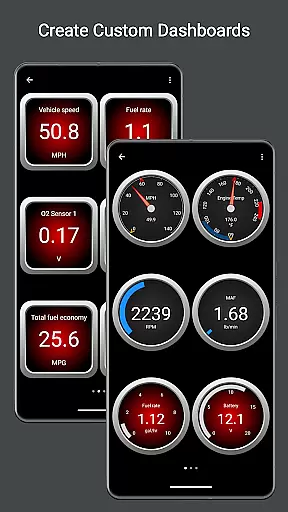
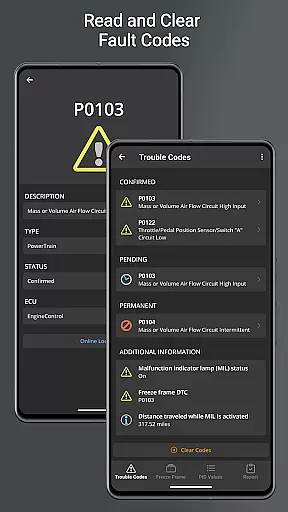
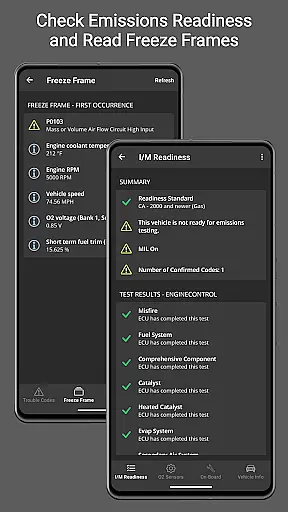
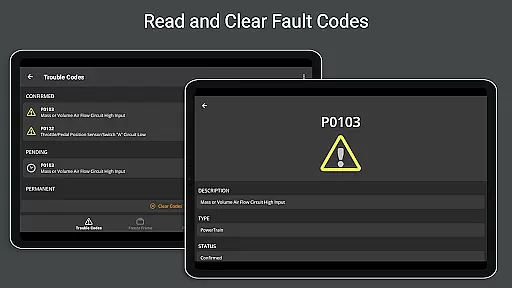
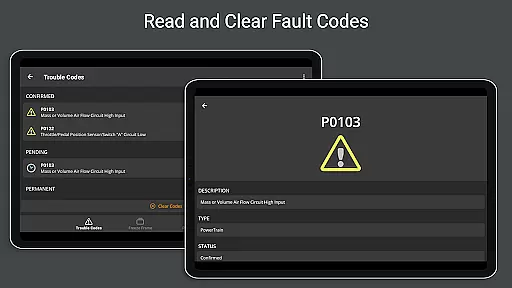
OBD Fusion is a comprehensive vehicle diagnostics tool designed for Android users, enabling direct access to OBD2 vehicle data. This app empowers users to read and clear diagnostic trouble codes, estimate fuel economy, and monitor real-time vehicle sensor data through customizable dashboards. With support for multiple connection types including Bluetooth, USB, and Wi-Fi, it caters to both professional mechanics and car enthusiasts.
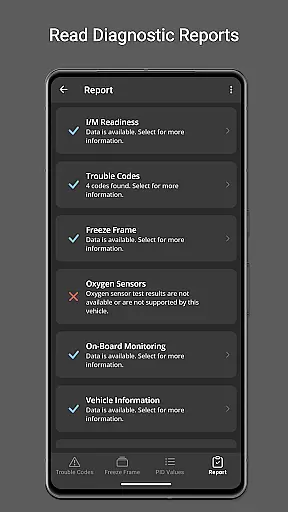
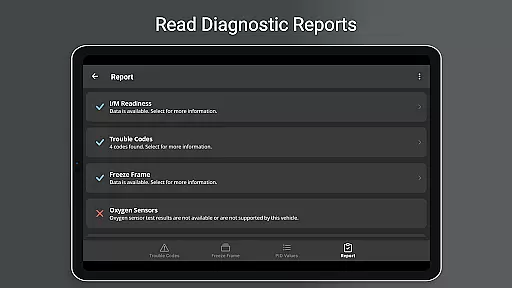
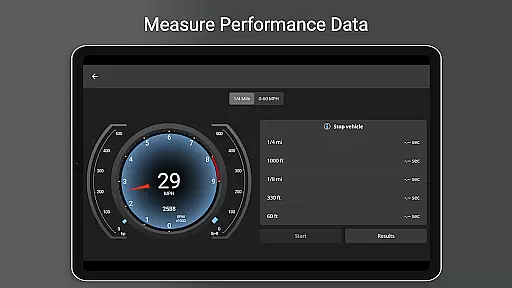
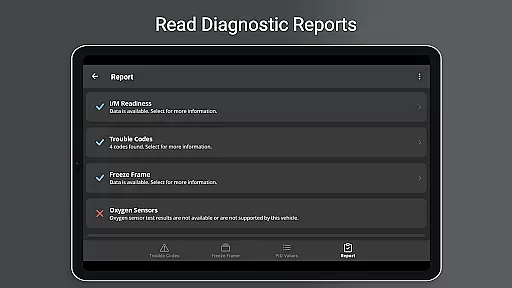
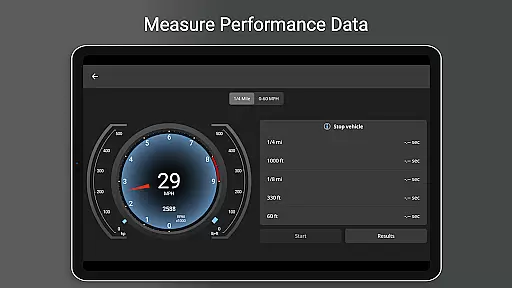
The application's versatility extends beyond basic diagnostics. Users can generate full diagnostic reports, track fuel usage through trip meters, and even view advanced metrics like turbo boost pressure and air-to-fuel ratios. The inclusion of Android Auto support (excluding dashboard gauges) and multi-language options makes it accessible to a global audience while maintaining high functionality standards.
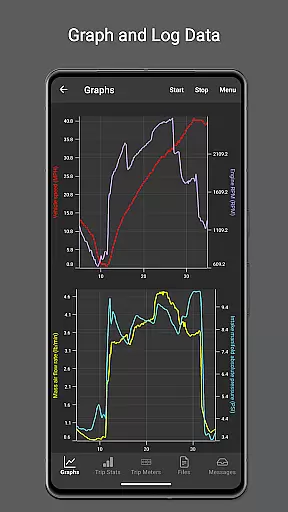
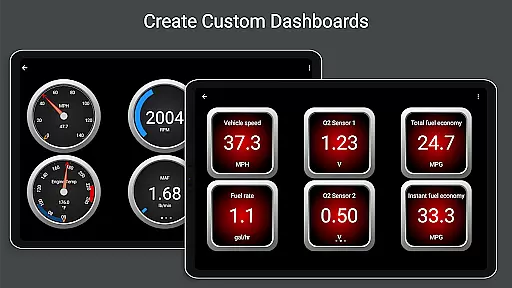
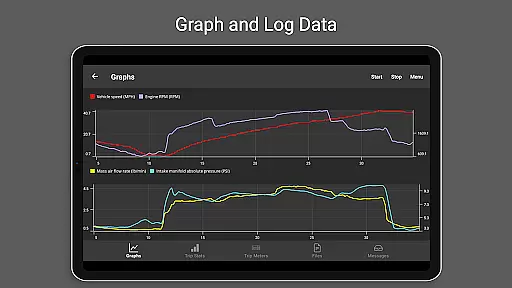
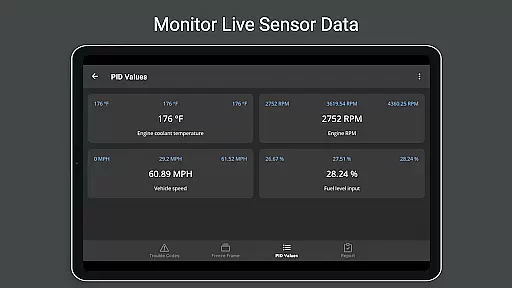
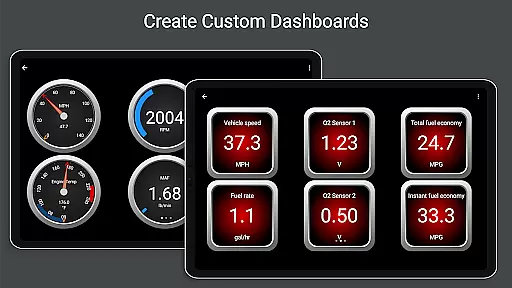
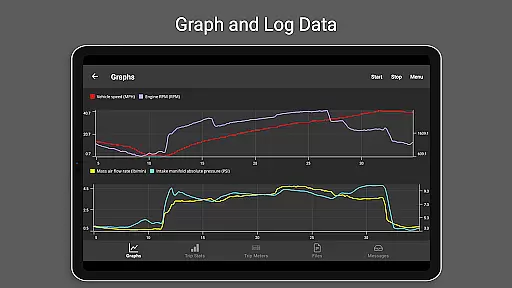
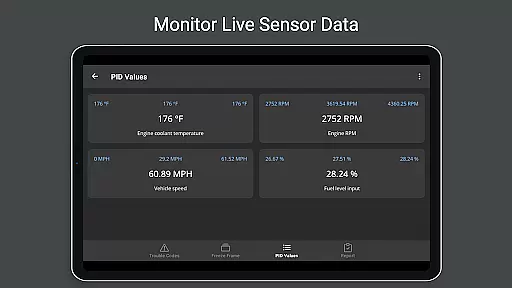
OBD Fusion stands out with its extensive feature set tailored for automotive diagnostics. The app provides real-time graphing capabilities for vehicle sensors, allowing users to visualize critical data points instantly. Its customizable dashboard feature enables quick switching between different monitoring views, ensuring optimal workflow efficiency during diagnostic procedures.
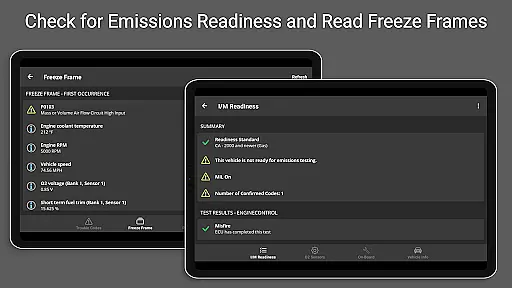
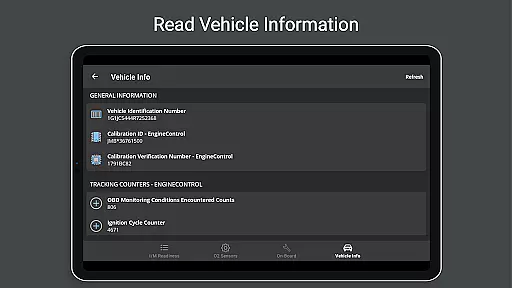
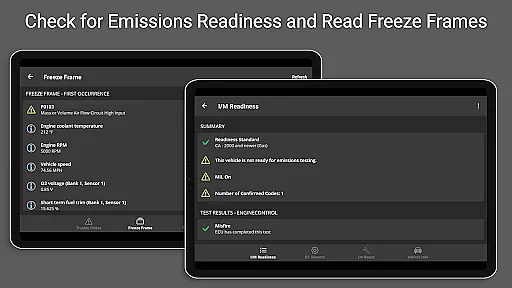
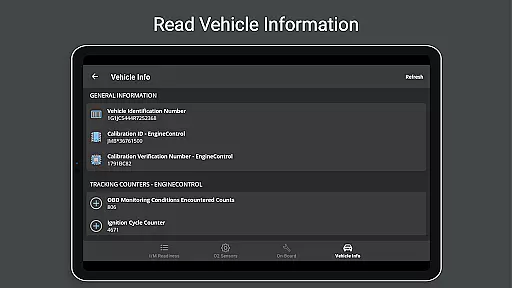
Advanced functionalities include enhanced PID support for specific vehicle brands, oxygen sensor testing, and emissions readiness checks. The app maintains compatibility with over 150 supported PIDs and offers detailed fault code definitions. Additionally, the built-in trip meter system tracks essential metrics such as fuel economy and EV energy usage, while the data logging feature exports information in CSV format for further analysis in spreadsheet applications.
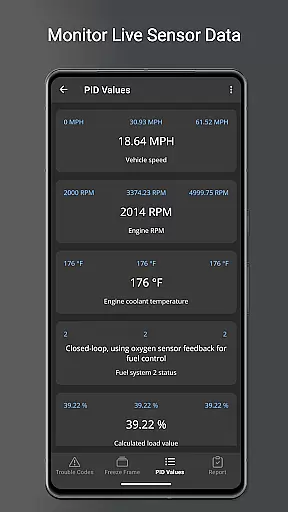
Real-time messaging speed and reliability are crucial for any communication app, ensuring that data is transmitted without delays or interruptions. OBD Fusion excels in this area by providing real-time dashboard displays and graphing of vehicle sensors. This means that users can monitor their vehicle's performance metrics as they happen, without any perceptible lag.
The app supports multiple connection methods including Bluetooth, Bluetooth LE, USB, and Wi-Fi, which ensures that data transmission remains stable and fast regardless of the user's setup. This flexibility in connectivity options enhances the overall reliability of the communication between the app and the vehicle's onboard diagnostics system.
For users who need to track specific parameters like fuel economy, engine torque, or turbo boost pressure, having access to real-time data is invaluable. It allows them to make informed decisions quickly, whether they're professional mechanics diagnosing issues or car enthusiasts monitoring performance during a drive.
Moreover, the ability to log data to CSV format and export it for further analysis demonstrates the app's commitment to reliable and accessible data handling. Users can trust that the information they receive is not only timely but also accurate and actionable, making OBD Fusion an essential tool for anyone interested in vehicle diagnostics.
Media sharing support in communication apps facilitates the exchange of various types of data, enhancing collaboration and information dissemination. In the context of OBD Fusion, media sharing takes the form of exporting diagnostic reports and logged data, which can be shared with others for analysis or record-keeping.
OBD Fusion offers comprehensive logging capabilities, allowing users to capture detailed diagnostic information over time. This logged data can be exported in CSV format, making it easy to share with colleagues, clients, or even regulatory bodies if necessary. The ability to generate full diagnostic reports adds another layer of utility, as these reports can be stored and emailed directly from the app.
For professionals working in automotive repair or maintenance, having robust media sharing features is vital. It enables them to provide evidence of work performed, share insights with team members, and maintain transparent communication with customers. The inclusion of built-in fault code definitions further enriches these reports, offering clear explanations of diagnostic trouble codes.
Additionally, the app's support for multiple languages broadens its appeal and usability across different regions and user groups. Whether you're sharing data locally or internationally, OBD Fusion ensures that your communications remain effective and comprehensible, reinforcing its position as a versatile and indispensable tool in the field of vehicle diagnostics.
User-friendly interface
Comprehensive diagnostic tools
Real-time data monitoring
Customizable dashboard options
Multi-platform connectivity support
Requires compatible scan tool
Clone adapters unreliable
Android Auto limitations
Premium features locked
Complex setup process

We’re taking the yada yada out of wireless—now we’ve taken it out of your app.
 4.70
4.70
SMS Messenger ensures that communication become effortless and accessible.
3.80
Manage BoostMobile Account
4.60
Official NDI app: turn your phone into a professional live-streaming IP camera.
3.20
A softphone with crystal clear SIP Calling & Reliable VoIP dialer
4.00
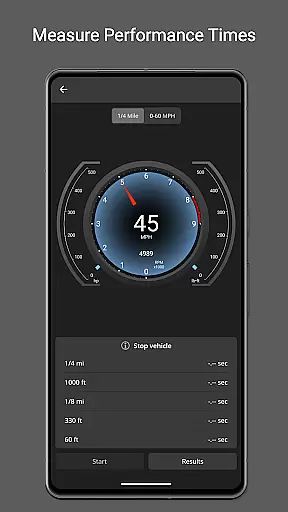
Measure BHP, Torque & 0-60 Clear car OBD faults View engine data in Google Earth
4.00
SMS Messenger is a lightning-fast messaging app.
4.20
Get through your inbox faster with the mail app designed to simplify your life.
4.40
Share the moment!
4.10
Messenger for SMS - texting message app, faster, simpler & safer, for you.
4.70
Useful. Social. Expressive.
4.70
Fast and mini browser with Ad Blocker,Video Downloader and Video Player
4.40
Smart and simple anti-wiring application - IMSI-catchers catcher
4.40
Block spam calls & scam - no more annoying calls with the call blocker function
4.30
BE PRIVATE
Anonymous. No Trace. Fast.
4.20
SMS & MMS Messaging App to easily send messages or schedule SMS on Chat
4.10
Fast, Simple And Secure Application That Provides SMBv3 Server On Your Device
3.30
TeamSpeak - Secure Chat for Gaming & Business
3.10
Radio communication simulator for gaming communities
4.0


User Reviews