

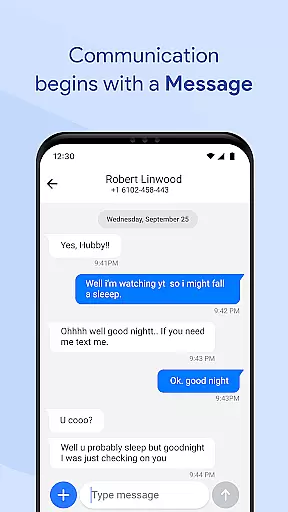


Messages for Android is a comprehensive messaging app designed to simplify communication through its robust features and user-friendly interface. This application supports both SMS and MMS, allowing users to send texts, images, videos, and more with ease. Its standout capabilities include group messaging, smart search functions, and spam protection, ensuring a seamless experience for personal and professional use.
The app also offers advanced functionalities such as after-call text follow-ups, quick replies, and conversation pinning, which enhance productivity and streamline interactions. With privacy measures like secure messaging and backup options, Messages for Android ensures that your data remains protected while providing the ability to sync across devices. Whether you're managing daily chats or organizing important conversations, this app provides a reliable solution tailored to modern communication needs.
Messages for Android distinguishes itself through a variety of innovative features designed to optimize the messaging experience. The app's core functionality includes support for SMS and MMS, enabling users to exchange various media formats effortlessly. Additionally, it incorporates group messaging, empowering users to maintain dynamic conversations with multiple contacts simultaneously.
Beyond basic messaging, the app integrates smart tools such as advanced search, quick replies, and message filtering to reduce clutter from spam messages. It also emphasizes performance with battery-friendly operations and instant notifications, even in power-saving mode. These features collectively ensure that users can communicate effectively without compromising on speed or device efficiency.
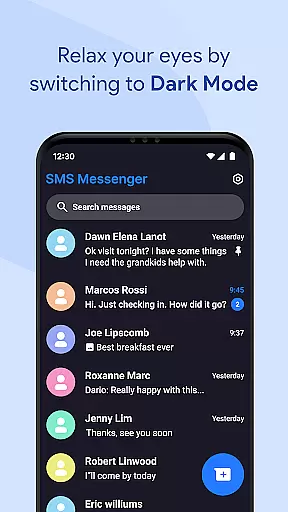
Privacy and customization are prioritized, offering secure messaging, backup solutions, and personalized settings for notifications and chat backgrounds. Such elements make Messages for Android not only versatile but also adaptable to individual preferences, enhancing both usability and security for a superior messaging experience.
Real-time messaging speed and reliability are crucial for maintaining seamless communication in any messaging app. Messages for Android excels in this area by ensuring that text messages, images, videos, and other media types are delivered instantly across devices.
The app is optimized for all Android smartphones, from lightweight models to premium ones, ensuring fast message delivery even when the device operates in power-saving mode. This optimization helps maintain performance without compromising battery life, making it a reliable choice for users who need constant connectivity.
With instant notifications, users receive alerts even when their phones are locked, ensuring they never miss an important message. The app's efficient memory usage and lightweight design contribute to smooth performance, allowing users to switch between conversations effortlessly while managing multiple chats simultaneously.
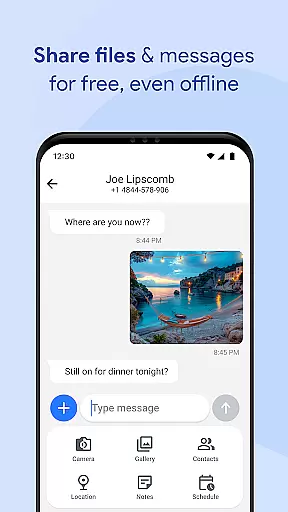
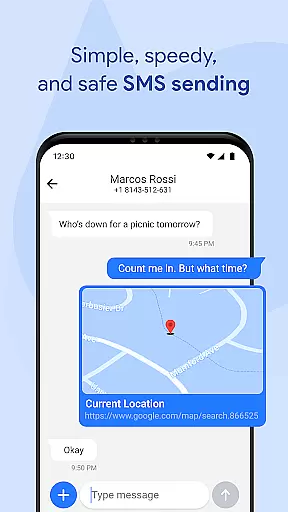
Media sharing support is a vital feature for modern messaging apps, enabling users to send various types of content beyond plain text. Messages for Android supports sending images, videos, audio files, documents, and location data seamlessly within conversations.
This capability enhances user interaction by allowing rich multimedia exchanges. Whether sharing memorable photos with family or sending important work documents to colleagues, the app ensures that all media formats are handled efficiently and delivered reliably.
In addition to basic media sharing, the app includes advanced features like SMS filtering and spam protection, which help keep the inbox clean and reduce unwanted texts. Users can also organize their chats using smart folders and archive tools, ensuring that shared media is easily accessible and well-organized over time.
User-friendly interface
Advanced spam protection
Efficient battery usage
Secure messaging options
Customizable features
Limited cross-platform support
Occasional notification delays
No built-in voice calls
Premium features require subscription
Heavy on older devices

We’re taking the yada yada out of wireless—now we’ve taken it out of your app.
 4.70
4.70
Use this Dialer app alone or as a TREK: Total Interface companion.
4.70
Block spam calls & scam - no more annoying calls with the call blocker function
4.30
Manage and Fund Calling Accounts and Schedule and Join Video Sessions
3.60
2nd Phone Number Line for Anonymous Texting, Calling, and Picture Messages
4.30
Chill zone on your phone: relax with fun reels & hype shorts!
4.20
Comprehensive and powerful scan tool app with enhanced functions
3.00
Watchgram for Telegram: Experience seamless Telegram messaging on your watch
1.80
Group Chat That’s Fun & Games
4.30
Fast internet with AI, Adblock & VPN. Browse on a safe, incognito web browser.
4.70
Manage BoostMobile Account
4.60
Build your web browser around you with private search, and more.
4.60
Faster version of Messages. Messenger for your contacts.
4.50
Simple tool for businesses to talk to their customers.
4.40
A web browser that respects your privacy.
4.30
BE PRIVATE
Anonymous. No Trace. Fast.
4.20
Send SMS and chat messages easily with a fast text messaging app for Android.
4.10
Telegram is a messaging app with a focus on speed and security.
4.00
Manage Phone Calls, call history, and contacts easily with Phone Pro.
4.5


User Reviews