
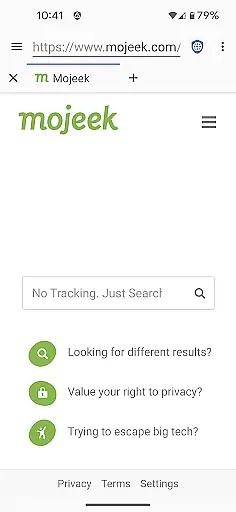
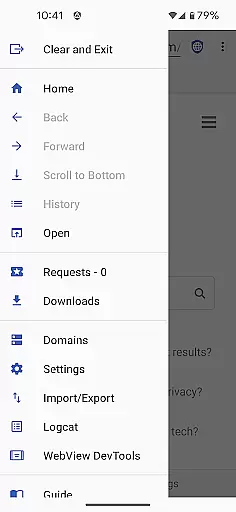
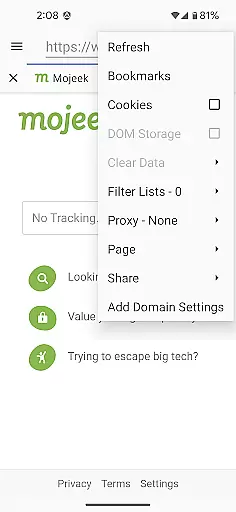
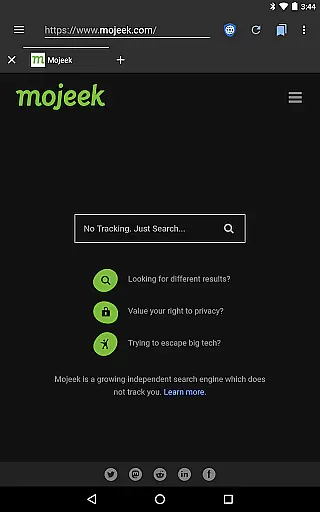
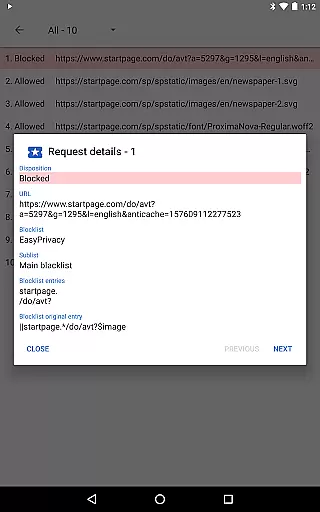
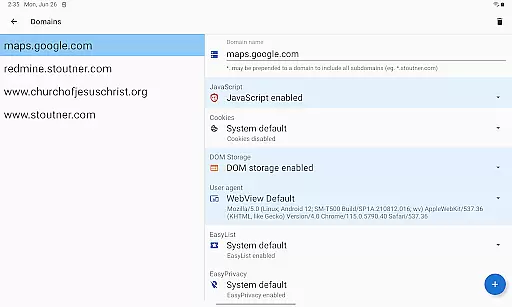
Privacy Browser is a communication-focused app designed to protect user privacy by minimizing data collection both online and locally. Its primary function is to block invasive tracking technologies like JavaScript, cookies, and DOM storage that are commonly used by websites to monitor user activity. By disabling these features by default, the app ensures users can browse the web without compromising their personal information.
In addition to its privacy-centric design, the app allows users to enable specific features temporarily for sites that require them, or set domain-specific preferences for automatic toggling. This flexibility makes Privacy Browser ideal for individuals seeking secure browsing sessions while maintaining control over their digital footprint. With future updates introducing Privacy WebView, it aims to further enhance security with advanced privacy features.
Privacy Browser offers several key features that set it apart in the realm of secure communications. One standout capability is its use of Android’s built-in WebView, which works optimally when updated to the latest version. The upcoming 4.x series will introduce Privacy WebView, a forked version enabling more robust privacy protections such as SSL certificate pinning and enhanced ad-blocking mechanisms.
Other notable functionalities include Tor Orbot proxy support for anonymous browsing, integrated EasyList ad blocking to filter out unwanted content, and options for importing/exporting settings and bookmarks. These tools collectively empower users to manage their online presence effectively while safeguarding sensitive information from potential misuse. Each feature underscores the app's commitment to providing a safer, more private internet experience.
Privacy Browser emphasizes the importance of secure and private communication, ensuring that real-time messaging is both fast and reliable. This browser minimizes data transmission to the internet, which not only enhances privacy but also improves messaging speed.
The application achieves this by disabling privacy-invasive features by default, allowing users to enable them temporarily if needed. This selective feature activation ensures that your device communicates efficiently without compromising your personal information during message exchanges.
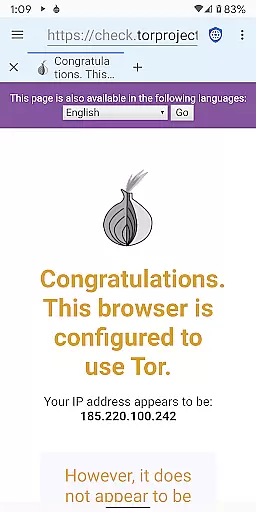
Moreover, Privacy Browser supports Tor Orbot proxy, adding an extra layer of security and anonymity to your communications. By routing your messages through the Tor network, it ensures they are delivered reliably without being intercepted or tracked by third parties.
In today's digital age, sharing media securely is a top priority for users concerned about their privacy. Privacy Browser addresses this need by offering robust media sharing capabilities while maintaining stringent privacy standards.
By integrating EasyList ad blocking and SSL certificate pinning, Privacy Browser prevents malicious tracking and unauthorized access when sharing media files. These features ensure that your shared content remains confidential and intact from sender to recipient.
Additionally, the ability to import/export settings and bookmarks facilitates seamless media sharing across devices without exposing sensitive user data. Users can confidently share images, videos, and other media types knowing their privacy is safeguarded against potential threats.
Strong privacy protection
EasyList ad blocking
Tor Orbot proxy support
Domain-specific settings
Future-proof upgrades
Limited WebView compatibility
No iOS version available
Advanced setup required
Occasional site issues
Learning curve for new users

We’re taking the yada yada out of wireless—now we’ve taken it out of your app.
 4.70
4.70
Save 10% automatically on your first international mobile top up.
4.60
Fast Dialer & Contact Manager with Caller ID and Spam Protection
4.00
Create a secure hotspot on-the-go with Portable WiFi - Mobile hotspot.
4.40
Caller ID App! Add names & photos to unknown calls & Call Recording
4.40
Fun, free app that lets kids video call and message family and close friends.
3.80
An agentic AI browser for Android, built by Perplexity
4.50
Fast, Simple And Secure Application That Provides SMBv3 Server On Your Device
3.30
FolderSync enables easy sync of files between cloud storage and Android devices.
4.60
Messenger for SMS - texting message app, faster, simpler & safer, for you.
4.70
Manage BoostMobile Account
4.60
Smart and simple anti-wiring application - IMSI-catchers catcher
4.40
Get through your inbox faster with the mail app designed to simplify your life.
4.40
Use this SMS app standalone or as a TREK: Total Interface companion.
4.30
BiP is a fast, secure, free messaging and HD video calling app!
4.10
Share the moment!
4.10 3.90
3.90
This app enables the phone to receive and send FT8 traffic!
3.80
An app dedicated solely to marriage, not dating, and supported by a rigorous verification mechanism to ensure seriousness.
4.1


User Reviews