
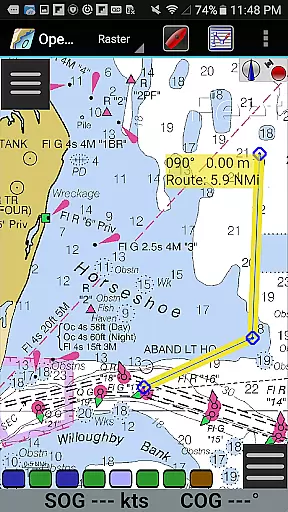
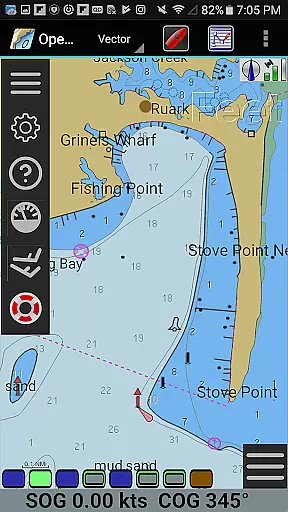
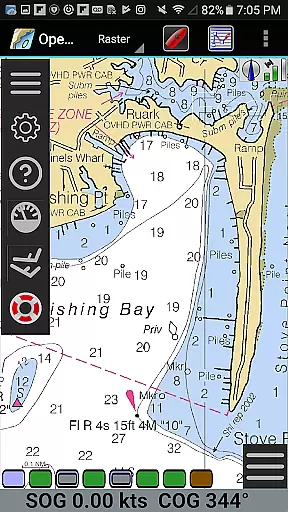
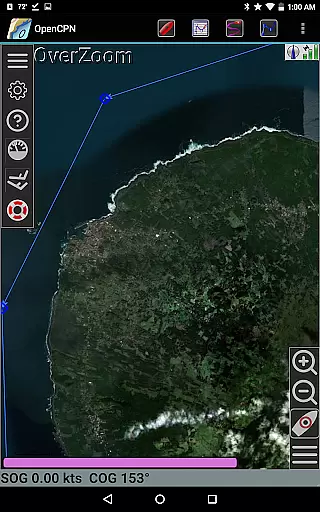
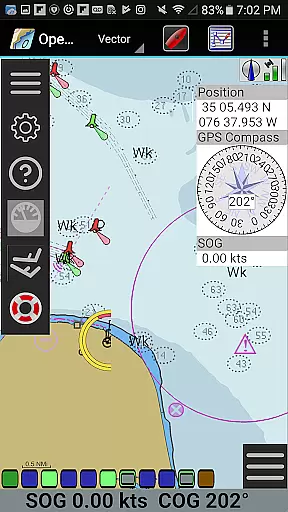
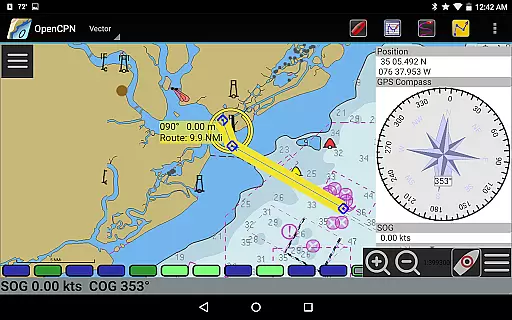
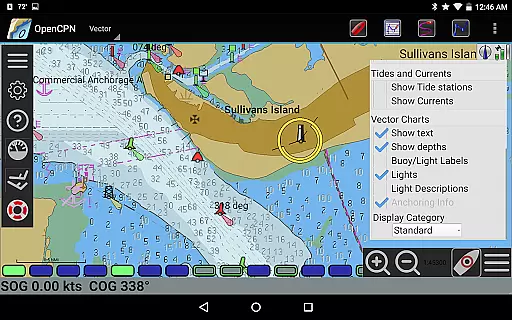
OpenCPN is a comprehensive chart plotter and navigation application designed for both desktop and mobile platforms. It offers advanced features such as BSB v3 raster chart support, S57 vector chart display, and integrated chart downloading. The app supports multiple display modes including North-up, Course-up, and Chart-up, providing flexible navigation options.
In addition to its core functionalities, OpenCPN includes route planning with tidal support, AIS input with target tracking, and autopilot output capabilities. Its networked GPS support and NMEA 0183 interface ensure accurate positioning and seamless integration with various marine instruments. Whether you're a professional mariner or recreational boater, OpenCPN enhances safety and efficiency on the water.
OpenCPN stands out with its extensive chart support, including BSB v3 raster charts, S57 vector charts, and CM93 vector charts with cell offset corrections. The app's IHO S52 compliant display ensures precise rendering of vector charts, while MBTiles support allows for custom overlays. These features provide users with detailed and customizable mapping options.
Beyond charting, OpenCPN offers robust navigation tools such as moving-map display, waypoint navigation, and true/magnetic north settings. Its advanced NMEA message handling structure includes a built-in multiplexer, enabling smooth integration with various marine electronics. The app also features AIS support for collision alerting and MOB handling, making it an essential tool for safe and efficient marine operations.
Map accuracy is a critical feature for any navigation application, and OpenCPN excels in this area. The app supports various chart formats including BSB v3 raster charts, S57 vector charts, and CM93 vector charts with per-cell offset corrections. This ensures that users have access to highly detailed and precise maritime maps.
The application's IHO S52 compliant display of S57 vector charts guarantees that the charts are presented in a standardized and internationally recognized format. Additionally, OpenCPN offers MBTiles chart overlay support, allowing users to integrate custom map layers for enhanced detail and personalization.
With its integrated Chart Downloader, OpenCPN makes it easy for users to obtain the latest charts and keep their map data up-to-date. This commitment to accuracy and currency ensures that sailors can navigate with confidence, knowing they have reliable information at their fingertips.
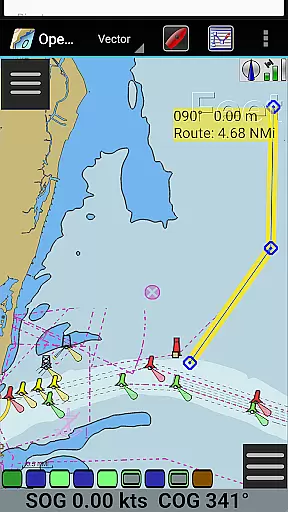
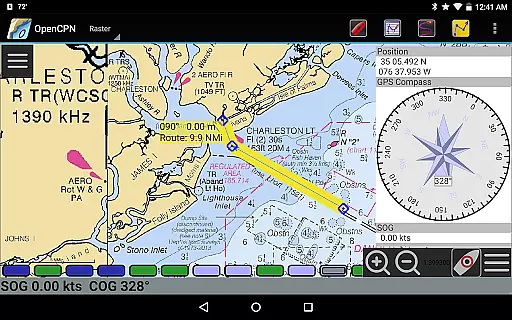
Effective route planning is essential for safe and efficient maritime navigation, and OpenCPN provides robust tools to assist with this task. The app supports advanced route navigation features, including ship tracking functions, waypoint navigation, and options for both true north and magnetic north navigation. These capabilities enable users to plan and execute complex journeys with precision.
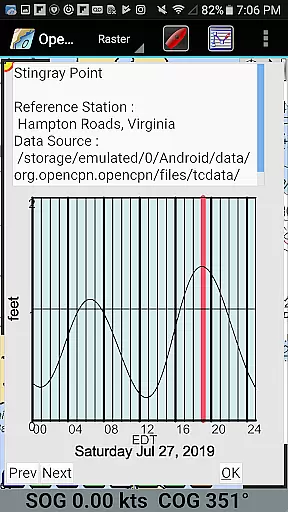
OpenCPN also includes tide and current prediction functionalities, which are crucial for accurate route planning. By considering tidal patterns and currents, sailors can optimize their routes to save time and fuel while avoiding potential hazards. Furthermore, the app's builtin great-circle routing feature helps in plotting the shortest possible path over long distances.
In addition to these core features, OpenCPN allows users to create GPX Layers for annotating charts, providing an extra layer of customization and detail to their planned routes. With comprehensive route planning tools, OpenCPN empowers mariners to prepare thoroughly for their voyages, enhancing safety and efficiency on the water.
User-friendly interface
Comprehensive chart support
Advanced navigation tools
Flexible display options
Active community support
Steep learning curve
Resource-intensive
Limited offline functionality
Occasional bugs
Complex setup process

Find AI powered cameras, ALPRs, and other surveillance infrastructure near you
 4.70
4.70
Navigate with your watch and keep the phone in your pocket!
4.60
Complete offline 1:50k South Island topo map including DOC Hunting Permit Areas
4.60
Order a cab online. An affordable taxi ride and driver in no time. What a bolt!
4.80
Navigate confidently with our precise Digital Compass app & Direction Compass!
4.70
Ride CTA, Metra & Pace: Manage your fares, buy Metra tickets, get arrivals.
3.00
Phone Tracker and GPS Location Sharing
4.20
Explore with GPS Navigation with GPS offline, voice GPS, speed camera radar
4.60
Get real-time bus and train schedules for easy, hassle-free city transportation.
3.90
Bolt is a ride-hailing app for requesting fast, safe, and affordable transport
4.80
Find shortest way and save energy . Distance and area calculator.
4.70
Voice GPS with driving directions, offline maps navigation GPS for safe travel
4.50
Rideshare, taxi cabs, and more for your airport travels and everyday trips.
4.50
GPS navigation offers route finder, compass, translator, currency converter, etc
4.30
Get matched with a nearby driver — you’ll be on your way in minutes.
4.30
GPS phone tracker, family locator, secure location sharing app
4.20
TACNAV-X: Precision MGRS navigation, built specifically for the military.
4.00
Drive safe with real-time speed camera radar, police, and traffic alerts
3.80
Play in the outdoors with Android as your Handheld GPS and offline topo maps!
3.50


User Reviews