
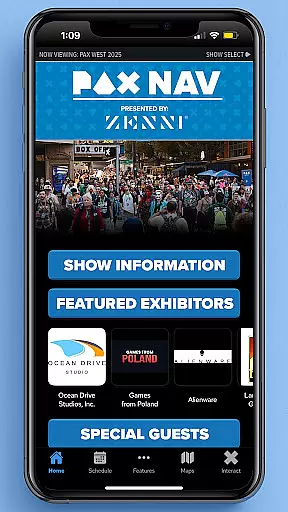
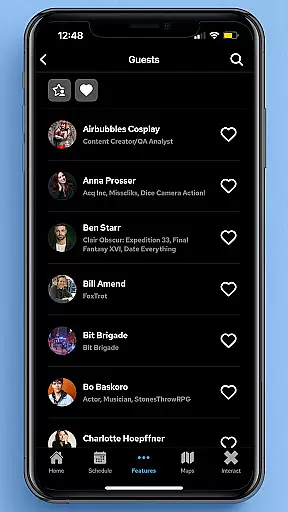
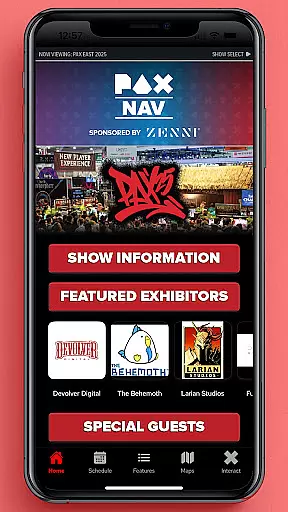
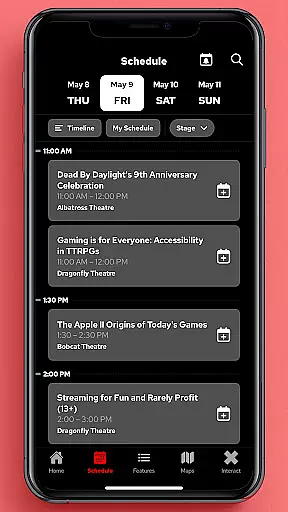
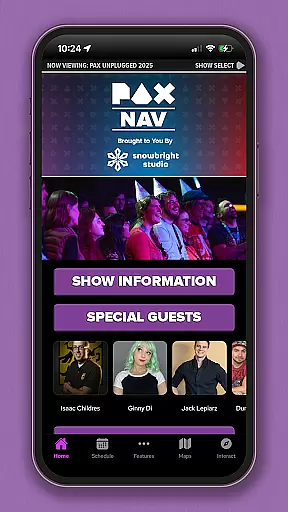
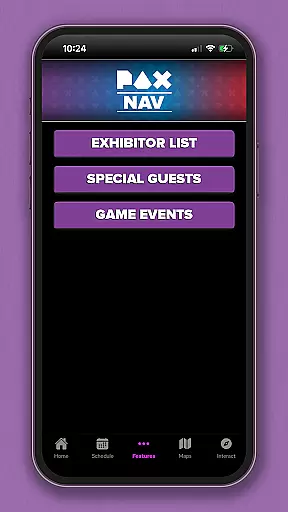
PAX Nav is the official app for PAX West, PAX East, and PAX Unplugged events. It provides users with comprehensive access to event schedules, exhibitor lists, interactive maps, exclusive show specials, and entry into the PAX XP program. Designed specifically for gaming enthusiasts and event attendees, this app ensures you have all essential event information at your fingertips.
With its user-friendly interface, PAX Nav allows seamless navigation through various event details. Whether you're planning your day or exploring on-site opportunities, the app's features are optimized to enhance your event experience. From finding your favorite exhibitors to discovering special promotions, PAX Nav is an indispensable tool for maximizing your time at PAX events.
PAX Nav offers a robust set of features tailored for event attendees. The app includes a complete schedule of all panels, tournaments, and activities, ensuring you never miss an important event. Additionally, it provides detailed exhibitor lists, helping you locate vendors and partners quickly and efficiently.
One standout feature is the interactive map functionality, which simplifies navigating large convention spaces. Users can also access exclusive show specials available only through the app, providing added value to their event participation. Furthermore, PAX Nav integrates with the PAX XP program, allowing users to track their experiences and earn rewards throughout the event.
The app's design emphasizes usability and accessibility, making it easy for users to customize their schedules and receive real-time updates. These features collectively ensure that attendees can fully immerse themselves in the PAX event atmosphere without missing out on any key activities or opportunities.
Task creation and detail customization are essential features for event management apps like PAX Nav. This functionality allows users to create personalized schedules by selecting specific panels, workshops, or exhibitors they want to see at the event.
PAX Nav takes this a step further by providing detailed information about each session or exhibitor. Users can view descriptions, speaker bios, room locations, and even set custom reminders for upcoming events. The app's intuitive interface makes it easy to add or remove items from your personal schedule.
The benefits of this feature are significant. Attendees can optimize their time at PAX events by planning their days in advance. They won't miss important sessions or favorite exhibitors, as everything is organized in one place. The ability to customize details ensures that users have all the information they need at their fingertips.
This level of personalization enhances the overall event experience. It transforms attendees from passive participants into active planners, allowing them to make the most of their convention experience. The feature's value lies in its ability to help users navigate large, complex events with ease and confidence.
Reminder settings in event apps serve as crucial tools for managing time and commitments during busy conventions. PAX Nav offers robust reminder functionalities that keep attendees on track throughout their event experience.
The app allows users to set multiple types of reminders. These include time-based alerts for upcoming sessions, location-based notifications when near favorite exhibitors, and even special announcements from event organizers. Users can customize reminder times and choose between different notification methods.
This feature provides substantial value to PAX attendees. It helps prevent scheduling conflicts and ensures users arrive on time for must-see events. The flexibility of reminder settings accommodates different user preferences and schedules, making event navigation more efficient.
What sets PAX Nav apart is how seamlessly these reminders integrate with other app features. When a reminder triggers, users can quickly access related session details, map directions, and even share their plans with friends through the app's social features. This comprehensive approach to reminders demonstrates the app's commitment to enhancing the total event experience.
User-friendly interface
Comprehensive event coverage
Interactive maps
Exclusive show specials
PAX XP integration
Limited to PAX events
Requires internet connection
Occasional updates needed
Some features event-specific
Heavy on battery usage

The calendar app in this 2026 year see all dates.
 4.20
4.20
Browse events, find transportation, keep up with the latest news from your team
4.4
Microsoft Build is an annual developer conference hosted by Microsoft
4.20
Local events, contests, and giveaways for local dads
3.70
Create Wedding Invitation and Wedding Anniversary Cards using our app
4.60
Rocket Monkey - Space rocket launch schedule for launch sites around the world
4.20
Instant photo sharing for every occasion
3.80
For weddings, parties & events
4.60
ETH Mining provides secure way to mine Ethereum & earn ETH in Cloud mining app
3.50
Fantasy of Lights Event App
5.00
The KRUU app - plan, celebrate, remember
4.80
Design Invitations & Cards for Any Occasion
4.80
Plan your wedding for free on the go: vendors, budget, website and checklists!
4.80
Find Live Event Ticket Deals to Sports, Concerts, Festivals, & Comedy For Less!
4.80
Discover events, experiences, and things to do near you - Anytime, Anywhere!
4.70
Manage all your events, leads, ticketing, payments and check-ins.
4.30
Buy and sell tickets to sports, concerts, theater, festivals, and comedy events
4.10
Purchase line-skip passes, drinks, cover, and more at bars and clubs
3.50
Some connections are better kept private
4.2


User Reviews