
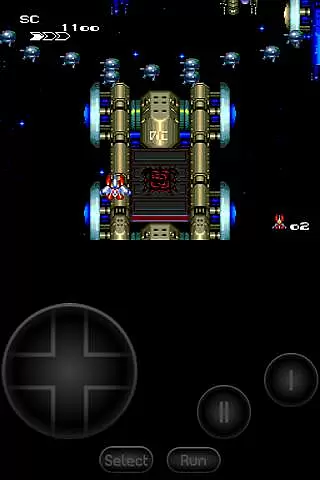
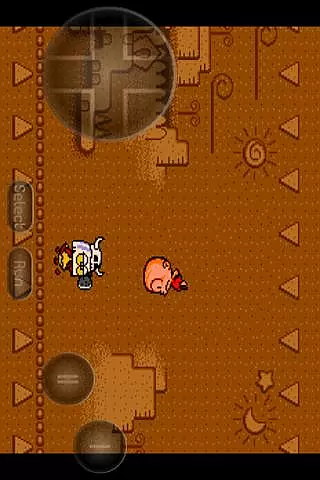
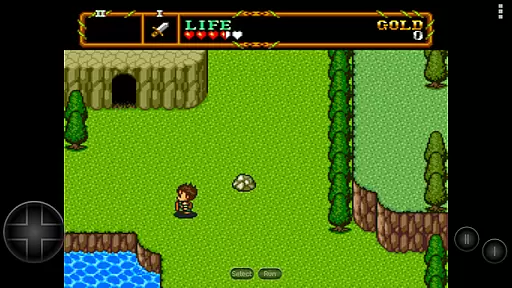
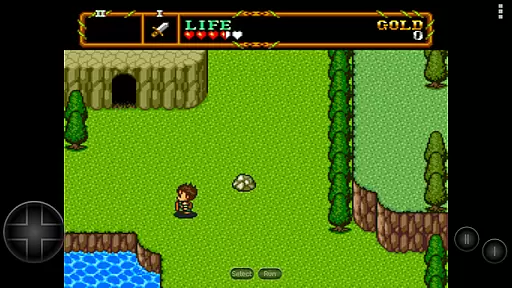
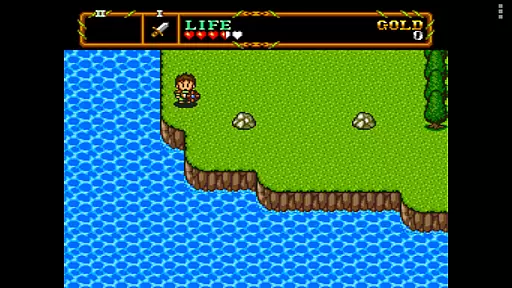
PCE.emu is an advanced open-source emulator for PC Engine and TurboGrafx-16 gaming systems. It offers a minimalist user interface with a focus on low audio and video latency, making it suitable for a wide range of devices from older models like the Xperia Play to modern devices such as the Nvidia Shield and Pixel phones.
The app supports various file formats including .pce and .sgx, optionally compressed with ZIP, RAR, or 7Z. It also provides CD emulation via .cue files and supports multiple audio track formats. With configurable on-screen controls and compatibility with Bluetooth/USB gamepads and keyboards, PCE.emu delivers a versatile and customizable gaming experience.
PCE.emu stands out with its support for multiple file formats such as .pce, .sgx, and compressed files using ZIP, RAR, or 7Z. The emulator's CD functionality allows users to load .cue files, provided they have the required Super CD-ROM System card.
Audio enthusiasts will appreciate the support for FLAC, Ogg Vorbis, and Wav audio tracks. The app is designed with configurability in mind, offering on-screen controls that can be tailored to individual preferences. Gamers can also connect Bluetooth or USB gamepads and keyboards, ensuring compatibility with a wide array of HID devices recognized by the operating system, including popular controllers from Xbox and PS4.
Arcade authenticity and nostalgia are crucial elements for any emulator aiming to recreate the classic gaming experience. PCE.emu, as an advanced PC Engine/TurboGrafx-16 emulator, excels in this area by offering precise emulation of original hardware.
The app supports a wide array of devices, from legacy models like the Xperia Play to modern ones such as Nvidia Shield and Pixel phones. This extensive compatibility ensures that users can relive their favorite arcade moments on various platforms while maintaining the integrity of the original games.
With support for .pce and .sgx file formats, including those compressed with ZIP, RAR, or 7Z, PCE.emu allows gamers to enjoy a vast library of titles. The inclusion of CD emulation via .cue files further enhances its nostalgic value, providing an authentic retro gaming atmosphere.
By focusing on low audio/video latency and supporting high-quality audio tracks in FLAC, Ogg Vorbis, and Wav formats, PCE.emu delivers an immersive experience that captures the essence of arcade gaming. Configurable on-screen controls and gamepad support add to the nostalgic feel, making it a top choice for enthusiasts seeking genuine arcade experiences.
Control responsiveness is a vital aspect of any gaming emulator, directly impacting user experience. PCE.emu stands out by ensuring that controls are both intuitive and highly responsive, catering to the needs of arcade game enthusiasts.
The emulator supports Bluetooth and USB gamepads, including popular models like Xbox and PS4 controllers. This compatibility with any HID device recognized by the OS guarantees that users can choose their preferred input method without compromising performance.
Configurable on-screen controls provide flexibility, allowing players to customize their setup according to personal preferences. This feature ensures that every action is executed precisely as intended, enhancing overall gameplay fluidity.
By prioritizing low audio/video latency, PCE.emu ensures that there is minimal delay between user inputs and in-game responses. This focus on responsiveness makes it an ideal choice for gamers who demand precision and immediacy in their gaming sessions, capturing the true spirit of arcade gaming.
Wide device compatibility
Low audio/video latency
Customizable controls
Supports multiple file formats
Active development and support
No ROMs included
Requires technical knowledge
Interface may feel outdated
Limited to specific gaming systems
Dependent on third-party file sources

Monster Run its a game for relax.
 4.5
4.5
Try this unique restaurant sim and enjoy the fun of cooking in busy kitchens!
4.70
Motorcycle racing games! Prove your paperboy can win in the bike race 3D!
4.50
Local offline 2 3 4 player multiplayer minigames - race, tanks, football
4.60
A fluid, action-packed arcade space shootout!
4.1
Create your restaurant story & make food on a crazy kitchen in this cooking game
4.70
Genesis/Mega Drive/CD & Master System/Mark III Emulator
4.30
A fast, full-featured GB/GBC emulator with link cable emulation.
3.80
A fast, full-featured GBA emulator with link cable emulation.
3.90
Master the skies in this epic airplane shooting game! Join the air force now!
4.80
Eat & evolve your shark in the ultimate shark survival game!
4.50
Shoot the web, jump and teleport! Be a stickman hero and destroy your enemies!
4.50
Play all your favorite Playstation games in your android device!!
4.50
Outrun cops, ignite the thrill of a high-speed chase!
4.50
Suck the other’s blood and be the longest surviving mosquito!
4.40
Slice up a juicy storm!
4.20
Spaceship racing on a rocky planet — pure action and challenge.
4.3
Snake Legacy, sans pub, repensé pour une expérience fluide et élégante.
4.1
Sharpen your mind and reflexes while playing 4Way Dash
4.3


User Reviews