
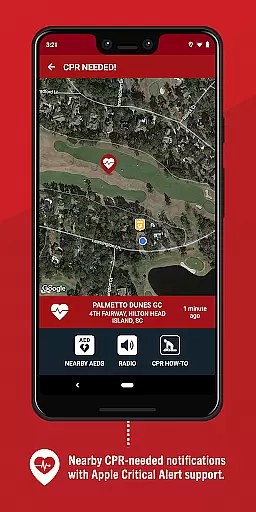
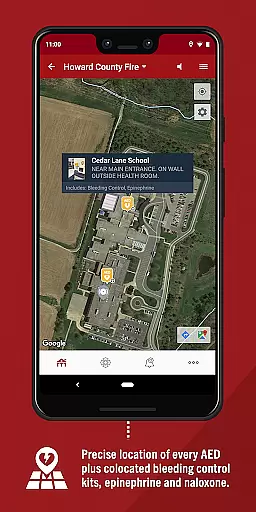
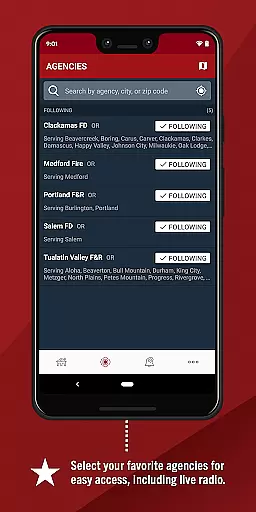
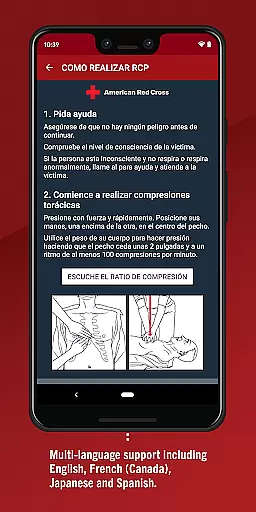
PulsePoint Respond is a revolutionary 911-connected mobile application designed to enhance community safety and cardiac arrest survival rates. The app alerts users trained in CPR about nearby emergencies where their assistance may be needed, effectively bridging the gap between professional emergency services and bystander intervention.
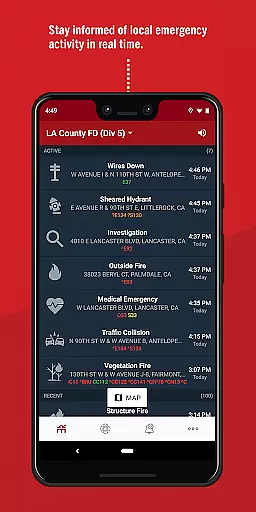
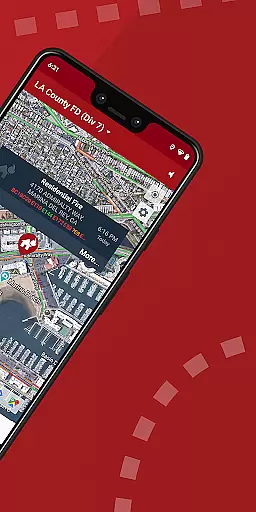
In addition to its life-saving CPR notifications, PulsePoint provides real-time updates on significant local incidents such as fires, floods, and utility emergencies. Users can also listen to live dispatch radio traffic for most PulsePoint-connected communities, creating an informed citizenry that's better prepared to respond to emergencies. This comprehensive approach strengthens the Chain of Survival for cardiac arrest victims while fostering a Culture of Action within communities.
With coverage spanning thousands of cities across the United States, PulsePoint creates valuable opportunities for public engagement in emergency response. Whether you're a trained medical professional or simply CPR-certified, this app empowers you to make a difference when every second counts.
PulsePoint Respond distinguishes itself through several key features that make it an essential tool for community safety. Its primary function is the ability to notify CPR-trained individuals about nearby cardiac emergencies, providing critical assistance until professional help arrives. This feature alone has helped save countless lives by mobilizing immediate citizen response.
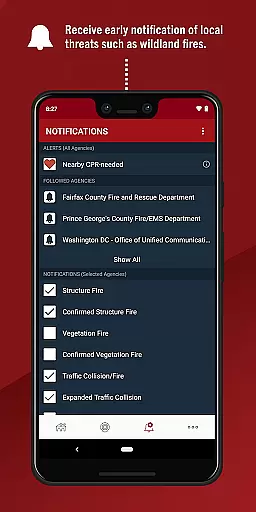
Beyond its core functionality, the app offers customizable notifications for various types of emergencies, including wildland fires, flooding, and utility-related incidents. These informational alerts provide early warnings about potential threats to personal safety and property. Additionally, the app's live dispatch radio feature allows users to monitor emergency communications in real-time, offering unprecedented transparency into local emergency operations.
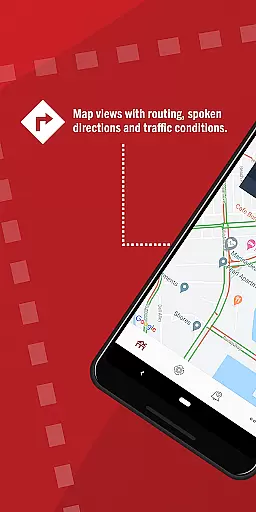
The app's sophisticated geolocation capabilities ensure precise targeting of notifications, while its intuitive interface makes it easy to understand and respond to alerts. Furthermore, PulsePoint's integration with over 2,500 emergency communication centers demonstrates its widespread adoption and effectiveness in strengthening community resilience against various types of emergencies.
In the realm of emergency response and public safety, the credibility of medical content is paramount. PulsePoint Respond stands out by offering information and alerts that are not only timely but also vetted for accuracy. The app collaborates with local public safety agencies to ensure that all notifications regarding emergencies, including CPR-needed alerts, are legitimate and necessary.
Furthermore, PulsePoint's engagement with experts in the field adds another layer of reliability to its service. By working closely with fire departments and EMS officials, the app ensures that its medical advice and emergency protocols adhere to professional standards. This collaboration fosters a community that is both informed and prepared to act in cardiac arrest scenarios, significantly strengthening the Chain of Survival.
For users, this means access to trustworthy information that can make a real difference in critical situations. Whether it's receiving early warnings about local threats or tuning into live dispatch radio traffic, PulsePoint Respond equips its users with credible data that empowers them to take appropriate action when it matters most.
While PulsePoint Respond does not offer traditional teleconsultation services, it excels in connecting those who can provide immediate assistance with those in need. The app notifies trained individuals about nearby emergencies where their skills could save lives, effectively acting as a bridge between the rescuer and the person requiring help. This innovative approach to remote consultation ensures that help arrives faster, which is crucial in time-sensitive situations like cardiac arrest.
The quality of these interactions is bolstered by the app's integration with 911 dispatch systems, ensuring that every alert is both urgent and verified. Users can trust that when they receive a notification, it is a genuine call to action that has been coordinated with local emergency services. This seamless integration enhances the overall effectiveness of each response, making every second count.
Additionally, PulsePoint's ability to keep users engaged with live updates and communications from emergency scenes adds an invaluable dimension to its service. By tapping the speaker icon, users can listen to live dispatch radio traffic, gaining insights into ongoing incidents. This feature not only keeps the community informed but also maintains a high level of engagement and readiness among potential responders.
Life-saving notifications
Real-time emergency updates
Community engagement platform
Live dispatch monitoring
Customizable alert system
Limited rural coverage
Requires CPR training
Dependent on local adoption
Potential notification overload
No international support

MySafeRide simplifies booking and managing rides for health plan members.
 3.50
3.50
One app to unlock your health
4.30
Enables quick access to medical data and contacts in case of emergency (ICE)
4.70
Conveniently receive lab results, schedule lab appointment and pay your bills
3.70
The Better Pharmacy Experience
4.90
Easy access to benefits and rewards
3.70
Boost reading, writing, speaking and listening with a scientifically proven app.
4.70
Manage your healthcare through the FollowMyHealth® Universal Health Record.
4.80
Get Rx fast at the pharmacy, schedule health care, and shop ExtraCare savings.
3.30
CPR Timer for High Performance AHA BLS / ACLS
5.00
myVCA is your tailor-made guide to raising a healthy and happy pet.
4.90
Pelvic Floor Muscle Exercises
4.80
Manage your prescriptions anytime, anywhere with the Publix Pharmacy mobile app.
4.80
Leafly is a weed app for finding dispensaries, cannabis strains, & more.
4.70
The NightOwl Companion app allows you to interact with the NightOwl sensor.
4.70
Take your aphasia therapy to the next level with 4 evidence-based advanced apps
4.70
Assess and treat left neglect more effectively in stroke and brain injury rehab.
4.30
Hearing aid app for Android solves your hearing problems.
4.00
X-Vein: Advanced vein detection for medical practice
3.10


User Reviews