
Visual Attention Therapy is a specialized medical application designed to assist individuals with visual attention deficits, particularly those recovering from brain injuries or strokes. The app focuses on retraining the brain to correctly move the eyes across the screen from left to right, which is crucial for improving reading, concentration, memory, and attention to detail.
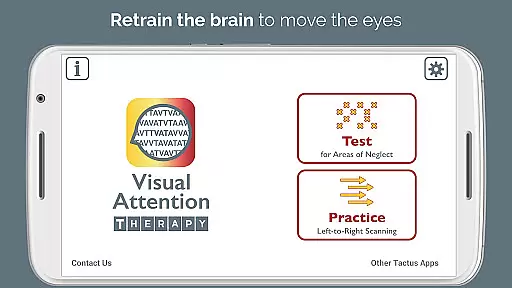
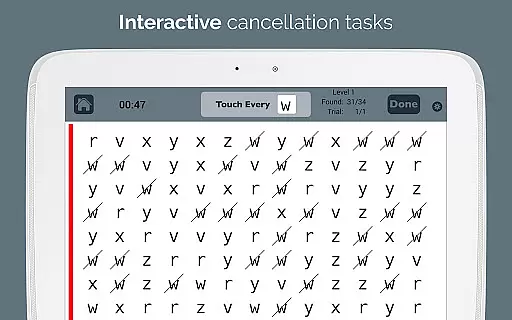
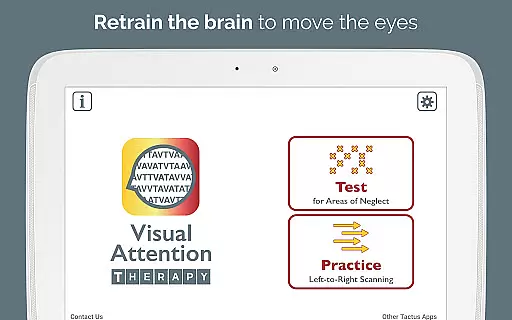
The app offers two primary modes of operation: Test mode and Practice mode. Test mode helps in determining the presence and location of any visual attention deficit, while Practice mode trains users to find targets in order, thereby enhancing their scanning abilities. This dynamic tool is suitable for all ages and provides immediate feedback through visual and auditory cues, keeping users engaged throughout their therapy sessions.
Occupational therapy (OT) and speech therapy (SLP) professionals can efficiently assess for right or left neglect and provide more effective treatment using this app. It is also beneficial for children with dyslexia and attentional deficits, making it a versatile tool in various therapeutic settings.
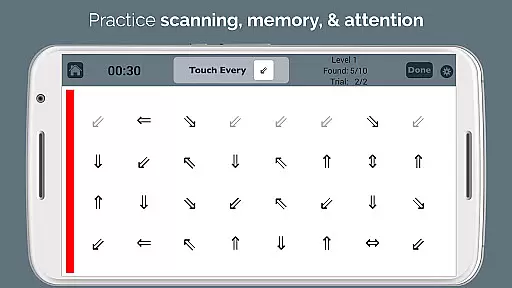
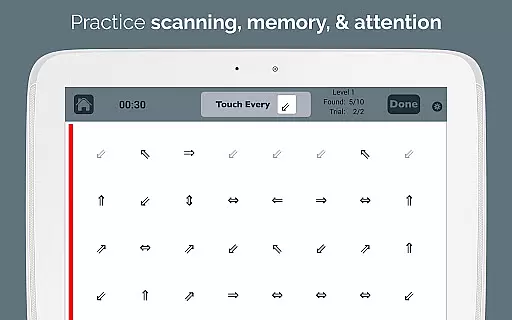
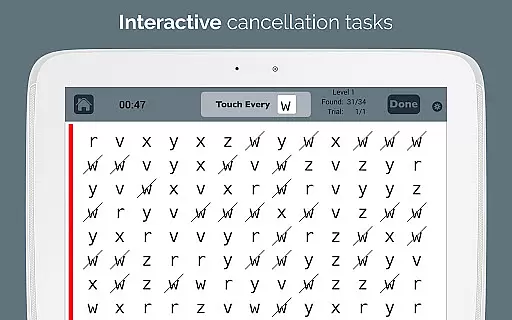
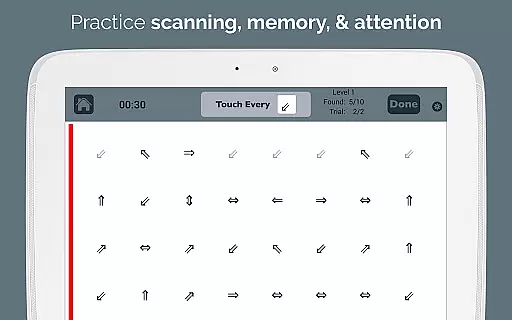
Visual Attention Therapy boasts several features that make it an indispensable tool for cognitive training. One of its standout features is the requirement for users to tap targets from left to right and top to bottom in Practice mode. This trains users to slow down and thoroughly scan the entire screen before proceeding, ensuring comprehensive visual coverage.
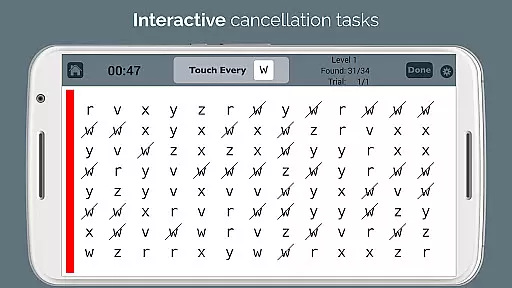
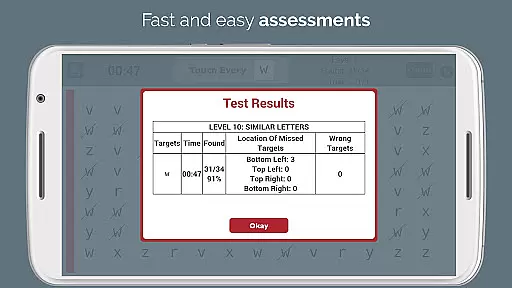
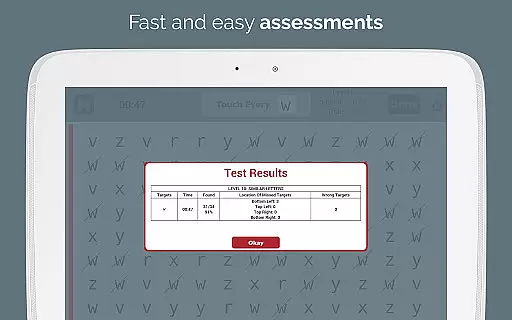
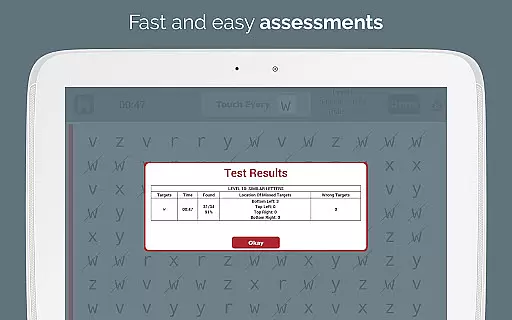
Immediate feedback is provided through visual and auditory cues, maintaining user engagement and motivation. Timed exercises further enhance the experience by encouraging users to work quickly and accurately. Automated scoring eliminates the need for manual error counting, providing detailed data on accuracy by quadrant, completion time, and mistakes in professional emailed reports.
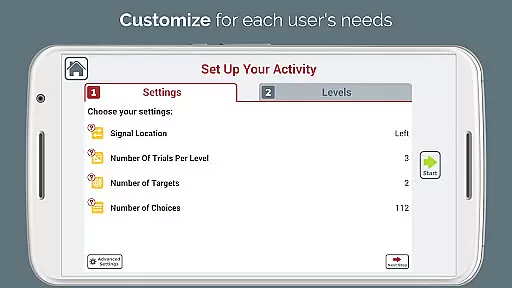
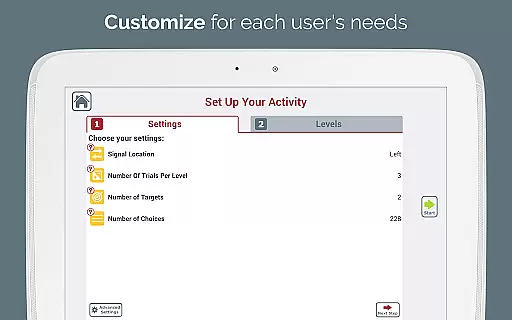
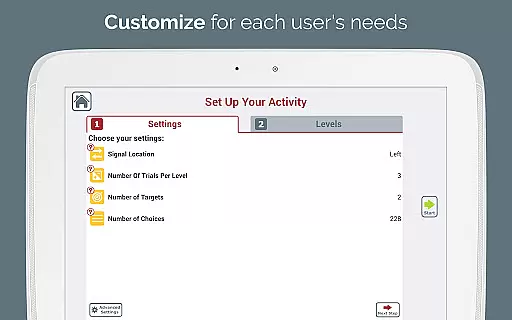
The app's adjustable layouts and ten levels of difficulty allow for a customized experience tailored to meet the changing needs of multiple users. A sidebar signal that flashes in various colors draws attention to the left or right as needed. Additionally, the endless variety of combinations ensures that users are always challenged, reducing the reliance on traditional photocopying exercises. The option to print screenshots is available when a conventional exercise is required.
Visual Attention Therapy stands out for its strong foundation in medical expertise and professional validation. Developed by a certified Speech-Language Pathologist (SLP), the app ensures that all therapeutic exercises are grounded in scientific research and clinical best practices.
The app is widely used by occupational therapists, speech therapists, neuropsychologists, and reading specialists worldwide. This widespread adoption by professionals highlights the app's credibility as a reliable tool for treating adults with left neglect after stroke or brain injury, as well as children with dyslexia and attentional deficits.
Users benefit from the assurance that every feature, from cancellation tasks to scanning exercises, has been carefully designed and reviewed by experts in the field. The incorporation of immediate feedback, timed exercises, and automated scoring reflects a deep understanding of effective rehabilitation techniques.
The combination of professional development and evidence-based practice makes Visual Attention Therapy a trusted resource in medical settings. Patients can feel confident that they are using an app that has been validated by experts and proven effective across various therapeutic disciplines.
While Visual Attention Therapy does not provide traditional teleconsultation services, it offers a sophisticated digital alternative for therapy delivery. The app enables remote treatment and assessment through its comprehensive features, allowing therapists to monitor progress and adjust treatment plans without being physically present.
The automated scoring system generates detailed professional reports that can be easily shared with healthcare providers via email. These reports include crucial data such as accuracy by quadrant, completion time, and specific mistakes, enabling precise remote monitoring of patient progress.
Therapists appreciate the app's ability to customize treatment through adjustable layouts and 10 levels of difficulty. This flexibility allows them to create personalized treatment plans that can be effectively managed remotely while maintaining high-quality standards.
The app's technological advantages, including immediate feedback through visual and auditory cues, ensure that patients receive consistent quality care regardless of their location. This innovative approach to remote therapy delivery demonstrates how digital solutions can maintain, or even enhance, the quality of traditional teleconsultation methods.
User-friendly interface
Customizable difficulty levels
Engaging feedback mechanisms
Automated performance reports
Versatile therapeutic applications
Limited free version features
Requires consistent practice
Premium version can be costly
May not suit all patient needs
Dependent on device compatibility

MySafeRide simplifies booking and managing rides for health plan members.
 3.50
3.50
HealtheLife lets you easily manage your health online.
3.20
Enables quick access to medical data and contacts in case of emergency (ICE)
4.70
Radiographic Positioning Guide for Medical Imaging Professionals and Students
4.50
Search by insurance, see real-time openings & verified reviews, get care fast.
4.80
Boost reading, writing, speaking and listening with a scientifically proven app.
4.70
The doctor will see you now
4.70
Manage your healthcare through the FollowMyHealth® Universal Health Record.
4.80
Tap & save. Coupons that fit in your pocket. Find low prices on prescriptions.
4.80
Spruce is the leading platform for HIPAA-compliant communication and care.
4.90
A comprehensive 3D atlas of the human body
4.80
Take on apraxia and aphasia with a powerful video-driven speech therapy app.
4.60
Beat alcohol and drug addiction with a revolutionary treatment program in an app
4.50
Manage your health care in one easy place
4.40
Molina Members: My Molina. Manage your health anytime, anywhere!
4.30
Voice pitch monitor for speech therapy, LSVT, Parkinson's, singing & trans
4.30
The Client Portal app empowers you to manage care from one secure place
4.10
Crush your paramedic exam with NREMT-style tests, ECGs, and top-tier prep!
3.90
Conveniently receive lab results, schedule lab appointment and pay your bills
3.70


User Reviews