
Publix Pharmacy is a comprehensive medication management app designed to streamline prescription handling for individuals and families. The app's core functionality revolves around simplifying the prescription refill process through innovative features like bottle scanning and one-touch requests.
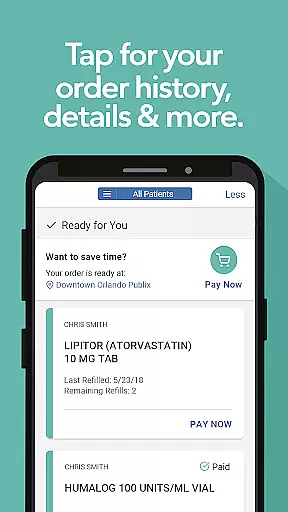
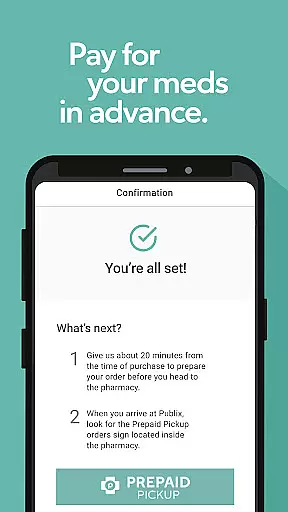
Key features include multiple patient management, detailed prescription tracking, and various fulfillment options such as prepaid pickup, curbside service, and delivery at select locations. Users can access their complete prescription history, manage family members' medications, and receive important notifications about their orders.
The app proves particularly valuable for families managing multiple prescriptions or caregivers overseeing others' medication needs. Its ability to organize all prescription information in one place while offering convenient access to different fulfillment methods makes it an essential tool for modern healthcare management.
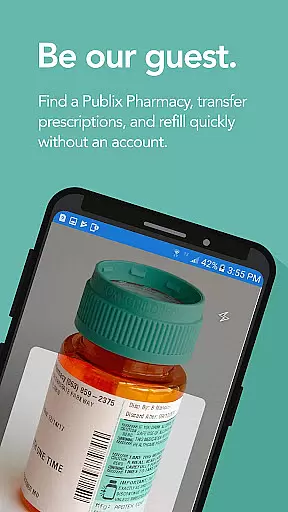
The Publix Pharmacy app distinguishes itself through several advanced features that enhance user experience. The Quick Scan functionality allows users to simply point their camera at a prescription bottle to initiate refills instantly, eliminating manual entry errors.
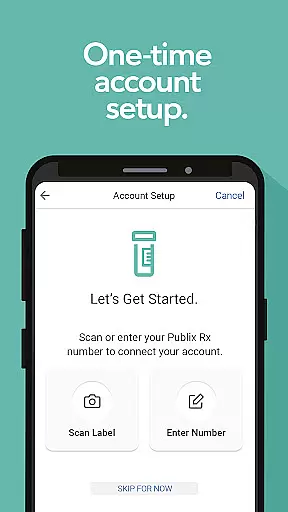
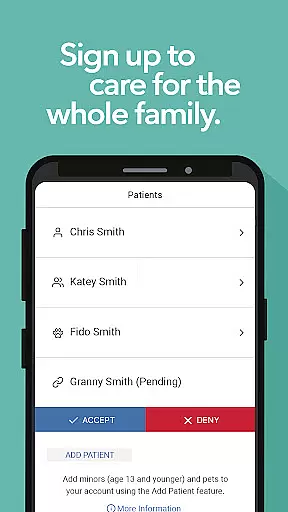
Account management capabilities are robust yet user-friendly. Patients can set up their accounts quickly by scanning a recent prescription bottle or entering label information manually. The app supports multiple profiles, including minors and pets, making it ideal for family use. Advanced security measures ensure all personal health information remains protected while enabling authorized profile sharing with other caregivers.
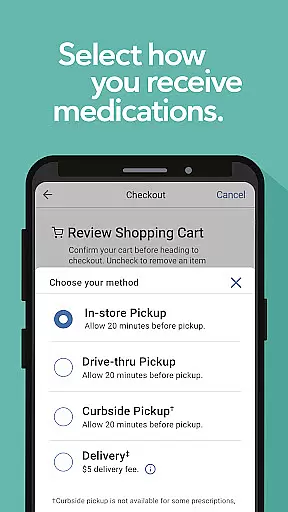
Additional notable features include automated prescription tracking, refill reminders, and multiple fulfillment options. Users can choose between traditional pickup, curbside service, or home delivery where available. The app also maintains complete order histories and insurance information, creating a centralized digital record of all pharmacy interactions.
In the realm of digital health services, ensuring the credibility of medical content is paramount. The Publix Pharmacy app excels in this area by providing users with accurate and reliable prescription management features. Every piece of information within the app is verified and aligns with professional healthcare standards.
The app offers a streamlined process for managing prescriptions, from quick refills using a camera scan to detailed order histories. These features are designed based on real-world pharmacy operations, ensuring that users receive the same level of service they would expect at a physical Publix Pharmacy location.
Expert review is evident in the app's ability to handle complex scenarios such as multiple prescriptions and patient management. By allowing users to add minors and pets to their profiles, the app demonstrates a thorough understanding of family healthcare dynamics, which is crucial for maintaining trust and reliability.
Ultimately, the credibility of the Publix Pharmacy app's medical content empowers users to take control of their healthcare with confidence. Whether it's through timely notifications about prescription statuses or the seamless transfer of existing prescriptions, users can rest assured that their health management is in capable hands.
Teleconsultation has become an integral part of modern healthcare, and the quality of these virtual interactions can significantly impact patient outcomes. The Publix Pharmacy app enhances teleconsultation quality by integrating features that facilitate clear and efficient communication between patients and healthcare providers.
One standout feature is the automatic update of new prescriptions called in by doctors, which ensures that patients' records are always up-to-date without manual input. This real-time synchronization minimizes errors and allows for more accurate consultations, whether conducted over the phone or via other digital means.
Additionally, the app supports various pickup options including prepaid pickup, curbside pickup, delivery, and drive-thru services at select locations. These flexible delivery methods reflect an understanding of diverse patient needs and contribute to a higher quality of teleconsultation by reducing wait times and improving convenience.
By prioritizing user experience and incorporating feedback mechanisms, the Publix Pharmacy app sets a high standard for teleconsultation quality. Users can easily access important details, set reminders, and manage their entire family's prescriptions, making each teleconsultation session more productive and reassuring.
User-friendly interface
Multiple fulfillment options
Family profile management
Quick scan refill system
Comprehensive order tracking
Limited to Publix pharmacies
Requires account setup
Location restrictions apply
Delivery availability varies
Initial data entry needed

We’ve made it easy for Oscar members to get care on the go.
 4.30
4.30
Modivcare members can book and manage trips.
4.50
Pelvic Floor Muscle Exercises
4.80
Care Simplified by MyChart
3.40
Easy access to benefits and rewards
3.70
Enjoy 200%+ volume booster with bass booster, equalizer and headphone supported.
4.60
Your donation experience just got smoother; Donor Hub is your go-to place.
4.70
Take your aphasia therapy to the next level with 4 evidence-based advanced apps
4.70
Anthem/Wellpoint and other health insurance plans
4.60
Access health information and communicate with your care team anytime, anywhere.
4.80
Live vet support by text/video
4.80
Behavioral Health Portal
4.70
Leafly is a weed app for finding dispensaries, cannabis strains, & more.
4.70
Discover the source of pain with Muscle Trigger Point Anatomy.
4.70
Radiographic Positioning Guide for Medical Imaging Professionals and Students
4.50
Hearing aid app for Android solves your hearing problems.
4.00
Continuous Glucose Monitoring
3.40
MHealth is the mobile version of MEDITECH’s Patient and Consumer Health Portal.
3.10
The world's best selling 3D Human Anatomy app with groundbreaking 3D technology
2.00


User Reviews