

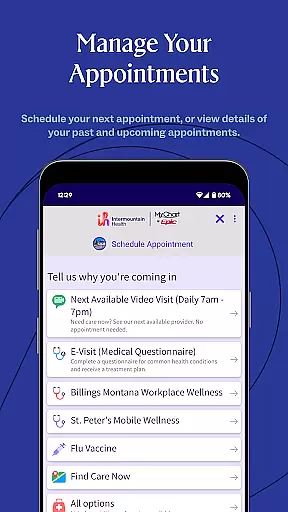
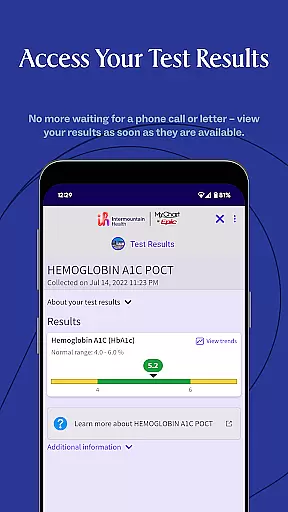
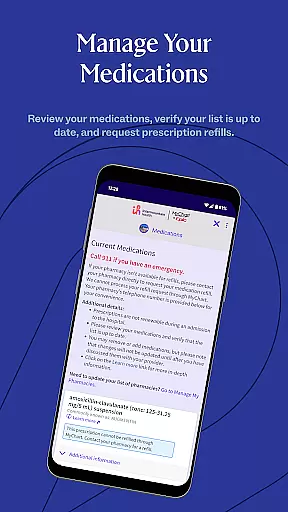
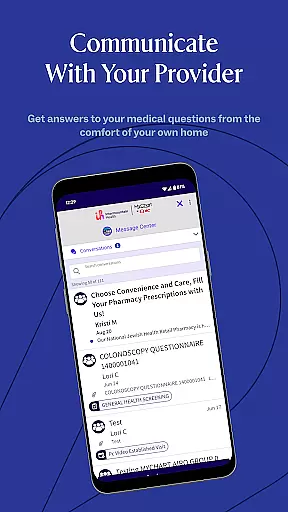
Intermountain Health is a comprehensive medical app designed to empower users in managing their healthcare needs efficiently. Powered by MyChart®, this app consolidates appointments, test results, health records, prescriptions, billing, and care team messaging into one secure platform. Whether you're handling your own healthcare or assisting someone else, the app provides an intuitive interface that simplifies access to essential medical information.
The app's standout feature is its ability to centralize all aspects of healthcare management. From scheduling appointments to reviewing test results, users can perform tasks on their own time, from any location. This flexibility ensures that patients remain informed and engaged in their healthcare journey, enhancing both convenience and peace of mind.
For individuals who require frequent medical attention or caregivers overseeing others' health, Intermountain Health offers a practical solution. By integrating multiple functionalities into a single app, it reduces the complexity often associated with healthcare management, ultimately improving patient outcomes through better organization and accessibility.
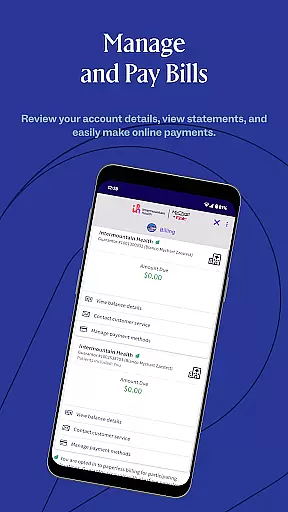
Intermountain Health boasts a variety of features tailored to streamline healthcare management. One key aspect is its integration of diverse functionalities such as appointment scheduling, viewing test results, accessing health records, managing prescriptions, handling billing, and communicating with care teams—all within a unified platform. This consolidation eliminates the need for multiple tools, providing a seamless user experience.
The app leverages secure and proven technology to protect sensitive medical information while ensuring ease of use. Users can customize notifications for appointments and medication reminders, which enhances adherence to medical regimens. Additionally, the messaging feature facilitates direct communication with healthcare providers, allowing for timely updates and clarifications regarding treatment plans.
Another notable feature is the app's support for proxy access, enabling caregivers to manage healthcare for dependents or elderly family members. This functionality not only broadens the app's utility but also fosters collaborative care environments where multiple stakeholders can contribute effectively to patient well-being.
When it comes to managing health information, the credibility of medical content is paramount. The Intermountain Health app ensures that all the data presented to users is verified and comes from reliable sources within their healthcare system. This guarantees that patients receive accurate and trustworthy information regarding their appointments, test results, and health records.
The app employs a strict review process where medical professionals actively participate in validating the content. By integrating expert reviews into the platform, Intermountain Health maintains high standards of medical accuracy. Users can be confident that the prescriptions and care plans suggested are based on professional medical advice tailored to individual needs.
For those managing their own or a loved one's healthcare, having access to credible information means making informed decisions about personal health management. With everything from billing details to direct messaging with care teams available in one place, users gain peace of mind knowing they have comprehensive support at their fingertips.
Teleconsultations have become an essential part of modern healthcare delivery, allowing for remote diagnosis and treatment recommendations without needing physical visits. The Intermountain Health app excels in providing high-quality teleconsultation services by leveraging secure technology that connects patients directly with their healthcare providers through digital means.
With features designed for seamless communication such as video calls, text messaging, and file sharing capabilities, this app ensures that every interaction between patient and provider remains clear and effective. Providers can easily discuss symptoms, review test results, adjust medications, and offer guidance just as they would during an in-person visit but with added convenience for both parties involved.
This level of accessibility not only improves overall patient satisfaction but also enhances continuity of care. Patients no longer need to worry about travel time or taking time off work; instead, they can focus on getting better while still receiving top-notch medical attention right from home. Such innovations truly revolutionize how we think about accessing healthcare services today.
User-friendly interface
Comprehensive health management
Secure data protection
Customizable notifications
Proxy access support
Limited offline functionality
Potential learning curve
Dependent on internet connectivity
Subscription may be required
Occasional syncing issues

ECG modules improve rhythm ID. ACLS is a simulator for cardiac arrest scenarios.
 4.5
4.5
Pelvic Floor Muscle Exercises
4.80
The official DSM-5-TR® app
4.50
Control your hearing aids discreetly with the touch of a finger
4.30
Conveniently receive lab results, schedule lab appointment and pay your bills
3.70
Manage your prescriptions anytime, anywhere with the Publix Pharmacy mobile app.
4.80
Save up to 80% on your pharmacy prescriptions & medications with free Rx coupons
4.70
PPP provides quick offline access to over 350 field treatment protocols.
4.60
X-Vein: Advanced vein detection for medical practice
3.10
A comprehensive 3D atlas of the human body
4.80
Manage your healthcare through the FollowMyHealth® Universal Health Record.
4.80
This app is simply 1 book (also large app) and 17 other apps combined into 1
4.70
Take on apraxia and aphasia with a powerful video-driven speech therapy app.
4.60
ASCCP Management Guidelines- There’s an app for that!
4.60
Beat alcohol and drug addiction with a revolutionary treatment program in an app
4.50
A rapid reference for healthcare professionals caring for pediatric patients.
4.30
Patient Health Portal
4.20
Easy access to benefits and rewards
3.70
A rapid reference for prehospital providers caring for pediatric patients.
4.0


User Reviews