
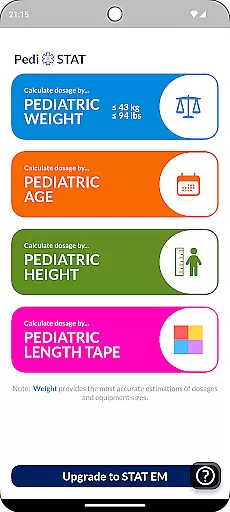
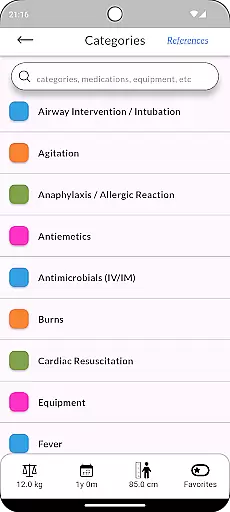
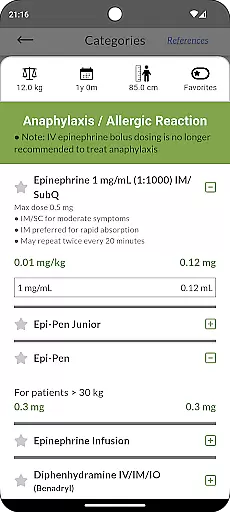
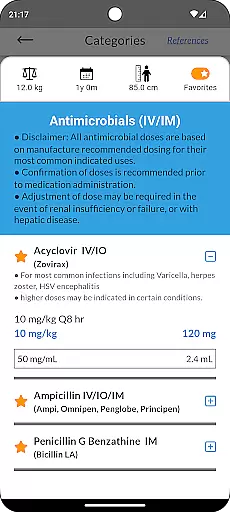
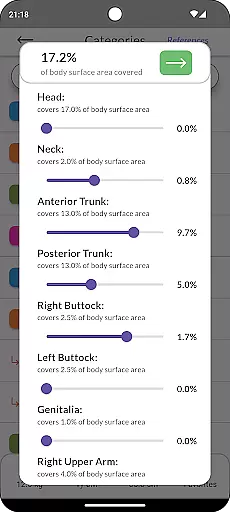
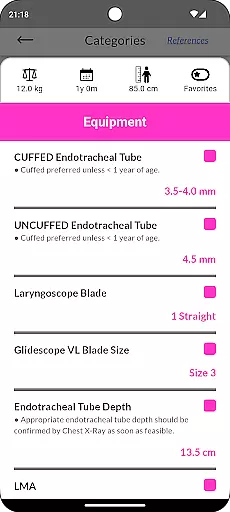
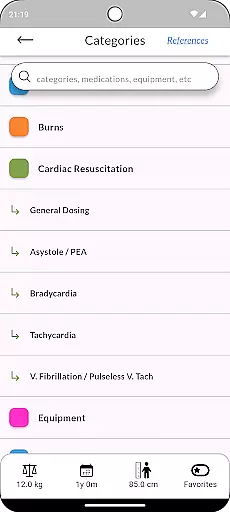
Pedi-STAT is an essential rapid reference application designed for healthcare professionals who care for pediatric patients in emergency or critical care environments. This includes RNs, paramedics, physicians, and other medical staff. The app provides quick access to vital information needed for airway interventions, cardiac resuscitation, and seizure management. With just a few taps, users can obtain weight-specific dosages for medications, appropriate equipment sizes, ventilator settings, and more.
One of the key strengths of Pedi-STAT is its ability to calculate necessary data based on minimal known variables such as age, date-of-birth, weight, length, or height. This feature ensures that even when patient information is incomplete, healthcare providers can still make informed decisions quickly. Developed by an Emergency Physician, this app minimizes the risk of medical errors, allowing providers to focus more on patient care rather than searching through textbooks or performing manual calculations.
Pedi-STAT offers a comprehensive set of features tailored for pediatric emergency care. Firstly, it provides rapid results for airway interventions, including endotracheal tube sizes, intubation medication dosages, ventilator settings, and sedation protocols. Secondly, the app includes detailed cardiac resuscitation data with weight-specific dosages for resuscitation medications, cardioversion, and defibrillation. Additionally, users have access to age and weight-specific pediatric equipment recommendations, such as foley catheters, chest tubes, and central line sizes.
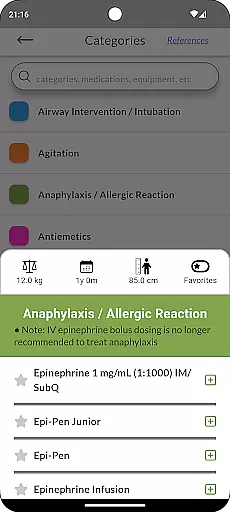
The app also supports procedural sedation dosages, pain management medications, and the medical management of allergic reactions and anaphylaxis. Each feature is designed to be intuitive and accessible, ensuring that healthcare professionals can retrieve the required information with minimal effort. By integrating these functionalities, Pedi-STAT significantly enhances the efficiency and accuracy of medical decision-making in high-pressure environments.
In the medical field, the credibility of content is crucial for ensuring accurate and safe patient care. Pedi-STAT exemplifies this by providing healthcare professionals with reliable pediatric emergency information. Developed by an Emergency Physician, the app offers rapid access to critical data such as medication dosages, equipment sizes, and procedural sedation protocols.
The app's content undergoes thorough expert review, ensuring that all information aligns with current medical standards and practices. This includes weight-specific dosages for resuscitation medications, age-specific normal vital signs, and management strategies for conditions like hypoglycemia and anaphylaxis. By relying on expert-reviewed content, Pedi-STAT minimizes the risk of medical errors in time-sensitive situations.
Users benefit from having instant access to expert-vetted data, allowing them to focus more on patient care rather than searching through textbooks or other resources. The app's intuitive design enables quick retrieval of necessary information, enhancing decision-making processes in emergency settings.
Teleconsultation has become an essential component of modern healthcare delivery, especially in emergency and critical care environments. Pedi-STAT enhances teleconsultation quality by providing precise, real-time data that supports remote consultations for pediatric patients. With features like weight-based and age-specific medication dosages, healthcare providers can deliver accurate recommendations during virtual assessments.
The app ensures high-quality teleconsultations by integrating comprehensive medical management tools. These include seizure medication dosages, pain management calculations, and allergic reaction protocols. Such detailed information allows healthcare professionals to make informed decisions quickly, even when physically distant from the patient.
By minimizing the need for manual calculations and reference checks, Pedi-STAT streamlines the teleconsultation process. Providers can spend more time engaging with patients and colleagues, knowing that their treatment advice is based on credible, expert-reviewed content. This efficiency not only improves consultation outcomes but also enhances overall patient safety and satisfaction.
Quick access to critical data
User-friendly interface
Minimizes medical errors
Comprehensive pediatric care tools
Developed by an Emergency Physician
Requires internet connection
Limited to pediatric use
No offline mode available
Subscription fees may apply
Occasional updates needed

The OptumRx app empowers you to become an advocate of your pharmacy benefits.
 4.40
4.40
A comprehensive medical disease app.
5.00
A rapid reference for prehospital providers caring for pediatric patients.
4.5
Master AEMT with 1,400+ study items, TEIs, practice tests, and scoring.
4.10
Easy access to benefits and rewards
3.70
700 questions, 2 full exams, Predictive Scoring—your key to NREMT success!
3.90
The world's best selling 3D Human Anatomy app with groundbreaking 3D technology
2.00
Update medical records, view upcoming appointments, message your provider & more
3.80
The Client Portal app empowers you to manage care from one secure place
4.10
CPR Timer for High Performance AHA BLS / ACLS
5.00
Manage your healthcare through the FollowMyHealth® Universal Health Record.
4.80
Medication reminder, Medicine list, Trackers for BP, glucose, weight, water, etc
4.70
Want to make it easier to manage your health? We’re with you, wherever you are.
4.70
Download the PulsePoint app and use your CPR skills to save a life!
4.60
Beat alcohol and drug addiction with a revolutionary treatment program in an app
4.50
Secure video visits with your VA care team from anywhere
4.50
Assess and treat left neglect more effectively in stroke and brain injury rehab.
4.30
Care Simplified by MyChart
3.40
A fantastic 3d reference that includes over 300 structures and a quiz function.
3.00


User Reviews