
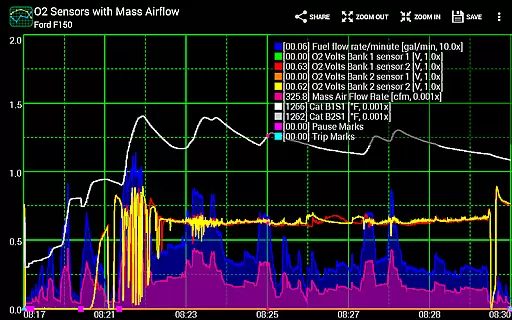
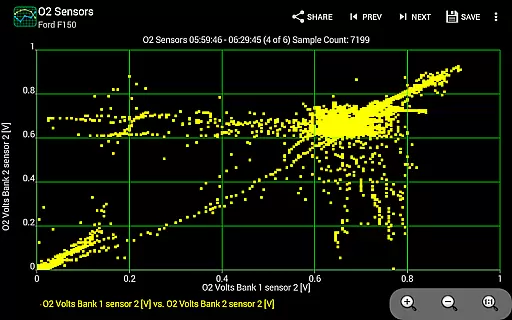
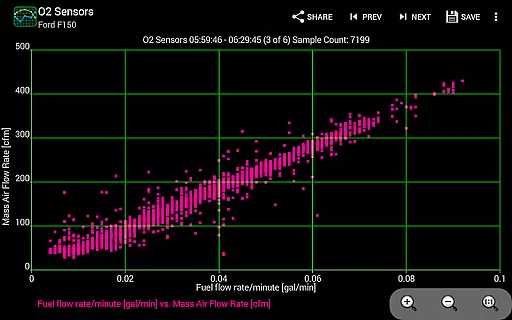
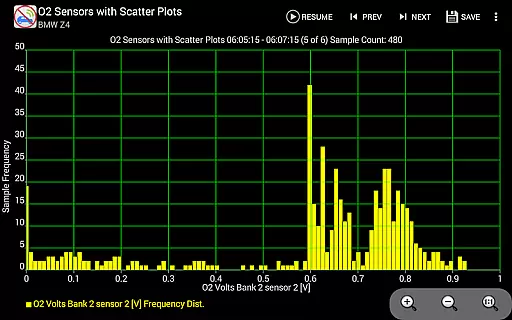
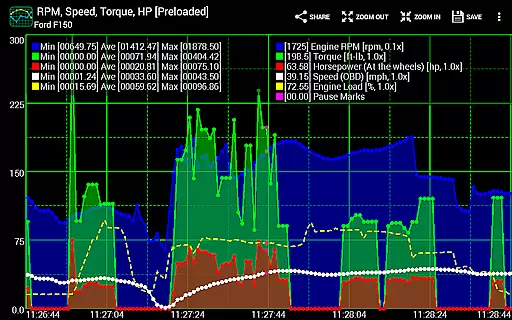
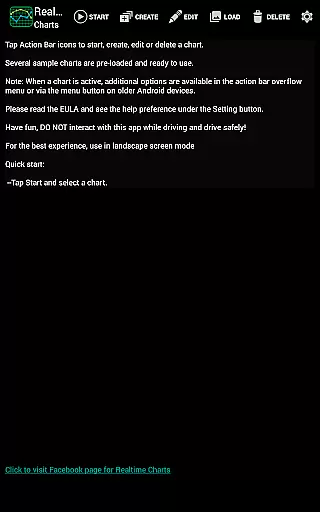
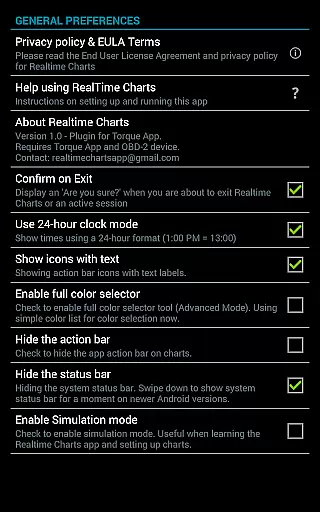
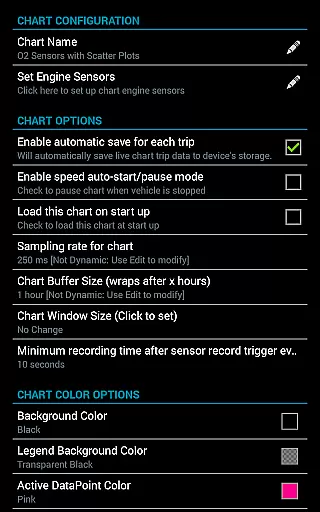
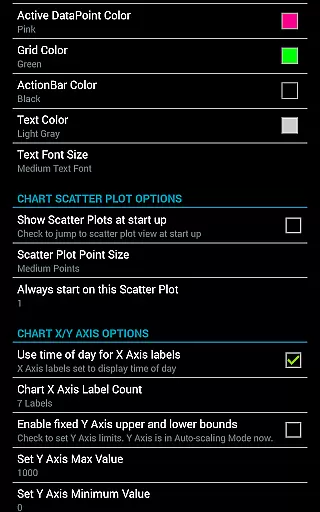
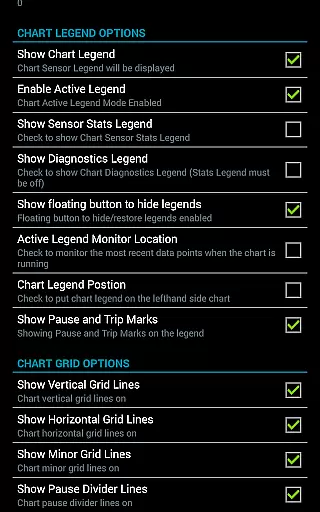
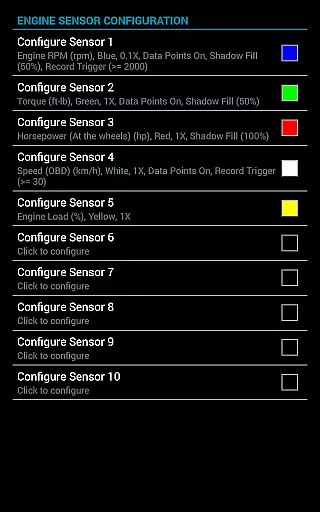
Realtime Charts for Torque Pro is a specialized plugin designed to enhance vehicle performance monitoring for automotive enthusiasts and professionals. This app allows users to graph up to 10 engine sensors simultaneously, providing real-time data visualization on Android devices. By creating custom charts with specific sensor combinations, sampling frequencies, and chart attributes, users can conduct in-depth analysis of their vehicle's performance.
The app supports advanced features like scatter plot analysis, auto-pause during vehicle stops, and trigger-based data capture. With the ability to save and review trip data, adjust chart scaling dynamically, and export data in Excel CSV format, it serves as an essential tool for tuning, diagnosing, and analyzing vehicle metrics. Compatible with Android V2.3 and above, this plugin requires a wireless OBD2 adapter and the Torque Pro app to function effectively.
Realtime Charts for Torque Pro offers a comprehensive suite of features tailored for automotive diagnostics and performance tracking. Users can monitor multiple engine parameters such as RPM, speed, MPG, HP, and torque in real time, with support for up to 10 different PIDs (Parameter IDs). The app provides advanced analytical tools, including scatter plot and frequency plot analysis, enabling detailed examination of sensor relationships.
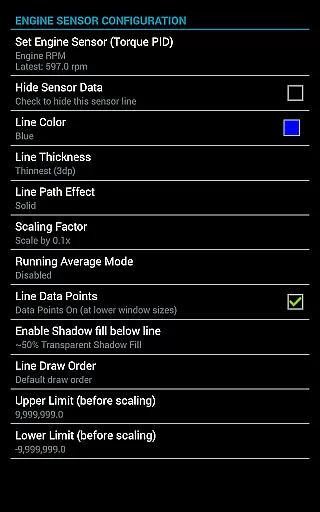
Customization is at the core of this app's functionality. Users can create up to 100 personalized charts, specifying sensor combinations, colors, and series attributes. Additional features include dynamic scaling, session pause/resume with time compensation, and running averages for engine sensors. The app also supports exporting data in Excel CSV format, simulation mode for chart design without an ECU connection, and background sensor recording while using other apps like Torque Pro or Google Maps.
Realtime Charts for Torque Pro offers an extensive monitoring solution that allows users to access detailed vehicle information. This plugin app enables the graphing of multiple engine sensors, such as RPM, speed, and MPG, providing a comprehensive view of a vehicle's performance.
With support for up to 10 different Parameter IDs (PIDs), users can simultaneously track various metrics in real-time on their Android devices. The ability to create custom charts with specific sensors, sampling frequencies, and chart attributes adds another layer of depth to vehicle analysis.
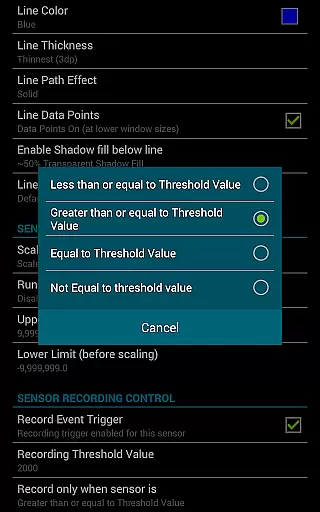
This level of detail empowers automotive enthusiasts and professionals to fine-tune and diagnose their vehicles with precision. By capturing sensor data based on user-defined criteria, the app ensures that users obtain the most relevant and actionable information regarding their vehicle's operation.
Furthermore, features like scatter plot analysis and dynamic scaling of data points ensure that users can perform in-depth analysis and make informed decisions about their vehicle maintenance and upgrades.
While Realtime Charts for Torque Pro itself does not deal with monetary transactions, it provides a transparent approach to vehicle data that can lead to cost savings. By allowing users to monitor and analyze engine performance, the app helps identify potential issues before they become costly repairs.
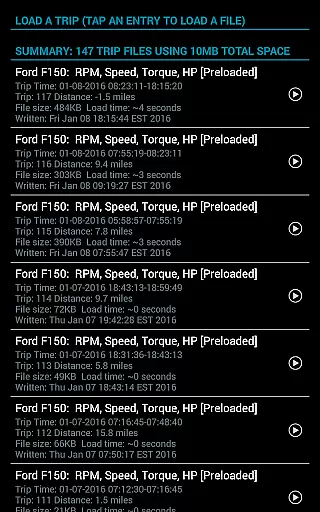
The app's capability to save data and review sessions later ensures that users have a clear understanding of their vehicleu2019s condition over time. This historical perspective contributes to price transparency by enabling more accurate assessments of a vehicle's value and potential repair costs.
Additionally, the feature to export Excel CSV data files supports users in sharing detailed performance records with mechanics or buyers, leading to fairer negotiations and pricing. The simulation mode further enhances this transparency by letting users experiment without needing a physical connection to an ECU.
By equipping users with precise and comprehensive vehicle data, Realtime Charts for Torque Pro indirectly promotes financial savings and fair dealings within the automotive community.
User-friendly interface
Highly customizable charts
Advanced diagnostic tools
Real-time data visualization
Exportable data formats
Requires Torque Pro app
Needs OBD2 adapter
Complex for beginners
Limited to Android
No iOS support

OBD diagnostics, Live Data, DPF regeneration for BMW
 4.00
4.00
Listings of Tesla's with FSD - Included package
4.60
The Texaco App allows you to pay for fuel from the comfort of your car!
4.80
Discover new and used cars in Syria easily! Browse ads and connect with sellers.
3.70
myAudi offers users services and Audi connect services for Audi drivers
4.10
Club Car Wash Mobile App—the fast lane to managing your wash membership.
3.30
DMV practice test 2025: Driver License permit test & written test for all states
4.70
Find, search, and browse 40,000+ used cars, SUVs, and trucks.
4.50
Find Your Local Store or Shop Online for the Car, Truck, or SUV Parts You Need
4.70
Shop, finance, or sell today.
4.80
1M+ high-quality auto parts at your fingertips. Fitment guaranteed.
4.70
Get price alerts, vehicle history details and more for cars near you!
4.50
On the CarShield app, you can view contracts, make payments, & request roadside.
4.40
Secure mobile payments & fuel savings at Phillips 66®, Conoco® and 76® stations
4.40
Taximeter; the professional's choice
4.30
Monitor your behind-the-wheel behavior to become a safer driver and save.
4.10
ODB2 based monitoring application for the Chevy Bolt (2017-2021)
4.00
Monitor specific TOYOTA parameters by adding this plugin to Torque Pro.
2.00
Ferrari inspired analog & digital watch face with quick access and premium style
4.1


User Reviews