
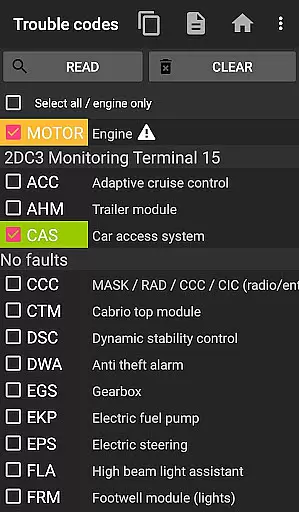
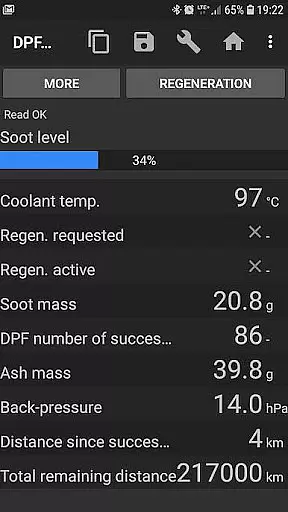
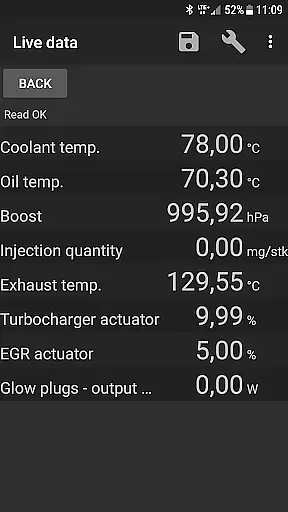
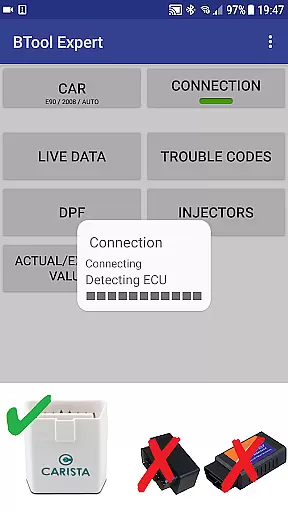
bimmer-tool is a comprehensive diagnostic application designed specifically for BMW car owners and enthusiasts. This app allows users to read and clear fault codes, request DPF regeneration, and access real-time engine data in compatible BMW models. With support for various OBD adapters and connection methods, it provides a reliable solution for vehicle diagnostics.
The application's functionality varies depending on the car model year. For vehicles manufactured before 2008, a K+DCan USB cable connection is recommended for optimal performance. Newer models can utilize wireless ELM adapters or ENET connections. The app also supports essential maintenance functions such as battery registration and service interval resets.
Whether you're a professional mechanic or a DIY enthusiast, bimmer-tool offers valuable insights into your BMW's performance and health. Its ability to log data to CSV files for further analysis makes it an indispensable tool for maintaining and troubleshooting BMW vehicles.
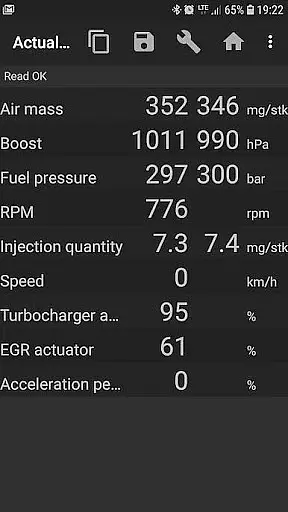
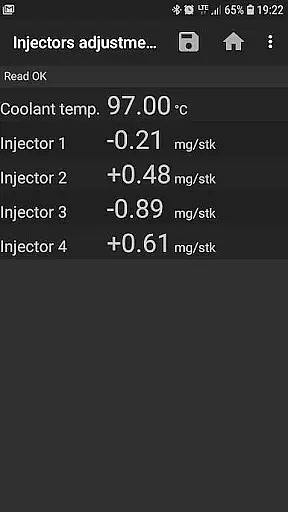
bimmer-tool stands out with its extensive range of features tailored for BMW diagnostics. The application enables users to perform crucial maintenance tasks including reading DPF regeneration status, resetting adaptation values after filter replacement, and monitoring exhaust fumes pressure. It also provides detailed injector adjustments and reads actual versus expected values for key engine parameters.
One of the app's notable capabilities is its support for multiple connection types and OBD adapters. Users can choose from K+D-Can USB cables, ENET adapters for newer F/G series models, or various Bluetooth/WiFi ELM327 adapters. This flexibility ensures compatibility with different BMW models while maintaining reliable communication with the vehicle's onboard systems.
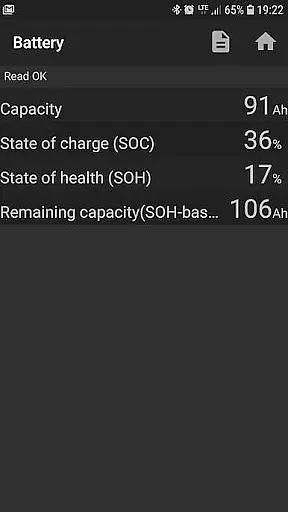
Additional features include battery replacement registration without changing properties, resetting blocked lamp circuits in E-series models, and logging comprehensive diagnostic data to CSV files. These functions, combined with the app's user-friendly interface and quick-start guide, make bimmer-tool an essential companion for BMW owners seeking advanced diagnostic capabilities.
Accessing detailed vehicle information is crucial for effective car maintenance and diagnostics. bimmer-tool provides comprehensive data retrieval capabilities specifically designed for BMW vehicles. The application allows users to read engine live data, including critical parameters such as DPF regeneration status, exhaust fumes pressure, and injector adjustments.
The app's functionality extends to retrieving actual and expected values for air mass, intake manifold pressure, and fuel pressure. This level of detail enables users to monitor their vehicle's performance accurately. Additionally, the ability to log data to a CSV file offers opportunities for further analysis, empowering car owners and mechanics to make informed decisions.
With support for various OBD adapters, including K+D-Can USB cables and ENET adapters, bimmer-tool ensures reliable connectivity across different BMW models. This compatibility guarantees that users can access detailed vehicle information regardless of their car's model year or specific configuration.
Price transparency in automotive applications is essential for users to understand the costs associated with vehicle maintenance. bimmer-tool addresses this by offering clear information about the required OBD adapters, ensuring users know exactly what equipment they need to invest in. Recommended adapters like Vgate vLinker and UniCarScan are explicitly listed, allowing users to make cost-effective purchasing decisions.
The app also outlines its capabilities in resetting service intervals and registering battery replacements without additional charges. These features help users avoid unexpected expenses during routine maintenance. By providing detailed compatibility information, bimmer-tool enables users to assess whether their existing OBD adapters will work with their BMW models.
Furthermore, the availability of a lite version allows users to test compatibility before committing to the full version. This approach demonstrates the app's commitment to price transparency, ensuring that users fully understand the value proposition before making any financial commitments.
User-friendly interface
Wide adapter compatibility
Comprehensive diagnostic tools
Data logging capabilities
Regular feature updates
Limited older model support
Requires compatible adapter
Some features model-specific
Occasional connection issues
Professional use may need experience

Taximeter; the professional's choice
 4.30
4.30
Monitor specific TOYOTA parameters by adding this plugin to Torque Pro.
2.00
AlfaOBD software for Fiat Group cars native diagnostic
3.70
myAudi offers users services and Audi connect services for Audi drivers
4.10
Oil change service & coupons for car maintenance at Valvoline Instant Oil Change
4.70
Your Path to Driving Licensing Success Begins Here! Develop your driving skills.
4.40
Take state-specific DMV permit tests and ace the exam.
3.90
O'Reilly Pro will streamline your parts lookup and ordering process!
3.20
Shop, finance, or sell today.
4.80
Lexus app currently supports 2010 or newer vehicles (2018 or newer for Hawaii).
4.80
Get more out of your AAWireless adapter with this companion app | aawireless.io
4.80
OBD2 car scanner and diagnostics: read Check Engine, DTC, economy....
4.30
ODB2 based monitoring application for the Chevy Bolt (2017-2021)
4.00
Boost profits and hit your goals faster with GigU's amazing tools for gigworkers
4.00
Blink Charging Mobile app makes finding an EV charger an intuitive experience.
3.80
Discover new and used cars in Syria easily! Browse ads and connect with sellers.
3.70
Wonder how much horsepower and torque your car/truck makes? Look no further.
3.40
Earn and save with Fuel Rewards®
3.20
Theme for Car Launcher
4.3


User Reviews