
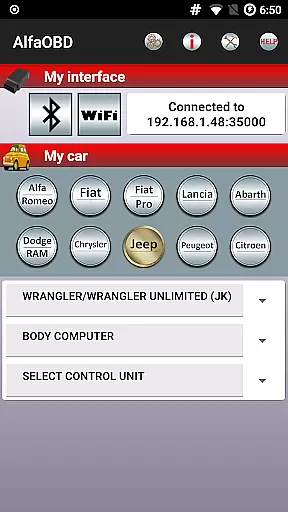
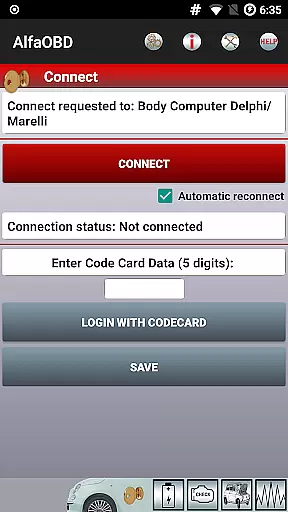
AlfaOBD is a comprehensive diagnostic tool tailored for vehicles produced by Stellantis, including brands like Alfa-Romeo, Fiat, and Jeep. This application provides car owners with access to professional-level diagnostic features typically available only to automotive technicians.
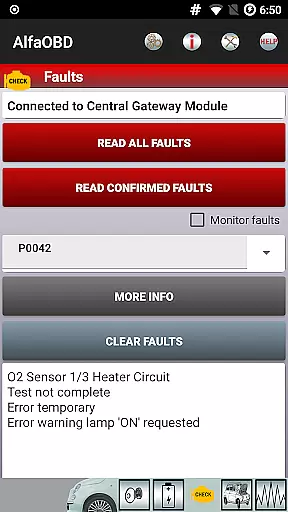
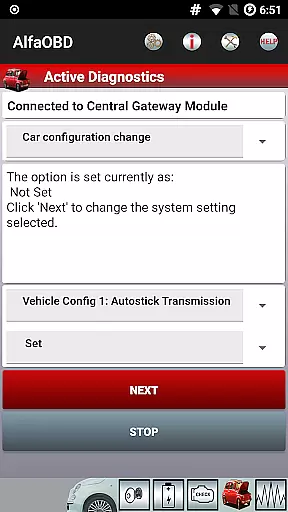
The software supports dealer-level diagnostic and configuration procedures, allowing users to monitor various dynamic parameters of their vehicle's systems such as engine and ABS through graphical presentations. It also enables the clearing of fault codes and active diagnostics for multiple electronic control units (ECUs).
Designed primarily for car enthusiasts who prefer a hands-on approach to vehicle maintenance, AlfaOBD is compatible with specific OBD interfaces and requires careful setup for optimal functionality. Its native support for ECUs used in Fiat group cars sets it apart from generic OBDII applications.
AlfaOBD offers an extensive range of features that cater to the needs of both amateur and professional mechanics. The app provides native support for Electronic Control Units found in Fiat group vehicles, surpassing the limited capabilities of generic OBDII tools.
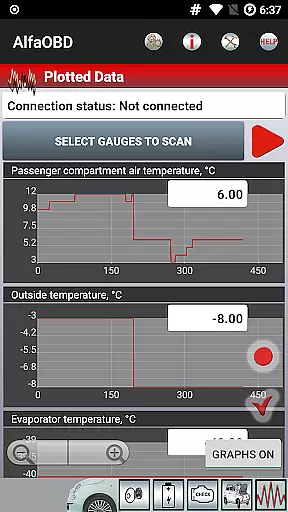
Users can monitor real-time data from various systems within their vehicle, including engine performance, gearbox status, and climate control metrics. The app presents this information graphically, making it easier to interpret complex diagnostic data.
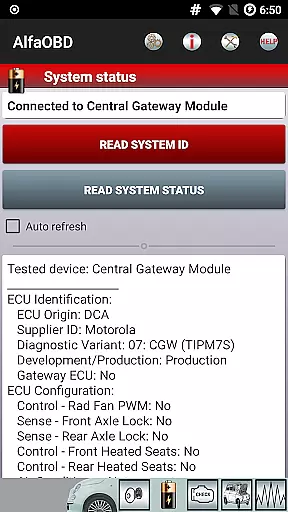
Additional functionalities include reading static data such as ECU identification and system status, performing active diagnostics, clearing fault codes, and programming electronic keys. These features collectively ensure a thorough diagnostic process that can address a wide array of vehicle issues.
Accessing detailed vehicle information is crucial for effective diagnostics and maintenance. AlfaOBD provides comprehensive data directly from the Electronic Control Units (ECUs) of Fiat group cars, offering native support unlike many generic OBDII tools.
The application enables users to monitor dynamic parameters of various systems including engine, gearbox, ABS, and climate control. These parameters are presented graphically through plots, allowing for clear visualization of system performance.
Users can also retrieve static data such as ECU identification, system status, and fault codes. Each code comes with probable causes and environmental context, helping users understand underlying issues.
This level of detail empowers car owners and mechanics to make informed decisions about necessary repairs or adjustments, ensuring optimal vehicle performance and safety.
Price transparency in automotive diagnostic tools ensures users understand the costs involved. AlfaOBD offers its advanced features without hidden fees, providing clear value for money.
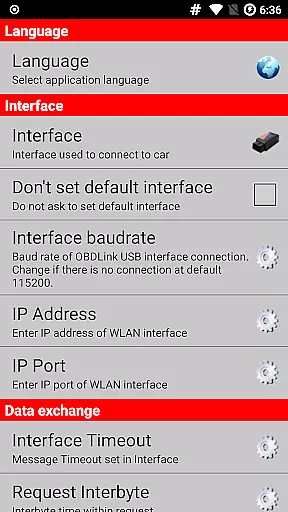
While the app itself is accessible, users should note that a compatible OBD interface is required. A list of supported interfaces is available on the official website, allowing users to make cost-effective choices.
For vehicles with a security gateway module (SGM), an additional SGW bypass may be needed for full access. This upfront information helps users budget accordingly for any extra hardware requirements.
By clearly outlining these potential costs, AlfaOBD maintains transparency, building trust with its user base while delivering professional-grade diagnostic capabilities.
User-friendly interface
Comprehensive diagnostic options
Real-time monitoring capabilities
Wide range of supported vehicles
Professional-level functions
Requires compatible OBD interface
Limited to specific vehicle brands
Complex setup process
Potential connectivity issues
Security gateway module restrictions

Taximeter; the professional's choice
 4.30
4.30
* This app needs an adapter cable and a certain OBD2 adapter to work *
4.20
DMV Test Pro offers all the updated FREE DMV tests online.
4.60
Blink Charging Mobile app makes finding an EV charger an intuitive experience.
3.80
Mobile Phone Parking - So easy to park
3.70
Instantly redesign your car with AI. From sporty to futuristic, try it all.
4.50
Easy connect & control your cars from afar. Remote Lock & unlock car and carplay
4.60
Shop, finance, or sell today.
4.80
Get price alerts, vehicle history details and more for cars near you!
4.50
Play what you want through Android Auto
4.90
Practice the drills within MotoJitsu Master Riding Program Volume 1 & 2!
4.80
7-Day Returns on All Cars
4.80
DMV practice test 2025: Driver License permit test & written test for all states
4.70
Trip computer+car diagnostic tool with widest variety of features and dashboard!
4.70
OBD1 ECMs application. Data log or tune directly from your phone or tablet!
4.60
OBD2 car scanner and diagnostics: read Check Engine, DTC, economy....
4.30
By enthusiasts, for enthusiasts
4.00
The Smarter Way Forward
3.30
Ferrari inspired analog & digital watch face with quick access and premium style
4.3


User Reviews