
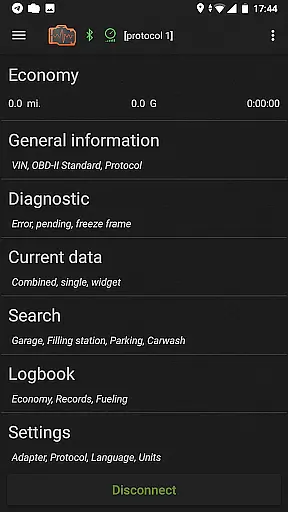
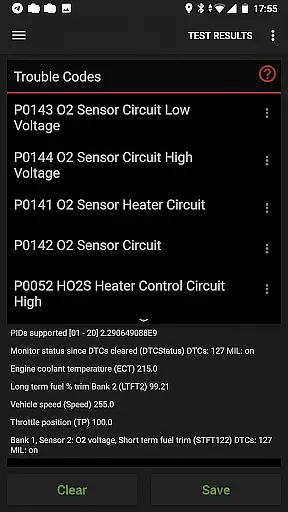
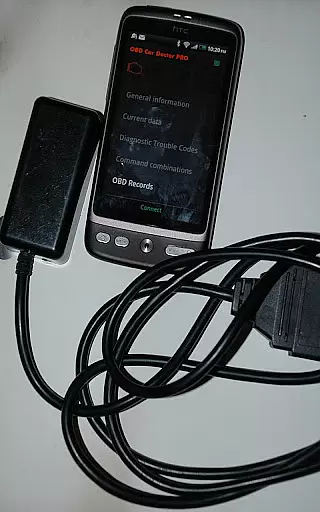
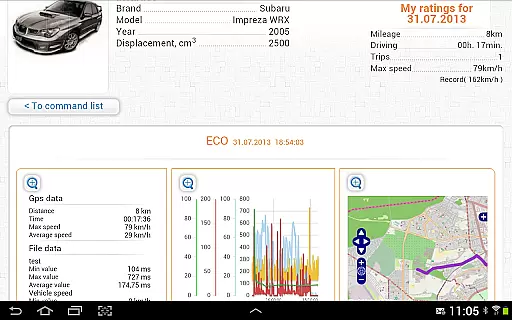
inCarDoc Pro is a comprehensive vehicle diagnostics tool designed for car owners and automotive professionals. This application serves as an OBD-II scanner, enabling users to read real-time engine parameters and stored diagnostic trouble codes from their vehicle's ECU. With support for multiple connection types including Bluetooth, WiFi, and BLE devices like Kiwi 3 and V-Gate iCar 3, the app provides detailed insights into engine performance, fuel economy, and system faults.
The application's key value lies in its ability to function both as a professional diagnostic tool and a personal trip computer. Users can monitor crucial engine parameters, track fuel consumption, and maintain detailed service records through the integrated logbook feature. The pro version offers advanced capabilities such as background parameter recording, GPS trace support, and server upload functionality, making it an essential tool for serious car enthusiasts and professionals who require thorough vehicle monitoring and maintenance tracking.
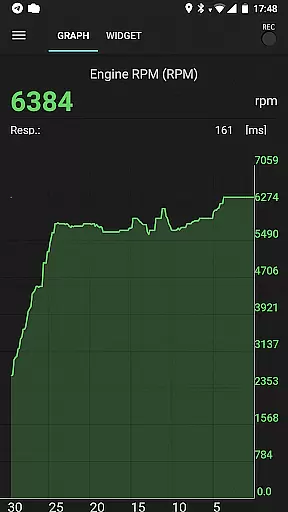
inCarDoc Pro distinguishes itself through its extensive feature set tailored for automotive diagnostics. The application can read and display multiple real-time parameters from the vehicle's OBD-II system, including engine speed, coolant temperature, and oxygen sensor data. Its unique recording capability allows users to capture parameter traces over time, which can be viewed and analyzed later for comprehensive vehicle health monitoring.
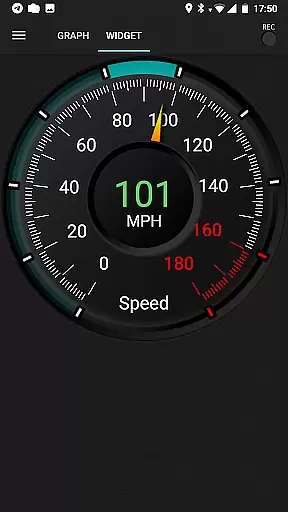
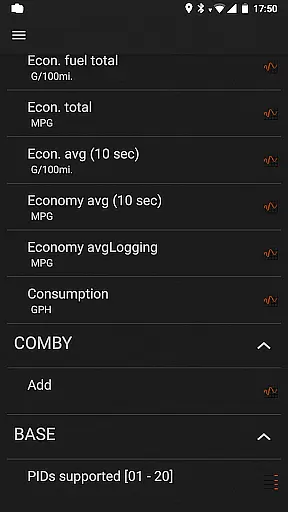
Among its notable features are the extended widgets for fuel economy and acceleration monitoring, along with the ability to overlay this information on other applications. The app supports professional-grade functions such as freeze frame data capture, DTC clearing, and custom protocol configuration. These features, combined with its compatibility with various OBD-II scanners and support for GPS-based parameters, make inCarDoc Pro a versatile tool for both casual users seeking better understanding of their vehicle's performance and professionals requiring detailed diagnostic capabilities.
Accessing detailed vehicle information is crucial for both car owners and mechanics. inCarDoc Pro provides comprehensive data about your vehicle's performance by reading real-time and stored diagnostics parameters from the ECU of OBD-II compliant cars. This includes critical details such as speed, engine rotation, coolant temperature, and pressure.
The application supports multiple OBD-II scanners including Bluetooth, WiFi, Kiwi 3 (BLE), V-Gate iCar 3 (BLE), Veepeak (BLE), Carista, and Vinli. It ensures that users can access precise information about their vehicle's health and status regardless of the specific scanner they own. The app also allows storing and sharing diagnostic data, which is particularly useful when seeking professional repair assistance.
With its advanced features like fault code reading, freeze frame data display, and descriptions of diagnostic trouble codes (DTC), inCarDoc Pro empowers users to understand complex issues within their vehicles. By providing this level of detail, it helps in making informed decisions regarding maintenance or repairs, ultimately saving time and money.
Price transparency in automotive tools is essential for users to make cost-effective decisions. inCarDoc Pro offers a free version with basic functionalities, allowing users to test compatibility with their cars before committing to a purchase. This approach ensures that customers are fully aware of what they are investing in without hidden costs or surprises.
The Pro version of inCarDoc Pro removes advertisements and unlocks advanced features such as real-time parameter recording, background mode operations, GPS trace support, and extended widgets for fuel economy and acceleration. These enhancements provide significant value, justifying the investment for serious car enthusiasts and professionals alike.
Additionally, the app facilitates uploading data to a server, offering an integrated ecosystem where users can manage their vehicleu2019s diagnostics and logs efficiently. By clearly outlining these benefits, inCarDoc Pro maintains price transparency, ensuring users understand exactly what they gain with each feature tier, thus fostering trust and satisfaction.
Comprehensive OBD-II diagnostics
Real-time parameter recording
Professional-grade features
Multiple device compatibility
Detailed trip computer functionality
Requires compatible OBD-II scanner
Complex for novice users
Some features need premium hardware
Occasional connectivity issues
Steep learning curve

Attention! This is the theme for the Car Launcher app
 4.1
4.1
Theme for Car Launcher
4.5
Listings of Tesla's with FSD - Included package
4.60
* This app needs an adapter cable and a certain OBD2 adapter to work *
4.20
Boost profits and hit your goals faster with GigU's amazing tools for gigworkers
4.00
Blink Charging Mobile app makes finding an EV charger an intuitive experience.
3.80
Automotive Electrical Wiring Diagrams
4.40
DMV practice test 2025: Driver License permit test & written test for all states
4.70
Autotrader is your online solution for buying and selling new and used cars.
4.40
Shop, finance, or sell today.
4.80
DMV Test Pro offers all the updated FREE DMV tests online.
4.60
Your Path to Driving Licensing Success Begins Here! Develop your driving skills.
4.40
A smarter way to park and reserve your spot ahead of time.
4.40
AI Powered - Automotive Mechanic Assistant
4.30
Monitor your behind-the-wheel behavior to become a safer driver and save.
4.10
By enthusiasts, for enthusiasts
4.00
BlueDriver® is a Premium Diagnostic OBD2 Scan Tool. www.BlueDriver.com
3.90
Read and delete OBD codes with any ELM327 OBD scanner. Coding functions included
3.40
Theme for Car Launcher
4.5


User Reviews