
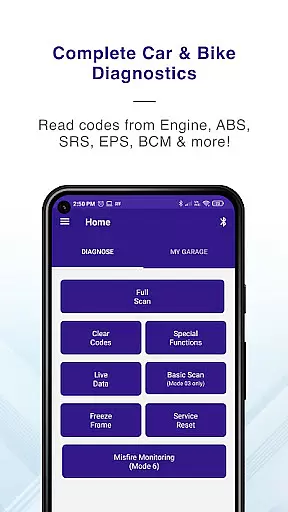
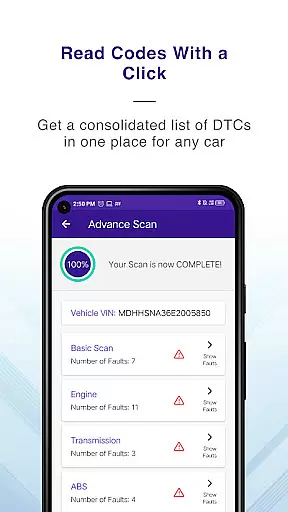
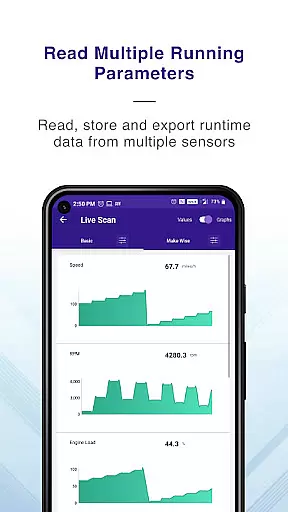
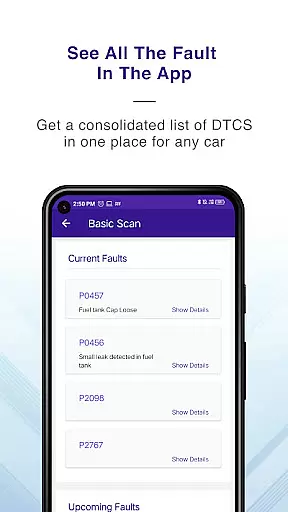
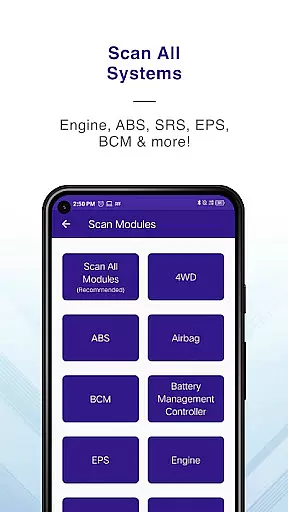
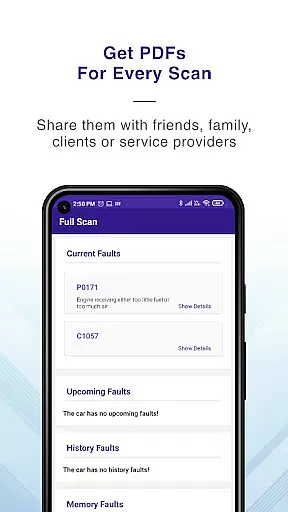
GaragePro is a comprehensive OBD2 diagnostic app designed for vehicle owners, repair shops, and DIY enthusiasts. It provides access to over 200 diagnostic functions across cars, bikes, and heavy vehicles, supporting multiple systems such as Engine, ABS, Airbag, and more.
The app offers advanced features like Injector coding, DPF regeneration, and Steering angle reset, alongside live data monitoring of crucial sensor parameters. With wireless Bluetooth connectivity and compatibility with most ELM327 scanners, GaragePro ensures seamless diagnostics while delivering detailed PDF reports for professional use.
Whether you're troubleshooting engine issues or performing specialized maintenance tasks, GaragePro empowers users with actionable insights and precise control over vehicle diagnostics.
GaragePro stands out with its extensive diagnostic coverage, including real-time data retrieval from multiple ECUs like Engine, Transmission, and HVAC systems. Its unique Multi Mode support allows access to service IDs ranging from Mode 01 to Mode 0A, enabling deeper analysis of vehicle performance.
Specialized functions such as Injector coding, Throttle Reset, and ABS bleeding cater to advanced automotive needs. The app also supports Track Mode for acceleration tests and provides exportable Excel data for custom analysis. These capabilities make it an indispensable tool for both casual users and professional mechanics.
With intuitive graphs, customizable displays, and compatibility with all OBD2-compliant vehicles, GaragePro delivers unmatched versatility in vehicle diagnostics.
Accessing detailed vehicle information is crucial for effective diagnostics and maintenance. GaragePro provides comprehensive OBD coverage, enabling users to scan and retrieve real-time data from multiple systems such as Engine, ABS, SRS, EPS, BCM, Transmission, HVAC, and more.
The app goes beyond basic diagnostics by offering advanced features like Injector coding, DPF regeneration, Throttle Reset, ABS bleeding, and Steering angle reset. With over 200 diagnostic functions, it supports cars, bikes, and heavy vehicles, making it a versatile tool for vehicle owners, repair shops, and DIYers.
Users benefit from the ability to monitor over 100 crucial sensor data points in real-time, including RPM, speed, coolant temperature, and fuel trim. The intuitive graphs and customizable displays empower users to track vehicle performance and make informed decisions, ensuring optimal vehicle health and longevity.
Price transparency is essential for users to understand the value they receive from an automotive diagnostic tool. GaragePro offers scanning and live data features for free, allowing users to access critical vehicle information without any initial cost.
For advanced functionalities, GaragePro provides affordable paid plans starting at just $10. These plans unlock higher-level diagnostic features, delivering exceptional value for professional mechanics and automotive enthusiasts alike.
By clearly outlining its pricing structure, GaragePro ensures that users can choose a plan that best suits their needs and budget. This transparent approach builds trust and enables users to take full advantage of the app's capabilities without hidden costs or surprises.
User-friendly interface
Wide vehicle compatibility
Advanced diagnostic tools
Wireless convenience
Detailed live data
Paid features required
Bluetooth dependency
Complex for beginners
Limited free options
Scanner not included

OBD1 ECMs application. Data log or tune directly from your phone or tablet!
 4.60
4.60
Practice the drills within MotoJitsu Master Riding Program Volume 1 & 2!
4.80
AlfaOBD software for Fiat Group cars native diagnostic
3.70
Discover new and used cars in Syria easily! Browse ads and connect with sellers.
3.70
Digital Car Key/Launcher, Screen Mirror, Android Dashboard, Remote Wireless Link
4.40
By enthusiasts, for enthusiasts
4.00
Instantly redesign your car with AI. From sporty to futuristic, try it all.
4.50
Your go-to app for car, truck & SUV parts, DIY tools, and expert repair help.
4.70
Find, search, and browse 40,000+ used cars, SUVs, and trucks.
4.50
7-Day Returns on All Cars
4.80
Take Control of Your Car
4.80
View your car’s service records and find out when maintenance is due.
4.70
1M+ high-quality auto parts at your fingertips. Fitment guaranteed.
4.70
Browse millions of cars, track vehicle listings or sell your car today
4.70
Instant diesel savings. No credit checks or fees. Nationwide growing network.
4.40
Realtime Charts is a plugin for the Torque Pro App (OBD 2 & Car)
4.20
Monitor your behind-the-wheel behavior to become a safer driver and save.
4.10
Take state-specific DMV permit tests and ace the exam.
3.90
DIY Vehicle Wheel Alignment
4.5


User Reviews