
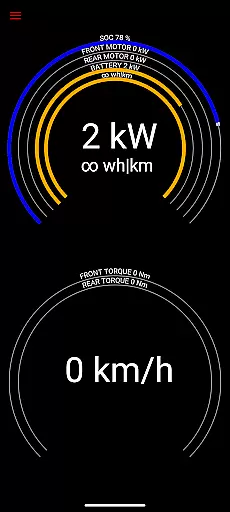
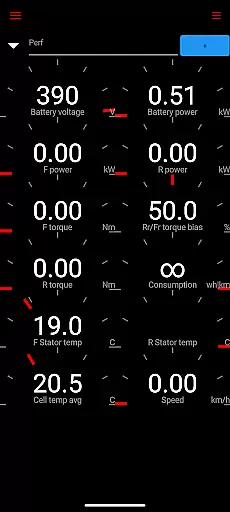
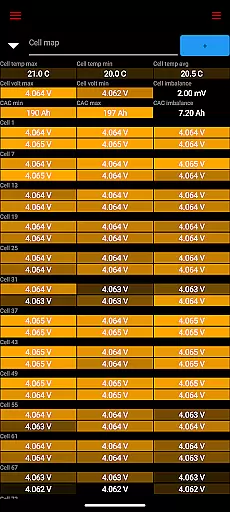
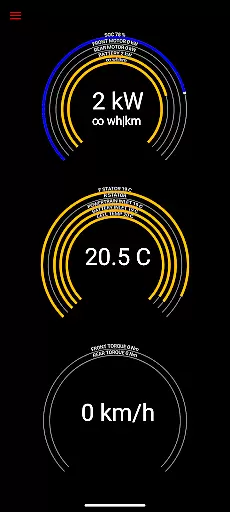
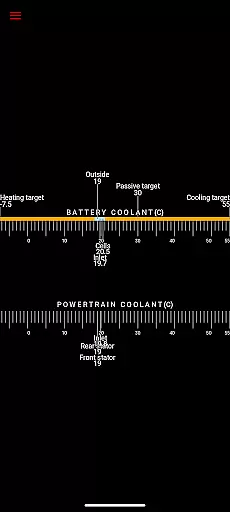
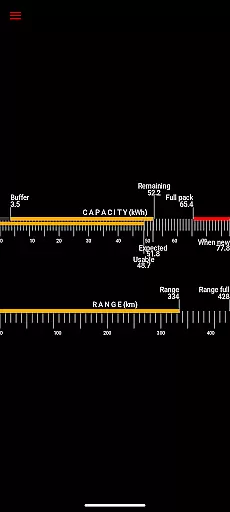
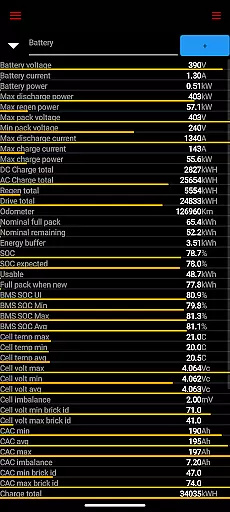
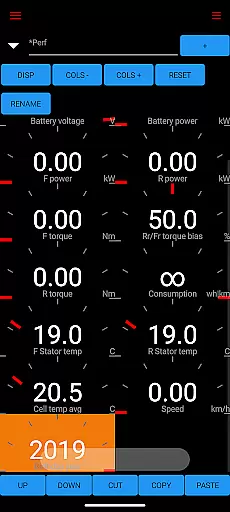
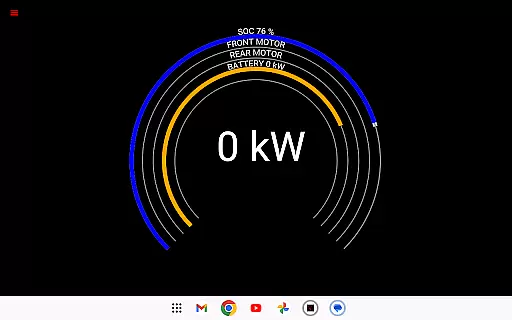
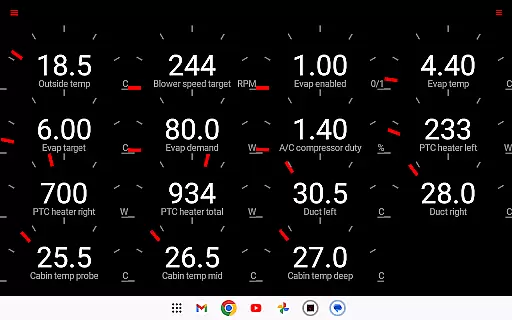
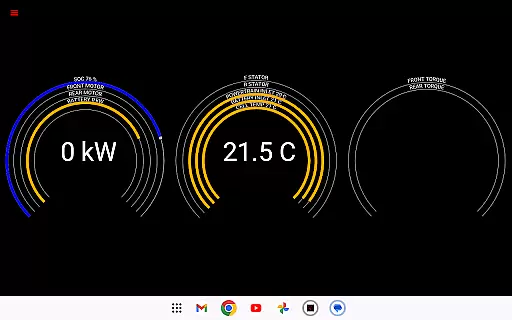
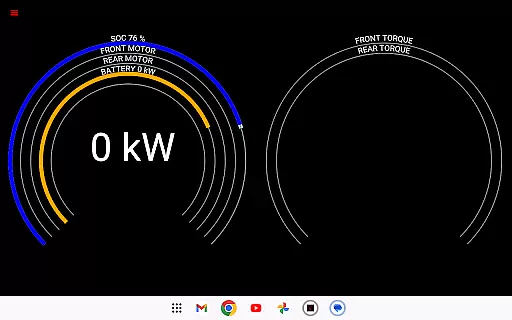
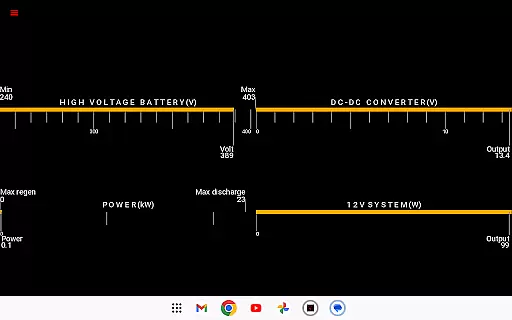
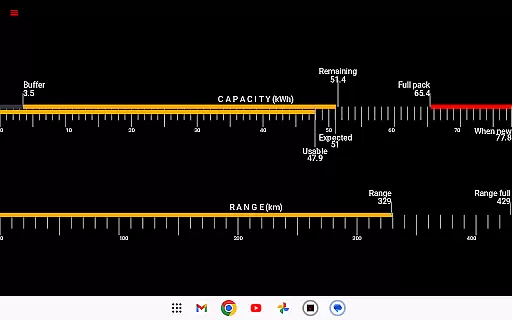
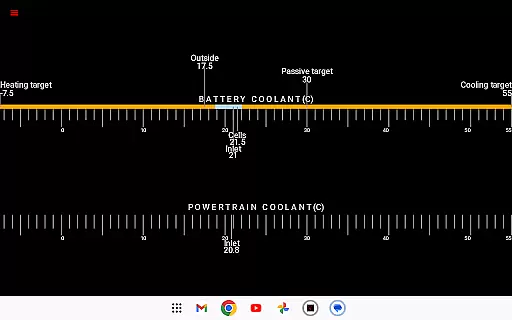
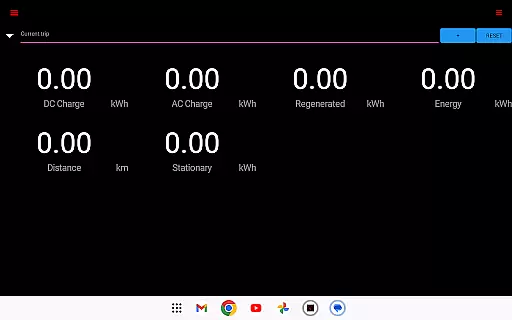
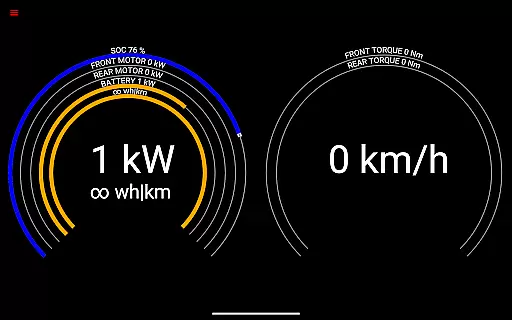
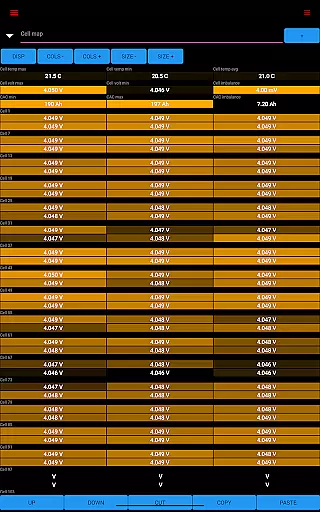
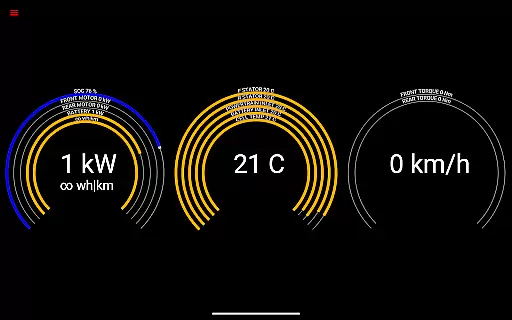
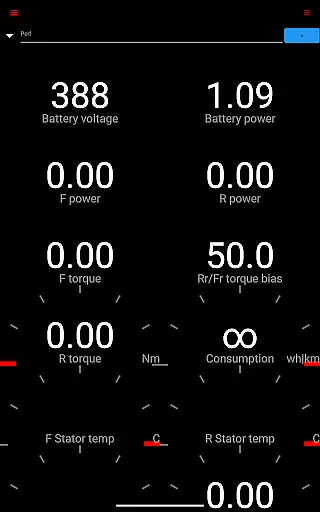
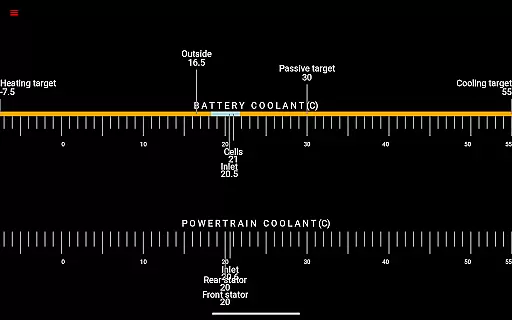
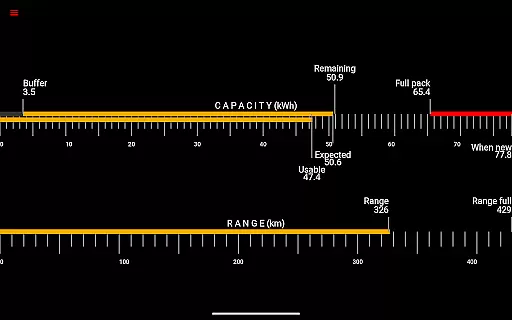
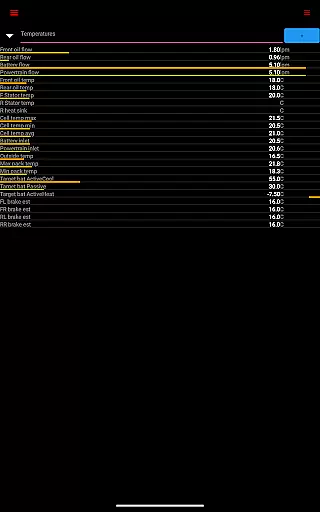
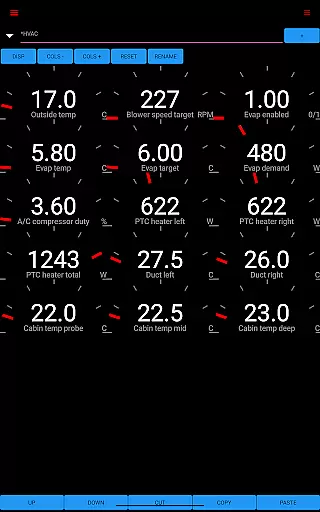
Scan My Tesla is a specialized diagnostic tool designed exclusively for Tesla Model S, 3, X, and Y vehicles. This application provides real-time readings from the car's diagnostics port, offering users valuable insights into their vehicle's performance. By connecting an appropriate OBD2 adapter, drivers can access live statistics such as battery power, voltage, current, temperatures, and more.
The app goes beyond basic diagnostics by presenting visually engaging data and enabling logging for later analysis. It empowers Tesla owners to monitor crucial metrics like drive unit electric power, torque, horsepower, RPM, and temperatures. Additionally, it tracks battery lifetime stats, capacity estimates, mileage, and even records trip statistics including regenerated and charged energy.
Whether you're a Tesla enthusiast or a professional technician, Scan My Tesla serves as an essential tool for understanding your vehicle's inner workings. The app transforms complex CANBUS data into user-friendly information, making it easier to comprehend your Tesla's performance characteristics and maintain optimal vehicle health.
Scan My Tesla stands out with its comprehensive feature set tailored specifically for Tesla vehicles. The app decodes numerous CANBUS packets, providing detailed insights into various vehicle systems. Users can view battery cell information, DC/AC charge counters, and HVAC controls through an intuitive interface.
A key feature is the advanced trip recording system that captures detailed statistics about each journey. The app presents numerous live statistics in real-time, including battery power metrics, drive unit performance, and 12V system parameters. These features are made possible through contributions from notable developers and researchers in the Tesla community.
The application's strength lies in its ability to transform complex diagnostic data into easily understandable visual representations. Users can customize their viewing experience and log data for future analysis. With regular updates and a strong community backing, Scan My Tesla continues to evolve, adding new features while maintaining compatibility with Tesla's evolving vehicle systems.
Scan My Tesla provides comprehensive real-time data directly from your Tesla Model S, 3, or X diagnostics port. This includes crucial metrics such as battery power, voltage, current, and temperatures, giving users an in-depth look at their vehicle's performance.
The app also delivers detailed statistics on the drive unit, presenting electric power, torque, RPM, and temperature readings. These insights allow Tesla owners to monitor their car's efficiency and health closely, ensuring optimal operation and maintenance.
Additionally, Scan My Tesla offers battery lifetime stats, capacity estimates, and mileage tracking. Such detailed vehicle information empowers users to understand their car's long-term performance trends and make informed decisions regarding maintenance and upgrades.
By providing access to 12V system current, voltage, and temperature data, the app ensures that all critical electrical systems are functioning correctly. This level of detail supports both everyday monitoring and advanced diagnostic needs, making it an essential tool for any Tesla owner.
While Scan My Tesla itself is a powerful diagnostic tool, it requires specific adapter cables and an OBD2 adapter to function, which are not included with the app. Users can find more information about these requirements on the official website, promoting clear understanding and planning before purchase.
The app's description explicitly guides potential users to visit https://www.scanmytesla.com/adapters for detailed information on necessary adapters. This approach ensures price transparency by informing users upfront about additional costs and equipment needed to utilize the app fully.
Moreover, Scan My Tesla provides various community resources and links to forums where users can learn more about the app's functionality and associated costs. By directing users to platforms like https://teslaownersonline.com, the app fosters an informed user base capable of making cost-effective decisions.
Although the app offers extensive features for free, users are made aware of the necessity for additional hardware investments. This transparent communication about potential expenses helps build trust and allows users to budget accordingly for a complete diagnostic solution.
User-friendly interface
Comprehensive diagnostic data
Real-time monitoring capabilities
Active community support
Detailed trip logging system
Requires additional hardware
Limited Model 3 support
No official Tesla affiliation
Potential compatibility issues
Information not officially endorsed

Easily notify car owners in urgent situations, safe, fast, multilingual.
 4.1
4.1
OBDII - ELM327 Terminal tool for 96-00 Volvos
4.50
Better fuel to help keep you on the road
3.20
Oil change service & coupons for car maintenance at Valvoline Instant Oil Change
4.70
Get more out of your AAWireless adapter with this companion app | aawireless.io
4.80
Mobile Phone Parking - So easy to park
3.70
1M+ high-quality auto parts at your fingertips. Fitment guaranteed.
4.70
Monitor your behind-the-wheel behavior to become a safer driver and save.
4.10
Get price alerts, vehicle history details and more for cars near you!
4.50
Trip computer+car diagnostic tool with widest variety of features and dashboard!
4.70
Shop cars & see your financing
4.60
Automotive Electrical Wiring Diagrams
4.40
Your Path to Driving Licensing Success Begins Here! Develop your driving skills.
4.40
Boost profits and hit your goals faster with GigU's amazing tools for gigworkers
4.00
Simplify your drive
3.90
Blink Charging Mobile app makes finding an EV charger an intuitive experience.
3.80
Theme for Car Launcher
4.4
DIY Vehicle Wheel Alignment
4.0
Theme for Car Launcher
4.2


User Reviews