
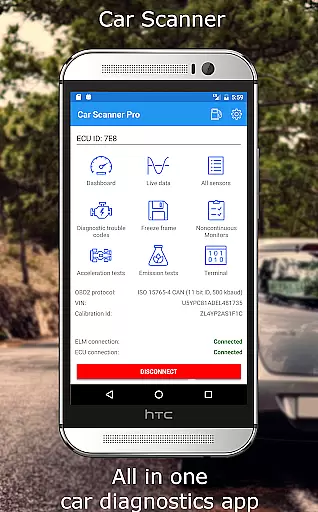
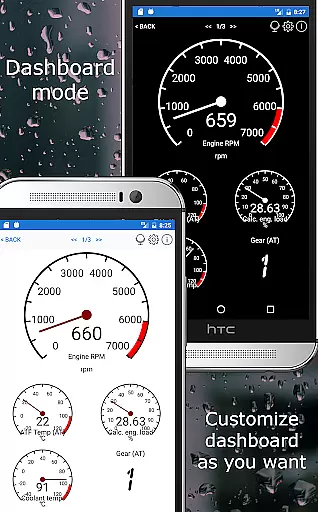
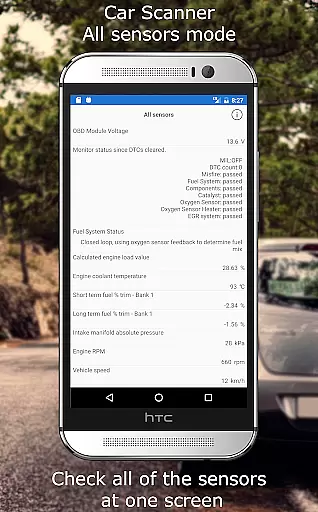
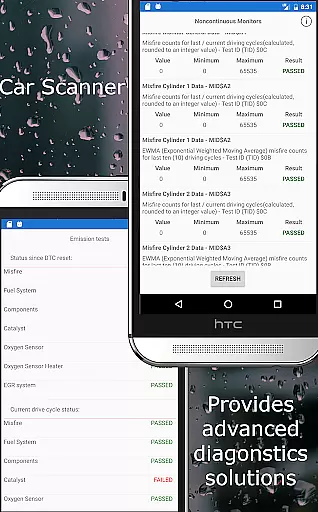
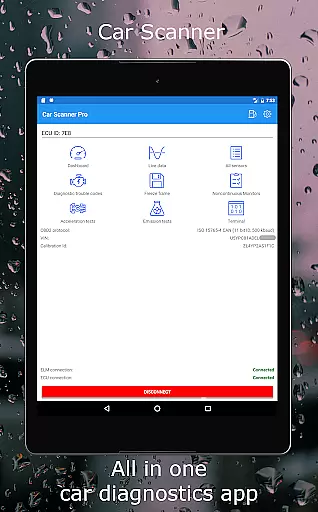
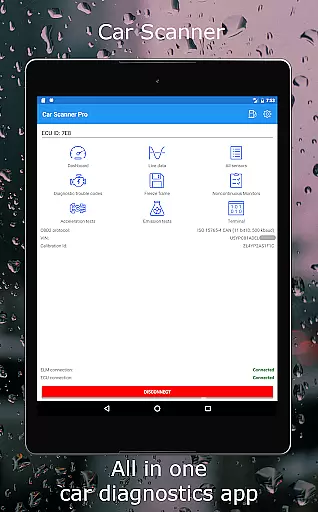
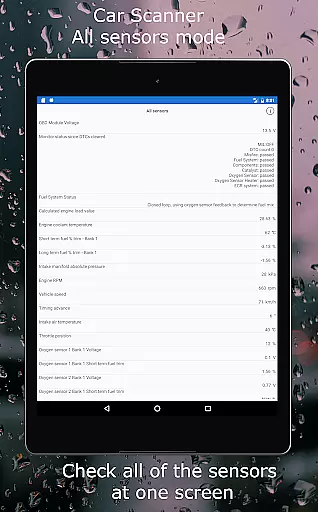
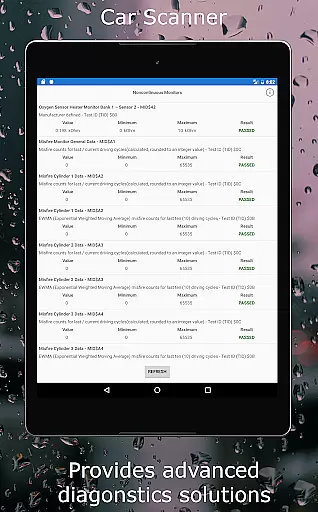
Car Scanner ELM OBD2 is a comprehensive vehicle diagnostics tool that connects to your car's OBD2 system via a Wi-Fi or Bluetooth adapter. It allows users to monitor real-time car performance, read fault codes, and access detailed sensor data. The app transforms your smartphone into an advanced trip computer and scanner, providing unique features such as custom dashboard layouts, Mode 06 ECU test results, and even coding capabilities for certain vehicles.
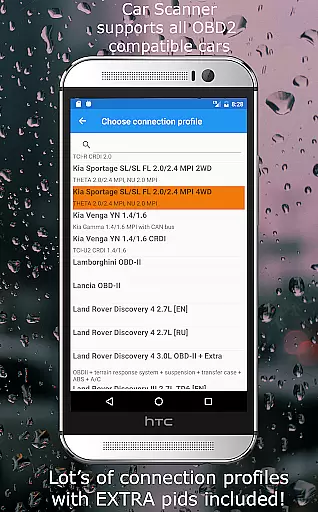
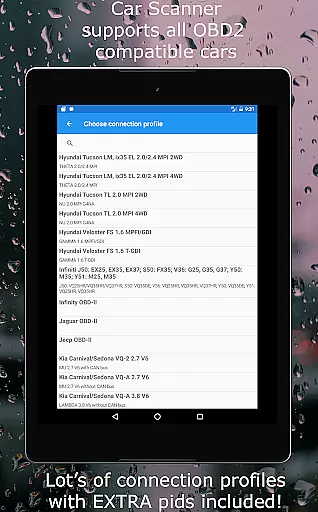
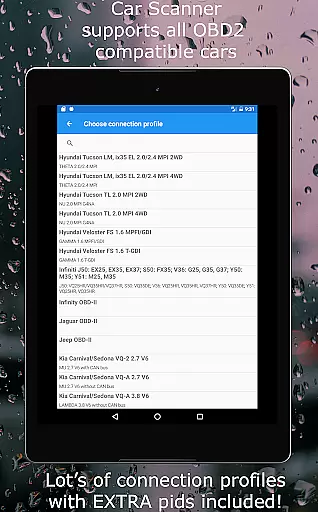
This application supports a wide range of vehicles built after 2000 and offers specialized connection profiles for brands like Toyota, Ford, Volkswagen, and more. Whether you're diagnosing issues, preparing for emissions tests, or optimizing your car's hidden settings, Car Scanner ELM OBD2 delivers the tools necessary for both everyday drivers and automotive enthusiasts.
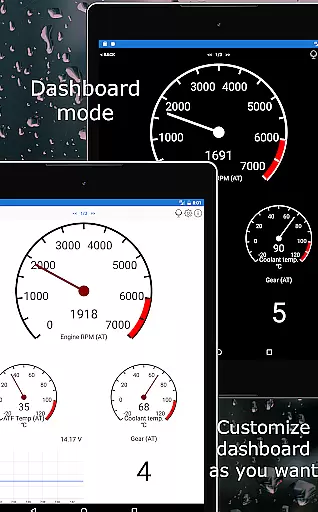
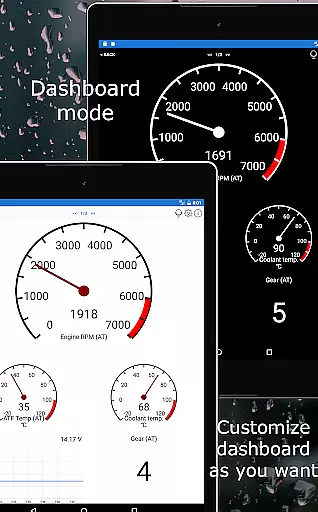
Car Scanner ELM OBD2 stands out with its extensive feature set tailored for car diagnostics and performance monitoring. One of its key features is the customizable dashboard, allowing users to create personalized gauge and chart displays. Additionally, it provides access to extended PIDs, unlocking hidden information from your car manufacturer.
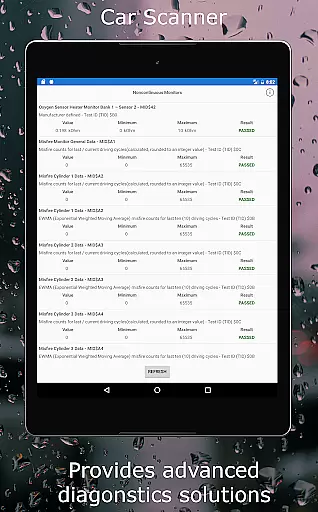
The app includes a vast database of DTC fault code descriptions and can reset these codes like a professional scan tool. With Mode 06 support, users can retrieve ECU self-monitoring results, aiding in cost-effective car maintenance. Moreover, the app serves as a trip computer, displaying fuel consumption statistics and enabling very accurate acceleration measurements. For those interested in coding, Car Scanner offers exclusive functions for specific car models, including video in motion activation and ambient light configuration.
Accessing detailed vehicle information is crucial for both car enthusiasts and everyday drivers. Car Scanner ELM OBD2 provides a comprehensive solution by connecting to your vehicle's OBD2 engine management system through a compatible Wi-Fi or Bluetooth adapter. This connection allows users to retrieve real-time data on car performance, sensor readings, and fault codes, offering an in-depth look at the vehicle's operational status.
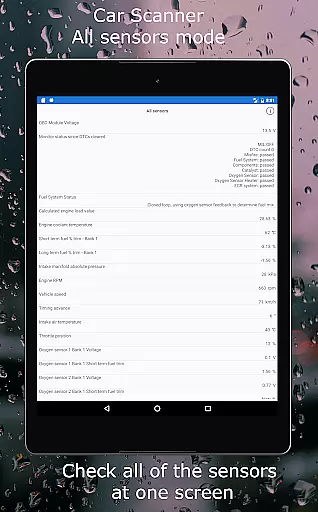
The app stands out with its customizable dashboard, enabling users to layout gauges and charts according to their preferences. It also supports extended PIDs, unlocking hidden information from the car manufacturer. With these features, Car Scanner empowers users to monitor all sensors on one screen, check readiness for emission tests, and even access Mode 06 for ECU self-monitoring test results.
For users, this means gaining unprecedented insight into their vehicle's health and performance. Whether it's tracking fuel consumption statistics, measuring acceleration accurately, or diagnosing issues before they become major problems, Car Scanner ensures that drivers are well-informed. This level of detail not only aids in maintaining optimal vehicle performance but can also lead to significant savings on repair costs over time.
Price transparency in automotive tools is essential for consumers looking to make informed decisions without hidden costs. Car Scanner ELM OBD2 addresses this need by offering a wide array of features for free, making it a standout choice among OBD2 scanners available on the Play Market. The app itself is free to download and use, providing access to critical vehicle diagnostics without any upfront investment beyond the compatible OBD2 adapter.
While the app delivers extensive functionality at no cost, it's important to consider the price of the required OBD2 ELM327 compatible adapter. Recommended brands like OBDLink, Kiwi 3, V-Gate, Carista, LELink, and Veepeak offer reliable options. Although cheaper alternatives exist, they may come with compatibility issues and bugs that could affect performance. By recommending specific adapter brands, Car Scanner ensures users can select a product that guarantees stable connections and accurate readings.
This approach benefits users by clearly outlining associated costs while maximizing the utility of the app itself. Drivers can choose an adapter that fits their budget and trust that Car Scanner will deliver precise diagnostics and valuable insights into their vehicle's condition, enhancing both safety and efficiency on the road.
User-friendly interface
Extensive vehicle compatibility
Customizable dashboard
Free valuable features
Real-time diagnostics
Requires compatible adapter
Some features car-specific
Dependent on car sensors
Connection stability varies
Not all cars fully supported

ODB2 based monitoring application for the Chevy Bolt (2017-2021)
 4.00
4.00
Ferrari inspired analog & digital watch face with quick access and premium style
4.5
App Mirroring for Tesla Car's Browser
2.80
A full featured, real-time transit locator system
4.30
Read and delete OBD codes with any ELM327 OBD scanner. Coding functions included
3.40
Get your personalized financing options and shop for used cars today!
4.20
Boost profits and hit your goals faster with GigU's amazing tools for gigworkers
4.00
Simplify your drive
3.90
Blink Charging Mobile app makes finding an EV charger an intuitive experience.
3.80
The Texaco App allows you to pay for fuel from the comfort of your car!
4.80
Oil change service & coupons for car maintenance at Valvoline Instant Oil Change
4.70
View your car’s service records and find out when maintenance is due.
4.70
1M+ high-quality auto parts at your fingertips. Fitment guaranteed.
4.70
DMV practice test 2025: Driver License permit test & written test for all states
4.70
Shop cars & see your financing
4.60
Control maps, media and messaging, with the Google Assistant while you drive
4.10
Take state-specific DMV permit tests and ace the exam.
3.90
AlfaOBD software for Fiat Group cars native diagnostic
3.70
O'Reilly Pro will streamline your parts lookup and ordering process!
3.20


User Reviews