

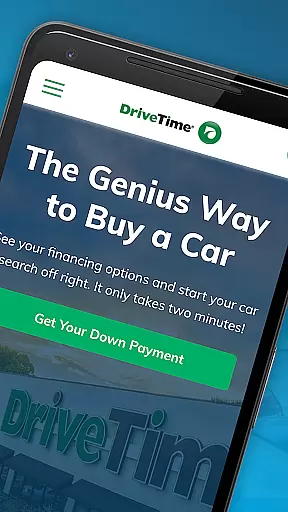
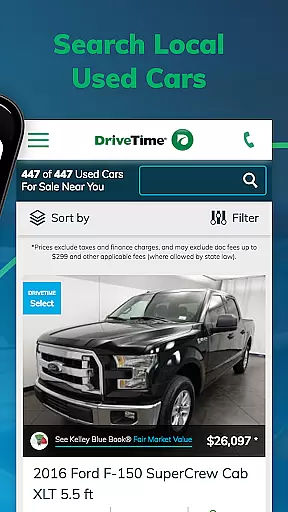
DriveTime Used Cars for Sale is a premier mobile application designed specifically for individuals seeking to purchase used vehicles. This app provides an extensive inventory of cars, trucks, and SUVs available across 145+ dealerships nationwide. With its user-friendly interface, customers can easily search through thousands of options using filters such as make, model, year, or MPG. Each listing includes detailed photos, comprehensive vehicle features, safety ratings, and a guaranteed price, ensuring transparency in every transaction.
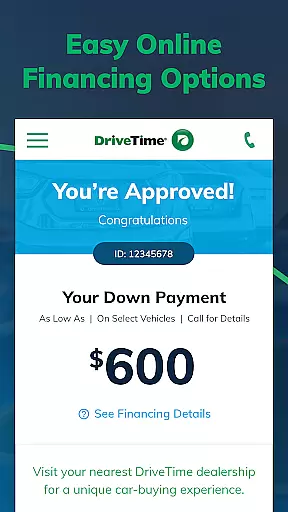
One standout feature of DriveTime is the ability to view personalized financing terms directly within the app. Users can apply for used car financing and receive their down payment details before visiting a dealership. Additionally, the app offers a dealership locator, making it simple to find nearby locations. Every vehicle purchased comes with benefits like a 5-day return policy and a 30-day/1,500-mile limited warranty, providing peace of mind to buyers.
This app is ideal for anyone looking to buy a reliable used car without the hassle of negotiating prices or hidden fees. The competitive, no-haggle pricing ensures that users get fair deals while enjoying top-notch customer service. Whether you're searching for a Jeep, Mercedes, Toyota, or any other brand, DriveTime makes the car-buying process seamless and stress-free.
DriveTime Used Cars for Sale stands out due to its robust set of features tailored to enhance the car-buying experience. Firstly, the app allows users to quickly search for used cars by applying comprehensive filters such as make, model, year, or MPG. This ensures that customers can narrow down their choices efficiently. Each vehicle listing includes detailed photos, an extensive list of features, safety ratings, and a Free AutoCheck History Report, giving users all the necessary information to make informed decisions.
Another significant feature is the ability to see real financing terms. Users can apply for financing directly through the app and receive personalized down payment and loan options. This eliminates the uncertainty often associated with car purchases. Furthermore, the dealership locator helps users find the nearest DriveTime location effortlessly. Additional benefits include a 5-day, no-questions-asked return policy and a 30-day/1,500-mile limited warranty on every vehicle, ensuring customer satisfaction.
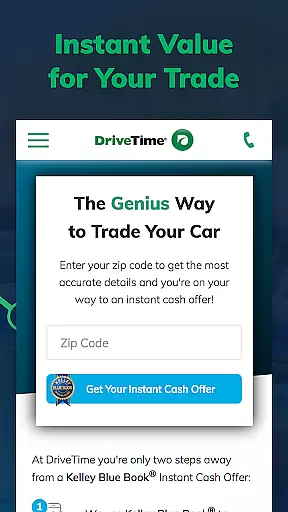
The app also offers value-added services such as trade-in valuation, allowing users to get an offer for their current vehicle online. For those needing assistance, live chat support connects users with agents who provide exceptional customer service. These features collectively create a streamlined and transparent car-buying journey, setting DriveTime apart from traditional methods.
When purchasing a used car, having access to detailed and accurate vehicle information is crucial for making an informed decision. DriveTime's app provides comprehensive details on each used car, truck, or SUV available for sale.
The app offers extensive filters such as make, model, year, or miles per gallon (MPG), allowing users to narrow down their search based on specific preferences. Each vehicle listing includes detailed photos and a guaranteed price, ensuring transparency in the buying process.
Additionally, every used car comes with a Free AutoCheck History Report, giving potential buyers insights into the vehicle's past, including any accidents or title issues. This feature helps users assess the reliability and condition of the vehicle before making a purchase.
With an extensive list of vehicle features and safety ratings provided for each listing, users can evaluate which vehicle best meets their needs and standards, making the car-buying experience more efficient and trustworthy.
Price transparency is essential when shopping for a used vehicle, as it ensures that buyers are fully aware of the costs involved and can make confident purchasing decisions. DriveTime's app excels in providing clear and upfront pricing for all its used cars, trucks, and SUVs.
Each vehicle listing on the app comes with a guaranteed price, eliminating the uncertainty and negotiation often associated with car purchases. This no-haggle pricing approach simplifies the buying process and builds trust with customers.
In addition to transparent pricing, the app displays financing options that allow users to see their real financing terms, including down payments and monthly installments. This visibility helps users plan their finances effectively without hidden fees or surprises.
By offering competitive, straightforward pricing along with detailed financial information, DriveTime enhances the overall customer experience, making it easier for users to find a vehicle that fits both their needs and budget.
User-friendly interface
Comprehensive vehicle filters
Transparent pricing
Personalized financing options
Extensive warranty coverage
Limited new car options
Geographic restrictions
Occasional app glitches
Fewer luxury vehicles
Dependent on internet connectivity

Monitor specific TOYOTA parameters by adding this plugin to Torque Pro.
 2.00
2.00
Realtime Charts is a plugin for the Torque Pro App (OBD 2 & Car)
4.20
Practice the drills within MotoJitsu Master Riding Program Volume 1 & 2!
4.80
DIY Vehicle Wheel Alignment
4.2
* This app needs an adapter cable and a certain OBD2 adapter to work *
4.20
Available in select states.
4.00
Trip computer+car diagnostic tool with widest variety of features and dashboard!
4.70
7-Day Returns on All Cars
4.80
PayByPhone: A quick and easy way to pay for parking.
3.80
Get more out of your AAWireless adapter with this companion app | aawireless.io
4.80
Take Control of Your Car
4.80
The ExtraMile App allows you to pay for fuel from the comfort of your car!
4.70
Your go-to app for car, truck & SUV parts, DIY tools, and expert repair help.
4.70
Browse millions of cars, track vehicle listings or sell your car today
4.70
myAudi offers users services and Audi connect services for Audi drivers
4.10
Simplify your drive
3.90
Discover new and used cars in Syria easily! Browse ads and connect with sellers.
3.70
Attention! This is the theme for the Car Launcher app
4.5
Theme for Car Launcher
4.3


User Reviews