

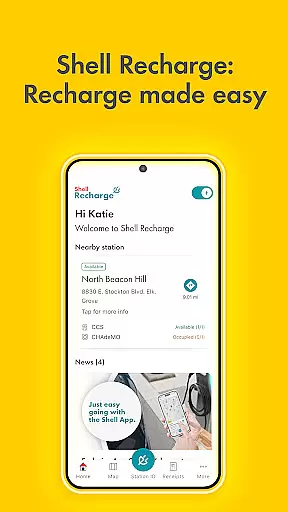
Shell App is a comprehensive automotive service application designed to enhance your experience at Shell stations. The app integrates three core functionalities: the Shell® Fuel Rewards® Program, mobile payment options, and EV charging services. Through the rewards program, users can save on fuel purchases while earning additional savings through mobile payments. The app supports various payment methods including PayPal, Apple Pay, and major credit cards, offering a seamless payment experience. Additionally, EV owners can locate and utilize over 4,000 Shell Recharge stations across the U.S., making it an all-in-one solution for modern vehicle needs.
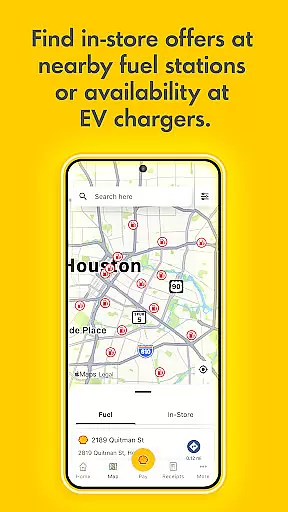
The app's value extends beyond just payments and rewards. It provides users with a convenient way to locate nearby Shell stations, view exclusive in-store offers, and manage their loyalty transaction history. Whether you're a regular commuter or an EV owner, the Shell App ensures you get the most out of every stop, combining savings, convenience, and accessibility into one powerful tool.
Shell App stands out with its robust combination of features tailored for both traditional fuel vehicles and electric vehicles. One of its key highlights is the Shell® Fuel Rewards® Program, which allows users to earn significant discounts on fuel purchases. By using mobile payment options within the app, customers can achieve Platinum Status, unlocking even greater savings of up to 10 cents per gallon. This feature not only simplifies transactions but also incentivizes frequent use by integrating rewards directly into the payment process.
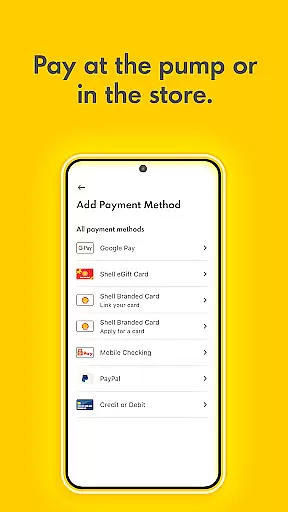
In addition to its rewards system, the app offers advanced mobile payment capabilities. Users can pay securely through multiple platforms such as PayPal, Apple Pay, Google Pay, and major credit cards without needing to swipe or manually enter details. For electric vehicle owners, the app provides access to the Shell Recharge network, allowing them to find, activate, and pay for charging sessions seamlessly. These features collectively create a versatile platform that caters to diverse automotive needs while prioritizing user convenience and financial savings.
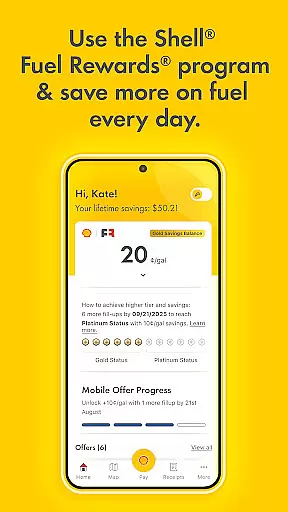
When it comes to managing your vehicle's fuel consumption and savings, the Shell App provides detailed insights that enhance your experience. The app allows users to track their fuel savings through the Shellu00ae Fuel Rewardsu00ae Program. This feature is crucial for drivers who want to understand how much they can save on each fill-up.
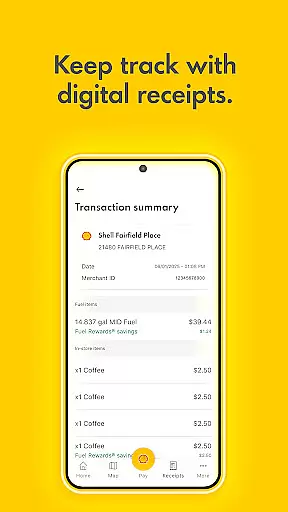
The application offers a comprehensive overview of loyalty transaction history, ensuring that every purchase or reward earned is meticulously recorded. Users can monitor their progress towards achieving Platinum Status, which grants significant discounts per gallon. This level of detail empowers drivers to make informed decisions about their fuel purchases.
Additionally, the Shell App provides essential details about various payment methods available within the app. Whether you choose to use mobile payment options like Apple Pay or traditional credit cards such as Visa and Mastercard, the app ensures transparency in transactions. By offering this clarity, the Shell App helps users select the most cost-effective and convenient payment method tailored to their preferences.
Price transparency is a cornerstone of the Shell App, providing users with clear information regarding fuel costs and savings opportunities. Through the Shellu00ae Fuel Rewardsu00ae Program, customers gain access to exclusive offers that reduce expenses at the pump. These promotions are clearly outlined, allowing users to understand exactly how much they stand to save with each transaction.
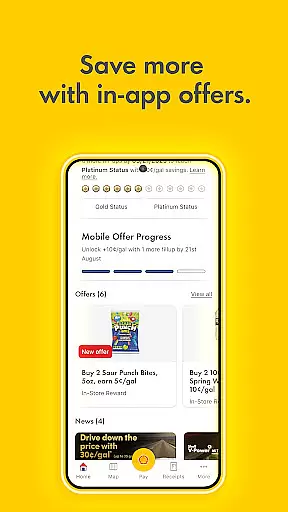
The app also displays all active Fuel & In-store offers, ensuring there are no hidden fees or surprises during checkout. Users can view these deals directly within the app, making it easier to take advantage of discounts. Furthermore, the integration of multiple payment platformsu2014including PayPal and Google Payu2014ensures that pricing remains consistent across different modes of payment.
For electric vehicle owners, the Shell Recharge feature adds another layer of price transparency. It allows users to locate charging stations, check availability, start or stop charging sessions, and payu2014all while being fully aware of associated costs. This openness not only builds trust but also enhances user satisfaction by delivering predictable and manageable expenses related to both conventional fuels and modern energy solutions.
User-friendly interface
Multiple payment options
Comprehensive rewards program
Wide EV charger network
Secure transactions
Limited to Shell stations
Geographic restrictions
Requires registration
Occasional bugs
Not all features available globally

Theme for Car Launcher
 4.5
4.5
Read and delete OBD codes with any ELM327 OBD scanner. Coding functions included
3.40
Control maps, media and messaging, with the Google Assistant while you drive
4.10
By enthusiasts, for enthusiasts
4.00
Secure mobile payments & fuel savings at Phillips 66®, Conoco® and 76® stations
4.40
Find Fast EV Chargers | Charge Your Vehicle at 1,100+ Fast Car Charging Stations
4.60
Browse millions of cars, track vehicle listings or sell your car today
4.70
Shop, finance, or sell today.
4.80
Get price alerts, vehicle history details and more for cars near you!
4.50
Get more out of your AAWireless adapter with this companion app | aawireless.io
4.80
Marathon ARCO Rewards members earn rewards & apply the rewards for fuel savings!
4.80
Automotive Electrical Wiring Diagrams
4.40
OBD2 car scanner and diagnostics: read Check Engine, DTC, economy....
4.30
* This app needs an adapter cable and a certain OBD2 adapter to work *
4.20
Car Sounds Engine Sounds app welcomes Auto Lovers to feel Car Simulator Sound
4.20
ODB2 based monitoring application for the Chevy Bolt (2017-2021)
4.00
OBD diagnostics, Live Data, DPF regeneration for BMW
4.00
The Smarter Way Forward
3.30
Better fuel to help keep you on the road
3.20


User Reviews