

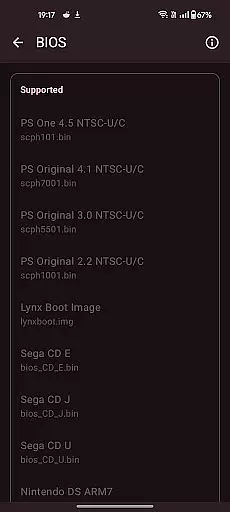
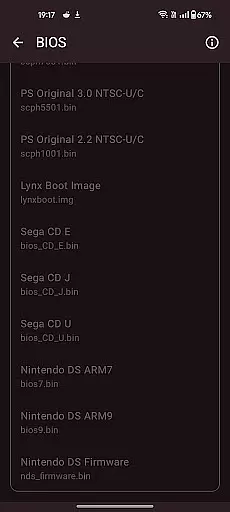
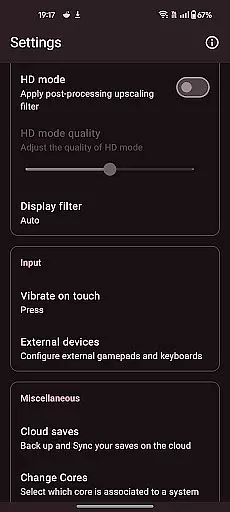
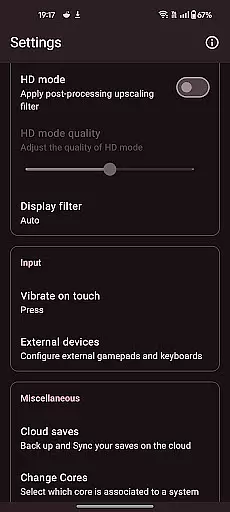

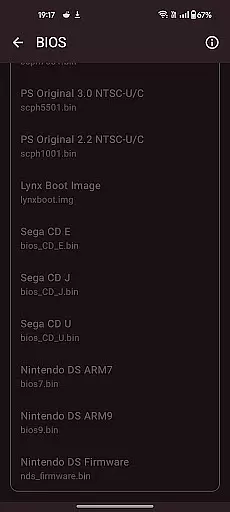
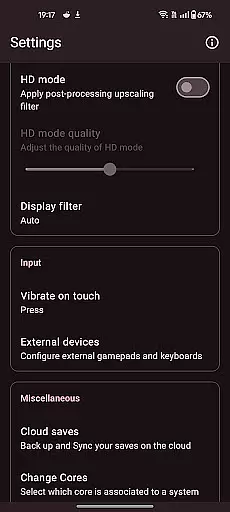
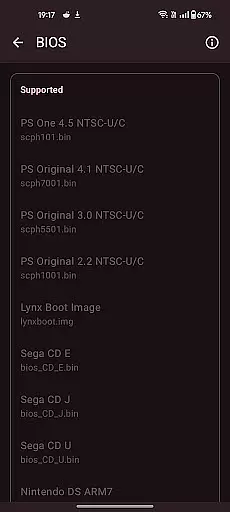

Retro emulator classic is an all-in-one emulator app designed for Android users who want to relive the nostalgia of retro gaming. This app supports a wide range of systems including Atari, Nintendo, PlayStation, Sega, and more, making it versatile for different gaming preferences. Whether you're playing on a phone, tablet, or TV, Retro emulator classic offers smooth performance with an intuitive interface and no ads.
One of the standout features of this app is its ability to automatically save and restore game states, allowing users to pick up where they left off without any hassle. Additionally, the app provides optimized touch controls that are fully customizable, catering to individual play styles. With support for zipped ROMs, video filters, and display simulation, users can enjoy a tailored gaming experience that mimics the original hardware.
The app's compatibility with various devices and its comprehensive feature set make it ideal for both casual gamers and dedicated retro enthusiasts. By offering cloud save sync and local multiplayer options, Retro emulator classic enhances the social aspect of gaming while ensuring convenience and accessibility.
Retro emulator classic stands out with its extensive list of supported systems, covering classics like Atari 2600, NES, SNES, Game Boy, and even more advanced platforms such as PlayStation and Nintendo DS. Each system is emulated with precision, delivering an authentic gaming experience that captures the essence of the original consoles.
The app includes several key features that enhance gameplay, such as automatic save and restore states, quick save/load slots, and support for zipped ROMs. These functionalities ensure that users can manage their game libraries efficiently while enjoying uninterrupted sessions. The inclusion of video filters and display simulations further enriches the visual experience, providing options to mimic LCD or CRT displays.
For those who prefer physical controls, Retro emulator classic supports gamepads and tilt-sticks, offering flexibility in how games are played. Local multiplayer capabilities allow friends and family to join in on the fun using multiple controllers on a single device. With its ad-free environment and cloud save sync, this app prioritizes user satisfaction and convenience.
Arcade authenticity and nostalgia are at the core of Retro emulator classic, offering users an immersive trip down memory lane. This app is designed to emulate a wide range of classic arcade systems, ensuring that the original gameplay, graphics, and sounds are faithfully reproduced. By supporting systems like Atari, Nintendo, and Sega, it brings back the joy of iconic games from the past.
The app's meticulous attention to detail ensures that each emulated title feels just like the original. With optimized touch controls and customizable settings, players can enjoy an authentic arcade experience on their Android devices. The inclusion of video filters and display simulation further enhances this nostalgic journey by mimicking the visual effects of old-school CRT monitors.
For enthusiasts and casual gamers alike, Retro emulator classic provides a seamless blend of retro gaming charm with modern convenience. Its smooth performance across phones, tablets, and TVs makes it easy to relive cherished memories or discover classic games for the first time. The app's commitment to preserving the essence of arcade gaming ensures that every session is filled with genuine nostalgia.
Control responsiveness is a critical feature of Retro emulator classic, ensuring that every action a player takes is accurately reflected in the game. This app offers fully customizable touch controls, allowing users to tailor the interface to their preferences. Whether you're navigating menus or engaging in fast-paced gameplay, the responsive controls provide a fluid and intuitive experience.
In addition to touch controls, Retro emulator classic supports gamepads and tilt-stick functionality. This versatility enables players to choose their preferred method of interaction, enhancing overall control precision. The ability to use physical controllers also adds to the authenticity of the gaming experience, closely mimicking the setup of traditional arcade machines.
Quick save and load features with multiple slots further enhance control responsiveness by allowing players to manage their progress efficiently. Fast-forward support and automatic save states ensure that users can focus on enjoying the game without worrying about losing progress. These thoughtful design elements contribute to a seamless and engaging user experience, making Retro emulator classic a top choice for arcade enthusiasts.
User-friendly interface
Wide system compatibility
Automatic save functionality
Customizable touch controls
Ad-free experience
Requires powerful hardware
No included games
Complex setup for beginners
Limited customer support
Occasional bugs

Bomb the communists back to 1916!
 4.70
4.70
GBA Emulator
4.40
Sit back and relax! Tap to move the black hole, and swallow weapons to win.
4.20
Use superpower in your magic hands. Defeat the enemies in a fun elemental game.
4.50
Fruit is waiting to be sliced, ninja. Play the hit mobile game !
4.50
Suck the other’s blood and be the longest surviving mosquito!
4.40
Relax and catch fish for your aquarium while earning rewards in these tank games
4.40
Master the hills in this extreme downhill racing game!
4.60
This app is a very fast emulator
3.40
This is an emulator for a certain 64 bit console with online cloud backup.
4.80
Gameboy Color Emulator
4.60
Flip and flail a rag doll through endless levels and plunge into outlandish fun!
4.60
Payback 2 includes everything from tank battles to high speed helicopter races!
4.50
The precise emulator of 8 bit handheld... Now even better!
4.50
Stack the blocks as high as you can!
4.30
Antistress & relaxing games,stress relief; Antistress toys, calming games.
4.20
Slice up a juicy storm!
4.20
Epic offline war strategy game - build your city, train your army, conquer
4.20
Welcome back to Vice City. Welcome back to the 1980s.
3.30


User Reviews