
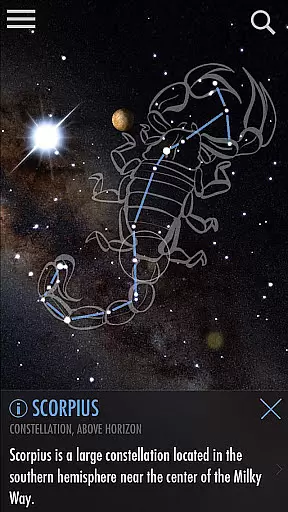
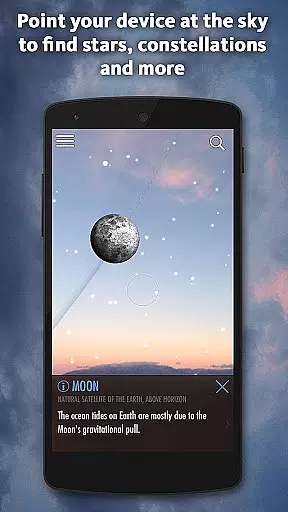
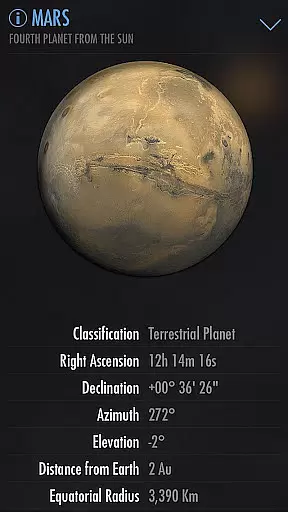
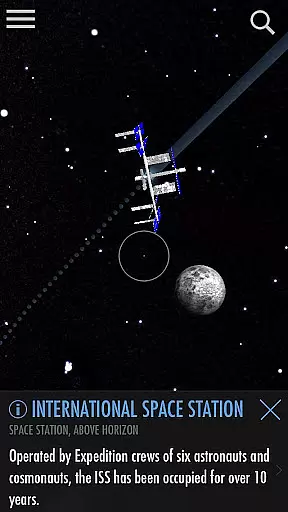


SkyView Explore the Universe is an innovative stargazing app designed to make astronomy accessible to everyone. By simply pointing your device at the sky, users can identify celestial objects such as stars, planets, constellations, and even satellites with precision. The app's intuitive interface allows for seamless exploration of over 88 constellations, all the planets in our solar system, distant galaxies, and notable satellite fly-bys like the International Space Station (ISS) and Hubble Telescope.
One standout feature is its ability to function day or night, thanks to advanced augmented reality technology that works through the device's camera. Whether you're a casual observer or an avid astronomer, SkyView provides valuable educational content while making the experience engaging and interactive. Its offline functionality ensures you can use it anywhere, from remote camping sites to international flights, without needing Wi-Fi or GPS connectivity.
SkyView Explore the Universe offers a rich set of features tailored for both beginners and experienced stargazers. A key highlight is its Augmented Reality (AR) capability, which overlays celestial object information directly onto your camera view, enabling real-time identification regardless of time of day. Additionally, the app includes a 'Time Travel' feature, allowing users to explore how the sky appeared on past dates or will appear in the future.
The app also supports detailed tracking via 'Sky Paths,' showing the trajectory of any selected object across different times and dates. For those concerned about preserving night vision during observations, SkyView provides customizable Night Mode filters in red or green hues. With thousands of celestial bodies cataloged alongside interesting facts, this app serves as both an educational tool and a source of inspiration for users of all ages.
SkyView Explore the Universe provides an authoritative and accurate platform for stargazing enthusiasts. The app meticulously identifies celestial objects, ensuring that users receive precise information about stars, planets, constellations, and satellites.
With features like Augmented Reality (AR) and Sky Paths, the app offers real-time tracking and historical data, allowing users to explore the sky with confidence in the information provided. This dedication to accuracy is further enhanced by thousands of interesting facts about celestial bodies, enriching the user's knowledge.
The application's commitment to precision is evident in its ability to function without WiFi or GPS, making it a reliable tool even in remote locations. This independence ensures that the content remains accessible and accurate regardless of external conditions.
While SkyView Explore the Universe doesn't follow a traditional educational model, it excels in creating personalized learning experiences through exploration. Users can time travel to different dates and times, effectively charting their own path through the cosmos.
The app's simple interface encourages self-paced learning, allowing users to point their device at the sky and immediately begin identifying celestial objects. This interactive method fosters a natural learning progression as users become more familiar with the night sky.
Additionally, social features enable users to capture and share their discoveries, promoting collaborative learning opportunities. By sharing beautiful images and findings with friends and family, users can create unique educational moments tailored to their personal journey through the universe.
User-friendly interface
Accurate AR tracking
Offline functionality
Educational value
Beautiful design
Limited deep-sky data
No professional mode
In-app purchases available
Occasional ads
Heavy battery usage

Learn math, step-by-step
 4.30
4.30
Learn Words Daily in Just Minutes - Boost Your Language Skills Fast!
4.60
2026 DVSA Driving Theory Test revision with Hazard Perception + Highway Code
4.60
A must-have app for mastering Japanese verb/adjective conjugations.
3.60
Quiz App to help case managers studying for CCMC Certification, 200+ Questions
3.40
An aviator’s preparation, study and test tool for FAA Knowledge Exams.
4.10
School Communication
4.30
Memorize anything efficiently with AnkiDroid! Many pre-built decks available.
4.80
Plant identifier: Identify plants, trees, weeds, flowers. Disease diagnosis.
4.30
The best way to study for your amateur radio license exam.
4.90
Dinosaurs coloring book game. Drawing and painting dinos.
4.50
The Fighter Verses Bible memory system helps you memorize God's Word.
4.50
Professional Award-Winning Astronomy Star Map App With Telescope Control
4.40
Nighty Night Circus - Bedtime story for kids
4.10
An aviator’s preparation, study and test tool for FAA Knowledge Exams.
4.00
FAR/AIM, FAR for Flight Crew and FAR for Aviation Maintenance Technicians
3.80
An animated storybook app to help ease your child through toilet training.
3.70
Your best partner for learning Japanese words. Based on a best-selling textbook.
2.80
Pickleball guide complete with illustrated Pickleball drills and helpful info
4.5


User Reviews