
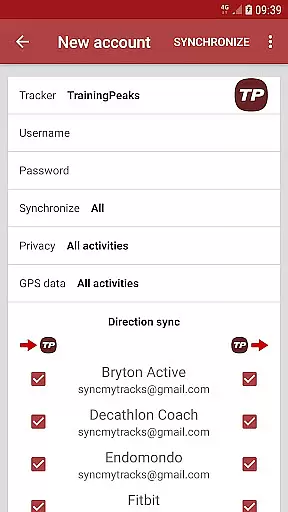
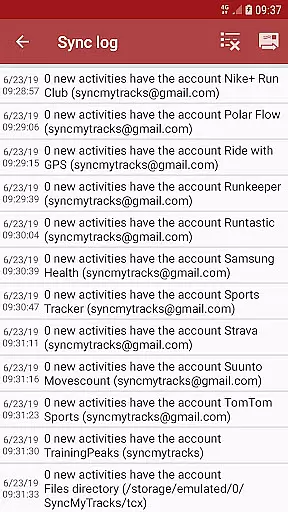
SyncMyTracks is a comprehensive fitness synchronization tool designed for athletes and sports enthusiasts who use multiple tracking services. The app allows users to seamlessly sync their activity data across various popular sports platforms, ensuring all workout information remains consistent and up-to-date.
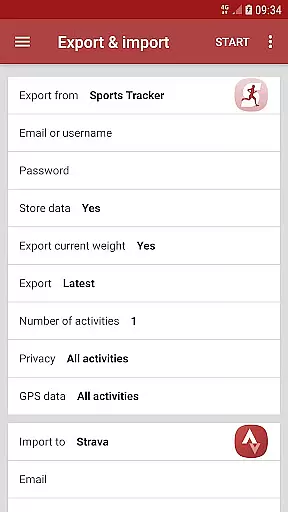
With support for GPX and TCX file formats, SyncMyTracks exports and imports activities between accounts while preserving essential metrics such as time, distance, pace, heart rate, cadence, and more. Its automatic synchronization feature ensures that new activities are instantly mirrored across connected accounts without risking duplication or modification of existing data.
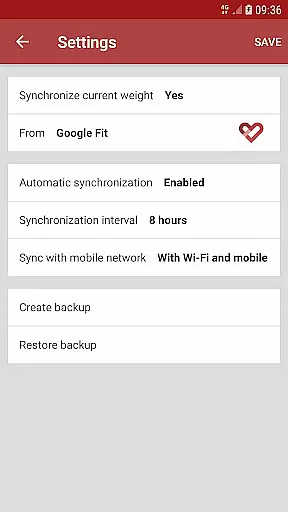
Whether you're switching apps or managing multiple services, SyncMyTracks simplifies the process by offering customizable sync intervals and encryption for account credentials stored locally on your device. This makes it an ideal solution for maintaining accurate records of your fitness journey.
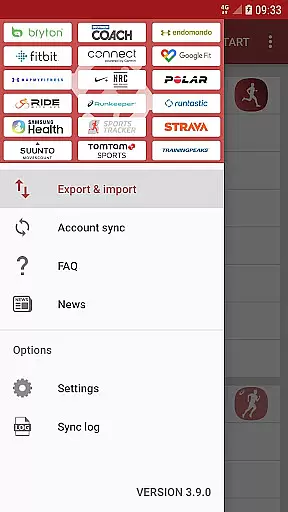
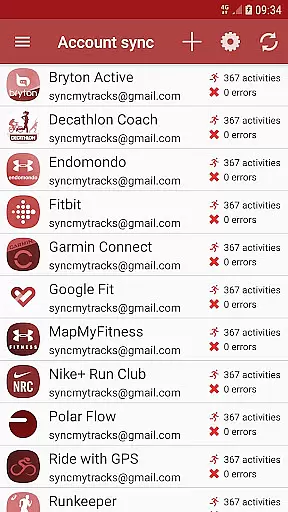
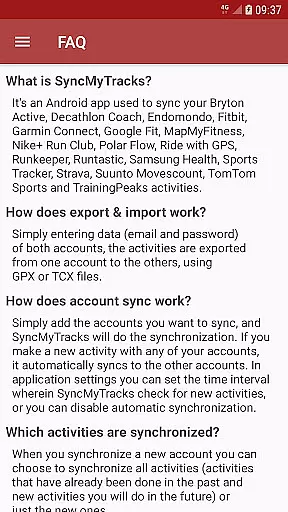
SyncMyTracks stands out with its robust compatibility across numerous sports tracking platforms, enabling users to manage their activities from different services in one place. By supporting both export/import functionality and real-time account synchronization, the app caters to diverse user needs, whether they want to migrate historical data or keep future workouts aligned.
The app's intelligent design prevents activity duplication by analyzing start times and ensures no alteration or deletion of existing records during synchronization. Additionally, advanced settings allow users to configure sync intervals or disable automation entirely based on personal preferences.
For security-conscious users, SyncMyTracks employs encryption to safeguard sensitive login details stored directly on the device. With clear distinctions between free and paid versions—including features like unlimited activity exports and ad-free experiences—the app provides flexible options tailored to varying requirements.
SyncMyTracks offers personalized planning by allowing users to synchronize their fitness activities across multiple platforms. This ensures that all user data, including time, duration, distance, pace, and even heart rate, is consistently updated.
The app supports a variety of popular sports tracking services, giving users the flexibility to choose which activities to sync. Whether it's past activities or new ones, SyncMyTracks adapts to the useru2019s preferences, creating a tailored experience.
By using GPX or TCX files, SyncMyTracks imports and exports activities between accounts seamlessly. This means users can switch between different sports tracking applications without losing any data, thus maintaining a comprehensive record of their fitness journey.
This personalized approach not only enhances user engagement but also provides a holistic view of their fitness progress, making it easier to plan future activities effectively.
One of the standout features of SyncMyTracks is its ability to provide clear progress visualization. By syncing activities from various accounts, users can see a unified representation of their fitness data, including metrics like distance, pace, and heart rate.
The app ensures that all synchronized activities are presented in an easy-to-understand format. Users can track their performance over time, gaining insights into their progress and identifying areas for improvement.
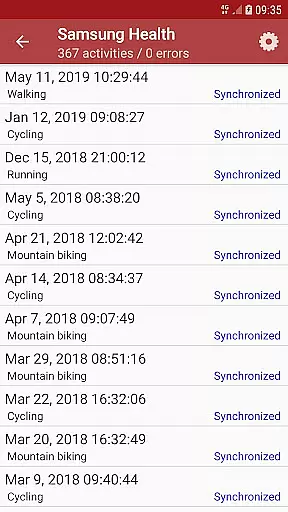
SyncMyTracks prevents activity duplication by considering the start time of each activity, ensuring accurate and reliable data visualization. This meticulous attention to detail helps users maintain a clear and precise overview of their fitness achievements.
With this progress visualization, users can set better goals, celebrate milestones, and stay motivated on their fitness journey, knowing they have a reliable tool to track their every move.
User-friendly interface
Secure data encryption
Automatic activity sync
Wide platform support
Customizable settings
Limited free version
No social logins
Paid version required
Ads in free tier
Manual setup needed

Optimization for TRT & Enhanced Athletes
 4.2
4.2
Using Recognise™ has been shown to reduce pain, and improve performance.
4.3
The Sleep Miracle Sound Machine: Soothes baby to sleep with a gentle "Shhh"
3.00
Show your support for the development of FitNotes - Gym Workout Log
4.90
The OFFICIAL Couch to 5K® running training app! A 9 week walk-run workout plan.
4.50
Get lasting results with Chair Yoga, Wall Pilates, and Walking workouts!
4.60
Wall Pilates at home & Pilates workout for beginners for core and weight loss.
4.80
GloryFit is a companion app for the smart bracelet.
3.60
Looking to take control of your health? Our psychology-based programs can help.
4.10
Meditation app, head space app provides calm music to help you meditate & sleep
5.00
Medbridge GO gets you moving - get back to doing what you love, faster!
4.90
Weight loss app: home workout for women to lose weight & burn calories.
4.80
Measure your Pupil Distance for Eyeglasses and VR headsets in 3 quick steps.
4.70
The Official Blood Type Diet® App - know your categorized foods anytime.
4.50
Chair Workout: Women's Edition for safe, flexible, and personalized fitness.
4.40
50 HD sounds to help you relax during the day and sleep great at night!
4.40
Eat smarter with Eato, your personal calorie counter and nutrition tracker!
4.40
Track heart rate & HRV in 30s! Get live health insights and anomaly alerts
4.40
“Overcoming pain based on EMDR” helps you to alleviate chronic pain and stress.
4.10


User Reviews