
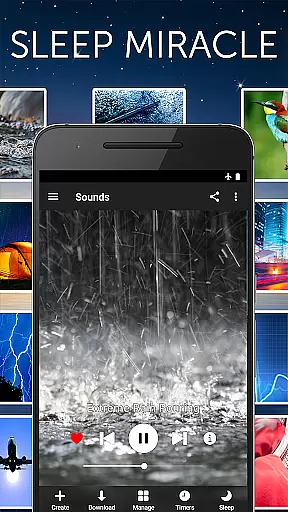
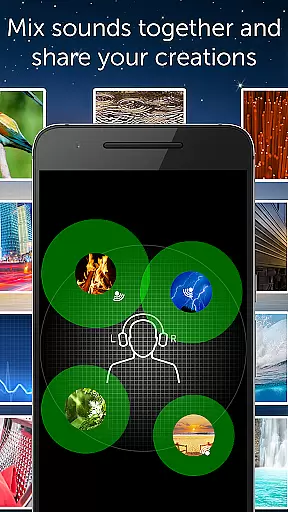
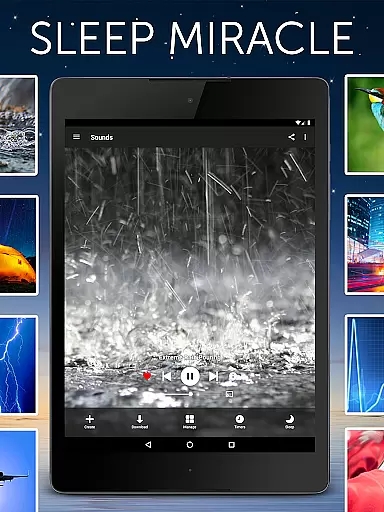



White Noise Pro is a premier sleep and relaxation app designed to help users relax during the day and achieve deep, uninterrupted sleep at night. The app features over 50 HD stereo sounds, including ambient environmental noises like rain, ocean waves, and fan sounds, as well as specialized tools for generating binaural beats and custom tones. Its advanced functionalities allow users to mix multiple sounds, adjust volume and pitch, and create personalized soundscapes.
One of the standout features of White Noise Pro is its ability to mask unwanted background noise, making it ideal for people who struggle with distractions while sleeping or focusing. Whether you're dealing with stress, tinnitus, or a crying baby, this app provides soothing audio solutions tailored to your needs. With full support for background audio playback, Chromecast, and Android-based devices, White Noise Pro ensures seamless integration into any lifestyle.
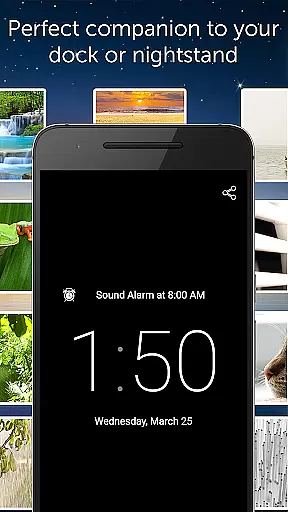
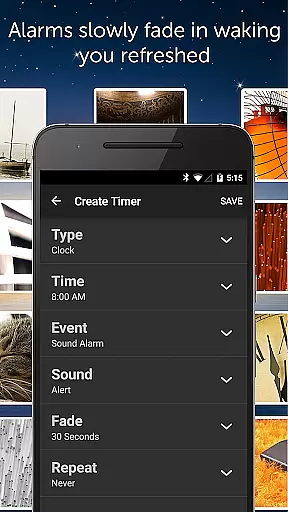
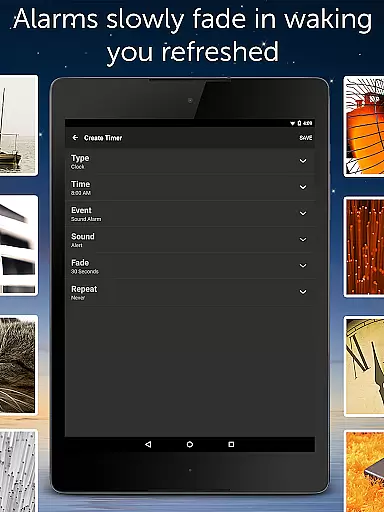
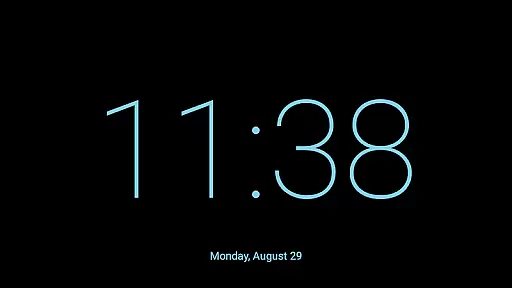
The app also includes practical tools such as an advanced alarm system that wakes users naturally, a full-screen digital clock for nighttime visibility, and customizable settings for optimal performance. Backed by glowing reviews from sources like the TODAY Show and Dr. Oz, White Noise Pro has become a trusted companion for anyone seeking better rest and relaxation.
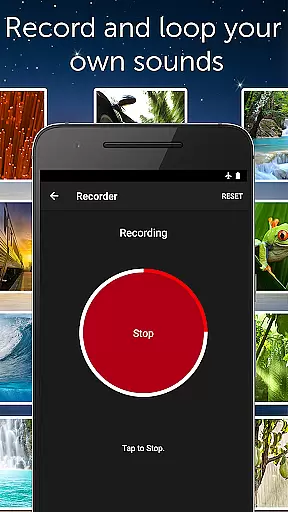
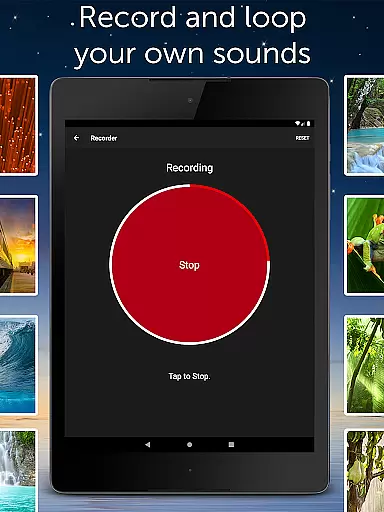
White Noise Pro stands out due to its extensive library of high-definition sounds and innovative customization options. The app offers more than 50 built-in HD stereo sounds, ranging from natural environmental noises to mechanical hums, all downloadable without requiring internet streaming. Additionally, users can access the White Noise Market to expand their collection further or record and loop their own sounds effortlessly.
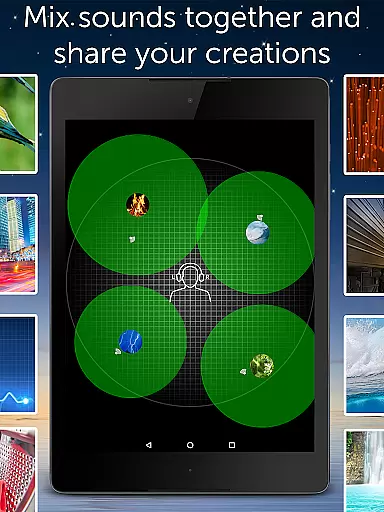
A key feature is the ability to generate binaural beats and custom color noises using the app's pro tools. Users can mix multiple sounds simultaneously, adjusting parameters such as volume, balance, pitch, and variance for each individual track. This level of control allows for highly personalized auditory experiences. Advanced settings enable fine-tuning of buffer sizes, alarm snooze times, and fade-in/fade-out effects, ensuring smooth operation tailored to individual preferences.
Practical usability is enhanced through features like background audio support, which lets users multitask without interrupting playback, and Chromecast compatibility for TV-based audio control. The inclusion of a full-screen digital clock and gesture-based media controls adds convenience, while the absence of advertisements ensures an uninterrupted user experience. These robust features make White Noise Pro a versatile tool for improving sleep quality and overall well-being.
Personalized planning in White Noise Pro refers to the app's ability to cater to individual needs by offering a wide range of customizable soundscapes. This feature is crucial for users seeking a tailored relaxation or sleep aid experience.
The application provides over 50 HD stereo sounds, including color noises and environmental sounds, which can be mixed and adjusted for volume, balance, pitch, and variance. With these capabilities, users can create unique sound environments that suit their preferences or needs, whether it's for sleeping, relaxing, or focusing.
Users benefit from this personalized approach as they can experiment with different sound combinations to discover what works best for their individual sleep patterns or relaxation needs. The adaptability of the soundscapes ensures that the app remains relevant and useful across different scenarios and personal requirements.
This level of personalization underscores the app's value by enhancing user engagement and promoting better sleep hygiene, stress reduction, and overall well-being through a customized auditory experience.
Progress visualization in White Noise Pro involves tracking and displaying the user's journey towards better sleep and relaxation. While the app focuses primarily on sound, understanding improvement over time is essential for users invested in their health and wellness routines.
Although White Noise Pro does not have built-in progress visualization features, users can intuitively recognize improvements in their sleep quality and stress levels by consistently utilizing the app's soundscapes. The advanced alarm and timer system also contribute by gently waking users, simulating a more natural rise, which can lead to feeling refreshed and noticing long-term sleep benefits.
By maintaining a consistent routine with the help of customized soundscapes, users can observe changes in their sleep patterns and stress management. This indirect method of progress tracking empowers users to make necessary adjustments to their sound mixes and bedtime routines based on perceived effectiveness.
While direct progress visualization isn't present, the app's comprehensive features indirectly assist users in visualizing their progress by fostering an environment conducive to recognizing personal health milestones and achievements.
Extensive sound library
Customizable soundscapes
Binaural beat generator
Background audio support
No advertisements
Premium price point
Complex for beginners
Limited free content
Requires storage space
Occasional bugs

The simplest way to track your 21 Day Program containers, exercises, and water.
 4.50
4.50
Binaural Beats - Fully Customizable Waves - Pure Sound - No Loops
4.50
Relax. Sleep Better. Feel Better.
4.50
Your AI pet BFF. Talk, play, and beat anxiety in this calming game.
4.60
Turn your steps into cash, gift cards & rewards with our step counting pedometer
3.80
Eat smarter with Eato, your personal calorie counter and nutrition tracker!
4.40
Track heart rate & HRV in 30s! Get live health insights and anomaly alerts
4.40
Your portable blood pressure tracker. Record, monitor, and analyze BP anytime.
4.30
Walk, track, and burn calories with step counter & GPS walking tracker
4.20
Power-lifting, weightlifting and Wendler 531 app to track your workout program.
4.90
Medbridge GO gets you moving - get back to doing what you love, faster!
4.90
When the night comes, we prepare your eyes for deep, sweet dreams
4.70
Step Counter, track steps when you walk or run
4.70
The Official Blood Type Diet® App - know your categorized foods anytime.
4.50
See what's really going on inside your head! Real time EEG graphs from your Muse
4.40
“Overcoming pain based on EMDR” helps you to alleviate chronic pain and stress.
4.10
Pedometer that gives you sweatcoins for steps. It pays to walk!
4.10
Focus on BP & Health
3.80
Transform your body and soul with DBFFitness, with a 40-day fitness journey.
4.1


User Reviews