
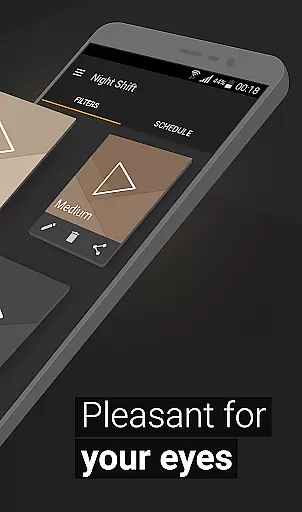
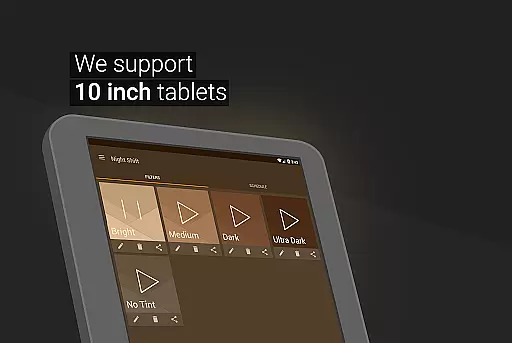
Night Shift is a specialized Health & Fitness application designed to protect users from the harmful effects of blue light exposure during nighttime device usage. The app serves as an advanced blue light filter that not only improves sleep quality but also helps prevent digital eye strain and related health issues such as headaches and insomnia.
The application's core functionality revolves around its comprehensive dark mode feature set, which includes premade filters, customizable color options, and dimming capabilities that extend below system minimum levels. These features work together to create an optimal viewing experience while safeguarding users' eye health and promoting better sleep patterns.
Particularly beneficial for individuals who frequently use their devices in low-light environments, Night Shift provides a practical solution for maintaining good eye health and preventing potential vision problems. By offering extensive customization options and automatic scheduling features, this app ensures users can maintain productivity while protecting their eyes from excessive screen brightness.
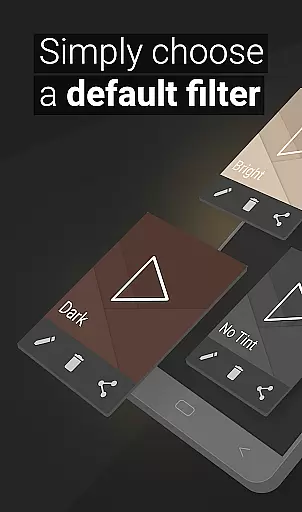
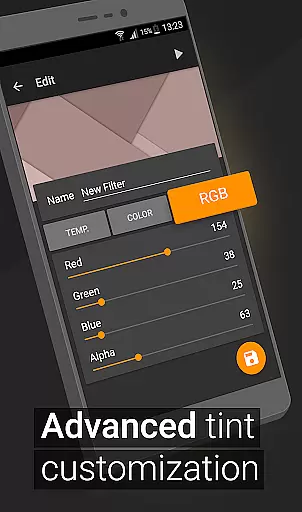
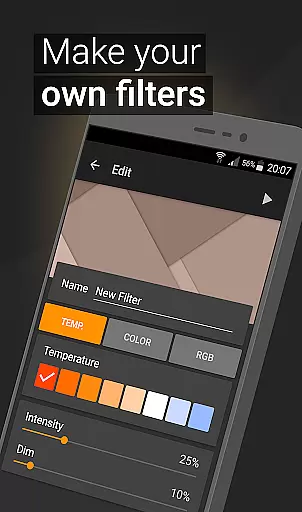
Night Shift distinguishes itself through a robust set of features designed to optimize nighttime device usage. The application offers premade blue light filters alongside advanced customization options, allowing users to create personalized dark mode settings. These include temperature adjustment, complete RGB color control, and intensity settings that enable precise configuration of screen lighting conditions.
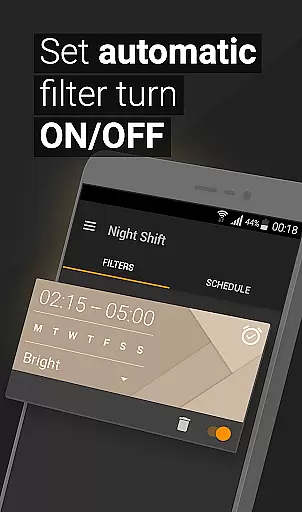
A key innovation is the app's ability to dim screens below the system's minimum threshold, providing enhanced protection against eye strain and headaches. The automatic filter scheduling system adds convenience by enabling users to set specific times for activating night mode, ensuring consistent protection without manual intervention. This feature particularly benefits those with regular daily routines.
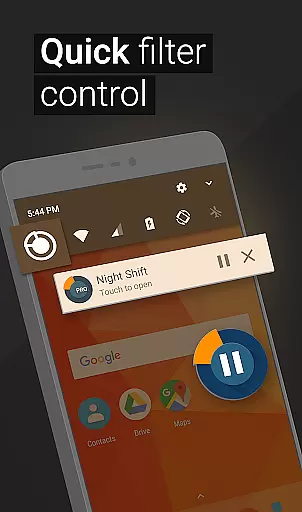
The app's Accessibility Service enhances its functionality by extending filtering capabilities to notifications and lock screens, providing comprehensive protection across all device interfaces. While maintaining user privacy, this service ensures continuous eye protection regardless of what's displayed on the screen. These combined features make Night Shift a comprehensive solution for managing digital eye strain and promoting better sleep hygiene.
In the realm of eye care and sleep improvement, personalized planning plays a pivotal role in tailoring a user's experience to their specific needs. Night Shift excels in this area by offering customizable options that adapt to individual preferences and environments.
The app provides premade filters and allows users to create their own blue light filters with unique settings for temperature, color, and RGB customization. This means that whether you're reading, gaming, or browsing at night, you can adjust the screen to suit your activity and comfort level.
By enabling users to set automatic schedules for their filters, Night Shift ensures that the right settings are applied at the appropriate times, aligning with personal routines and lifestyles. This scheduling feature is akin to having a personal assistant that knows exactly when to dim your screen or apply a particular filter.
The benefits of such personalized planning include reduced eye strain, better sleep quality, and overall improved well-being. Users can rest assured that they are receiving the optimal amount of light flux for their situation, thanks to Night Shift's adaptive and personalized approach to screen management.
Progress visualization is an essential feature for users who want to track their improvements and ensure they are maintaining good eye health practices. While Night Shift does not provide traditional progress charts, it offers visual feedback through its various filter settings and customizations.
Each time a user adjusts the temperature, color, or RGB values, they receive immediate visual confirmation of the changes on their screen. This instant feedback loop serves as a form of progress visualization, allowing users to see how different settings affect their viewing experience and make informed decisions about their eye care.
Moreover, the ability to save and edit filters gives users a tangible sense of progression. As they experiment with different configurations, they can develop a library of personalized settings that cater to various activities and times of day, effectively creating a visual diary of their journey towards better eye health.
Ultimately, the combination of real-time adjustments and saved preferences empowers users to take control of their digital environment. With Night Shift, users gain insight into how small changes can lead to significant improvements in comfort and health, making every step forward visible and rewarding.
Effective blue light reduction
Customizable filter options
Automatic scheduling feature
Comprehensive eye protection
User-friendly interface
Premium features locked
Occasional performance lag
Limited free customization
Battery consumption concern
Learning curve present

The app helps you address digestive symptoms based on the Fast Tract Diet.
 3.50
3.50
Beauty Care, Makeup & Skin Care Scanner | Pregnancy App For A Mom | Healthy Baby
5.00
See what's really going on inside your head! Real time EEG graphs from your Muse
4.40
Using Recognise™ has been shown to reduce pain and improve performance
4.2
Walk. Earn: Get rewarded for every step! Walk, move, and earn real rewards.
4.70
Grow with self-tests and personal routine.
4.30
Step Counter, track steps when you walk or run
4.70
Your portable blood pressure tracker. Record, monitor, and analyze BP anytime.
4.30
Manage your and your family's health information.
4.60
Meditation app, head space app provides calm music to help you meditate & sleep
5.00
Show your support for the development of FitNotes - Gym Workout Log
4.90
Easy access to health benefits
4.70
Effortlessly and naturally release anxiety by harnessing the power of your brain
4.60
Personal Measurements - Track your gains!
4.50
The OFFICIAL Couch to 5K® running training app! A 9 week walk-run workout plan.
4.50
Memory, mind & logic exercises. Puzzle games, IQ & brain test for kids & adults
4.50
FODMAP, Gluten, Allergy, Vegan
4.50
beat yesterday.
4.00
The Wear OS BeechBand app is designed to alleviate anxiety and other conditions
4.0


User Reviews