
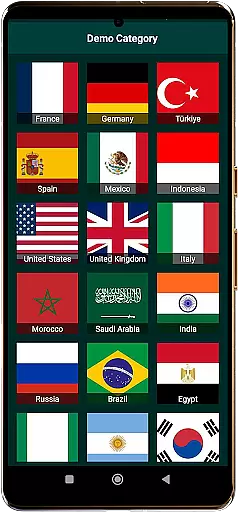
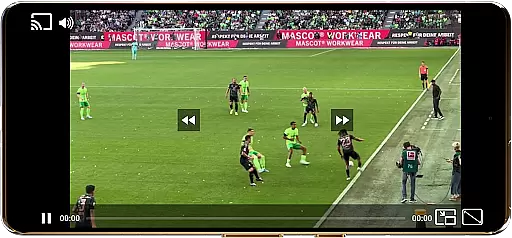
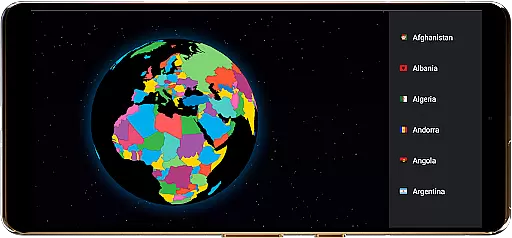
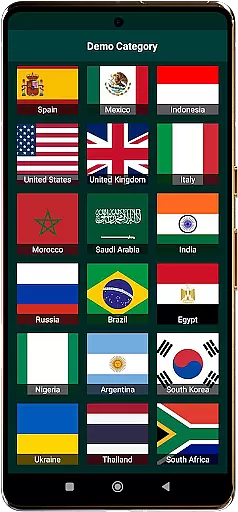
TV Garden World Video Player is a versatile media player app designed for seamless TV viewing experiences. It allows users to watch global and local live TV channels online using their own private streaming links. The app supports a wide range of formats including HLS, DASH, and MP4, ensuring compatibility with various international TV streams.
With features like Picture-in-Picture mode, Chromecast support, and customizable playback controls, TV Garden empowers users to create a personalized viewing experience. Whether you're interested in live news, sports, music channels, or documentaries, this app provides a gateway to explore TV content from around the world, including USA, UK, India, and more.
The true value of TV Garden lies in its ability to transform your device into a portable international TV station. By importing legal streaming links, users can access their favorite channels anytime, anywhere, making it an ideal solution for those who want to stay connected with global entertainment while traveling or living abroad.
TV Garden stands out with its comprehensive feature set tailored for international TV enthusiasts. The app's broad format compatibility supports popular streaming protocols like HLS and DASH, alongside traditional MP4 files, ensuring smooth playback of various TV channel streams regardless of their origin.
One of the key innovations is its Picture-in-Picture mode, allowing users to multitask while keeping their favorite channels visible. The app also offers advanced customization options, including adjustable scaling modes and playback settings, giving viewers control over their experience. Its Chromecast integration enables seamless streaming to larger screens, while the Favorites list helps organize preferred channels for quick access.
What sets TV Garden apart is its commitment to quality - from enhanced audio processing for music channels to optimized video rendering for sports events. The app maintains a careful balance between functionality and user responsibility, providing powerful tools while emphasizing the importance of legal streaming practices.
In the context of TV Garden World Video Player, task creation refers to the process of adding and organizing your personalized streaming links into a structured format that allows for easy access and management. This functionality is crucial as it enables users to curate their own viewing experiences by importing private TV stream links from around the world.
The app facilitates detailed customization by allowing users to categorize their streams into favorites, ensuring quick access to preferred Global TV or Live Sports channels. Each task, in this case, represents a unique channel or content source that can be tailored with specific settings such as playback preferences and scaling modes.
Users benefit significantly from this feature as they can create a personalized list of Entertainment Channels using their own streaming links. Whether it's staying updated with International News or enjoying cultural programs from other countries, the ability to customize these tasks ensures a highly individualized and efficient viewing experience.
This level of personalization not only enhances user engagement but also simplifies the navigation through various TV channels by country, making it easier to discover new content while maintaining an organized library of preferred streams.
Reminder settings in TV Garden World Video Player refer to the app's ability to notify users about their favorite TV streams or upcoming broadcasts. While the app itself does not host content, having reminders for when certain streams go live or when key events are scheduled can greatly enhance the viewing experience.
TV Garden empowers users to set up these notifications within their Favorites section, ensuring they never miss out on important Live News, Live Sports, or Entertainment Channels. By tapping any saved stream inside Favorites, users can configure alerts that will remind them to tune in at the appropriate time.
This functionality provides significant value by keeping viewers informed and engaged with timely updates. Whether it's reminding you to watch international sports events or stay updated with global news, these settings ensure that users can plan their viewing schedule effectively.
Ultimately, reminder settings contribute to a more organized and enjoyable TV-watching routine, allowing users to make the most of their personalized streaming library without missing out on any content they care about.
User-friendly interface
Wide format support
Customizable playback
Chromecast integration
Picture-in-Picture mode
No built-in channels
Requires own links
Basic audio features
Limited offline support
Interface could improve

Manage all your events, leads, ticketing, payments and check-ins.
 4.30
4.30
The Ultimate Tournament Hub
4.70
Microsoft Build is an annual developer conference hosted by Microsoft
4.20
The world's largest selection of tickets is now at your fingertips
3.90
Soft Proxy for Your Online World
4.2
ETH Mining provides secure way to mine Ethereum & earn ETH in Cloud mining app
3.50
Freebie Games for Epic Games, Steam, Amazon, Rockstar etc.
4.40
TodayTix is the easiest way to get tickets to the best shows in your city.
4.90
Save money on concert, sport, and theater tickets, and discover upcoming events.
4.80
Clubs, Festivals, Discounted Tickets, Guest Lists & VIP Tables
4.90
CUE Live utilizes ultrasonic sound waves to sync devices at CUE enabled events
4.80
Find Live Event Ticket Deals to Sports, Concerts, Festivals, & Comedy For Less!
4.80
Fast Scans. Happy Fans. For Every Hometown!
4.60
Events, Meetings, Photo Shoots
4.50
PheedLoop Go! is the mobile event app for events powered by PheedLoop.
4.40
Rocket Monkey - Space rocket launch schedule for launch sites around the world
4.20
Microsoft Ignite is an event that showcases latest advancements in technology
4.00
TV Garden - World Live TV : Play & cast your videos seamlessly!
3.20
It is an Event Planning Application.
4.3


User Reviews