

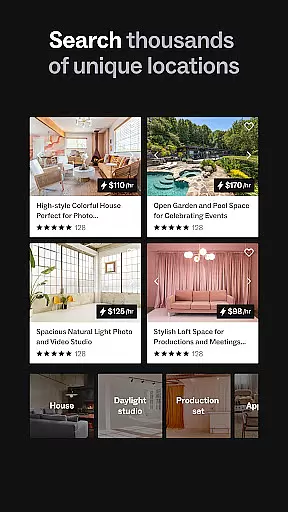
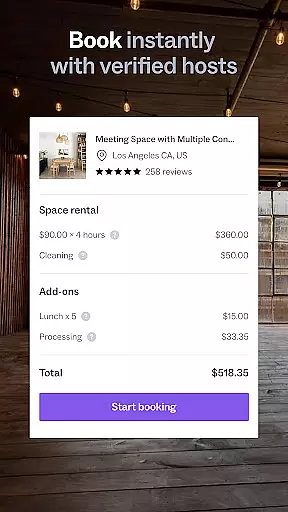

Peerspace is a leading platform for booking unique spaces by the hour, designed for events, meetings, and creative projects. With an extensive network of venues ranging from professional meeting rooms to artistic photo studios, it caters to both personal and business needs. The app simplifies the process of discovering and reserving spaces in cities worldwide, offering users the flexibility to choose locations that suit their specific requirements.
Beyond just booking, Peerspace empowers space owners to monetize their underutilized properties. Hosts can effortlessly list their spaces, set pricing, and manage bookings through an intuitive interface. This dual-sided marketplace creates opportunities for hosts to generate additional income while providing guests with access to distinctive venues for their events or projects.
Whether planning a corporate meeting, organizing a social gathering, or setting up a photoshoot, Peerspace offers a seamless solution for finding the perfect venue. Its mobile application extends this convenience, allowing users to browse, connect, and book spaces on the go, making it an essential tool for event planners and creative professionals alike.
Peerspace stands out with its comprehensive features tailored for both guests and hosts. For guests, the app provides a vast selection of unique spaces, complete with detailed descriptions, high-quality images, and user reviews. The advanced search functionality enables users to filter results based on location, capacity, amenities, and price, ensuring they find the ideal venue for their needs.
For hosts, Peerspace offers tools to easily list and manage their spaces. They can set custom pricing, specify available hours, and outline permitted activities. The platform handles all transactions securely, transferring payments directly to the host's bank account. Additionally, hosts can communicate with potential guests through the app's messaging system, facilitating smooth coordination and enhancing the overall experience.
The mobile app enhances these capabilities by enabling users to manage bookings, send messages, and receive notifications on the go. This ensures that both guests and hosts can stay connected and informed at all times. With its user-friendly interface and robust feature set, Peerspace redefines how people discover and utilize spaces for various purposes.
Creating and customizing tasks within Peerspace is a seamless process that allows users to tailor their event planning with precision. This functionality is crucial for ensuring that every booking meets the specific needs of the user, whether it's for meetings, events, or productions.
Peerspace offers an intuitive interface where users can browse through a variety of unique spaces such as homes, studios, lofts, and galleries. Each listing provides detailed descriptions and high-quality images, enabling users to make informed decisions about which space best suits their requirements.
The app also facilitates direct communication with local hosts, allowing users to discuss specifics and customize details according to their preferences. This level of personalization ensures that each booking is not only convenient but also aligns perfectly with the user's vision for their event.
Ultimately, this feature empowers users by giving them control over every aspect of their booking experience. From choosing the perfect venue to adjusting booking times and negotiating terms, Peerspace makes it easy to create and manage tasks that cater to individual needs, enhancing both personal and professional events.
Setting reminders in Peerspace is an essential feature that helps users stay organized and on top of their bookings. This functionality ensures that users never miss important updates or deadlines related to their reservations, making event planning more efficient and stress-free.
Upon booking a space, users can set up automatic notifications for new messages and requests. These reminders are delivered directly to their phones, ensuring timely responses and smooth communication with hosts. This real-time interaction is vital for confirming details and addressing any last-minute changes.
Moreover, the app's reminder system supports comprehensive event management by notifying users of upcoming bookings and pending tasks. Whether it's finalizing arrangements or preparing for an event, these alerts keep users informed and prepared, contributing to a successful outcome.
In summary, Peerspaceu2019s reminder settings enhance user engagement by providing timely and relevant information. By keeping users well-informed and organized, the app significantly improves the overall booking experience, ensuring that every event runs smoothly from start to finish.
User-friendly interface
Wide variety of spaces
Secure payment processing
Easy listing management
Global reach
Limited rural options
Service fees apply
Variable availability
Requires internet
Pricing fluctuations

CUE Live utilizes ultrasonic sound waves to sync devices at CUE enabled events
 4.80
4.80
Microsoft Build is an annual developer conference hosted by Microsoft
4.20
Community for Mods, Addons, Melsaves, Melmods for Melon Playground
4.3
For weddings, parties & events
4.60
ETH Mining provides secure way to mine Ethereum & earn ETH in Cloud mining app
3.50
RAISE-365 makes fundraising easy and fun!
3.20
Fast Scans. Happy Fans. For Every Hometown!
4.60
Design Invitations & Cards for Any Occasion
4.80
TodayTix is the easiest way to get tickets to the best shows in your city.
4.90
Fantasy of Lights Event App
5.00
Save money on concert, sport, and theater tickets, and discover upcoming events.
4.80
Create Wedding Invitation and Wedding Anniversary Cards using our app
4.60
Wedding planner app with wedding venues, wedding checklist, countdown & budget.
4.60
Text message invitations for birthday party, wedding, graduation, baby shower +
4.60
Microsoft Ignite is an event that showcases latest advancements in technology
4.00
Local events, contests, and giveaways for local dads
3.70
Create Birthday Cards in Birthday Invitation Maker and Birthday Card Creator App
3.00
An App for Bhutanese
4.0
The Official Football Ticketing App for Fans in Qatar
4.4


User Reviews