
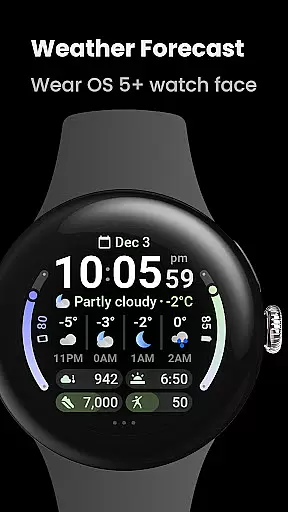
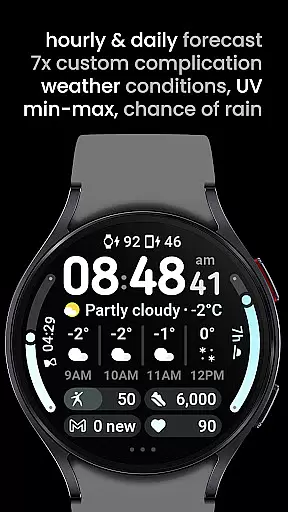
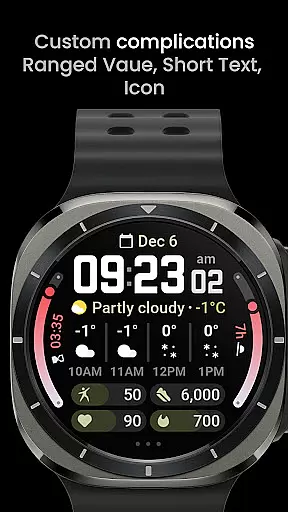
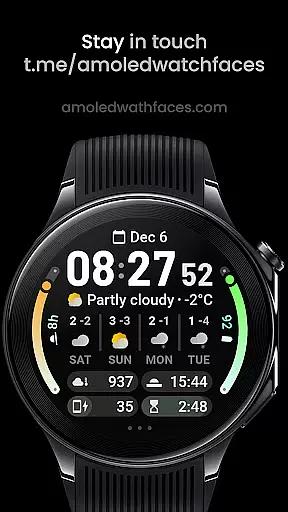
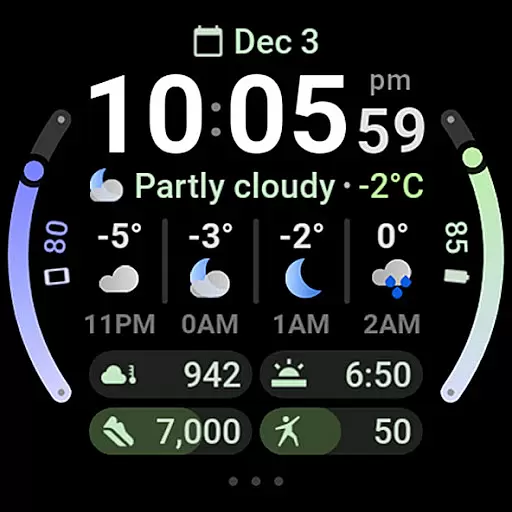
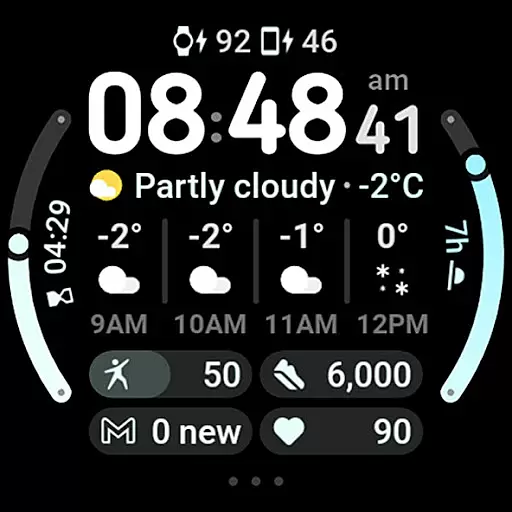
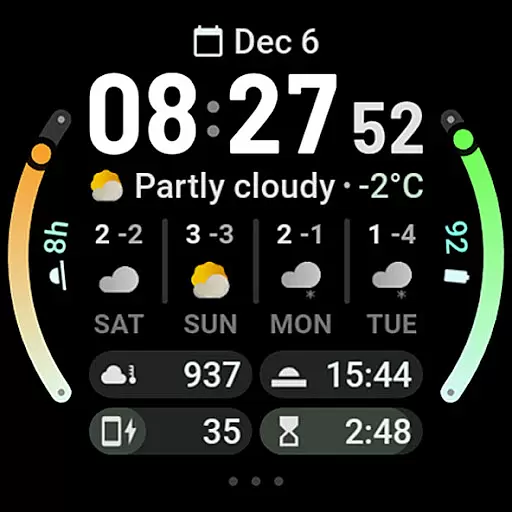
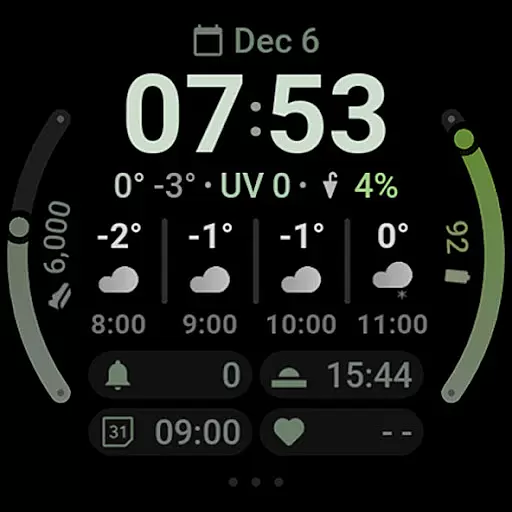
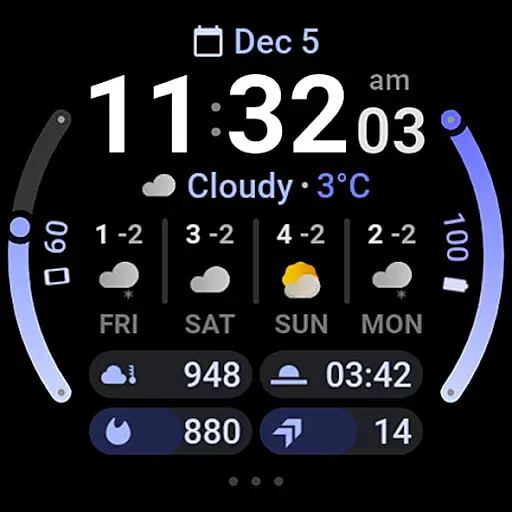
Weather Forecast Watch Face is a specialized application designed for Wear OS 5+ devices, providing users with comprehensive weather data directly on their smartwatch. The app displays current weather conditions, temperature, UV index, chance of rain, and both hourly and daily forecasts. Its intuitive design ensures that users can quickly access vital weather information.
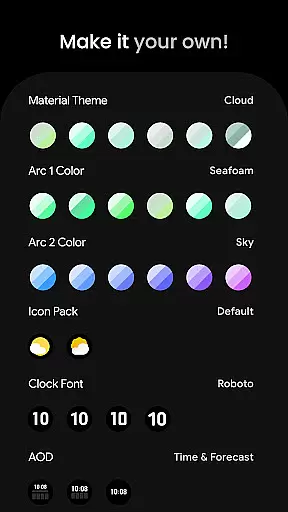
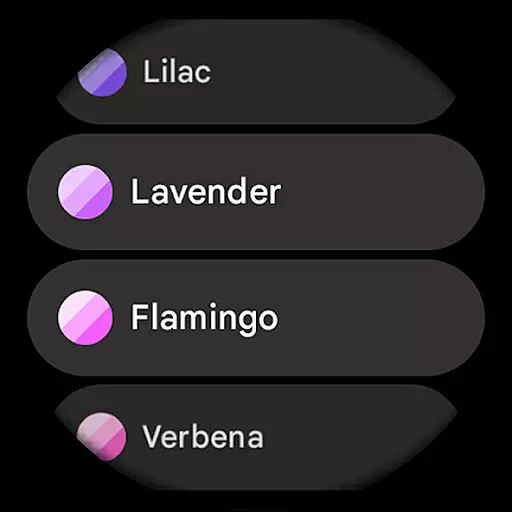
Beyond basic weather data, this watch face offers advanced customization options. Users can choose from multiple material themes, color schemes, and clock fonts to personalize their experience. With support for custom complications and interactive features like tapping to switch forecast views or launch the weather app, it provides both functionality and personalization. This makes it an essential tool for those who want both style and utility in a wearable device.
The Weather Forecast Watch Face stands out with its robust feature set tailored for weather enthusiasts. It uses Watch Face Format 2 to deliver dynamic animations, such as a rotating weather stats row that updates every five seconds. This keeps the display both informative and engaging while offering a futuristic user interface.
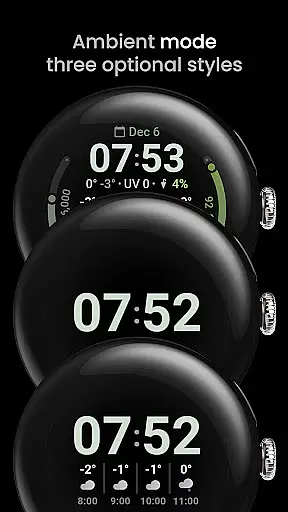
One of the key highlights is its interactive elements. Users can tap on various sections of the watch face to perform actions like switching between hourly and daily forecasts, launching the weather app, or opening system settings. With support for seven customizable complication slots and compatibility with common complication types, users can tailor the display to show the most relevant information. Additionally, optional digital clock fonts and three always-on-display (AOD) looks ensure the watch face fits individual preferences perfectly.
Weather Forecast Watch Face provides users with accurate and reliable weather data tailored specifically for Wear OS 5+ devices. The application integrates real-time updates on current conditions, including temperature, UV index, and chance of rain, ensuring that users have access to the latest and most credible information.
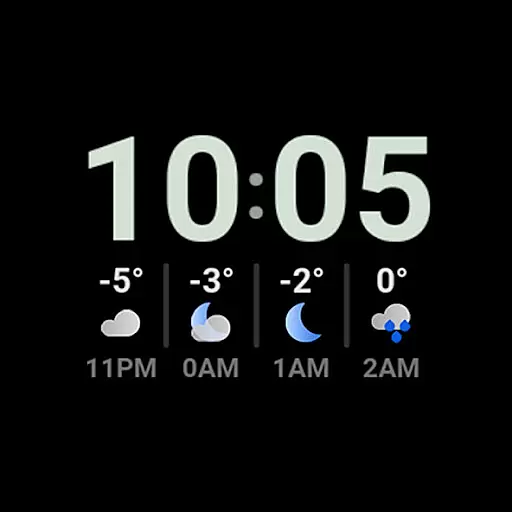
The watch face goes beyond basic weather details by offering both hourly and daily forecasts. With an animated row displaying different weather statistics every five seconds, users can quickly view predictions for the next four hours or extend their planning with a four-day forecast. This comprehensive approach ensures users are well-prepared for changing weather conditions.
By tapping on the weather forecast section, users can switch between hourly and daily views, allowing them to customize the level of detail they need. Additionally, tapping on the current weather condition launches the main weather app for more in-depth information. These interactive features enhance user engagement while maintaining high standards of forecast accuracy.
With multilanguage support and customizable complications, Weather Forecast Watch Face not only delivers precise weather data but also adapts to individual preferences. Users can trust the reliability of this application as it empowers them to make informed decisions based on credible meteorological insights.
Weather Forecast Watch Face excels in providing extensive temporal and spatial forecast ranges, making it an essential tool for users who require detailed weather predictions. The application offers both short-term and long-term forecasts, covering immediate hourly changes and extending up to four days ahead. This wide-ranging forecast capability allows users to plan their activities with confidence.
In addition to time-based forecasts, the watch face includes location-specific data such as current temperature, UV index, and chance of rain. By delivering localized weather information, the application ensures that users receive relevant updates based on their geographical position. This spatial awareness enhances the overall utility of the watch face.
Users can interact with the watch face by tapping on various sections to access additional details. For instance, tapping on the weather forecast switches between hourly and daily views, while tapping on the current condition opens the main weather app. These interactions provide a dynamic way to explore different forecast ranges without overwhelming the user interface.
Furthermore, customization options like Material Theme selection and complication slots enable users to tailor the display according to their preferences. With these features, Weather Forecast Watch Face combines broad temporal and spatial coverage with personalized presentation, ensuring that users stay informed about upcoming weather patterns wherever they go.
Comprehensive weather data
Highly customizable design
Interactive features
Supports custom complications
Dynamic animations
Complex setup for beginners
Limited to Wear OS 5+
Potential loading issues on Galaxy Watches
Requires third-party weather apps
Advanced features may overwhelm casual users

Live Weather Forecast app with acu weather radar, weather alert & weather widget
 4.80
4.80
Weather for Indiana, Kentucky and Ohio
4.90
Get instant weather & temperature predictions right on your Wear OS smartwatch!
4.2
Get accurate rainfall and snowfall totals for pinpoint locations on a map.
4.60
The reliable and trusted global air quality, wildfire, pollen, PM2.5 forecast
4.70
Global weather forecast, powered by layered radar & hourly weather updates
4.10
weather forecast, weather radar, weather widget in one local weather app
4.70
Detailed weather info and moon phase, subtle animation, customizable
4.0
Local weather forecast app, your personal 7*24 local weather forecast assistant.
4.90
Accurate weather forecast, daily weather changes are easy to grasp
4.90
My Tide Times Pro is the only tide tables and forecasts application you'll need.
4.80
Live local weather updates: various widgets & radar maps & hourly forecast.
4.70
Thermometer shows indoor and outdoor temperature
4.70
The weather channel, tiempo weather forecast, weather radar & weather map
4.70
Weather radar map, storm tracker, local forecast, live rain alerts & daily news.
4.60
Download now and give your smartwatch a fresh, premium look!
4.20
Weather watch face for Wear OS 5+
4.10
Moon phase calendar with live wallpaper, lunar widget, & 3D simulation.
3.60
The Weather Network TV App - Your weather when it really matters
2.90


User Reviews