
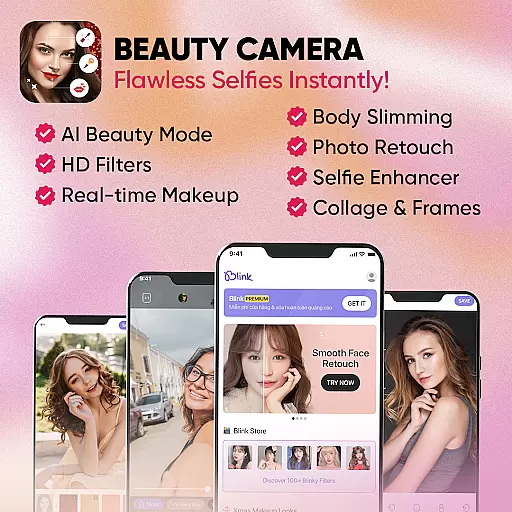
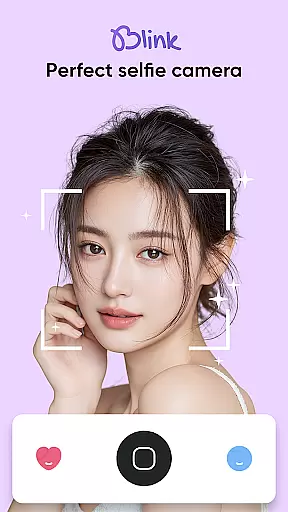
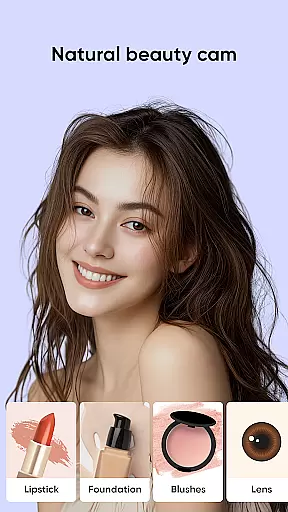
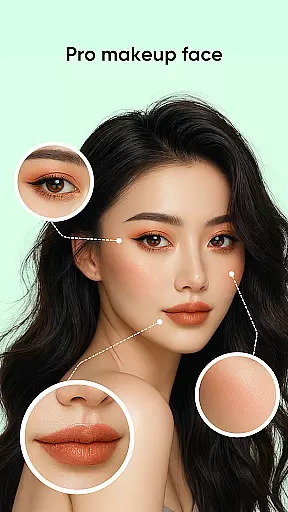
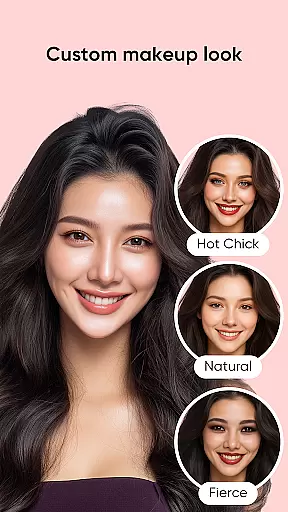
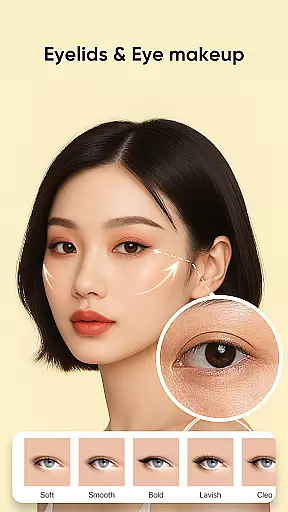
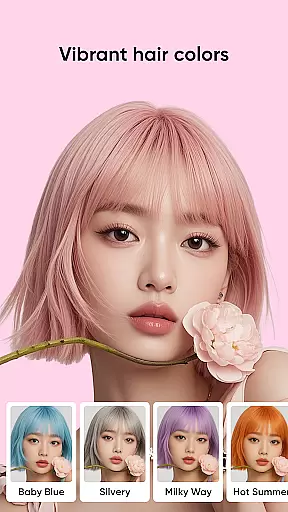
Blink Beauty Cam is a feature-rich beauty camera application designed to help users capture stunning selfies and professionally edit photos with ease. The app offers a comprehensive suite of tools including natural beautifying filters, professional makeup options, and detailed face retouching features. Whether you want to apply trendy makeup styles or enhance facial features, Blink provides the tools to create perfect selfies anytime, anywhere.
The app's standout feature is its ability to function as both a real-time beauty camera and a powerful photo editor. Users can experiment with over 50 makeup styles, customize facial contours, whiten teeth, remove blemishes, and even change hair color using AI technology. With additional pro tools like photo cropping, flash modes, and touch capture, this app caters to both casual selfie enthusiasts and professional photographers looking to elevate their photo editing game.
Blink Beauty Cam distinguishes itself through its diverse and innovative features tailored for beauty enthusiasts. One of its core strengths is the extensive collection of 50+ makeup styles ranging from subtle to bold, allowing users to apply trending themes such as festival or holiday looks effortlessly. The app also includes live makeup functionality, enabling real-time previews while taking photos.
In addition to makeup tools, the app offers advanced face retouching capabilities. Users can reshape facial contours, correct imperfections, whiten skin, and remove acne with precision. The AI-powered hair color changer helps users virtually try on trendy hair shades without commitment. With 100+ unique filters organized into thematic categories and professional photo editing tools like blemish removal and tooth whitening, Blink ensures every photo achieves magazine-quality results.
When it comes to beauty applications like Blink Beauty Cam, the depth of the product database plays a crucial role in providing users with comprehensive makeup and beauty solutions. This app offers an extensive range of features that cover various aspects of digital makeup and photo editing.
Blink Beauty Cam includes over 50 different makeup styles, ranging from gentle looks to more personalized themes such as Christmas or Halloween filters. Users can experiment with numerous options for facial retouching, including detailed edits for eyes, lips, eyebrows, and even teeth whitening. The application's vast array of choices ensures that users can find the perfect look for any occasion.
The benefit to users is clear: they have at their fingertips a versatile tool that allows them to express themselves through different makeup styles without needing to physically apply products. Whether you're looking for subtle enhancements or dramatic changes, this depth in the product database means there's something for everyone.
Ultimately, the value lies in empowering users to explore and customize their appearance digitally, offering both variety and personalization. With dedicated sections like Blink Store adding more than 100 unique filters, Blink Beauty Cam stands out by continually expanding its offerings based on user feedback and trends.
Personalization precision in beauty apps refers to how accurately and specifically the app can tailor beauty enhancements to individual user preferences. For Blink Beauty Cam, this precision is evident in its sophisticated AI-driven features that allow for detailed customization of selfies and photos.
This application provides advanced tools such as changing hair color using AI technology, which helps users select trendy colors that best suit their facial features. Additionally, it offers precise editing capabilities for facial contours, eye shapes, nose adjustments, and skin smoothingu2014all contributing to highly personalized results.
Users gain significant advantages from these personalized options; they are able to fine-tune every aspect of their digital appearance according to their liking. From applying natural-looking makeup effects to achieving flawless skin texture, Blink Beauty Cam delivers tailored outcomes that enhance personal aesthetics.
In summary, the meticulous attention to detail and customization available within Blink Beauty Cam not only meets but exceeds user expectations for personalization. By leveraging cutting-edge technology and continuously refining its algorithms based on user input, the app ensures each enhancement feels authentic and bespokeu2014providing unmatched satisfaction and creative freedom.
User-friendly interface
Wide range of makeup styles
Advanced AI features
Real-time beauty effects
High-quality photo filters
Some features may require payment
Occasional performance lags
Steep learning curve
Limited customer support
Heavy app size

Make beautiful Hairstyles for girls with your own hands in little bit of time
 4.00
4.00
Crown Heart Emoji Photo Editor has given you the chance to look cute girl
4.40
Transform your sweet selfies with Selfie Beauty Camera Filters And Effects!
4.60
Healthier, more beautiful with Medicube Digital Clinic AGE-R!
4.10
Beauty/age defining ai coach guides you through the exercises in daily routine.
3.30
Beauty Mirror - True mirror app with light, shaving mirror, makeup mirror app
4.50
Salon appointment booking and scheduling software for beauty pros and barbers.
4.80
Hair style app, Face shape finder, Face shape, Hair style, Face shape detector
4.30
Try On Style with AI: Virtual Dressing Room & Personal Fashion Stylist App
4.00
Get Smart About Your Skin with Fully Personalized Beauty Tech!
4.80
Unique selfie filter camera! Upload live sticker & face filter every week!
4.70
Monthly Perfume Subscription
4.70
HD Camera, Selfie Camera, Camera filters, is a fully featured 4K camera
4.60
For businesses, Booksy Biz allows you to manage your schedule & more on the go.
4.60
Unleash your (Pro)tential with the hottest hair, nails and beauty brands!
4.60
Beauty Camera - Selfie Camera with sweet selfie, makeup, filter, sticker, editor
4.50
Beauty for every eye, lip & face. Earn rewards, play games, connect with others.
4.30
Edit Your Photos and Videos with Beauty Filters & Get Makeup Artist Tutorials
3.60
Color haircut changer style on
3.30


User Reviews