
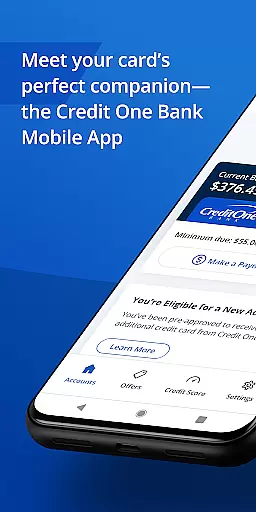
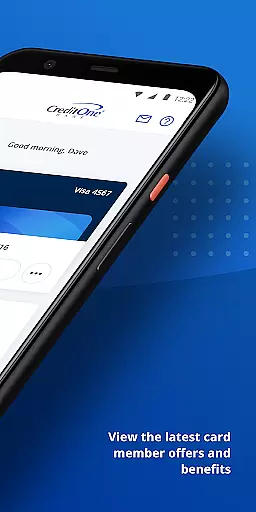
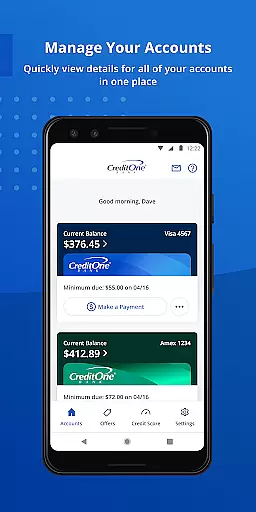
Credit One Bank Mobile is a comprehensive financial management tool designed specifically for Credit One Bank cardholders. This app allows users to manage their accounts with ease, offering features such as activating new cards, viewing statements, and setting up customized alerts for fraud prevention. With secure login options like fingerprint recognition, users can access their account information quickly and safely.
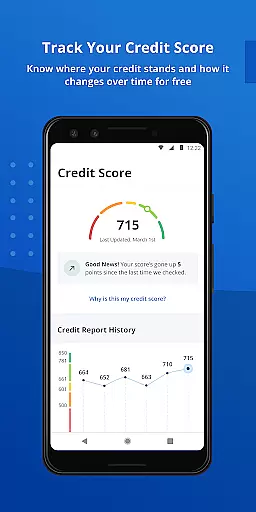
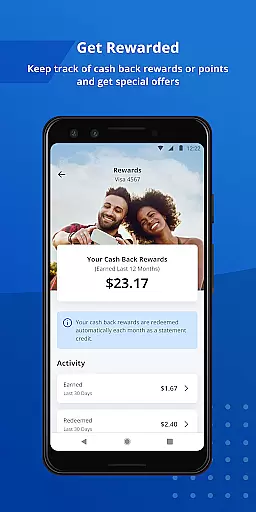
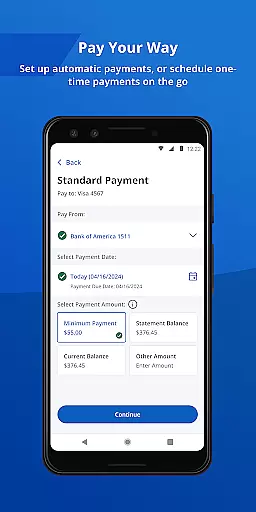
One of the standout features of this app is its rewards tracking system. Users can monitor their cash back rewards or points earned through their card usage. Additionally, the app provides tools for payment scheduling, AutoPay setup, and integration with Google Pay for seamless transactions both online and in-store. The app also offers free monthly credit score tracking and detailed credit reports, empowering users to maintain a healthy credit profile.
Whether you're at home or on the go, Credit One Bank Mobile ensures that essential banking functions are always within reach. Its Quick View feature allows users to check balances or make payments without needing to sign in, providing unparalleled convenience. Overall, this app serves as an indispensable companion for anyone looking to streamline their financial management processes while enjoying enhanced security and accessibility.
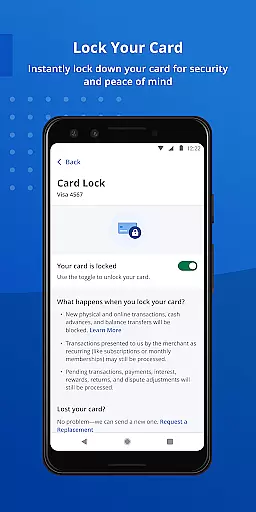
Credit One Bank Mobile stands out due to its robust set of features tailored for modern banking needs. Security is a top priority, with options like fingerprint login, card locking/unlocking, and customizable fraud alerts ensuring that user data remains protected at all times. These features not only enhance safety but also provide peace of mind knowing that your financial information is safeguarded against unauthorized access.
The app excels in reward management, allowing users to track their earnings effortlessly. Notifications about eligibility for new accounts or credit line increases appear directly within the app, streamlining the acceptance process. Furthermore, scheduling payments becomes hassle-free with intuitive interfaces for manual entries or setting up automatic payments via AutoPay. Integration with Google Pay extends usability by enabling contactless payments across various platforms.
Another significant advantage is the inclusion of free credit monitoring services. Users receive monthly updates on their credit scores along with detailed reports explaining contributing factors. This transparency helps individuals understand their financial standing better and take proactive steps towards improvement. Coupled with 24/7 customer support access, these features collectively create a powerful toolset for managing personal finances efficiently and effectively.
Account and fund security is a critical aspect of any financial application, ensuring that users' sensitive information is protected. Credit One Bank Mobile offers robust security features designed to safeguard your account. The app allows you to sign in quickly and securely using fingerprint authentication, providing an additional layer of protection against unauthorized access.
Beyond biometric login options, the app enables users to lock and unlock their cards instantly. This feature is particularly useful if your card is lost or stolen, allowing you to prevent any unauthorized transactions immediately. Additionally, the ability to set customized fraud alerts ensures that you are promptly notified of any suspicious activity related to your account.
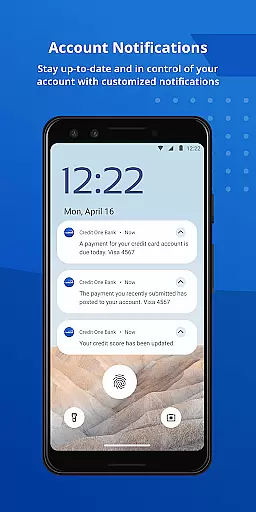
Transaction and balance notifications further enhance the security framework by keeping you informed about all activities on your account. These proactive measures empower users to monitor their finances closely and take immediate action if anything seems amiss. With these comprehensive security protocols in place, Credit One Bank Mobile provides peace of mind for users managing their accounts digitally.
The transaction experience within a finance app encompasses how easily and efficiently users can perform essential tasks such as scheduling payments, tracking rewards, and monitoring credit scores. Credit One Bank Mobile excels in delivering a seamless transaction experience through its intuitive interface and diverse functionalities tailored to simplify financial management.
Users can quickly schedule payments anytime, streamlining the process of settling bills without hassle. For those who prefer automation, turning on AutoPay eliminates the need for manual intervention each month, ensuring timely payments effortlessly. Moreover, adding your card to Google Pay enhances convenience by enabling swift online or in-store purchases with minimal steps involved.
In addition to facilitating easy payment options, the app also helps users stay updated on their cash back rewards or points earned via their card usage. Tracking monthly credit scores for free adds another dimension to managing personal finances effectively while understanding factors influencing one's score through complimentary monthly reports empowers better decision-making regarding credit health.
User-friendly interface
Secure authentication methods
Comprehensive reward tracking
Convenient payment options
Free credit monitoring
Limited to Credit One customers
Occasional bugs reported
No investment tracking
Ads within the app
Geographic restrictions

The all-in-one app to save, earn, travel, and put more money in your pocket
 4.50
4.50
Secure, simple money transfer app. Send money to Mexico and worldwide fast.
4.80
Manage your prepaid cards and add to Google or Samsung Wallet.
4.60
Simple & secure international money transfers - for personal & business needs.
4.80
BTC, Crypto, Stocks & Options.
4.20
Banking, Budgeting & Investing
4.60
Easy budgeting planning on a calendar!
4.80
Powerful Money Manager, Expense & Savings Tracker, Budget Planner - Pro Version
4.70
The PayPal app is the secure way to send and receive money, shop and pay in 4.
4.20
Currency Converter supports all currencies of the world.
5.00
The DailyPay app lets you access earned wages before your next payday.
4.70
Money transfer made easy. Send money to friends and family with great rates.
4.70
Send money and bitcoin easily. Invest, bank and do more with your money
4.70
The US Debt Clock .org App gives you a Real-Time glimpse of US Financial Stats
4.60
The simplest way to budget, bank, save and invest.
4.50
Save, spend & get paid faster²
4.50
Get up to 500, get paid early, earn interest and find work with no hidden fees.
4.40
Your insurance, anytime, anywhere
4.00
StockTiles lets you view prices & charts of your favorite stock assets
2.30


User Reviews