
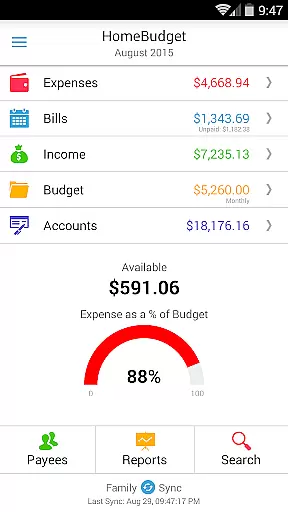
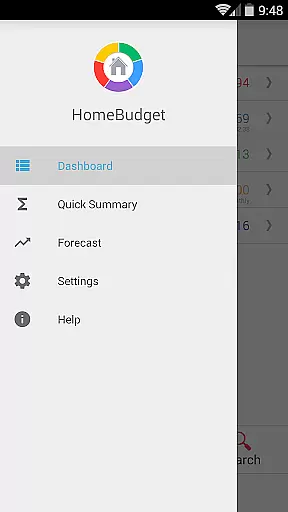
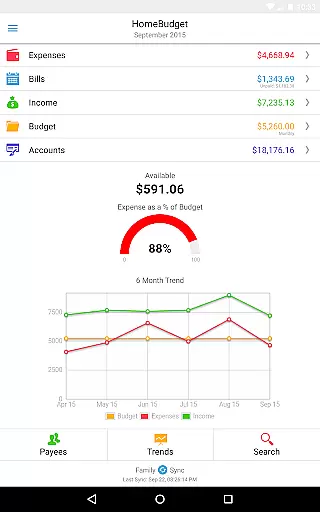
Home Budget with Sync is a comprehensive financial management application designed to help users track expenses, income, bills-due, and account balances across multiple platforms. Available on both mobile (Android, iPhone/iPad) and desktop (Windows, Mac OS), it offers instant data synchronization between devices, ensuring seamless access to your financial information wherever you are. The app's standout feature is its integrated approach that allows bills to become expenses while adjusting account balances simultaneously.
This finance app also includes Family Sync, an advanced functionality enabling multiple household devices to work together within a single budget. With support for detailed budgeting, expense analysis through charts and graphs, and features like bill reminders and calendar views, Home Budget with Sync provides a complete solution for managing personal and family finances effectively.
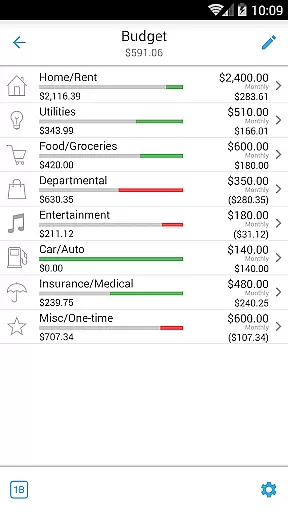
Home Budget with Sync offers an extensive set of features tailored for efficient financial tracking. Users can create, edit, and delete expenses, income, and bills, including recurring entries. The app supports categorization of expenses with customizable categories and sub-categories, allowing users to set budgets and track their spending patterns in detail. Additionally, the ability to attach photo images of receipts and associate accounts with transactions ensures accurate record-keeping.
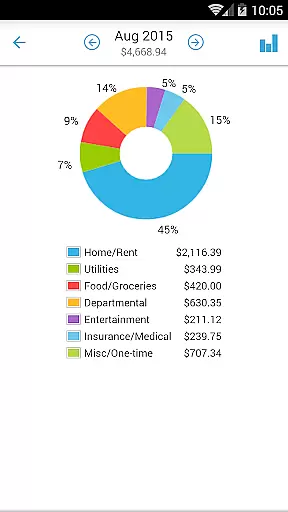
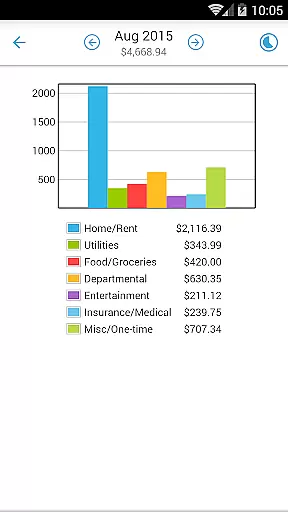
The app stands out with its Family Sync feature, which enables automatic over-the-air synchronization among multiple devices within a household. This means all members can contribute to a unified budgeting process. Other notable features include trend charts for expenses and income, pie/bar charts for visual breakdowns, and exporting options via email or WiFi. Security measures such as password protection and backup/restore functionalities further enhance user experience by safeguarding sensitive financial data.
Account and fund security is a critical aspect of any financial management application, ensuring that users' sensitive information remains protected. Home Budget with Sync employs advanced security measures to safeguard your financial data across all supported platforms, including Android, iPhone/iPad, Windows, and Mac OS. The app utilizes industry-standard encryption protocols to protect your account details, transaction records, and personal information from unauthorized access.
In addition to encryption, the app offers password protection features, adding an extra layer of security. This ensures that only authorized users can access the financial data stored within the app. With the ability to backup and restore complete application data, including receipts, users can maintain secure copies of their financial records without compromising privacy. These backups are encrypted as well, providing peace of mind when storing or transferring data between devices.
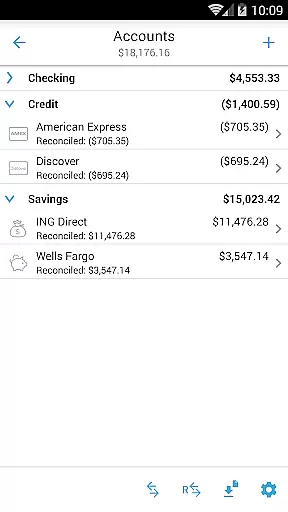
The integrated nature of Home Budget's features also contributes to its security profile. By allowing users to associate expenses, income, and bills with specific accounts, the app provides a comprehensive view of financial health while maintaining strict data integrity controls. This interconnected system minimizes the risk of errors or unauthorized transactions, giving users greater confidence in managing their finances.
Ultimately, the robust security framework implemented in Home Budget with Sync empowers users to take control of their financial management with confidence. Whether syncing data across multiple devices through Family Sync or accessing reports and trends, users can trust that their sensitive financial information remains protected at all times.
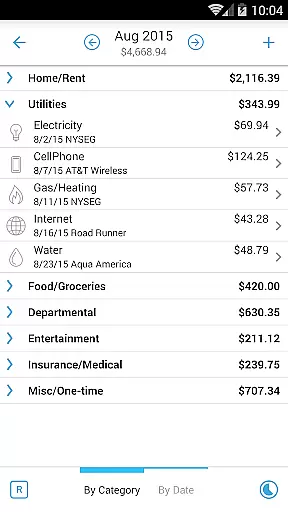
A seamless transaction experience is essential for effective financial management, and Home Budget with Sync excels in this area by offering intuitive tools for tracking expenses, income, and account balances. The app's user-friendly interface allows for effortless creation, editing, and deletion of both regular and recurring transactions. Users can easily browse expense entries by month, category, or date, with the ability to drill down into specific details, making it simple to monitor financial activities.
One of the standout features enhancing the transaction experience is the app's support for attaching photo images of receipts directly to expense entries. This functionality not only simplifies record-keeping but also streamlines the process of verifying purchases and managing tax-related documentation. Additionally, the search feature enables quick retrieval of specific transaction records, saving time and improving overall efficiency.
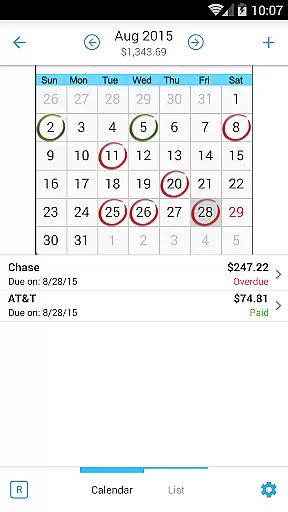
Home Budget further enhances the transaction experience through its innovative approach to handling bills and payments. Users can make payments on bills either as expenses or as transfers between accounts, avoiding double accounting while maintaining accurate financial records. The calendar and list views of upcoming bills, combined with reminder notifications, ensure that users never miss a payment deadline, contributing to better financial health.
With instant data sync capabilities across mobile and desktop versions, users enjoy a consistent and up-to-date transaction experience regardless of the device they use. This synchronization extends to the Family Sync feature, allowing household members to collaborate within a single budget seamlessly. Such comprehensive transaction management tools make Home Budget with Sync an invaluable companion for anyone seeking to maintain better control over their financial affairs.
User-friendly interface
Comprehensive budgeting tools
Real-time data sync
Family Sync functionality
Detailed reporting options
Separate purchase for each OS
No free full version
Limited cross-platform sync
Advanced features may overwhelm new users
Occasional syncing issues reported

Secure Amex Account Access: View Balance, Make Payments, Redeem Rewards & more
 3.60
3.60
Need help before payday? Get cash advances with no interest or credit checks.
4.60
Get, Earn, and Save Money
4.30
Invest, bank & save in one app. Trade stocks, earn high APY & budget smarter.
4.00
Banking, Budgeting & Investing
4.60
Loan Calculator, Mortgage Calculator, Compound Interest Calculator
4.70
The US Debt Clock .org App gives you a Real-Time glimpse of US Financial Stats
4.60
Military retirement pay estimation calculator
4.70
SuperQi, Your all-in-one Super App.
1.30
Currency Converter supports all currencies of the world.
5.00
Secure, simple money transfer app. Send money to Mexico and worldwide fast.
4.80
Pay rent on your schedule.
4.70
Early payday cash advance up to $150 a day with a max of $1,000 per pay period
4.70
Over 180 currencies conversion rates with live exchange rates and offline mode.
4.60
Access State Farm accounts, policies, ID cards and more
4.60 4.50
4.50
Read and extract public data on NFC Contactless banking card (VISA, MasterCard
4.30
Earn money as a tester with Testerup, get cash testing apps and games
4.20
The PayPal app is the secure way to send and receive money, shop and pay in 4.
4.20


User Reviews