
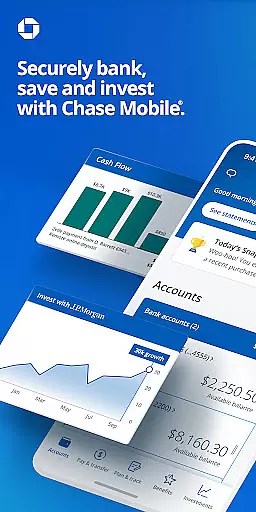
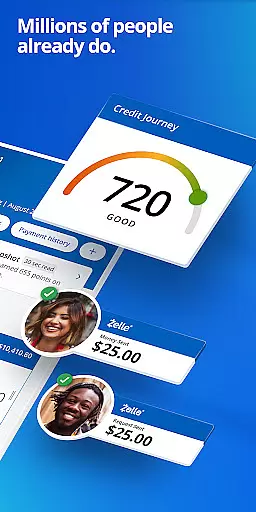
Chase Mobile® is a comprehensive financial management app that allows users to bank securely, manage accounts, and plan for the future. With features like Zelle® integration, check deposit, credit score monitoring, budgeting tools, and investment planning through J.P. Morgan Wealth Management, it provides a complete suite of banking services.
The app supports various account types including checking, savings, credit cards, home loans, auto loans, and business accounts. It offers convenient payment options, free credit score access, daily budget insights, robust security features, and rewards programs. Whether you need to transfer funds, track spending, or consult with financial advisors, Chase Mobile® delivers essential banking tools directly to your fingertips.
This application is particularly useful for individuals seeking an all-in-one banking solution that combines everyday financial management with long-term investment planning. Its intuitive interface and robust feature set make it an invaluable tool for modern banking needs.
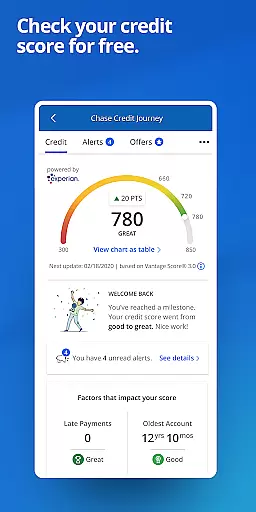
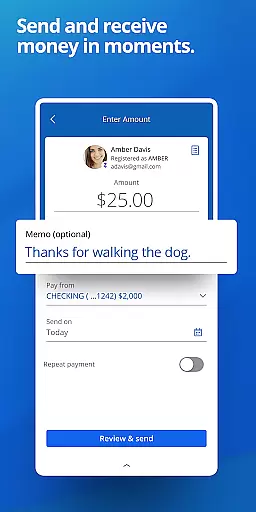
Chase Mobile® stands out with its diverse range of features tailored for comprehensive financial management. The app enables users to send and receive money instantly using Zelle®, deposit checks remotely, and monitor their credit scores for free through Chase Credit Journey®. These features ensure users can perform most banking tasks without visiting a physical branch.
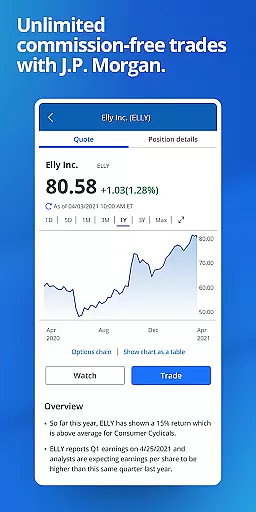
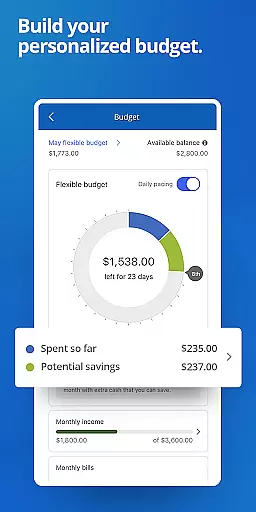
Beyond basic banking, the app provides advanced tools such as budget tracking, income and spending analysis, and investment management through J.P. Morgan Wealth Management. Users can set financial goals, schedule meetings with advisors, and even trade equities and ETFs commission-free. Security features include real-time fraud alerts, card locking/unlocking functionality, and identity monitoring.
What sets Chase Mobile® apart is its seamless integration of everyday banking with long-term financial planning. The ability to redeem rewards, access exclusive offers, and connect with customer service 24/7 makes it a standout choice in the finance app category. These features collectively provide users with both convenience and control over their financial lives.
Account and fund security is a critical feature for any financial application, ensuring that users' sensitive information and assets are protected from unauthorized access. Chase Mobile employs advanced encryption protocols to safeguard data during transmission and while stored on devices. This ensures that all transactions, account details, and personal information remain confidential and secure.
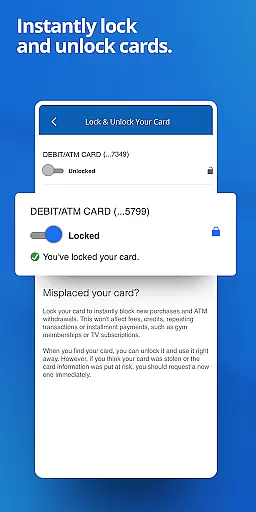
In addition to encryption, the app provides robust security measures such as real-time fraud monitoring and alerts for unusual activities. Users can also remotely lock their cards within the app if they suspect any suspicious behavior, adding an extra layer of protection against potential threats. These proactive steps help maintain trust and peace of mind for customers who rely on Chase Mobile for their banking needs.
The benefits of these security features extend beyond just protecting funds; they also enhance user confidence in managing finances digitally. With comprehensive identity monitoring included, users receive timely notifications about any attempts to compromise their accounts. By empowering users with tools like card locking and instant alerts, Chase Mobile demonstrates its commitment to keeping customer assets safe while delivering a seamless digital banking experience.
A seamless transaction experience is essential for a finance app, allowing users to perform various financial operations effortlessly. Chase Mobile excels in this area by offering multiple convenient payment methods, including Zelleu00ae, which enables quick money transfers between bank accounts. The app also supports scheduling payments for credit cards and other bills, making it easier for users to manage their financial obligations without missing deadlines.
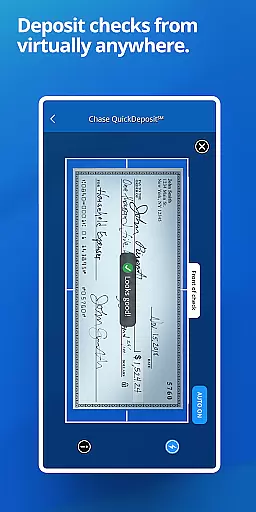
Moreover, Chase Mobile simplifies the process of depositing checks through its mobile deposit feature, eliminating the need to visit a physical branch. Users can transfer funds between different accounts directly from their smartphones, providing flexibility and convenience. These functionalities streamline daily banking tasks, saving time and reducing hassle for busy individuals who require efficient solutions for managing their finances.
By integrating user-friendly interfaces with reliable backend systems, Chase Mobile ensures that every transaction is processed accurately and promptly. Real-time updates on account balances and transaction histories further enhance transparency and control over one's financial status. Overall, the app's focus on delivering a smooth and intuitive transaction experience makes it a valuable tool for modern banking consumers seeking efficiency and reliability in their financial management.
User-friendly interface
Comprehensive account management
Free credit score monitoring
Robust security features
Integrated investment tools
Limited to Chase customers
Some features require eligibility
Investment options have risks
Occasional syncing issues
Dependent on internet connectivity

Currency Converter supports all currencies of the world.
 5.00
5.00
Early payday cash advance up to $150 a day with a max of $1,000 per pay period
4.70
Change the way you money with Credit Genie
4.30
Invest, bank & save in one app. Trade stocks, earn high APY & budget smarter.
4.00
Save, spend & get paid faster²
4.50
Earn cash back. Build credit.
4.60
StockTiles lets you view prices & charts of your favorite stock assets
2.30
Navigate your unique financial path confidently with help from Credit Karma.
4.70
Pay, bank & build credit.
4.70
No credit checked needed.
4.80
Check EBT, SNAP, WIC balances, manage food stamps, and save money with benefits
4.80
Pay rent on your schedule.
4.70
Loan Calculator, Mortgage Calculator, Compound Interest Calculator
4.70
Powerful Money Manager, Expense & Savings Tracker, Budget Planner - Pro Version
4.70
Over 180 currencies conversion rates with live exchange rates and offline mode.
4.60
Get a cash advance instantly. File taxes & cover unexpected bills in minutes.
4.60
Manage your prepaid cards and add to Google or Samsung Wallet.
4.60
Access State Farm accounts, policies, ID cards and more
4.60
Mine Bitcoin in the cloud! Earn BTC daily with high-speed mining power.
4.30


User Reviews