
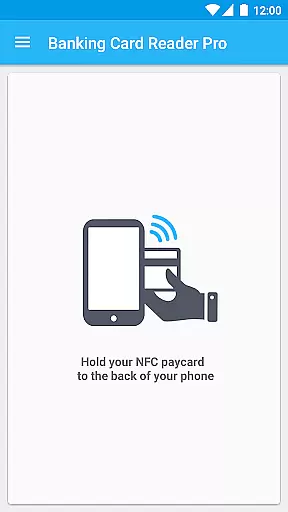
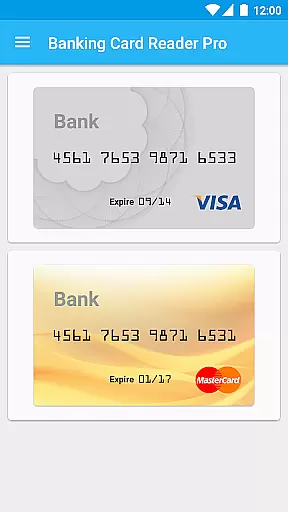
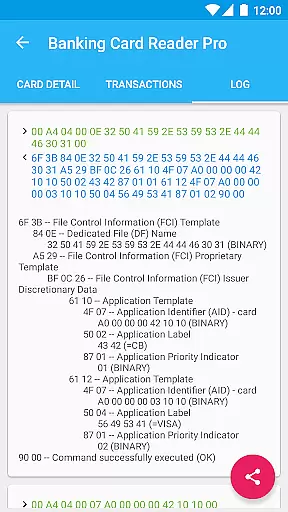
Pro Credit Card Reader NFC is a specialized finance application designed to read public data from NFC-enabled banking cards that comply with the EMV norm. This app allows users to access and manage contactless credit card information directly from their mobile devices.
The core functionality includes reading multiple cards, storing card details, accessing application data, and tracking transaction history. It also offers extended features such as exporting data and disabling NFC-triggered app launches. With its privacy-focused design, it ensures that sensitive information like card numbers are masked by default.
This app is particularly useful for individuals who frequently handle multiple NFC-compliant credit cards and need an efficient way to manage and review their card data securely. By providing detailed insights into card information without compromising security, Pro Credit Card Reader NFC serves as a valuable tool for personal financial management.
Pro Credit Card Reader NFC stands out with its comprehensive set of features tailored for managing NFC banking cards. The app supports reading and storing data from various EMV-compliant cards, including Visa, MasterCard, American Express, and more. This extensive compatibility ensures that users can work with a wide range of banking cards globally.
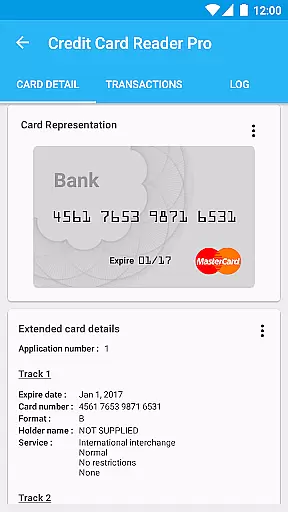
One of the key highlights is the ability to read and track both Track 1 and Track 2 data, offering users detailed insights into their transaction histories. Additionally, the app provides options to export this data, making it convenient to maintain records or perform further analysis. Security is prioritized with no internet permissions, ensuring all data remains offline and private.
Another notable feature is the capability to disable NFC-triggered application launches, giving users control over when the app is activated. This level of customization enhances user experience by preventing accidental readings. Overall, these features collectively provide a robust solution for securely managing NFC credit card data.
Pro Credit Card Reader NFC ensures robust account security by implementing strict data access protocols. The application operates entirely offline, with no internet permissions, safeguarding your financial information from online threats. Before accessing the app, users must confirm ownership of the credit card, adding an extra layer of verification. This approach significantly reduces the risk of unauthorized access to sensitive banking data.
The app reads public data on NFC banking cards compliant with EMV standards while maintaining user privacy. For added protection, the credit card number is masked by default, ensuring that even if someone gains access to your device, they cannot view full card details. Additionally, some newer EMV cards have removed holder names and transaction history to further protect user privacy. These measures demonstrate the app's commitment to maintaining both security and privacy for its users.
By focusing on secure data handling practices, Pro Credit Card Reader NFC provides peace of mind when managing financial information. Users can store multiple cards and track relevant data without worrying about compromising their account security. The absence of ads and in-app purchases also eliminates potential vulnerabilities associated with third-party transactions. Overall, this tool offers a reliable solution for securely reading and storing NFC banking card data.
Pro Credit Card Reader NFC enhances the transaction experience by offering quick and convenient access to essential banking card data. With support for reading multiple cards and storing them within the app, users can easily manage various accounts in one place. The ability to read applications and track 1&2 data provides comprehensive insights into each card's functionalities, streamlining the process of monitoring financial activities.
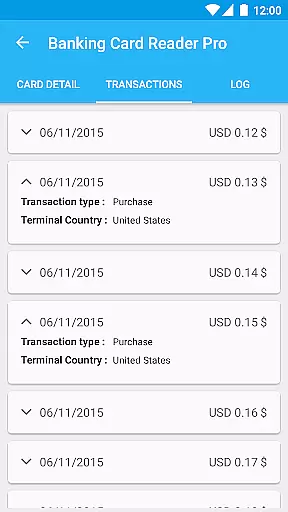
The extended history feature allows users to maintain detailed records of their transactions over time. This functionality is particularly useful for tracking spending patterns or resolving discrepancies in account statements. Additionally, the option to export data enables seamless integration with other financial management tools, enhancing overall efficiency. By providing these features, the app empowers users to take control of their financial information effectively.
Despite removing certain personal details like holder names and transaction histories in newer EMV cards, Pro Credit Card Reader NFC remains a valuable tool for analyzing contactless NFC EMV credit card data. Its compatibility with numerous banking networks worldwide ensures broad usability across different regions and institutions. Whether you need to verify card compliance or simply keep track of your finances, this app delivers a smooth and reliable transaction experience.
User-friendly interface
Extensive card compatibility
Strong security measures
Offline data processing
Detailed transaction tracking
Limited to NFC-enabled devices
No payment functionality
Potential privacy concerns
Requires explicit user confirmation
Dependent on card issuer policies

Manage your Discover account conveniently from anywhere.
 4.80
4.80
Earn cash & save money daily. Access instant cash advances* - no credit check!
4.50
Managing your money just got easier. Get the new Mobile app.
4.70
Easily invest, save, and plan—all in one app.
4.60
Get 250$ Cash Advance to solve emergencies instantly in loan app called LendMe
4.70
Simple & secure international money transfers - for personal & business needs.
4.80
Keep track of your subscriptions with no limitations
4.80
Manage budget, save money, or file tax. Build, track & improve your credit score
4.40
Wells Fargo Mobile allows you to access your investment and bank accounts.
4.80
The DailyPay app lets you access earned wages before your next payday.
4.70
Early payday cash advance up to $150 a day with a max of $1,000 per pay period
4.70
Money App - Earn Cash back, Fast Cash Advance, Personal Loan Offers, Banking
4.70
Currency Converter (200+ currencies) with live exchange rates and offline mode.
4.70
Loan Calculator, Mortgage Calculator, Compound Interest Calculator
4.70
Play for fun, earn for real. Collect rent by owning virtual land & get cashback
4.60
Early payday & cash advances with no-fee mobile banking!
4.60 4.50
4.50
Amazing Financial Calculator. Based on HP 10bII, but easier to use!
4.40
Venmo is the fun and easy way to pay and get paid.
4.10


User Reviews