
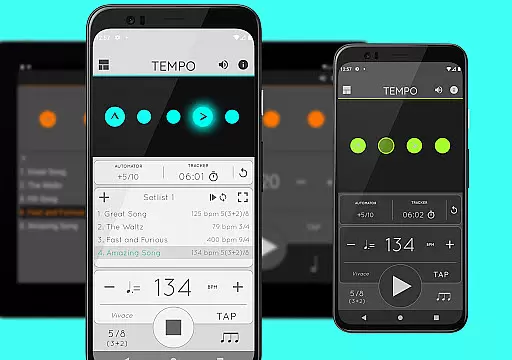
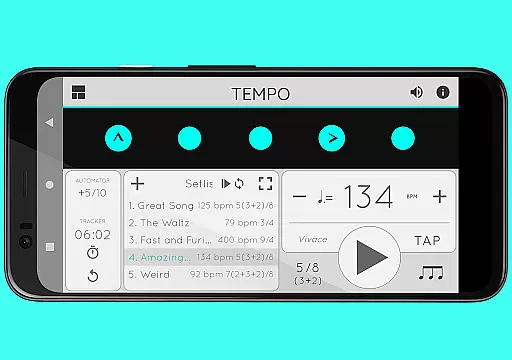
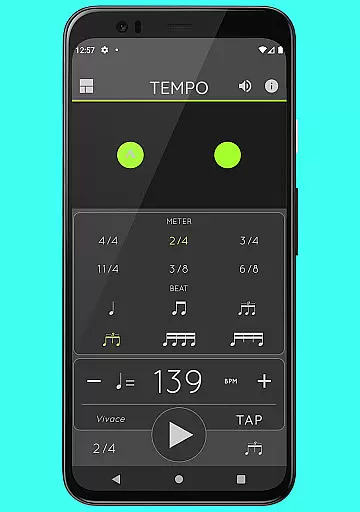
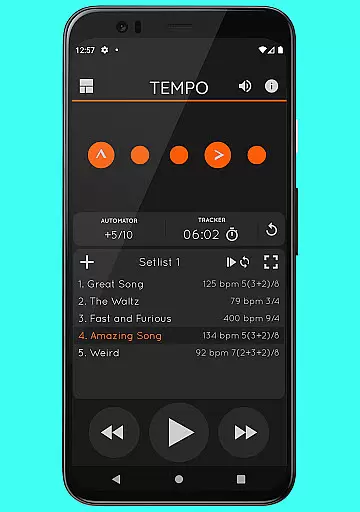
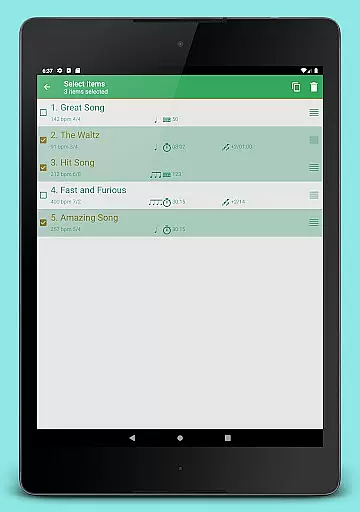
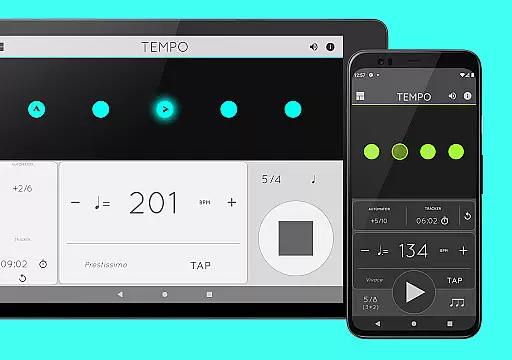
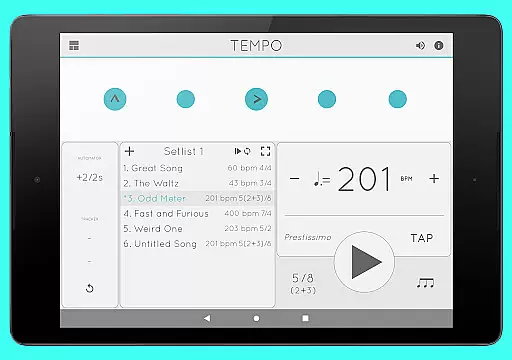
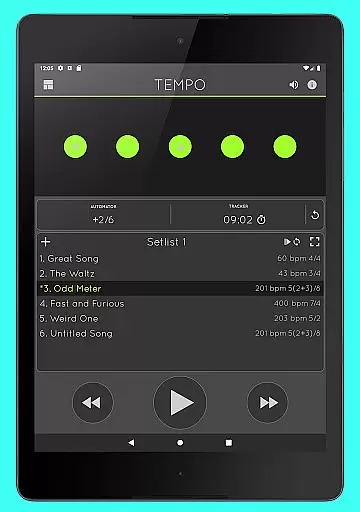
Tempo is a premier mobile metronome app designed for performing artists, teachers, students, and even athletes. It combines high accuracy and stability with an attractive, user-friendly interface. The app allows users to customize beats through an innovative LED button system, save configurations as songs in setlists, and share them with others. Its versatility makes it suitable for gigs, practice sessions, lessons, and training routines.
Tempo stands out with its five-mode interface that adapts to different tasks: Basic, Preset, Setlist, Practice, and Gig. Each mode offers a unique combination of functionalities tailored to specific needs. Whether you're a musician looking to refine your timing or an athlete using rhythm for training, Tempo provides the tools necessary to enhance performance.
The app's value lies in its comprehensive feature set, including 30 time signatures, 6 rhythm patterns, tap tempo functionality, and visual feedback through pulsating LEDs. With support for sharing and backup via email, Tempo ensures users can access their setlists across iOS devices, making it an essential tool for professionals and hobbyists alike.
Tempo offers an array of features that cater to both basic and advanced metronome users. The app includes 30 different time signatures and multiple rhythm patterns for simple and compound meters, allowing musicians to create complex rhythms by customizing accents or muting beats. A tap tempo function and tempo range from 10 to 400 provide flexibility in setting the desired pace.
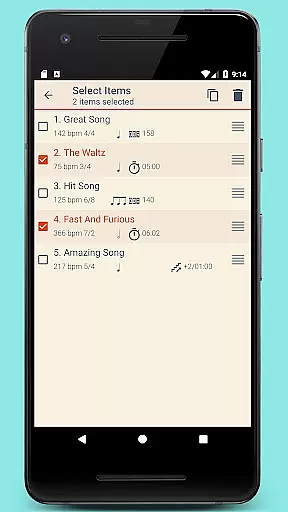
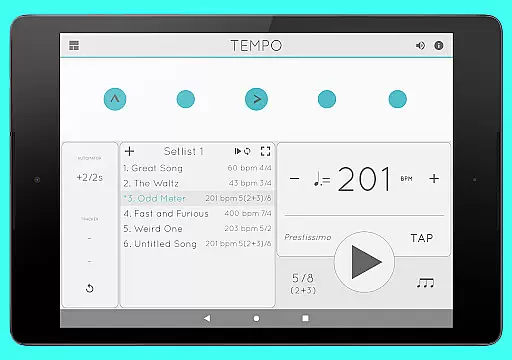
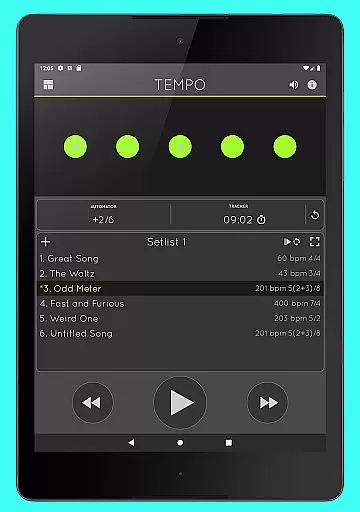
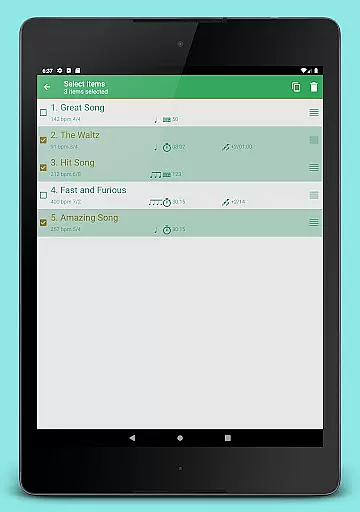
One of Tempo's standout features is its robust setlist management system. Users can store presets in multiple setlists, perform advanced editing, and share data via email. The compatibility with iOS devices ensures seamless integration across platforms. Additionally, the Tracker and Automator functions allow users to monitor practice time and automate playback adjustments.
Sound customization is another key aspect, with 12 sound sets available, including one optimized for live drumming. Volume control, multi-tasking support, and AirTurn Bluetooth controller compatibility further enhance the user experience. These features collectively make Tempo a versatile tool for musicians, educators, and performers seeking precision and adaptability in their metronome app.
When it comes to music and audio applications, the size and authenticity of the music library are crucial factors. Tempo offers an impressive selection of 30 different time signatures and various rhythm patterns for both simple and compound meters. This extensive range allows users to explore a multitude of musical styles and tempos, from as low as 10 to as high as 400 beats per minute.
Moreover, the app provides 12 distinct sound sets, ensuring that each user can find a tone that suits their preference, whether for practice or performance. One sound set is even optimized for live drumming click tracks, enhancing the experience for musicians in real gigs. The availability of these options reflects the app's commitment to copyright authenticity, offering users legitimate and high-quality sound experiences without infringing on intellectual property rights.
The value of such a comprehensive music library within Tempo is significant. Users can customize accents or silence beats to create complex rhythms, which is essential for composers and performers seeking to refine their craft. With this level of depth, musicians have the tools necessary to innovate and personalize their music production process.
Audio quality is paramount in music applications, and Tempo excels by providing superior audio features. The app includes volume control and supports multi-tasking, meaning playback continues uninterrupted even when using other apps. This seamless integration ensures that the rhythm remains consistent and clear, regardless of what other functions the device is performing.
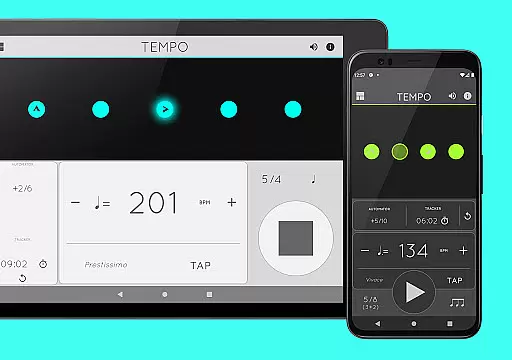
Tempo also offers visual feedback through pulsating LEDs, which serve not only as an aesthetic feature but also enhance the auditory experience by providing a visual cue for the beat. This combination of audio and visual indicators helps maintain timing accuracy, especially useful during performances or practice sessions where concentration is key.
Furthermore, compatibility with AirTurn Bluetooth controllers adds another layer of convenience and professionalism. Musicians can control setlists, tempo, and playback without manual intervention, allowing them to focus entirely on their performance. Such features ensure that whether you're a student practicing at home or a professional performing on stage, Tempo delivers unmatched audio quality tailored to your needs.
User-friendly interface
Highly customizable
Accurate tempo tracking
Versatile rhythm options
Cross-device compatibility
Premium price point
Complex for beginners
Limited free features
Occasional sync issues
Heavy on battery

Tune in to the greatest hits on UK Radio | The home of Capital, Smooth & Heart.
 4.90
4.90
DJ Music Mixer Pro is a real DJ controllers and DJ Music Studio to remix DJ.
4.40
Time Trainer: accurate metronome w tools to help you develop your internal time!
4.20
Brian Eno and Peter Chilvers’ acclaimed music app Bloom, radically reinvented.
4.80
Learn and play 2M+ music tabs & chords on guitar, ukulele, bass, and more
4.30
Offline Music Player&MP3 Player with themes, equalizer, lyrics, music play mode
4.60
The original SP-1200 experience on your iPad
4.20
Customize Your Favorite Songs and Videos with booster.
4.70
Be a true music maker: create beats, mix and make music like a real DJ!
4.30
24,000 free audio books and no ads!
4.90
More downloads than any other metronome. Includes drum machine & tempo trainer.
4.80
Save hundreds of dollars for a physical strobe tuner and instead use this app.
4.50
Formerly known as Spotistats! View your top tracks, artists, albums and more!
4.40
Ringtone Maker is free app create ringtone from music files or your recording.
4.40
Time Guru will strengthen your internal sense of musical time via random muting.
4.30
Advanced 10-Band Audio Graphic Equalizer Sound Booster Pro
4.30
Master Salsa Rhythm quickly and with a lot of fun!
4.30
Simple mp3 and mp4 player with advanced features.
3.40
MilkDrop for Android TV
3.00


User Reviews