
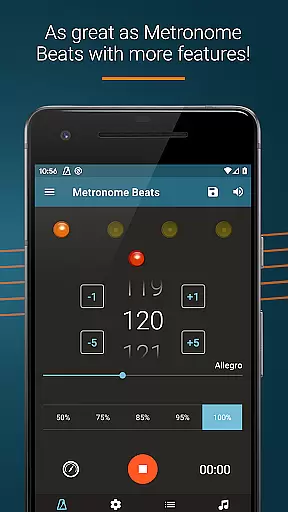
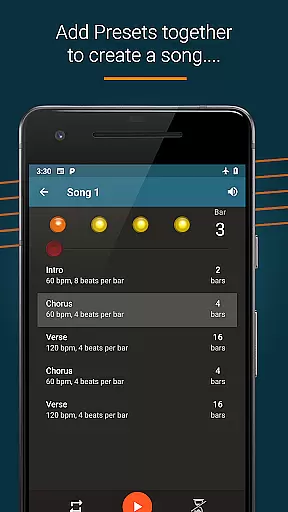
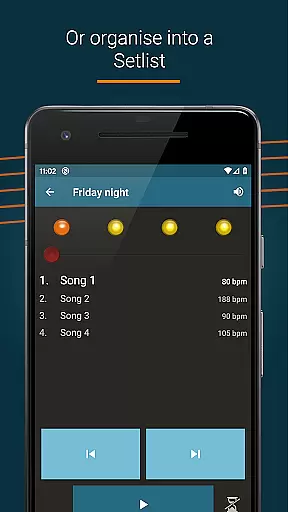
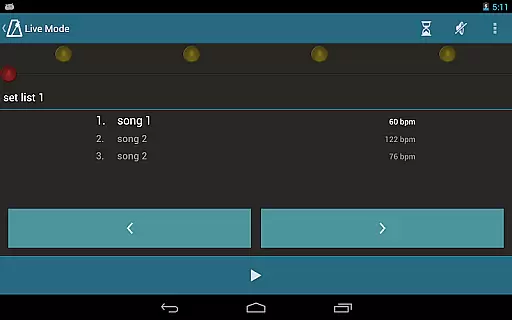
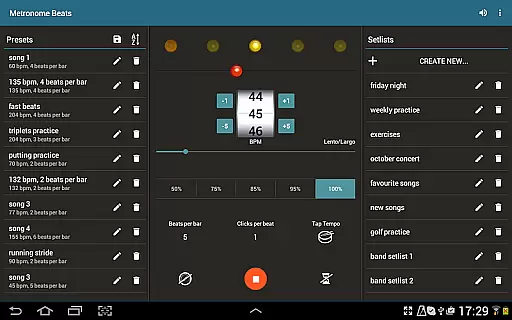
Metronome Beats Pro is a comprehensive music tool designed for musicians of all levels. This professional-grade metronome app offers advanced features beyond basic tempo tracking, making it an essential companion for practice and live performances. The app's standout feature is its 'Live Mode', which allows users to create setlists of songs with varying tempos and play through them sequentially.
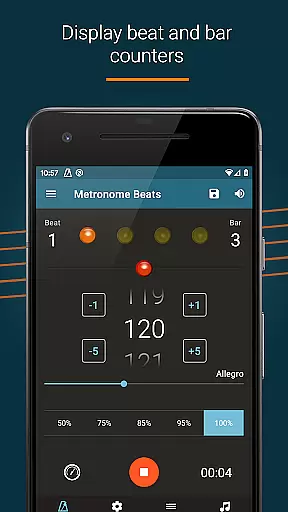
The application provides a rich set of customization options including beat and bar counters, multiple sound types, and visual beat indicators. Its intuitive interface enables precise tempo adjustments with single-touch controls and supports complex time signature combinations. The app caters to various musical needs from classical training to contemporary performances while maintaining accurate timing and rhythm guidance.
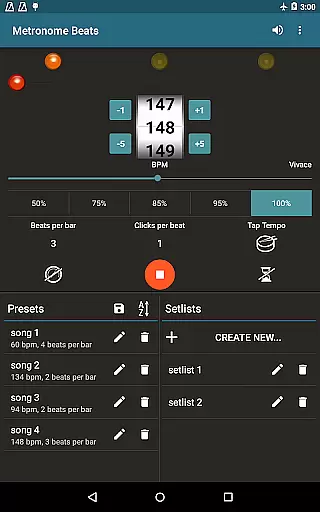
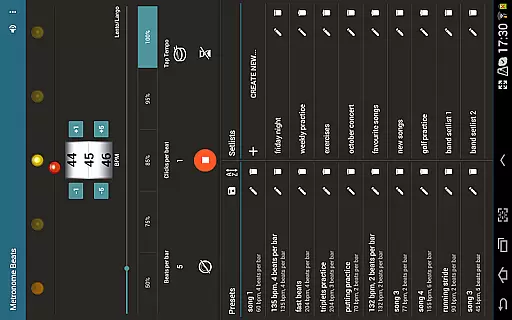
Designed for both smartphones and tablets, Metronome Beats Pro offers an optimized layout for larger devices, giving musicians quick access to all features on one screen. Whether you're practicing alone or performing on stage, this app helps maintain perfect timing and rhythm throughout your sessions.
Metronome Beats Pro stands out with its extensive feature set tailored for professional musicians. The app's speed trainer and tap tempo functionality allow users to select any tempo from 1 to 900 beats per minute, accommodating diverse musical requirements. Advanced settings include beat subdivision up to 16 clicks per beat, accent options for the first beat of the bar, and Italian tempo markings for traditionalists.
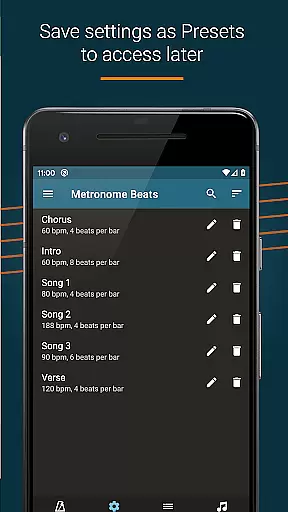
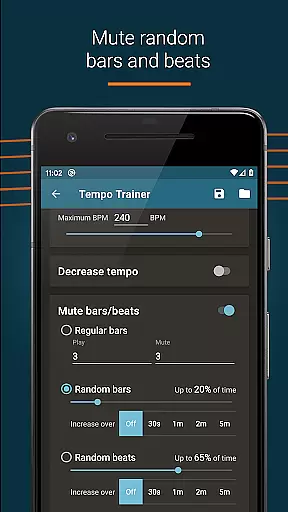
One of the app's key innovations is its ability to save custom settings as presets and organize favorite songs into setlists. The 'Live Mode' feature enables seamless transitions between different pieces during practice or performance. Users can also benefit from randomised bar and beat muting, helping them develop better timing skills through unpredictable patterns.
The application's multitasking capabilities allow simultaneous use with other music apps, while its timer function provides precise control over practice sessions. Visual beat indication and customizable sound pitch make it adaptable to various instruments and environments. These features collectively enhance the musician's ability to maintain accurate rhythm and timing across different musical contexts.
Metronome Beats Pro offers a comprehensive suite of features that cater to musicians and performers who need precise tempo control. While it doesn't provide a traditional music library, its ability to save presets and create songs with varying tempos serves as a dynamic toolset for practice and performance.
The app allows users to organize their favorite songs into setlists and play through these in 'Live' mode, which is crucial for solo practice and live performances. This feature ensures that users can access their custom compositions anytime, thus maintaining the authenticity of their personal music library.
With the option to customize sound settings and save them as presets, Metronome Beats Pro gives users the flexibility to tailor their audio experience. This customization extends to beat and bar counters, accenting the first beat of the bar, and subdividing beats, all of which contribute to a personalized and copyright-free music creation environment.
Overall, while Metronome Beats Pro may not offer a vast pre-recorded music library, its powerful composition tools ensure that each user's library is both extensive and authentic, limited only by one's creativity and practice needs.
Audio quality is paramount when using a metronome, as it must be clear and audible over other instruments during practice or performance. Metronome Beats Pro addresses this by offering users the ability to change the pitch of the metronome sound, ensuring it can be heard distinctly regardless of the musical context.
In addition to pitch adjustment, the app provides various sound types and the option to create custom sound settings. These features allow users to fine-tune the audio output to match their specific requirements, whether they are practicing alone or performing with an ensemble.
The visual beat indicators further enhance the audio experience by providing a visual cue for tempo, which is especially useful in noisy environments or for hearing-impaired musicians. This dual approach to rhythm tracking ensures that users have multiple ways to stay in sync with their desired tempo.
By combining customizable audio settings with visual support, Metronome Beats Pro delivers a high-quality audio experience that adapts to individual preferences and situational demands, making it an indispensable tool for musicians seeking precision and clarity in their practice routines.
Highly customizable
Accurate tempo control
Intuitive interface
Professional features
Versatile usage
Paid version only
Complex for beginners
Feature overload
No free trial
Advanced settings

SqueezePlayer turns your Android phone or tablet into a SqueezeBox on its own!
 4.60
4.60
The Skullcandy App Experience
3.20
Offline and always ad-free - stream in the highest quality available.
4.10
Taal player that lets you sing any Indian & Western song with Tabla & Tanpura
4.60
Full-featured, High-Quality Groovebox Workstation, perfect for Live Performance!
4.80
Walkout Song DJ is the most intuitive app to manage your sports music.
4.70
Bass Booster Pro takes auto-equalizing to the next level!
4.30
Learn to play the piano using falling notes!
3.80
Play KORG’s revolutionary touch-based instrument on a variety of devices.
4.40
Voice recorder - Audio recorder. Best recorder for recording
4.90
Play your hearts out on TouchTunes jukeboxes & connect with fellow music lovers.
4.80
Over 100 million tracks available for high quality streaming and download
4.60
Save hundreds of dollars for a physical strobe tuner and instead use this app.
4.50
Guzheng Master supports many playing techniques as an acoustic Guzheng
4.50
Your HD audio recorder on the go for music, meetings, ambience, animal sounds…
4.30
A sleek, no-frills player designed for true music lovers.
4.20
The original SP-1200 experience on your iPad
4.20
VB-AUDIO Software / VBAN-Receptor allows listening to any VBAN Streams
4.10
Remove ads permanently from Music Visualizer
4.4


User Reviews