
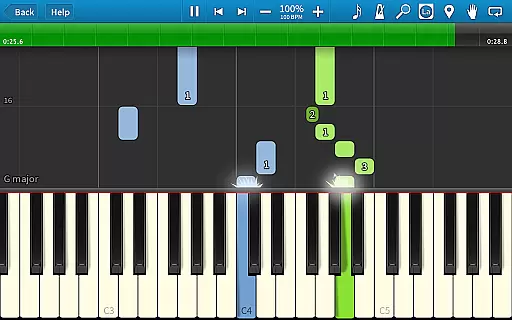
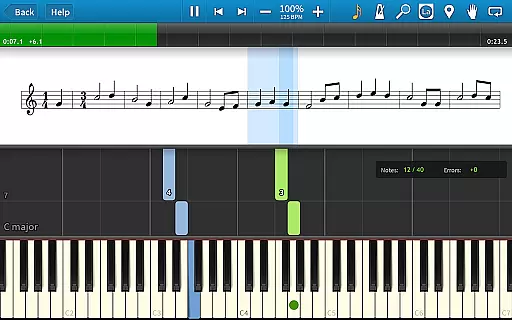
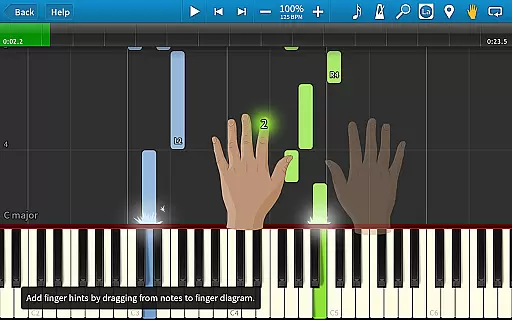
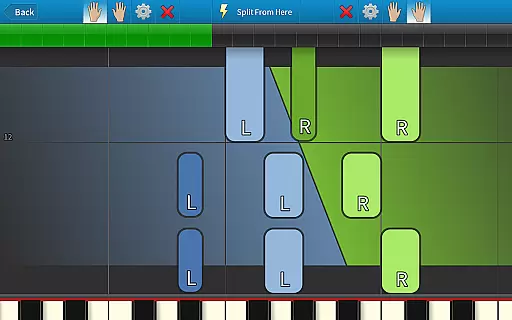
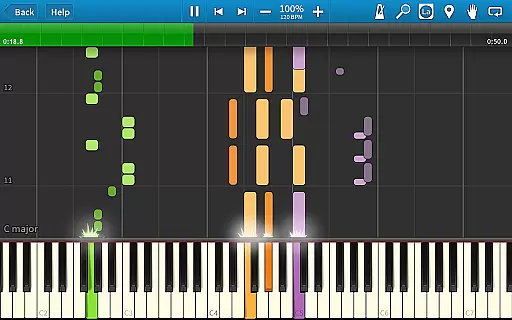
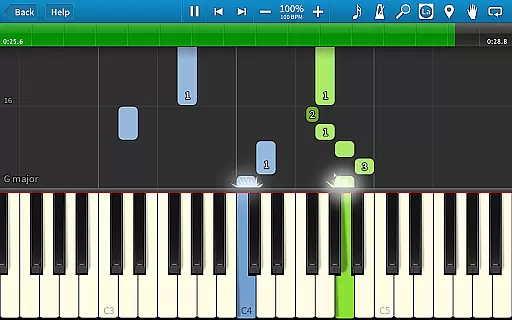
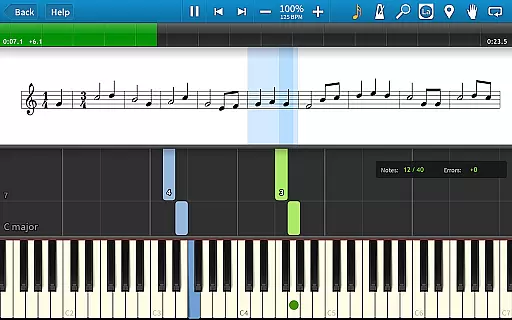
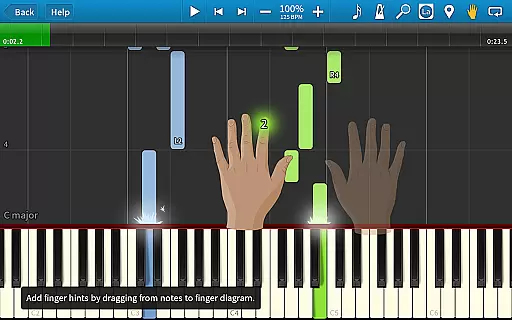
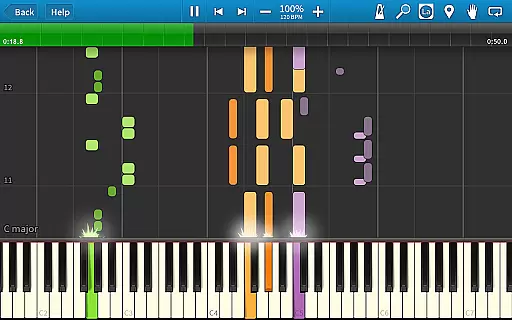
Synthesia is an innovative music learning application designed to help users play the piano without needing to read sheet music. The app offers a unique interactive experience by allowing users to connect their digital keyboard and follow falling note blocks or traditional sheet music on the screen. With features like Melody Practice mode, Synthesia waits for you to hit the correct note, ensuring accurate learning. Suitable for beginners and experienced musicians alike, this app provides a comprehensive learning tool that includes finger hints, loops, bookmarks, and a built-in metronome.
Available as a one-time purchase, Synthesia unlocks access to over 150 songs and allows users to record their own compositions using the multi-track recorder. Compatible with most lighted keyboards, it bridges the gap between learning and playing, making it an invaluable tool for anyone looking to enhance their musical skills.
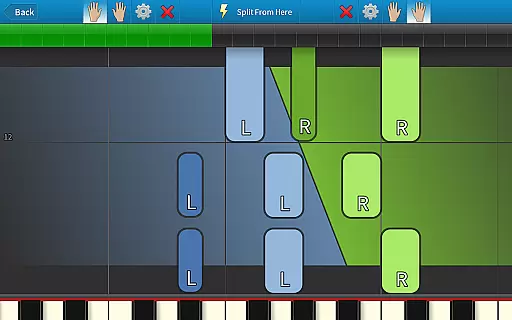
Synthesia stands out with its versatile features tailored for music learners. One of its key functionalities is the ability to practice melodies with each hand separately or together, providing flexibility in learning. The app supports connecting your digital piano, enabling real-time play-along sessions which are crucial for skill development.
Users can choose between different display modes such as sheet music or falling note blocks, catering to various learning preferences. Additionally, Synthesia includes more than 20 free songs and offers a library of 150+ songs with a one-time purchase. The inclusion of advanced features like a multi-track recorder and compatibility with MIDI files makes Synthesia a robust tool for both learning and creating music.
When it comes to music learning applications, the size and authenticity of the music library are crucial. Synthesia offers a vast collection of over 150 built-in songs, catering to various skill levels and musical tastes. This extensive library ensures that users have access to a wide range of music genres, keeping their learning experience diverse and engaging.
In addition to the included songs, Synthesia supports any MIDI file, effectively expanding its library to virtually unlimited proportions. This compatibility allows users to import and learn any MIDI song ever created, making it an incredibly versatile tool for musicians. The app also emphasizes copyright authenticity, ensuring that all provided content is legally sound and properly licensed.
The ability to record your own compositions using the built-in multi-track recorder further enhances the value of Synthesia's music library. Users can create, save, and practice their original pieces alongside the existing library, fostering creativity while maintaining legal integrity. This feature-rich environment provides an exceptional platform for both learning and creating music.
Audio quality is paramount in music education software, and Synthesia excels in this area. The application offers multiple audio quality options, ensuring that users can customize their listening experience according to their preferences and equipment capabilities. Whether practicing with headphones or playing through high-end speakers, Synthesia adapts to deliver optimal sound reproduction.
The app supports various audio formats and bitrates, allowing users to experience their music in crystal-clear quality. This flexibility is particularly beneficial when connecting digital pianos or keyboards, as it ensures that the sound output matches the instrument's capabilities. Synthesia's attention to audio detail helps maintain user engagement and enhances the overall learning process.
Furthermore, the built-in metronome and loop functions work seamlessly with the audio engine, providing precise timing and repetition tools without compromising sound quality. These features, combined with the app's visual feedback system, create an immersive learning environment where students can focus on improving their skills while enjoying professional-grade audio performance.
User-friendly interface
Interactive learning
Wide song selection
Real-time feedback
One-time purchase
Limited free content
Requires compatible hardware
No subscription model
Premium features locked
Advanced options may overwhelm beginners

 4.70
4.70
SqueezePlayer turns your Android phone or tablet into a SqueezeBox on its own!
4.60
Simply convert wav to mp3. Clear. Reliable. Safe.
4.2
Performance-Synthesizer & Multi-Track-Sequencer, polyphonic + multi timbral!
4.70
Advanced 10-Band Audio Graphic Equalizer Sound Booster Pro
4.30
Bass Booster Pro takes auto-equalizing to the next level!
4.30
Super Sound Editor, Song Maker & Mixer, Vocal Remover, Voice Recorder & Changer!
4.60
Customize Your Favorite Songs and Videos with booster.
4.70
Be a true music maker: create beats, mix and make music like a real DJ!
4.30
Voice recorder - Audio recorder. Best recorder for recording
4.90
Play your hearts out on TouchTunes jukeboxes & connect with fellow music lovers.
4.80
Offline Music Player & MP3 Player.Powerful equalizer, Lyrics, Themes, Tag Editor
4.80
Offline Music Player&MP3 Player with themes, equalizer, lyrics, music play mode
4.60
Learn the notes on the guitar fretboard fast with this easy and fun app
4.60
Fun & Easy Voice Changer – Record, Edit & Add Hilarious Effects!
4.50
A synth that really lets you shape your sounds!
4.50
The Music Journey in Your Hands
4.30
No wifi music app. Mp3 offline. Tuner radio, young radio music. Music downloader
4.20
Background pads for your band
3.80


User Reviews