
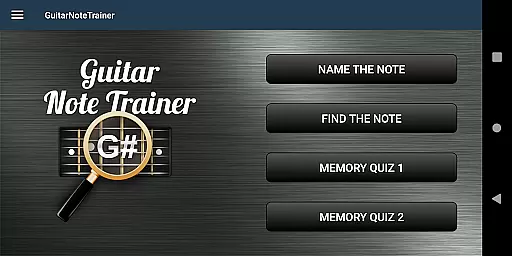

Guitar Fretboard Note Trainer is an innovative app designed to help guitarists master the fretboard. This tool focuses on teaching users how to identify notes across the guitar neck, a crucial skill for any advancing musician.
The app features four interactive training modes that cater to different learning styles and levels. Whether you're naming notes, finding specific ones, or testing your memory, this app provides a comprehensive approach to fretboard mastery.
Perfect for both beginners and experienced players, Guitar Fretboard Note Trainer offers customizable difficulty settings and audio feedback, making practice both effective and enjoyable.
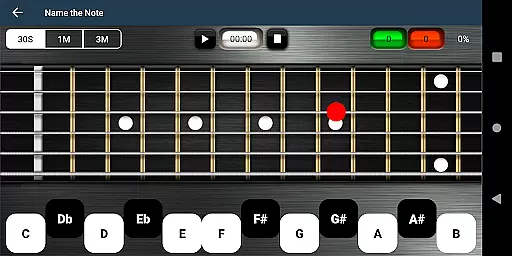
The app's standout feature is its diverse training modes. Name The Note challenges users to identify displayed notes, while Find A Note requires locating specific notes across all six strings.
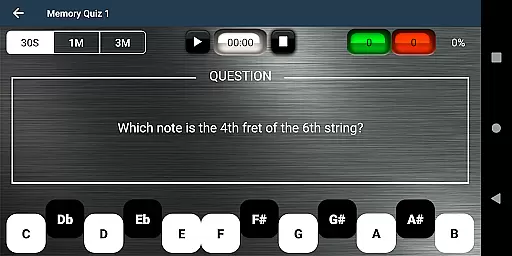
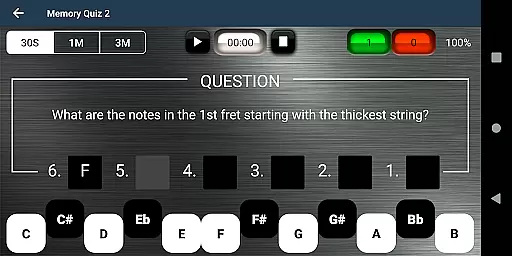
Memory Quiz 1 and 2 test recall ability, asking users to name notes from memory across various positions and frets. These progressive exercises build essential musical skills.
Additional features include adjustable difficulty levels for beginners, audio feedback for note recognition, and a unique 'cheat' function for visual learners. The combination of these elements creates an engaging learning experience.
When it comes to music learning applications like Guitar Fretboard Note Trainer, the size and variety of the music library are crucial for an enriching learning experience. This app offers a comprehensive set of training modes that cover essential skills for guitarists.
The application includes four distinct training modes, each designed to progressively challenge and improve the user's ability to recognize and play notes on the guitar neck. These modes range from basic note identification to complex memory quizzes across multiple frets.
Furthermore, the authenticity of the content is guaranteed as it aligns with standard musical education practices. Users can be confident that the lessons provided are accurate and beneficial for their musical development.
Audio quality is paramount in music-based apps, especially when users rely on sound cues for learning. The Justin Guitar Fretboard Note Trainer ensures high-quality audio output to enhance the learning process.
This app provides an optional audio feature where users can listen to the notes they select. This auditory feedback is vital for developing a musician's ear and confirming the correct notes being played.
In addition to superior audio playback, the app also allows for adjustable settings catering to different levels of difficulty. This flexibility ensures that learners at any stage can practice comfortably and effectively.
Interactive learning
Progressive difficulty
Audio feedback
Customizable options
Engaging games
Limited advanced features
No left-handed mode
Basic interface design
Occasional ads
Offline only

The Music Journey in Your Hands
 4.30
4.30
DJ Music Mixer Pro is a real DJ controllers and DJ Music Studio to remix DJ.
4.40
Save hundreds of dollars for a physical strobe tuner and instead use this app.
4.50
Network/Cloud Streaming, Visualization, Graphic Equalizer and Sound Effects.
4.20
Play your hearts out on TouchTunes jukeboxes & connect with fellow music lovers.
4.80
Make songs with AI! Any genre, custom lyric, song generator for music creation!
4.80
Help you quickly get started with Shokz headphones
4.40
The Minimalistic Premium Music Player. Handmade with passion for music
2.20
MilkDrop for Android TV
3.00
Your song collections with lyrics and chords on Android smartphones and tablets.
4.80
Listen to live FM radio stations, sports, music and news on global radios online
4.70
The alternative folder based music player.
4.20
The original SP-1200 experience on your iPad
4.20
Versatile MP3 recorder with auto-backup to Dropbox and Google Drive
4.10
Permanently backup Now Playing. Maps, filters & listening stats.
4.00
The ultimate media player for Android devices
3.90
USB audio recording and playback finally possible on Android 3.1 or higher!
3.90
Slow music down without changing pitch.
3.70
Simply convert wav to mp3. Clear. Reliable. Safe.
4.0


User Reviews