
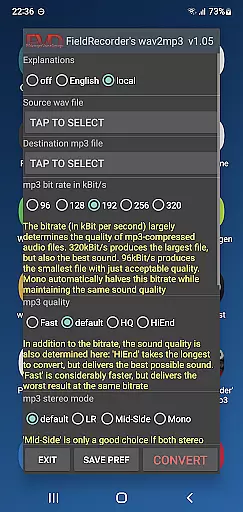
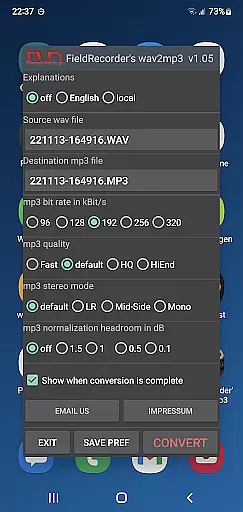
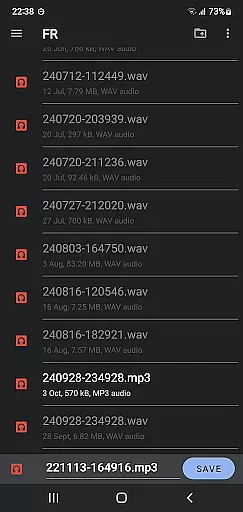
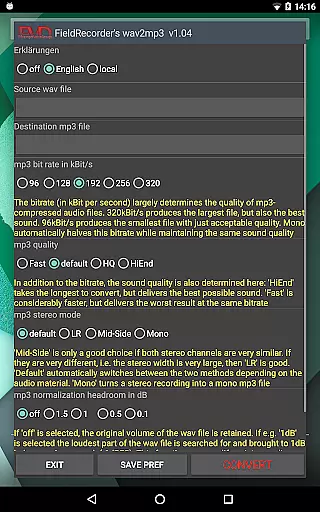
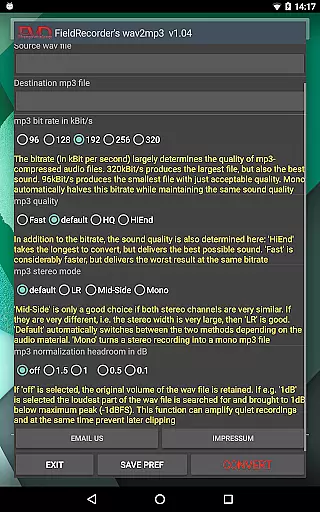
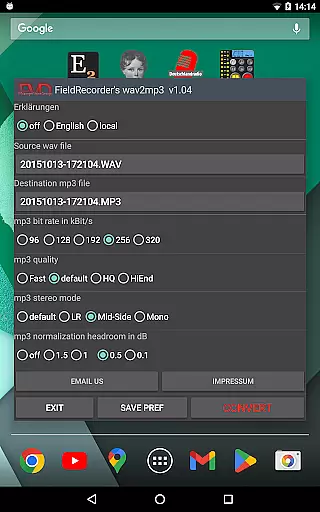
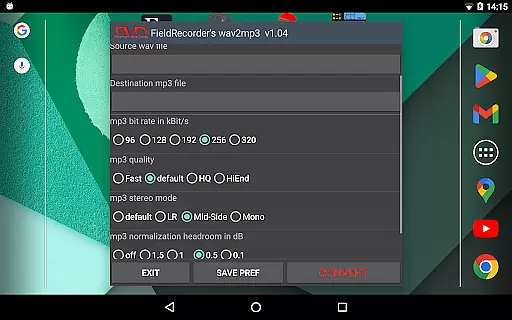
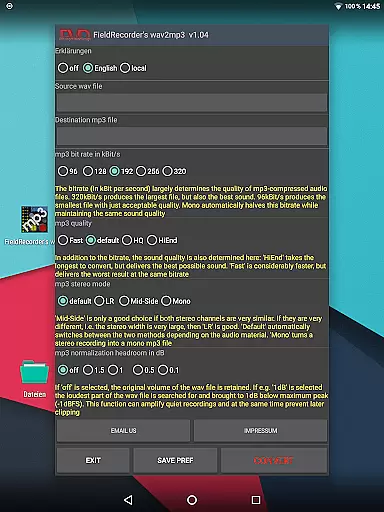
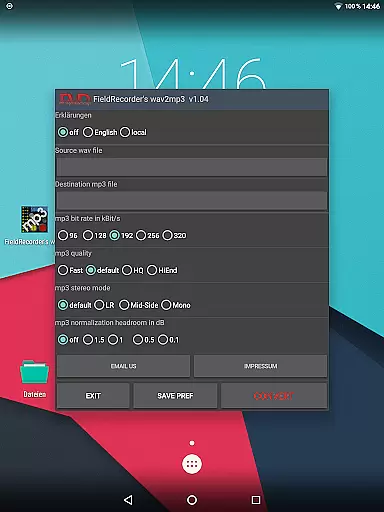
FieldRecorder's wav2mp3 is a streamlined audio conversion tool designed specifically for users who need to convert WAV files to MP3 format without any distractions. The app eliminates common frustrations such as intrusive ads, constant rating requests, and confusing options that often clutter similar applications. With its minimalist one-screen interface, users can effortlessly select source and destination files, then initiate the conversion process with a single tap. This efficient design ensures conversions happen quickly and in the background, providing a seamless user experience.
What sets FieldRecorder's wav2mp3 apart is its commitment to user privacy and transparency. The app does not collect user data or display advertisements, making it an ideal choice for privacy-conscious individuals. Additionally, its small download size of under 1.3MB—significantly smaller than comparable apps averaging 20MB—ensures fast installation and minimal storage usage. For added convenience, the app provides clear error messages when issues arise and even offers a full refund option if users are unsatisfied. Its compatibility with the professional audio recorder app 'Field Recorder' allows for remote control functionality, further enhancing its utility for advanced users.
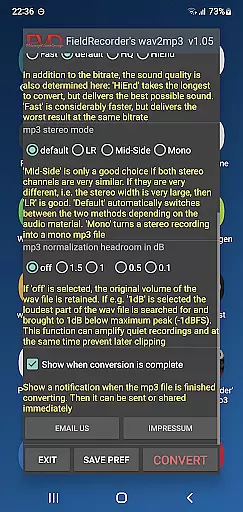
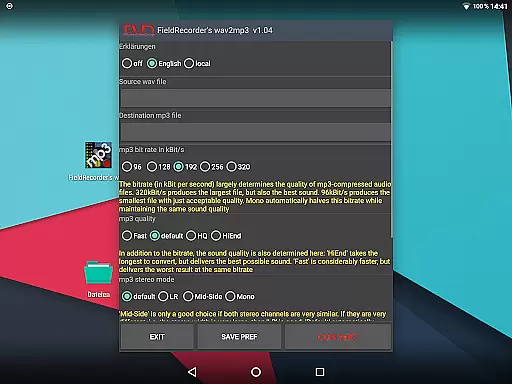
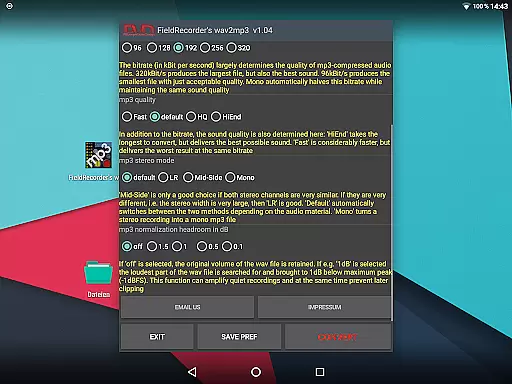
FieldRecorder's wav2mp3 offers several notable features that cater to both casual and advanced users. One standout aspect is its customizable options, which allow users to tailor the conversion process to their specific needs. For instance, users can choose from five preset bit rates, adjust stereo encoding modes (such as LR, Mid-Side, or Default), and specify whether the output file should remain at the original volume or be maximized. These settings can be saved as preferences for future use, streamlining repeated tasks.
In addition to its technical capabilities, the app prioritizes accessibility and clarity. Users have the option to view explanatory texts in their preferred language or hide them entirely for a cleaner interface. Furthermore, the app supports various levels of MP3 complexity, enabling users to balance between conversion speed and audio quality. Upon completion of a task, users receive a notification that facilitates immediate sharing or further processing of the converted file. Such thoughtful features make FieldRecorder's wav2mp3 a versatile tool suitable for a wide range of audio conversion needs.
FieldRecorder's wav2mp3 may not boast an extensive music library like some streaming services, but it excels in providing a streamlined and focused audio conversion experience. The app allows users to convert individual WAV files into MP3 format, catering to those who need to manage their personal audio collections or projects efficiently.
The emphasis on copyright authenticity is evident in its no-nonsense approach. Unlike other apps that might collect or exploit user data, FieldRecorder's wav2mp3 guarantees that your converted files remain yours alone, with no hidden data collection or tracking. This ensures peace of mind for users concerned about the legal and ethical implications of using digital tools for managing copyrighted material.
For musicians, podcasters, or anyone handling original content, this app provides a reliable way to transform audio files without compromising the integrity or ownership of the content. It respects both the creator and the user by maintaining transparency and offering full control over the conversion process.
When it comes to audio quality options, FieldRecorder's wav2mp3 stands out by offering users a range of customizable settings. These include bit rate selection, stereo mode configuration, and volume normalization, all of which contribute to the final output quality of the MP3 file.
Users can choose from five common bit rates, ensuring flexibility depending on whether storage space or sound fidelity is prioritized. Additionally, the stereo mode setting allows for encoding channels either separately or jointly, optimizing the balance between speed and sound quality based on the source material's characteristics.
Volume maximization and decibel level adjustments provide further refinement, enabling users to ensure their audio files are clear and audible without distortion. With these comprehensive options, FieldRecorder's wav2mp3 empowers users to achieve professional-grade results tailored to their specific needs.
User-friendly interface
No ads or data collection
Fast background processing
Customizable conversion options
Small app size
Limited advanced features
No batch conversion support
Basic UI design
Fewer format options
Paid app only

SqueezePlayer turns your Android phone or tablet into a SqueezeBox on its own!
 4.60
4.60
Turn your phone into a musical instrument from the future!
3.90
The Skullcandy App Experience
3.20
Full-featured, High-Quality Groovebox Workstation, perfect for Live Performance!
4.80
Super Sound Editor, Song Maker & Mixer, Vocal Remover, Voice Recorder & Changer!
4.60
Music, News & Sports Radio Tuner App. Tune in Live FM & AM Radio Stations.
4.80
Let your Android device with the sound effects you want
4.50
Ringtone Maker is free app create ringtone from music files or your recording.
4.40
Responsive piano with great sounds, graphics, and songs
4.80
Gorgeous UI, Powerful music Search and Equalizer, the great choice for you!
4.70
Reverse your voice & songs instantly! Fun singing challenge with cool effects.
4.60
Advanced 10-Band Audio Graphic Equalizer Sound Booster Pro
4.30
A sleek, no-frills player designed for true music lovers.
4.20
Smart piano keyboard, Classical to Pop, Real-time multiplayer connection!
4.20
Versatile MP3 recorder with auto-backup to Dropbox and Google Drive
4.10
Turn your Android phone into a professional audio analyser with up to 120 bands.
4.00
The ultimate media player for Android devices
3.90
The Minimalistic Premium Music Player. Handmade with passion for music
2.20
Music Streaming suite for Ampache, Nextcloud Music and compatible backends.
4.4


User Reviews