
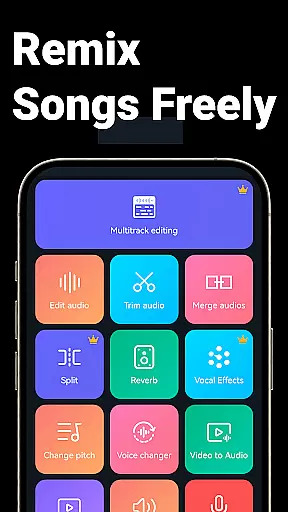
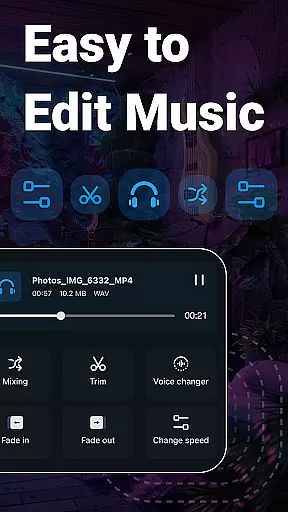
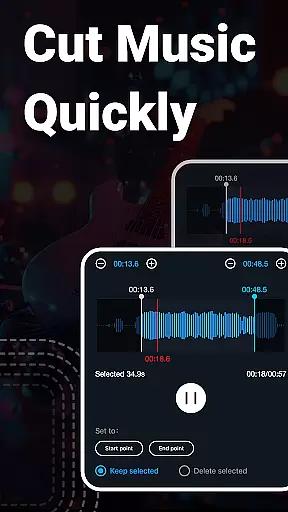
Super Sound is a comprehensive audio editing tool designed for both casual users and professionals on Android. This app allows you to cut, splice, mix, and convert audio formats with precision. It also offers advanced features like voice changing, vocal removal, and video-to-audio conversion.
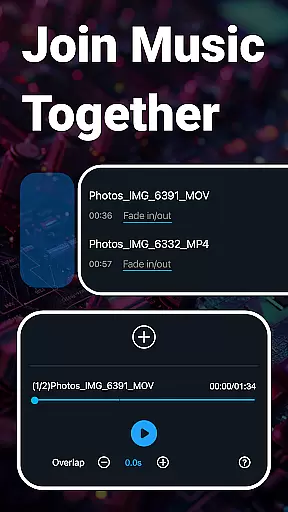
One of the standout capabilities of Super Sound is its multitrack audio editing, which lets you mix multiple audio tracks and add background music to voice recordings. Whether you're creating ringtones or editing music tracks, this app provides an intuitive interface that simplifies complex audio tasks.
Super Sound is particularly useful for content creators and musicians who need to edit audio files on the go. With support for various audio formats and additional features like fade-in/out effects and tempo adjustment, it ensures your audio projects sound professional and polished.
Super Sound boasts an extensive range of features that cater to all your audio editing needs. The app supports precise cutting of audio files in milliseconds, allowing you to trim and save segments effortlessly. You can also splice multiple audio clips together, making it easy to create seamless music tracks.
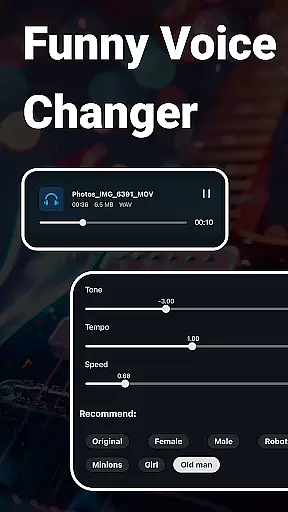
In addition to basic editing, Super Sound offers creative tools such as voice changers and pitch adjustments. These features enable you to transform ordinary audio into unique soundscapes by altering tone, speed, and playback effects. The app also includes a robust video editor that lets you add audio to videos and apply fade effects.
For those needing more advanced options, Super Sound provides multitrack mixing, batch processing, and royalty-free music downloads. Whether you're converting file formats or compressing audio for sharing, this app ensures high-quality results every time.
When it comes to music editing applications, the size and authenticity of the music library are crucial factors. Music Audio Editor, MP3 Cutter offers an extensive library that includes over 2000 royalty-free tracks, ensuring users have a vast array of options for their audio projects. This rich selection allows creators to find the perfect sound or background music without worrying about copyright infringement.
The app's commitment to copyright authenticity is evident in its careful curation of music tracks. Each piece in the library is verified to be free from copyright restrictions, empowering users to use these resources confidently in their creations. Whether you're crafting a personal project or professional content, this assurance is invaluable.
Moreover, the diversity within the music library caters to various tastes and project requirements. From upbeat tunes to serene melodies, the range ensures that every user can find something that resonates with their creative vision. This variety not only enhances the editing experience but also inspires users to explore new musical ideas.
In conclusion, Music Audio Editor, MP3 Cutter stands out by providing a large, authentic, and diverse music library. This feature significantly enriches the audio editing process, making it a reliable tool for anyone looking to create high-quality audio content with peace of mind regarding copyright issues.
Audio quality is paramount when editing and producing music or audio files. Music Audio Editor, MP3 Cutter excels in offering superior audio quality options that cater to both amateur enthusiasts and professional audio editors. The application supports multiple audio formats including mp3, aac, wav, flac, m4a, and amr, allowing users to choose the best format for their specific needs.
One of the standout features is the ability to adjust various parameters such as output sound channels, sample rates, and bit rates. These options ensure that the final audio product meets the highest standards of clarity and fidelity. Users can fine-tune these settings to optimize file size while maintaining excellent sound quality, which is particularly beneficial for sharing or uploading purposes.
Additionally, the app provides advanced tools like a music equalizer with a variety of preset parameters. This feature enables users to freely adjust the equalizer settings, enhancing the overall audio experience. Whether you're looking to boost bass, enhance treble, or create a balanced mix, the equalizer tool delivers precision and control.
In summary, Music Audio Editor, MP3 Cutter distinguishes itself through its comprehensive audio quality options. By supporting various formats and offering customizable settings, it empowers users to produce professional-grade audio content with ease and confidence.
User-friendly interface
Extensive format support
Advanced editing tools
Voice changing feature
Multitrack mixing capability
Occasional bugs reported
Ads in free version
Complex for beginners
Limited customer support
Heavy app size

SqueezePlayer turns your Android phone or tablet into a SqueezeBox on its own!
 4.60
4.60
Simply convert wav to mp3. Clear. Reliable. Safe.
4.2
Turn your phone into a musical instrument from the future!
3.90
Offline and always ad-free - stream in the highest quality available.
4.10
The Music Journey in Your Hands
4.30
Performance-Synthesizer & Multi-Track-Sequencer, polyphonic + multi timbral!
4.70
Learn and play 2M+ music tabs & chords on guitar, ukulele, bass, and more
4.30
A complete sound package for the sound engineer or enthusiast
4.60
Powerful 10-Band equalizer pro with sound booster improves Android audio quality
4.30
24,000 free audio books and no ads!
4.90
Voice recorder - Audio recorder. Best recorder for recording
4.90
Brian Eno and Peter Chilvers’ acclaimed music app Bloom, radically reinvented.
4.80 4.70
4.70
Ultimate Sonos Controller
4.70
Recording studio w/ 10k beats, pro vocal FX and a network of 20M rappers & fans!
4.60
Learn the notes on the guitar fretboard fast with this easy and fun app
4.60
Let your Android device with the sound effects you want
4.50
Permanently backup Now Playing. Maps, filters & listening stats.
4.00
The Skullcandy App Experience
3.20


User Reviews